
LinkStation 210
3.9Editor score
6TB Total Capacity
Subscription-Free Personal Cloud
Closed System Security
This guide compares the top Buffalo NAS models for home and business, evaluating storage capacity, speed, security, and ease of use to help you choose the
Network attached storage devices provide a reliable way to centralize data across multiple devices. Buffalo offers a wide range of NAS solutions tailored for home users and small businesses seeking efficient file sharing.
We evaluated ten current Buffalo NAS products based on capacity, performance, security features, and overall value. Each model was assessed for its suitability in different environments, from personal cloud access to professional server needs.
Every selection highlights key specifications and real-world capabilities to guide your decision. Keep in mind that pricing and availability can change frequently, so verify details before purchasing to ensure you get the best deal.
3.9Editor score

4.8Editor score

This side-by-side comparison highlights the core specifications of each model to help you identify the right fit for your storage requirements and network environment.
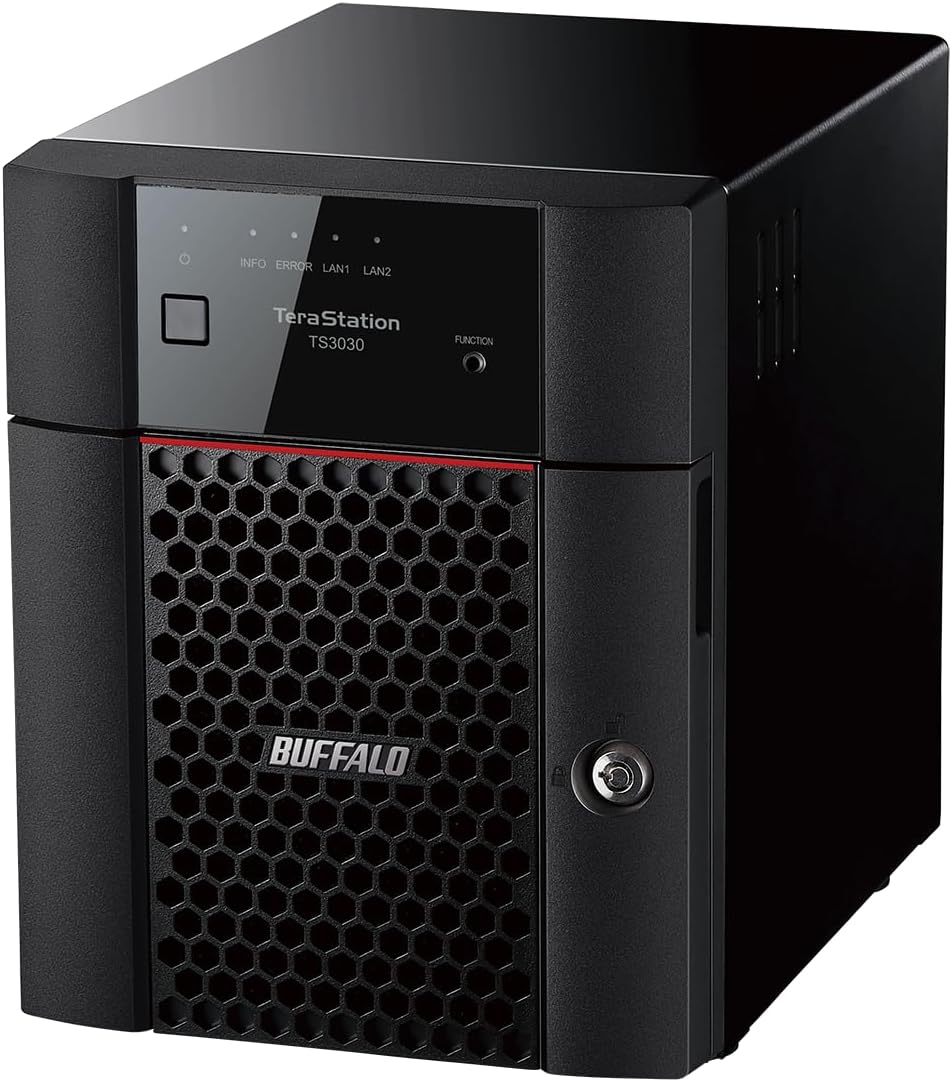


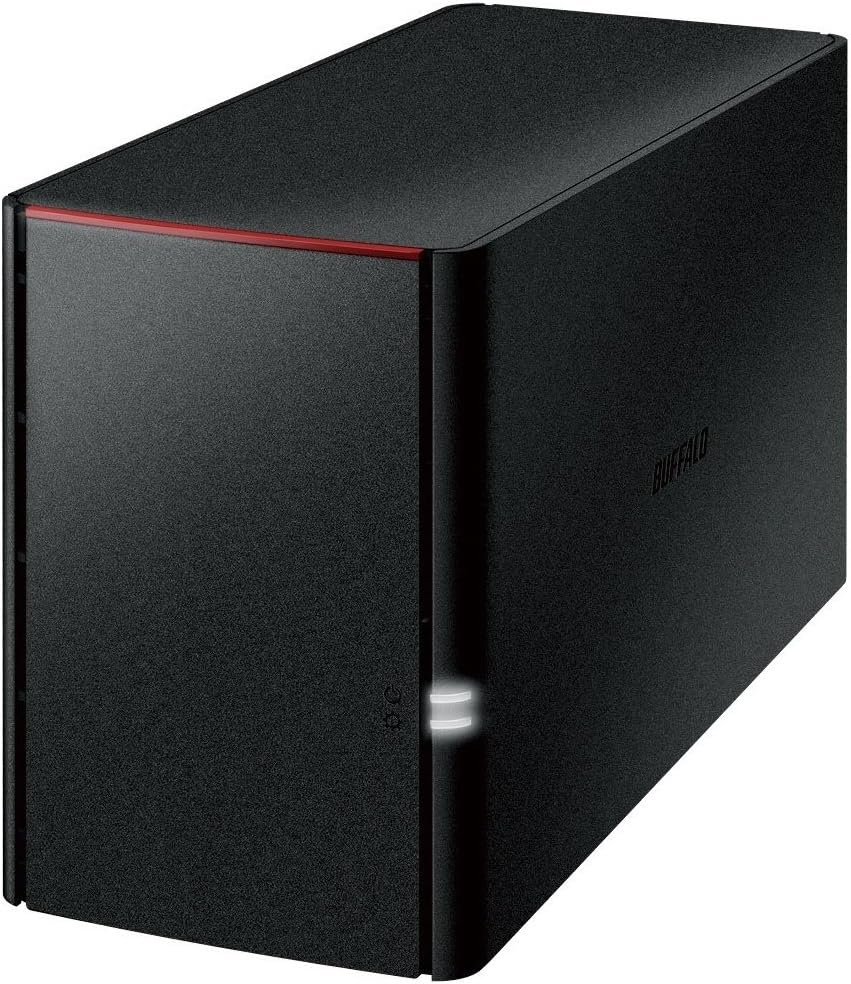


The LinkStation 210 serves as an entry-level solution for users needing centralized storage without complexity. It ships with a 6TB drive pre-installed, allowing immediate deployment for home media or document backups.
We may earn a commission when you buy through this link, at no additional cost to you.
Its closed system architecture minimizes security vulnerabilities by restricting third-party app installations. This design ensures that data remains protected through SSL encryption during file transfers across your network.
While it lacks advanced RAID options, the single drive setup simplifies management for basic users. The limitation means no redundancy, so external backups are recommended for critical data protection.
Ideal for households wanting a personal cloud without recurring fees, this model delivers straightforward value. It is best suited for non-critical data where ease of use outweighs enterprise-grade redundancy.
You can access your files from anywhere without paying monthly cloud storage charges.
SSL encryption protects your data while it travels across your local network.
We may earn a commission when you buy through this link, at no additional cost to you.
This model targets small businesses needing significant storage without complex administration. It includes four 6TB drives totaling 24TB, pre-configured in RAID 5 for balanced performance and safety.
We may earn a commission when you buy through this link, at no additional cost to you.
The native 2.5GbE port supports fast file transfers without requiring new cables. This speed ensures smooth operation for multiple users accessing large files simultaneously on your network.
Hybrid cloud integration allows syncing with major providers for extra data security. While powerful, the higher price point makes it less suitable for casual home users.
Perfect for offices requiring reliable daily backups, it offers robust protection features. The included 3-year warranty provides peace of mind for long-term professional use.
Sync with Dropbox or OneDrive to add an offsite layer to your backup strategy.
Pre-tested drives and RAID configuration eliminate the need for technical setup steps.
We may earn a commission when you buy through this link, at no additional cost to you.
Designed for small office home office setups, this NAS balances affordability and utility. It comes with 4TB storage split across two bays for flexible redundancy or capacity options.
We may earn a commission when you buy through this link, at no additional cost to you.
The direct copy feature lets you back up photos via USB without a computer. This makes transferring files from cameras or phones quick and easy for staff members.
RAID 1 provides automatic mirroring to protect against single drive failure. However, the USB 2.0 port limits external transfer speeds compared to newer USB standards.
Best for teams needing a shared folder for documents, it handles daily tasks efficiently. Its compact size fits easily on a desk while delivering essential network storage.
Back up your USB devices directly to the NAS without needing a PC.
Configure individual folder permissions to keep sensitive business data private.
We may earn a commission when you buy through this link, at no additional cost to you.
This is a flagship choice for organizations needing top-tier performance and security. It delivers 32TB total capacity and a native 10GbE port for enterprise-grade speed.
We may earn a commission when you buy through this link, at no additional cost to you.
Snapshots enable instant data recovery from ransomware or accidental deletion events. This feature ensures business continuity with minimal disruption to daily operations.
The investment is substantial but justified for data-heavy workloads like video editing. Cabling must match the network speed to fully utilize the 10GbE potential.
It stands out as the most robust option for serious business storage. If your network supports 10GbE, this model offers unmatched speed and reliability.
Create regular snapshots to restore data to a previous secure state instantly.
The 10GbE port allows rapid transfer of large media files across the network.
We may earn a commission when you buy through this link, at no additional cost to you.
Ideal for server rooms, this rackmount unit saves desk space while delivering solid performance. It comes with 8TB total capacity configured for easy out-of-the-box use.
We may earn a commission when you buy through this link, at no additional cost to you.
Cloud integration keeps your data synchronized with major providers like Azure and Dropbox. This hybrid approach enhances flexibility for remote access and offsite redundancy.
Though capacity is limited compared to tower models, it maximizes server density. The included 3-year warranty covers drives, ensuring reliability in critical infrastructure.
It suits IT administrators who need compact, reliable storage in a server rack. The value focus makes it a practical choice for growing small business needs.
Designed to fit standard server racks for organized and secure installations.
Optimized to lower total cost of ownership for small professional setups.
We may earn a commission when you buy through this link, at no additional cost to you.
This unique unit runs Windows Server IoT 2025 tailored for workgroup environments. It removes the need for Client Access Licenses, simplifying licensing for small teams.
We may earn a commission when you buy through this link, at no additional cost to you.
Included NovaBACKUP software provides professional-level backup capabilities directly out of the box. This saves users from purchasing extra tools for PC and server protection.
Storage capacity is smaller at 4TB, focused on system reliability rather than bulk. The specialized OS is best for shops already using Windows infrastructure for management.
If your network relies on Windows Server, this offers seamless integration. It simplifies administration by merging standard storage with familiar Windows management tools.
No CALs required means easier compliance for your small business network setup.
Includes NovaBACKUP licenses to handle complex server and PC backups easily.
We may earn a commission when you buy through this link, at no additional cost to you.
A previous generation model that still offers value for basic media storage needs. It includes 4TB capacity with Gigabit LAN to handle file sharing efficiently.
We may earn a commission when you buy through this link, at no additional cost to you.
DLNA support allows streaming media to smart TVs and consoles directly. This makes it a convenient hub for organizing and sharing movies and music.
Hardware like the Marvell ARMADA processor is older but sufficient for simple tasks. USB 2.0 limits external drive speeds, which may slow large file transfers.
Suitable for retroactive setups or budget-conscious users who prioritize media access. While not as fast as modern units, it gets the job done for casual use.
DLNA support ensures your stored video plays on compatible home theater devices.
We may earn a commission when you buy through this link, at no additional cost to you.
This desktop model provides straightforward access to shared storage for home or office. It ships with 4TB pre-installed to start saving files immediately.
We may earn a commission when you buy through this link, at no additional cost to you.
Business-level backup software helps automate protection for PCs on the network. Free personal cloud access lets you view documents from mobile devices easily.
The unit focuses on simplicity without advanced enterprise features. This makes it ideal for small groups needing a shared drive rather than complex data management.
It serves well as a basic file server for documents and backups. Its plug-and-play nature ensures minimal time spent on configuration or maintenance tasks.
Bundled software automates backups to keep your critical files safe regularly.
We may earn a commission when you buy through this link, at no additional cost to you.
This model emphasizes smartphone and tablet accessibility for media storage. It offers 4TB total space to expand the limited storage on mobile devices.
We may earn a commission when you buy through this link, at no additional cost to you.
Mirroring ensures data redundancy so files remain safe even if one drive fails. This is crucial for protecting precious photos and documents from hardware loss.
The interface is designed for easy access via mobile apps. While USB 2.0 restricts wired transfer speeds, it works well for wireless backups.
Best for households prioritizing mobile media access, it simplifies file management. It is a practical choice for backing up tablets or smartphones wirelessly.
Designed to work seamlessly with apps for accessing files from phones.
Automatically duplicates data to protect against accidental drive failure.
We may earn a commission when you buy through this link, at no additional cost to you.
While not a network device, this external drive serves similar backup needs locally. It provides 8TB capacity with RAID 1 mirroring to protect your local data.
We may earn a commission when you buy through this link, at no additional cost to you.
USB 3.2 Gen 1 ensures fast transfer speeds for large files between PC and drive. Hot swap allows replacing drives without shutting down the unit during failure.
This suits users needing direct attached storage without network sharing capabilities. It supports Time Machine backups for Mac users and scheduled PC backups.
Ideal for local backups of workstations where network access isn't required. It offers a cost-effective way to maintain a redundant local copy of files.
Replace a failed drive without powering down the system for continuous operation.
We may earn a commission when you buy through this link, at no additional cost to you.
Choosing the right Buffalo NAS depends on your storage needs, budget, and technical environment. This guide breaks down the key factors to consider before purchasing.
The total capacity of a NAS depends on the number of drive bays and the size of the included drives. A 4-bay model supports more drives than a 2-bay unit, offering greater room for future expansion.
Assess your current data needs and anticipate growth to choose the right number of bays.
Network ports determine how fast files transfer across your local network. Models with 10GbE or 2.5GbE ports provide much faster speeds than standard Gigabit Ethernet.
Select a device with a network port that matches your router and cabling for optimal performance.
RAID (Redundant Array of Independent Disks) protects data by mirroring or distributing it across drives. RAID 1 offers safety through mirroring, while RAID 5 balances capacity and redundancy.
Choose a model that supports RAID modes compatible with your security needs and budget.
Security is critical for any network storage device to prevent unauthorized access. Look for features like SSL encryption, closed system architecture, and two-factor authentication.
Prioritize models with built-in security tools to safeguard sensitive business or personal data.
Hybrid cloud sync lets you back up data to services like Amazon S3 or OneDrive. This adds an extra layer of redundancy and allows for easier remote access.
Ensure the NAS supports the specific cloud services you currently use for your workflow.
Most Buffalo NAS devices work with Windows and macOS out of the box. Some specialized models like the TeraStation WS5220DN run Windows Server for advanced compatibility.
Check compatibility with your existing operating systems to avoid connectivity issues.
A solid warranty protects your investment against hardware failure. Buffalo offers 2 to 3-year warranties on most models, including drive coverage.
Verify the support terms to ensure you have reliable assistance if problems arise.
User-friendly interfaces simplify setup and daily management. Tools like NAS Navigator help automate backups and monitor device status easily.
Choose a model with intuitive software to save time on configuration and maintenance.
Start by connecting the NAS to your router using an Ethernet cable and power it on. Use the provided setup software on your computer to initialize the drives and set up users.
Configure automatic backups for your computers to ensure data is saved regularly without manual intervention. This protects against data loss from hardware failure or accidental deletion.
Keep the firmware updated through the device interface to patch security vulnerabilities. Place the unit in a well-ventilated area to prevent overheating and extend its lifespan.
Yes, most Buffalo NAS models are compatible with both Windows and macOS. You can access files from both operating systems without needing special adapters.
Yes, many models like the TeraStation allow you to upgrade drives later. However, adding drives may require backing up data before expanding capacity.
RAID 5 distributes data across drives so you lose only one drive if it fails. It balances storage capacity and redundancy for reliable daily use.
No, the LinkStation models offer subscription-free personal cloud access. You do not pay monthly fees to access your own files remotely.
Data is protected with SSL encryption during transfer and closed system designs. Two-factor authentication further secures access to your files and settings.
Yes, Buffalo provides 24/7 US-based support for most models. This includes assistance with installation walkthroughs and troubleshooting issues.
The TeraStation 5420DN stands out for high performance, while the LinkStation 210 offers budget-friendly entry. Each model serves specific needs from simple home storage to enterprise file servers.
Prioritize your requirements for speed, capacity, and security when making your final decision. Understanding your workflow ensures you select the right tool for data management.
Prices and availability fluctuate, so checking current offers is essential before purchasing. Verify specifications match your network setup to ensure smooth integration.