
HP 14 inch Laptop
4.5Editor score
Anti glare coating reduces reflections
Lightweight 3.24 lb chassis
Intel N150 processor performance
Finding a laptop with an anti glare screen is essential for anyone who works in bright offices or outdoors. These displays reduce reflections and eye strain, making long work sessions much more comfortable. We have selected ten top models that excel in visual clarity and overall performance.
Our team compared these laptops based on display technology, processor speed, battery life, and build quality. We focused on models that offer genuine anti glare coatings rather than glossy finishes that cause distractions. Each pick balances cost with features to suit different user needs and budgets.
Every pick below includes detailed specs, pros, cons, and real-world performance insights. We highlight how each screen handles light and color to ensure you find the right fit. Note that prices and availability may change, so verify current details before purchasing.
4.5Editor score
4.1Editor score

4.4Editor score
As an Amazon Associate we earn from qualifying purchases.
This side by side comparison highlights the key specifications and display features of all ten laptops. We focus on screen type, processor power, memory, and storage to help you make an informed decision quickly.




This Dell 15.6 Laptop offers a reliable entry point for everyday computing with an anti glare screen. Rated 4.3 stars by users, it focuses on efficiency and comfort for standard tasks like browsing and document work. The Intel Core 3 processor handles light multitasking smoothly without overheating.
We may earn a commission when you buy through this link, at no additional cost to you.
Key strengths include Dell ComfortView software that reduces blue light emissions to protect eyes during long sessions. The ergonomic design features lifted hinges for a better typing angle, and the separate numeric keypad helps with data entry. These features make it a solid choice for students or office workers.
Trade-offs involve the 8GB RAM which may limit heavy multitasking and the basic display brightness. While the anti glare coating helps in bright rooms, it is not as vivid as higher-end IPS panels. These limitations are acceptable for basic productivity where cost and battery life matter more.
Buyers seeking a budget-friendly laptop for study or office use should consider this model. It balances comfort and function well for those who do not need heavy graphics power. The onsite service option adds peace of mind for long-term reliability and support.
The anti glare surface minimizes reflections while ComfortView software reduces harmful blue light for better eye health during extended use.
A separate numeric keypad and ergonomic hinges support faster typing and better posture, ideal for data entry and document work.
We may earn a commission when you buy through this link, at no additional cost to you.
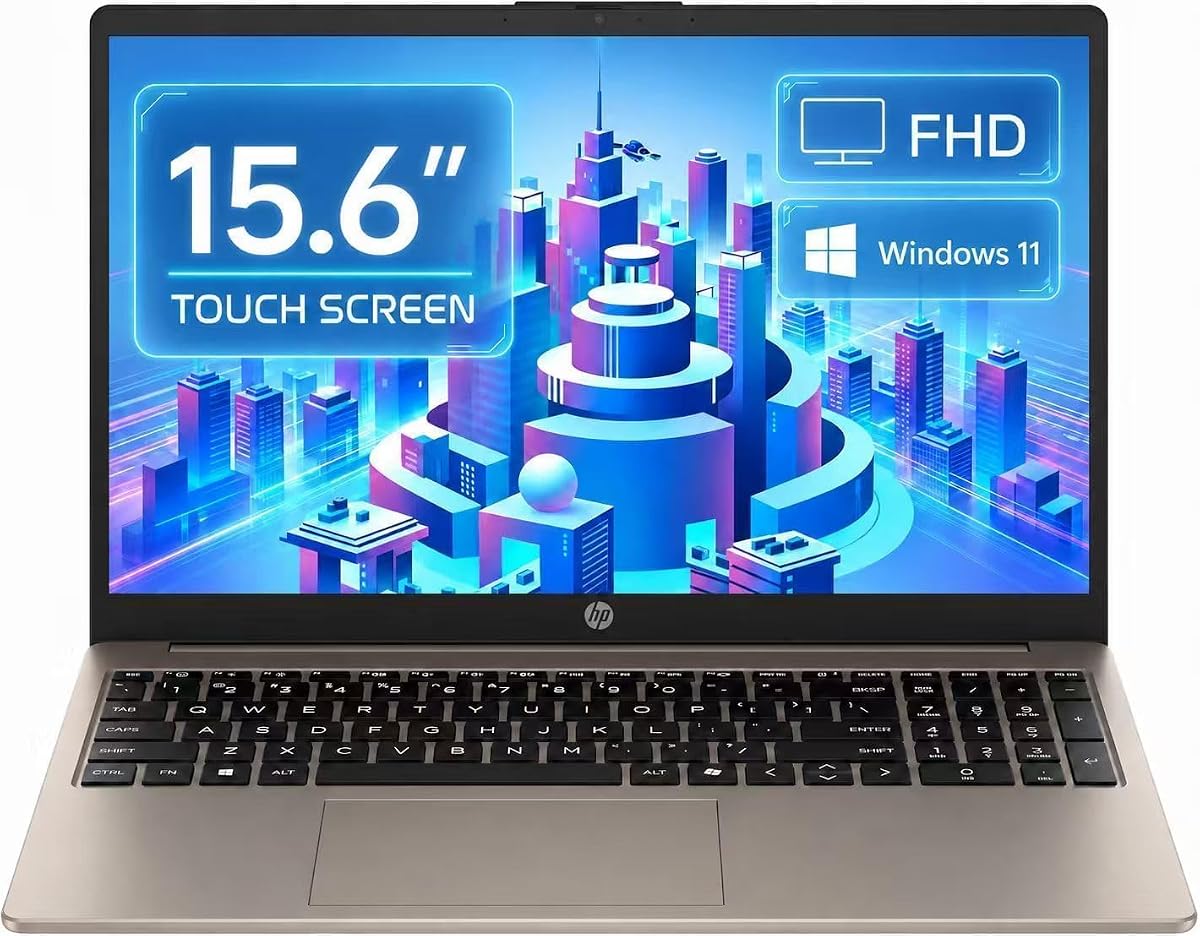
The HP Pavilion 15.6 Inch stands out with a full HD IPS touchscreen anti glare display that balances clarity and touch functionality. It earns a 4.1 star rating for its ability to handle everyday tasks with ample memory and storage. The Intel processor reaches speeds up to 3.8GHz for smooth web browsing and app usage.
We may earn a commission when you buy through this link, at no additional cost to you.
Strengths include 16GB of RAM and a 1TB SSD ensuring quick boot times and space for large files. The 300 nits brightness combined with IPS tech ensures clear views from different angles while the anti glare coating reduces distractions. Battery life supports up to 11 hours for all-day mobility.
However, the processor is not suited for intensive creative work or gaming. The touchscreen adds versatility but may not be necessary for all users. These trade-offs are acceptable for general users who prioritize screen quality and storage over raw processing power.
This model fits students or professionals needing a versatile machine for work and entertainment. The privacy shutter adds security for video calls while the Type-C port supports modern connectivity. It remains a top pick for value and display quality in this category.
The IPS anti glare touchscreen allows intuitive interaction with crisp visuals at 300 nits for clear viewing in various lighting.
With up to 11 hours of battery life and modern ports like Type-C, this laptop supports long workdays away from outlets.
We may earn a commission when you buy through this link, at no additional cost to you.
This HP Laptop Computer features a 13th Gen Intel Core i7 processor and an anti glare FHD display for premium performance. With a 4.4 star rating, it delivers robust multitasking capabilities and stunning visuals for creating and gaming. The Intel Iris Xe graphics enhance media playback and light creative work.
We may earn a commission when you buy through this link, at no additional cost to you.
Key strengths include 16GB RAM and 1TB SSD storage for seamless application switching and ample space for large projects. The anti glare screen ensures comfortable viewing during extended sessions while the fast charge feature restores power quickly. Wi-Fi 6 and Bluetooth 5.3 provide reliable connectivity for modern workflows.
Trade-offs involve a higher price compared to basic models and battery life that may vary under load. These factors are acceptable for users needing power and speed for professional tasks. The performance justifies the cost for those who prioritize efficiency and visual quality.
Professionals and creatives seeking a powerful yet portable solution should choose this model. It combines high-end specs with display comfort to support demanding workloads. The fast charge and ample storage make it a reliable companion for travel and office use.
The 13th Gen Core i7 and 16GB RAM enable smooth multitasking and handle intensive apps with ease for productive work.
The anti glare FHD display offers vibrant 2 million pixel visuals for an immersive experience without eye strain.
We may earn a commission when you buy through this link, at no additional cost to you.
The HP 14 inch Laptop is a highly portable option with an anti glare display and lightweight design. Rated 4.5 stars, it targets basic computing needs with a slim profile and modern connectivity. The Intel N150 processor handles web browsing and document editing efficiently for students or travelers.
We may earn a commission when you buy through this link, at no additional cost to you.
Strengths include its slim 0.71 inch profile and weight of 3.24 lbs which make it easy to carry daily. The 250 nits anti glare coating ensures clear visuals in bright environments while Microsoft 365 and cloud storage expand usable space. Ports like USB-C and HDMI support versatile connectivity.
Trade-offs involve limited 4GB RAM and 128GB local storage which may require reliance on cloud services. These limitations are acceptable for users who need mobility over heavy performance. The high rating reflects user satisfaction with its portability and ease of use.
This model is best for students or casual users who prioritize travel and basic tasks. The anti glare screen and included software make it ready for school or light office work. Its compact size ensures you can work from anywhere without added bulk.
With a slim 0.71 inch profile and 3.24 lb weight, this laptop is easy to carry between home, office, or school.
The 14 non-touch display features an anti glare coating and 250 nits brightness for clear and vibrant visuals.
We may earn a commission when you buy through this link, at no additional cost to you.
The HP FHD IPS Touchscreen laptop combines an anti glare display with modern AMD processing and AI features. It targets users who need reliable performance and visual clarity for work and entertainment. The 300 nits brightness and IPS tech ensure wide viewing angles and lifelike colors.
We may earn a commission when you buy through this link, at no additional cost to you.
Key strengths include the AMD Ryzen 5 7520U processor for smooth multitasking and streaming. The AI noise reduction helps with clear communication during calls while the webcam shutter protects privacy. The included laptop cooler supports thermal management during extended use.
Trade-offs involve moderate SSD storage which may fill quickly for large media files. The lack of rating data means relying on specs for expected quality. These factors are acceptable for users who prioritize screen interaction and communication tools over raw storage.
This model fits those who value touch interaction and advanced features like AI noise reduction. The anti glare touchscreen allows intuitive control while the AMD Ryzen ensures efficient performance. It serves well for hybrid work environments requiring both collaboration and media viewing.
The 15.6 anti glare touch display offers vivid colors and 300 nits brightness for comfortable viewing from any angle.
AI noise reduction and a webcam shutter ensure secure and clear communication during video calls and meetings.
We may earn a commission when you buy through this link, at no additional cost to you.
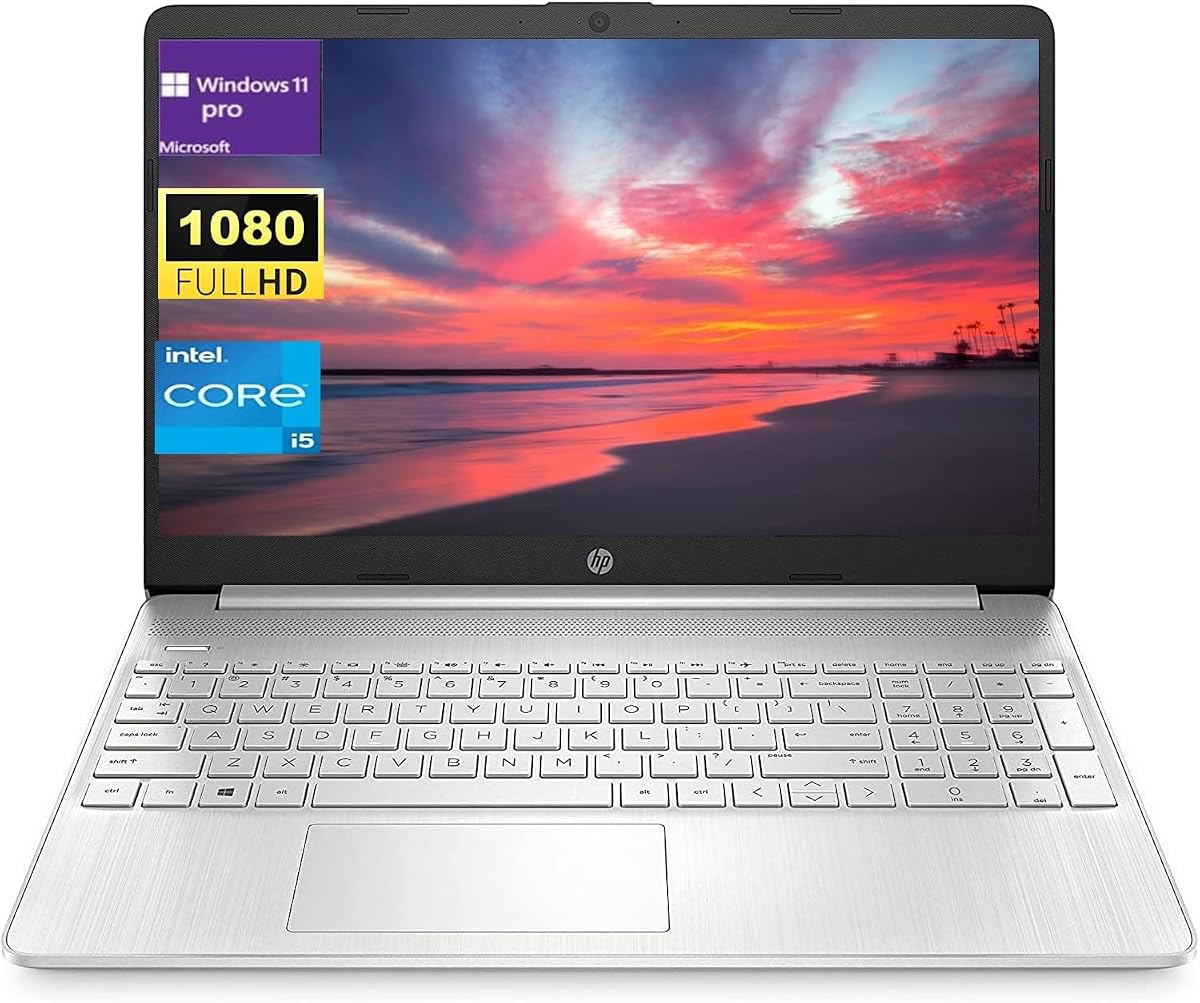
This HP 15.6 laptop provides a balanced mid-range solution with an anti glare display and Windows 11 Pro. It handles everyday tasks smoothly with 8GB RAM and a 512GB SSD for reliable performance. The Intel Core i5 processor ensures consistent speed for work and browsing.
We may earn a commission when you buy through this link, at no additional cost to you.
Strengths include the IPS anti glare display for clear visuals and the SD card reader for easy file transfers. Windows 11 Pro offers advanced security features while the battery supports up to 10 hours of use. HDMI and USB-C ports support versatile connectivity for peripherals.
Trade-offs involve an older processor generation and lack of rating data. These are acceptable for users seeking enterprise features and display quality at a mid-tier price. The solid specs ensure it can handle daily productivity without issues.
Buyers needing a professional machine with reliable specs should consider this model. The anti glare screen and Windows Pro make it suitable for office environments. Its balanced performance ensures you stay productive throughout the day.
The 15.6 FHD anti glare display offers 250nits brightness with up to 10 hours of battery life for all-day work.
Windows 11 Pro provides advanced security while ports like HDMI and SD card reader ensure flexible data connections.
We may earn a commission when you buy through this link, at no additional cost to you.
The Dell Latitude 5420 is a renewed business laptop with an anti glare touchscreen and robust specs. It offers reliable performance for office work with 16GB RAM and Thunderbolt 4 support. The 14 inch display ensures clear visuals while the Intel processor handles multitasking well.
We may earn a commission when you buy through this link, at no additional cost to you.
Strengths include the renewed status for value and 16GB DDR4 RAM for smooth operation. The anti glare touchscreen enhances usability while HDMI and USB ports support multiple monitors. Windows 11 Pro ensures enterprise-grade security and features.
Trade-offs involve the renewed condition which may vary in cosmetic quality. However, the warranty and specs make it a solid choice. These factors are acceptable for businesses seeking cost-effective hardware with professional features.
This model fits professionals needing a reliable workhorse with touch capability. The anti glare screen and high RAM support efficient productivity. Its portability and connectivity make it ideal for hybrid work.
Windows 11 Pro and Thunderbolt 4 enable secure data transfer and fast peripheral connectivity for enterprise use.
The 14 anti glare touchscreen provides clear visuals and touch control for daily tasks in various environments.
We may earn a commission when you buy through this link, at no additional cost to you.
The Lenovo Business 15.6 is a compact daily driver with an anti glare display and durable build. Rated 4.6 stars, it delivers reliable performance for web browsing and streaming. The 8GB DDR5 RAM ensures smooth multitasking while the anti glare coating reduces eye strain.
We may earn a commission when you buy through this link, at no additional cost to you.
Strengths include MIL-STD-810H testing for durability and fast charging for quick power ups. The privacy shutter protects webcam views while the TN panel provides wide viewing angles. Microsoft 365 and OneDrive support add cloud value.
Trade-offs involve a TN panel which offers less vibrant colors and split storage. These are acceptable for users prioritizing ruggedness and speed over media quality. The rating reflects satisfaction with build and efficiency.
This model is best for students or workers needing a tough portable machine. The anti glare screen and privacy features make it practical for public spaces. Its fast charging ensures you stay productive all day.
MIL-STD-810H military-grade tested construction ensures reliability in challenging conditions for daily business use.
65W fast charging keeps you powered throughout the day while the battery supports all-day productivity.
We may earn a commission when you buy through this link, at no additional cost to you.
This HP 17.3 laptop delivers a large screen productivity experience with an anti glare display. Rated 4.5 stars, it suits users needing more workspace for multitasking and media. The AMD Ryzen 5 6-core processor handles demanding tasks with ample 16GB RAM.
We may earn a commission when you buy through this link, at no additional cost to you.
Strengths include the 17.3 Full HD IPS LED display with 300 nits brightness for crisp details. The anti glare coating ensures comfort while the 1TB storage holds extensive media. Microsoft Copilot key aids workflows and privacy shutter secures video calls.
Trade-offs involve a larger size which reduces portability and higher power use. These are acceptable for home or office users seeking a desktop replacement. The rating shows approval for its screen and performance combination.
Buyers needing a large workspace should consider this model for its visual comfort and power. The anti glare screen and 1TB storage support creative and work tasks well. Its design offers an immersive experience for extended use.
The 17.3 Full HD IPS LED display offers incredible detail and wide viewing angles for immersive productivity.
With AMD Ryzen 5 and 16GB RAM plus 1TB storage, this laptop handles multitasking and media with ease.
We may earn a commission when you buy through this link, at no additional cost to you.
This HP 17 Inch Laptop is a 2026 edition designed for home and office study. Rated 4.5 stars, it offers a large screen with anti glare features and powerful processing. The AMD Ryzen 5 ensures efficient multitasking while 16GB RAM supports heavy usage.
We may earn a commission when you buy through this link, at no additional cost to you.
Strengths include the 17.3 Full HD IPS anti glare screen for sharp visuals. The lift-hinge design adds ergonomic benefits while long battery supports away from an outlet. USB-C and Wi-Fi 6 ensure modern connectivity for peripherals and internet.
Trade-offs involve a larger footprint and basic SSD size. These are acceptable for users prioritizing screen size and memory over storage. The rating indicates satisfaction with its value and large display quality.
This model fits home users and students needing a large visual workspace. The anti glare screen and lift-hinge make it comfortable for long sessions. It provides a solid balance of size and performance for daily needs.
Lift-hinge ergonomic design and anti glare screen ensure comfortable viewing during extended study or work sessions.
USB-C and Wi-Fi 6 support fast data transfer and stable wireless connections for all your modern devices.
We may earn a commission when you buy through this link, at no additional cost to you.
Selecting the right laptop with an anti glare screen involves weighing several factors to match your needs. This guide outlines key features to consider before making a purchase.
Screen size dictates how much workspace you have while resolution impacts visual clarity. For anti glare models, aim for 1920×1080 to ensure sharp text without reflections. A larger screen suits media but adds weight for travel.
Choose 14 inches for portability and 17 inches for desktop replacement needs.
Brightness is measured in nits with 250 or higher recommended for indoor use. Anti glare coatings reduce reflections but should not compromise color accuracy. Look for matte finishes that minimize eye strain in bright rooms.
Prioritize higher nits if you work near windows or under strong overhead lights.
The processor handles all tasks from browsing to video editing. For daily use, an Intel Core i5 or AMD Ryzen 5 is sufficient. Higher-end models offer faster performance for multitasking but increase cost.
Match processor speed to your workload needs to avoid overspending.
RAM affects how many apps run simultaneously while storage holds your files. At least 8GB RAM ensures smooth multitasking and 512GB SSD for speed. More storage supports large media but may cost more.
Opt for at least 16GB RAM if you plan to run many apps at once.
Battery life determines how long you can work away from a power source. Look for models offering 8 to 11 hours for all-day use. Efficient processors and screens help maximize runtime between charges.
Check battery specs to ensure it fits your mobility requirements.
Ports connect you to external devices like monitors and drives. USB-C and HDMI are essential for modern setups. SD card readers help photographers while multiple USB-A ports support peripherals.
Ensure the laptop has enough ports to avoid needing extra adapters.
A good keyboard reduces fatigue during long typing sessions. Ergonomic designs and backlit keys enhance comfort. Build quality ensures durability especially if you move your laptop often.
Test the keyboard feel and chassis sturdiness before purchasing if possible.
Price varies by features and brand so set a budget before shopping. Warranty terms offer peace of mind against defects. Look for options including onsite service or extended coverage.
Compare total value including warranty and performance to find the best deal.
To maintain your anti glare screen clean it with a soft microfiber cloth and avoid harsh chemicals. Wipe gently in circular motions to remove fingerprints without scratching the coating. Regular cleaning keeps the display clear for better visibility.
Adjust your brightness settings to match ambient light to reduce eye strain. Use night mode or software like ComfortView to limit blue light at night. These habits help protect your eyes during long viewing sessions.
Store your laptop in a protective case to shield the screen from scratches and impacts. Avoid placing heavy objects on the screen when closed. Proper storage extends the life of the display and device.
An anti glare screen reduces reflections from lights and windows which minimizes eye strain. It provides clearer visibility in bright environments compared to glossy displays. This makes it ideal for long work sessions or outdoor use.
Some matte anti glare coatings can slightly reduce color vibrancy compared to glossy screens. However modern IPS panels with anti glare coatings maintain excellent color accuracy. The trade-off is usually worth the improved visibility and comfort.
Use a soft dry microfiber cloth to wipe the screen gently in circular motions. Avoid using glass cleaners or alcohol which can damage the coating. For stubborn spots slightly dampen the cloth with water.
Touchscreen anti glare laptops offer intuitive navigation and better usability for certain tasks. However they often cost more and use more battery than non-touch models. Choose based on your need for direct screen interaction.
Yes anti glare screens reduce reflections but brightness matters for outdoor use. Look for models with 300 nits or higher for clear visibility in sunlight. The anti glare coating helps but high brightness is key for direct sun.
Full HD 1920×1080 resolution is standard and provides sharp text for anti glare displays. Higher resolutions offer more detail but require more processing power. For most users 1080p is sufficient for clear visuals.
We explored ten top laptops with anti glare screens offering options for budget to premium needs. Models like the HP Pavilion 15.6 and HP 17.3 stand out for balance and large screens. Each pick ensures clear visuals for productive work sessions.
Prioritize display brightness and coating along with RAM and processor speed for your tasks. Ensure battery life and ports align with your daily workflow and location needs. A right screen can significantly enhance comfort and focus.
Check current prices and availability as these vary over time. Compare specs carefully to find the best fit for your budget. With the right choice you can enjoy a glare-free computing experience.