
EMEET C960
4.5Editor score
True 4K Resolution
PDAF Autofocus
Privacy Cover Included
This guide compares the top dual camera webcams for streaming and meetings, analyzing features like 4K resolution, AI tracking, and hybrid zoom to help you
Dual camera webcams represent a significant leap in video quality and flexibility for streamers and professionals. These devices use two lenses to capture both wide scenes and detailed close-ups simultaneously. This unique setup allows users to switch views without moving the camera physically. It ensures that every important detail is captured with precision during presentations. Such versatility is essential for modern remote work and live streaming needs.
Our team evaluated ten leading models based on image quality, autofocus speed, and software features. We looked at how well each webcam handles different lighting conditions and movement scenarios. The selection includes options ranging from affordable home office tools to high-end studio cameras. Each product offers distinct advantages depending on whether you prioritize resolution or tracking capabilities. This comparison helps you identify the right tool for your specific workflow.
Each pick below highlights key strengths and potential limitations to guide your decision. We focus on real-world performance rather than just technical specifications on paper. You will find detailed insights into audio quality, compatibility, and ease of use. Please note that product prices and availability can change frequently over time. Always check the latest offers before making your final purchase decision today.
4.5Editor score

4.5Editor score

4.4Editor score
This table provides a side by side overview of all ten models featured in this guide. You can quickly compare key specifications and features to find the best fit.




The EMEET C60E stands out as a top choice for streamers needing high resolution. It features a unique dual camera setup that captures wide scenes and close ups. The 4K sensor delivers sharp images ideal for professional streaming or meetings. Its design balances functionality with aesthetic appeal for modern workspaces.
We may earn a commission when you buy through this link, at no additional cost to you.
This webcam excels with up to 11X hybrid zoom for flexible framing. PDAF autofocus ensures focus remains stable during transitions. The remote control allows adjustments without interrupting your content. EMEET STUDIO software adds precise tuning for brightness and focus.
While the RGB lighting adds personality, it may not suit minimal setups. Also zoom does not work in 4K 60FPS modes for stability. These are minor trade-offs considering the versatility and image quality provided.
If you want a versatile webcam for teaching or live streaming, this is ideal. It offers premium features at a competitive price point. The dual camera system truly enhances how you present content to audiences.
Switch effortlessly between full-scene and telephoto views to highlight details.
Use the remote or software to adjust settings without stopping your stream.
We may earn a commission when you buy through this link, at no additional cost to you.
The EMEET C960 offers genuine 4K clarity at an accessible price. It avoids false upscaling by using a true CMOS sensor for detail. This makes it a strong contender for budget-conscious professionals. The focus system adapts well to various lighting conditions.
We may earn a commission when you buy through this link, at no additional cost to you.
Auto light correction ensures you look clear even in dim or bright rooms. Dual mics provide natural audio for calls without extra hardware. A privacy cover is included for peace of mind. The narrow field of view keeps attention on you.
Default settings limit resolution to 1080P which requires a software switch. You must remember to enable 4K via apps like OBS for full quality. This slight complexity is outweighed by the value and performance.
For those seeking 4K without breaking the bank, this model is perfect. It delivers professional visuals for meetings and classes easily. Just ensure you configure settings correctly for the best experience.
Experience ultra clear video with a genuine 4K CMOS sensor.
Use the included privacy cover to block the lens when not in use.
We may earn a commission when you buy through this link, at no additional cost to you.
The Logitech MX Brio delivers a premium collaboration experience with 4K clarity. It features AI enhanced image quality for better visibility in tough light. The build quality is robust and fits well in professional setups. Show Mode allows easy sharing of documents or sketches on calls.
We may earn a commission when you buy through this link, at no additional cost to you.
AI noise reduction in the microphones ensures you are heard clearly. This is vital for large meetings with background noise. The privacy cover is integrated smoothly into the design. It supports a wide range of platforms like Zoom and Teams.
The price is higher than standard webcams which may limit accessibility. You also need a USB C port which some older computers lack. These are minor drawbacks given the superior features and reliability.
Business professionals needing the best collaboration tools should choose this model. It justifies the cost with advanced image and audio capabilities. It is a reliable long-term investment for high-stakes communication.
Tilt the webcam down to share notes and sketches during meetings.
Get better face visibility and detail even in difficult lighting.
We may earn a commission when you buy through this link, at no additional cost to you.
The EMEET PIXY 4K is designed for active presenters or fitness teachers. It uses dual cameras where one tracks your movement automatically. The PTZ mechanism moves to keep you centered in the frame. This is useful if you need to move around during a session.
We may earn a commission when you buy through this link, at no additional cost to you.
AI tracking works faster than standard models to keep focus stable. The 3 mic array offers noise canceling for different environments. You can switch modes depending on whether you need music or voice. Whiteboard mode auto detects boards for teaching convenience.
Tracking is locked in lower resolutions for stability which may reduce detail. Also the remote accessory is extra to enhance control fully. These limitations are acceptable for the tracking benefits it provides.
If you move often or teach physical skills this webcam is ideal. It acts like a personal cameraman without extra gear. It unifies tracking and audio into one reliable streaming facecam.
Keep your frame centered even when you move across the stage.
Use noise canceling modes to block out sudden background sounds.
We may earn a commission when you buy through this link, at no additional cost to you.
The CZUR Halo X Pro allows manual control over viewing angles. You can rotate the top camera and base independently for wide views. This helps when you have multiple people or objects to show. It works well for conferencing where flexibility is needed.
We may earn a commission when you buy through this link, at no additional cost to you.
Both cameras capture at 1080P which is standard for calls. The setup is simple with no driver installation required. It is compatible with most common video conferencing platforms. This ease of use is great for quick meeting starts.
Using both cameras requires specific software which can be restrictive. Lens cleaning might be needed if output gets blurry quickly. These are manageable trade-offs for the physical flexibility offered.
If you need to show multiple angles manually this is a great tool. It provides a unique dual view without AI complexity. Just ensure you have the software to enable both cameras.
Rotate the camera manually to meet wide angle viewing needs.
Point cameras at different directions to capture a group easily.
We may earn a commission when you buy through this link, at no additional cost to you.
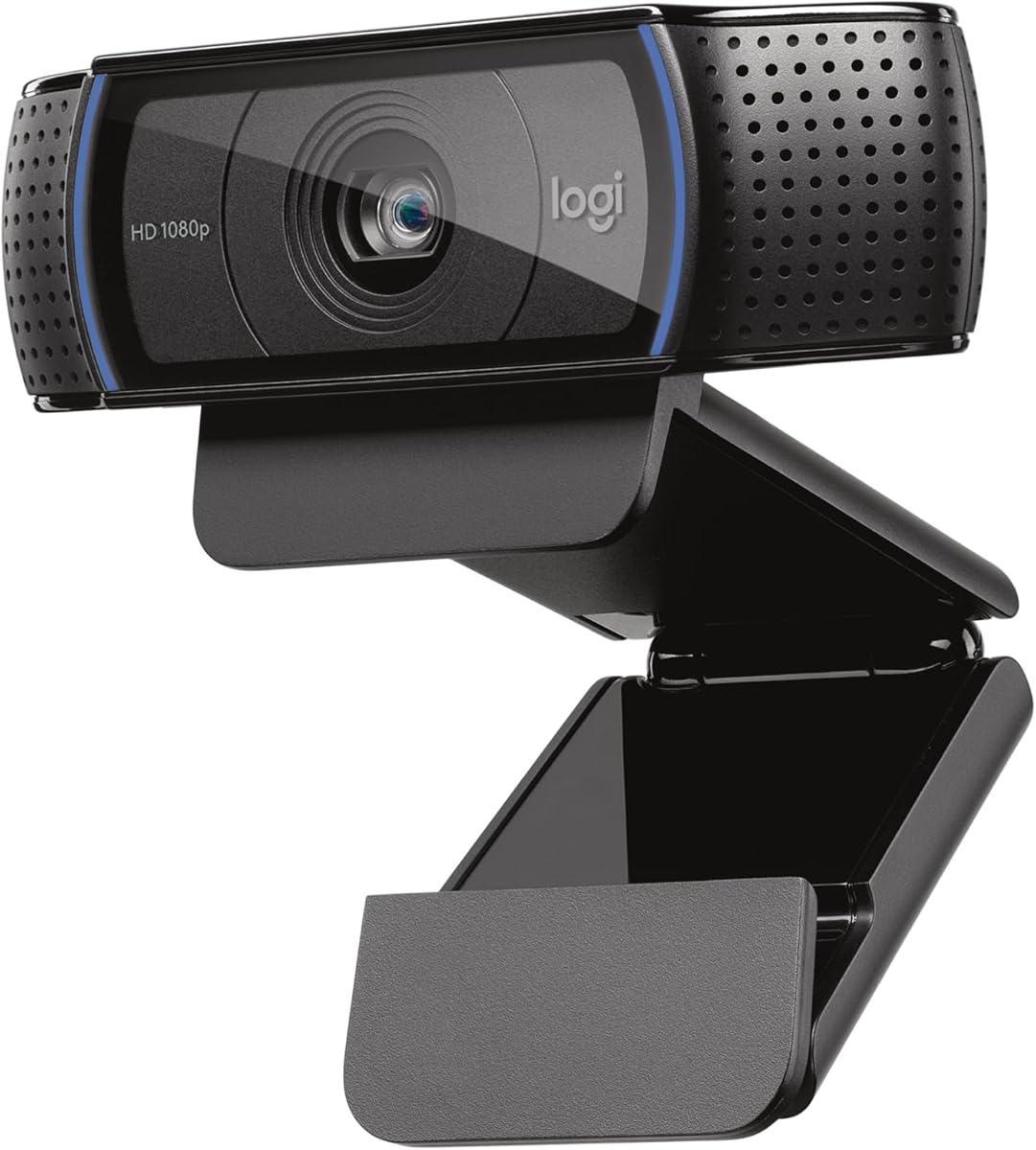
The Logitech C920x is a reliable webcam for gaming and casual streaming. It adjusts lighting automatically to keep your face visible in dark rooms. The stereo microphones capture natural sound for calls and recording. It includes a license for XSplit VCam to replace backgrounds easily.
We may earn a commission when you buy through this link, at no additional cost to you.
Its autofocus and auto light help maintain consistent video quality. This is crucial for gamers who play in various lighting setups. Compatibility with Nintendo Switch 2 adds value for console gamers. The build is sturdy and fits most monitor setups.
Lacking a physical privacy shutter means relying on software or covers. Also it caps at 1080p which is standard but not 4K. These are minor issues for a well-rounded budget option.
Gamers looking for a proven webcam with good audio should choose this. It balances performance and features well for home use. It is a trusted choice for daily video calls and streams.
HD auto light ensures sharp images even in low-light settings.
Stereo audio mics provide natural sound during calls and videos.
We may earn a commission when you buy through this link, at no additional cost to you.
The EMEET NOVA is designed specifically for professional business communication. It uses dual cameras to switch between room views and speaker close-ups. This supports presentations where you need to show people and details. The RGB lighting subtly indicates when the camera is active.
We may earn a commission when you buy through this link, at no additional cost to you.
Control via remote allows adjustments during meetings without stopping flow. EMEET STUDIO software enables real-time fine tuning of brightness. This ensures a polished look for important calls. USB Type C provides modern connectivity for new desktops.
You may need an adapter if your computer has USB A ports. Also zoom is restricted in high frame rate modes for stability. These are practical constraints that do not hinder daily performance.
For business users needing reliable communication tools, this is a strong option. It helps you present yourself professionally in any environment. The dual camera system adds a layer of efficiency to meetings.
Switch between full-room views and speaker close-ups seamlessly.
Use the remote to adjust settings without interrupting the discussion.
We may earn a commission when you buy through this link, at no additional cost to you.
The EMEET PIXY 2K offers engaging tracking for content creators. It uses dual cameras to detect your face and adjust exposure instantly. The tracking is smooth for active scenes like fitness or tutorials. Its design looks friendly with dual eyes that suit personal branding.
We may earn a commission when you buy through this link, at no additional cost to you.
Autofocus speed is fast enough to keep up with motion. Privacy mode can be activated by tilting or using a timer. This is useful for quick breaks during long sessions. The 3 mic array handles audio needs without extra gear.
Frame rates at 2K are limited which might affect high motion video. You need to buy a remote separately for full control. Despite this it remains a powerful tool for many creators.
If you create educational or active content this webcam is highly suitable. It combines AI tracking with audio features in one device. It makes pro studio setups affordable and easier to manage.
Achieve 0.2s focusing to keep skin tones flawless under any light.
Activate privacy by tilt, timer, or app to protect your data.
We may earn a commission when you buy through this link, at no additional cost to you.
The Logitech Brio 101 is a straightforward webcam for meetings. It features an integrated privacy slide to block the lens securely. RightLight boosts brightness to reduce shadows in your face. The design uses recycled plastic which is a sustainable choice.
We may earn a commission when you buy through this link, at no additional cost to you.
It works easily with platforms like Teams and Zoom out of the box. There are no drivers required which speeds up setup. This simplicity is great for non technical users. It fits well in home offices with basic needs.
Manual controls are limited so advanced users might want more. The resolution is standard but not 4K which limits detail. These are acceptable for a basic reliable daily webcam.
For users prioritizing privacy and simplicity this is a good pick. It ensures you look your best with minimal effort. It is a solid entry point for video conferencing.
The integrated webcam cover makes it easy to get reliable privacy.
RightLight boosts brightness to reduce shadows so you look your best.
We may earn a commission when you buy through this link, at no additional cost to you.
The EMEET Piko is designed for content creators seeking engaging visuals. It combines wide angle and telephoto lenses for scene flexibility. A cute panda privacy cover adds a playful touch to your desk. The dual camera system helps you present detailed expressions effectively.
We may earn a commission when you buy through this link, at no additional cost to you.
Remote control allows on the go adjustments without touching the device. This is perfect for presentations where you move around. The 3 mics capture original sound for natural voice. It works well with major streaming platforms out of the box.
You cannot zoom in 4K 60fps which limits high motion detail. Also the playful design might not fit every professional office. These are minor trade-offs for its streaming-friendly features.
If you want a friendly and functional tool for streams this is great. It enhances live video with professional visuals and audio. It turns your workspace into a happy productive space for creators.
Spark joy with the adorable magnetic panda privacy cover on your desk.
Use the wireless remote for adjustments on the go during streams.
We may earn a commission when you buy through this link, at no additional cost to you.
Selecting the right dual camera webcam requires understanding key features that impact your video and audio quality.
Resolution is one of the most critical factors to consider when buying a dual camera webcam. Higher resolutions like 4K provide sharper images and better detail for close-ups. Look for models that support true 4K sensors rather than upscaling for clarity. This ensures your audience sees you clearly in every frame.
Prioritize 4K resolution for professional streaming and meetings to ensure clarity.
Autofocus speed determines how quickly the camera adjusts when you move. Faster systems like PDAF keep your face sharp during active sessions. Slow autofocus can result in blurry moments that ruin a stream. Check for specs that mention speed like 0.2s focusing.
Choose a model with fast PDAF autofocus to keep your image sharp.
Zoom features allow you to frame shots without moving the camera. Hybrid zoom combines optical and digital zoom for smooth transitions. This is useful for product demos or showing details. Ensure the zoom works at your desired resolution like 1080P.
Look for hybrid zoom options to switch views without moving physically.
Good audio is just as important as video for clear communication. Dual or triple microphones capture sound more accurately than single mics. Noise cancellation features help block out background distractions. Always test audio specs before making your decision.
Select a webcam with multiple mics and noise canceling features.
Software controls let you fine-tune brightness focus and framing. Proprietary tools like EMEET STUDIO offer more flexibility. Ensure compatibility with your streaming software like OBS or Teams. Good software can make a basic camera perform better.
Ensure the webcam has software for advanced control and settings.
Most webcams use USB connections for easy setup. USB C is modern and supports faster data transfer. USB A is common on older computers. Check your computer ports to avoid needing adapters.
Verify USB Type C or A compatibility with your computer ports.
Physical privacy covers provide peace of mind between meetings. Slide or flip covers block the lens securely. Some models include built-in covers while others sell them separately. Security is essential for any home office setup.
Look for models with a physical privacy cover for better security.
Lighting correction ensures you look good in various room conditions. Auto light balance adjusts exposure based on surroundings. This reduces shadows and improves color accuracy. Essential if you work in dim or bright environments.
Pick a webcam with auto light correction for consistent lighting.
To use your webcam, connect it via USB to your computer and install any required software. Set it as the default video device in your app settings. Adjust the tilt and angle to frame yourself comfortably.
Clean the lenses regularly with a microfiber cloth to remove fingerprints. Dust can reduce image clarity and autofocus performance. Avoid harsh chemicals that might scratch the glass.
Store the camera in a dry place when not in use. Use the privacy cover to protect the lens from dust. Regular maintenance ensures long life and consistent performance.
No, dual camera webcams have two lenses but function as a single unit. They switch between lenses to capture different angles. The system handles the switching automatically for seamless video.
Most of these models work seamlessly with OBS, Zoom, and Teams. They follow standard UVC protocols for plug and play use. Check the manual for specific software setup instructions.
Yes, many dual camera webcams include dual or triple microphones with noise canceling. These capture clear audio suitable for most professional calls. However, separate mics are better for studio recording.
AI tracking uses a secondary camera to detect your face and movement. The main camera then pans or zooms to keep you centered. This requires compatible software and lighting for best results.
Most models listed support macOS 10.14 and above. They connect via USB and work without extra drivers. Always check the manufacturer specs for specific version compatibility.
Hybrid zoom combines optical lens movement with digital cropping for range. Optical zoom uses lens physics for true magnification without loss. Hybrid zoom is common in webcams to save space and cost.
Choosing a dual camera webcam depends on your specific needs for streaming or meetings. The EMEET C60E and Logitech MX Brio stand out for their versatility. Consider resolution and tracking features before making a decision.
If you move often or need flexibility, AI tracking models are ideal. For static office work, a reliable 4K model like C960 suffices. Focus on features that solve your current workflow problems.
Remember that prices change and deals may vary over time. Check current offers to get the best value for your purchase. With the right camera, your video communication will improve greatly.