
EZ AD Digital Signage Display Player
4.1Editor score
4K Content Support
Free Plan Available
Multiple Connectivity Ports
Digital menu displays have revolutionized how businesses present information to customers in fast-paced environments. These screens replace traditional printed boards with dynamic content that can be updated instantly to reflect menu changes, promotions, or special offers. Choosing the right display ensures your brand message is clear, engaging, and visible from various distances within your establishment.
To compile this comprehensive list, we evaluated ten top-rated digital signage solutions based on key performance metrics and real-world usability. We considered factors such as screen brightness for visibility in well-lit areas, operating system stability for continuous playback, and the ease of managing content remotely. Each product was assessed for its build quality, connectivity options, and suitability for different business layouts.
Each pick in this guide highlights specific strengths that cater to diverse operational needs, from compact countertop units to large wall-mounted screens. You will find detailed breakdowns of features like touch capabilities, CMS integration, and warranty support to help you make an informed decision. Please note that product availability and pricing can fluctuate, so verifying current details before purchase is always recommended.
4.1Editor score

3.8Editor score

3.4Editor score
As an Amazon Associate we earn from qualifying purchases.
The following table provides a side-by-side comparison of all ten selected products to help you quickly identify the model that best fits your specific business requirements and space constraints.


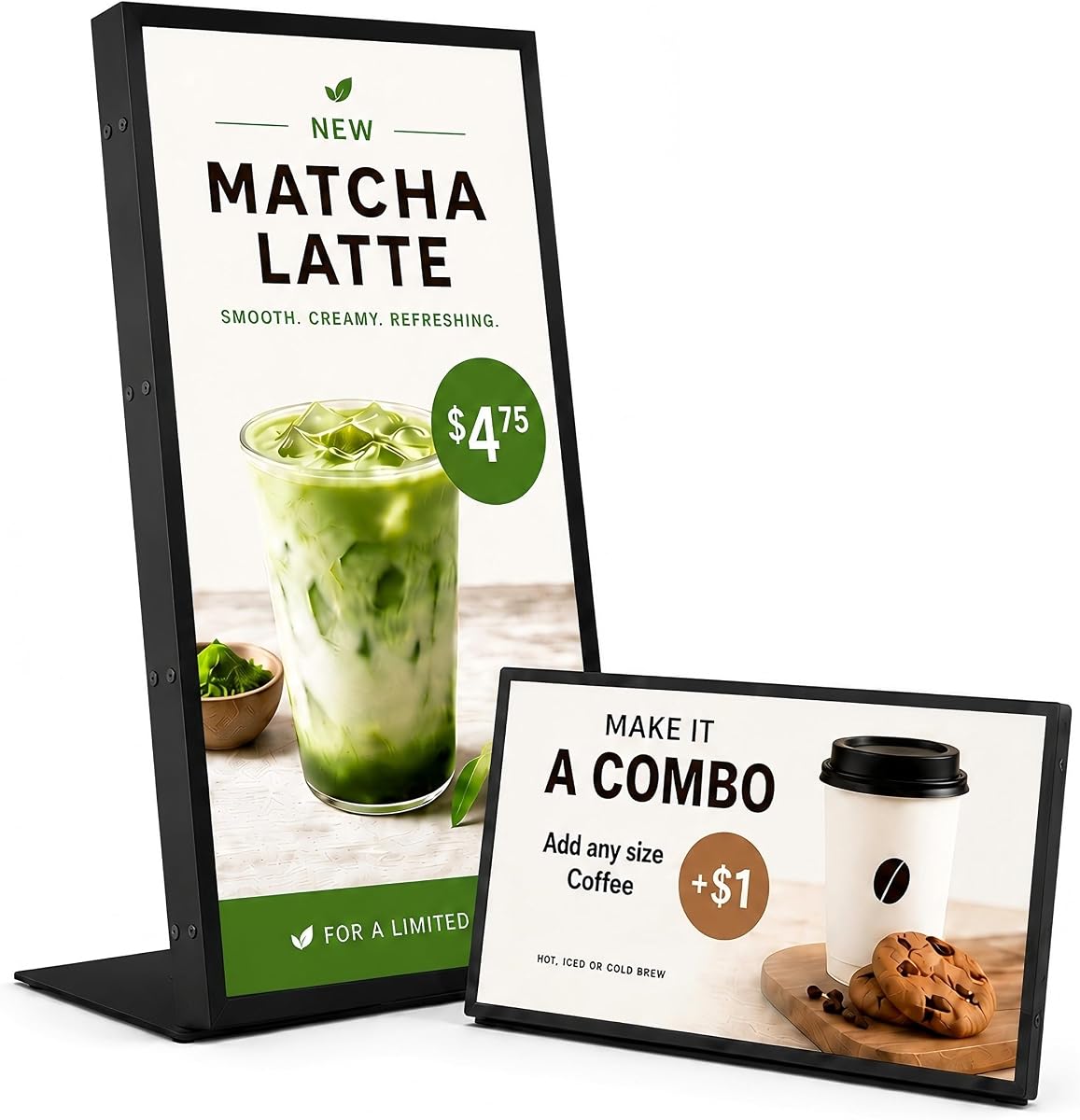


The 18.5 inch Digital Signage Display stands out as a robust solution for businesses needing reliable digital menu boards. It features a 700 nits brightness level ensuring clear visibility in indoor commercial settings like cafés and reception areas. The system runs on Android 12 providing stable performance for continuous operation without frequent restarts.
We may earn a commission when you buy through this link, at no additional cost to you.
A key strength of this device is its built-in lifetime free Content Management System which allows users to control content remotely via cloud platforms. You can upload playlists schedule playback and update promotions in real time using a PC or tablet. This eliminates the need for complex local setups and reduces operational overhead significantly.
While the display offers solid connectivity options including HDMI and USB it is limited to 720P resolution which may not suit high-detail visual needs. Additionally the 18.5 inch size is best for countertop use rather than wall mounting for large audience visibility. These trade-offs are acceptable given the competitive pricing and durability features included.
This unit is ideal for small to medium businesses like bakeries or salons that need an affordable way to display dynamic information. If you require a straightforward system with remote control capabilities this display provides excellent value. We recommend it for those prioritizing ease of management over ultra high-definition visuals.
The cloud CMS allows real time updates from any location ensuring your menu is always current without physical access.
Built for 24 7 operation this unit handles continuous playback cycles typical in high traffic commercial environments.
We may earn a commission when you buy through this link, at no additional cost to you.
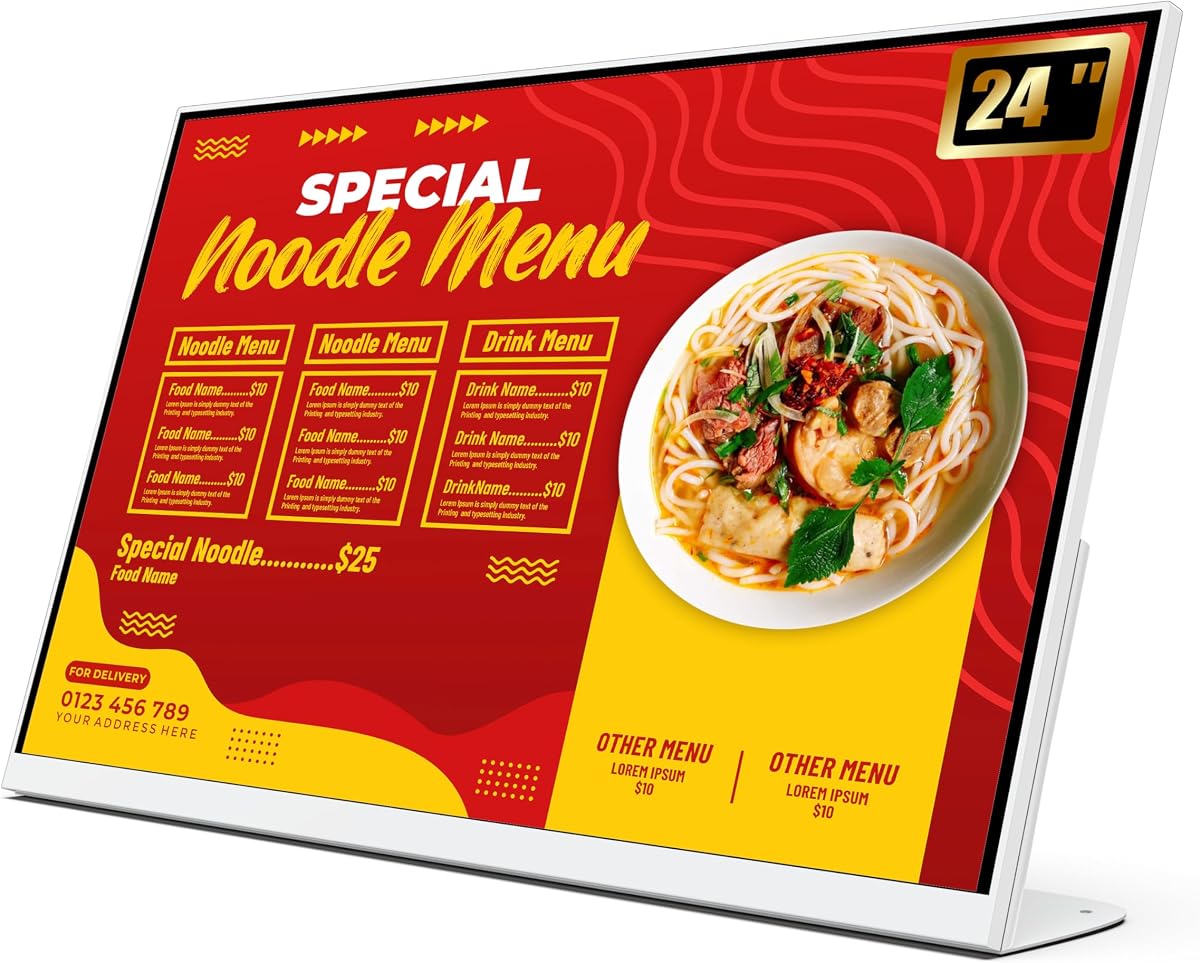
This 24 inch desktop digital menu board offers a perfect balance of size and functionality for retail and food service counters. It supports FHD 1920×1080 resolution which ensures that product colors and text appear vivid and sharp from any angle. The wide viewing angle enhances the customer experience by allowing clear visibility across the counter space.
We may earn a commission when you buy through this link, at no additional cost to you.
The inclusion of an Android system with a Content Management System streamlines the process of updating menus and promotions remotely. You can manage content via USB APP or PC remote connections making it flexible for different technical preferences. This feature is particularly useful for businesses that change offerings frequently throughout the day.
Although the device is designed for indoor commercial use it relies on a stable power source and may not be suitable for outdoor environments without protection. The compact design saves counter space but might lack the sheer visual impact of larger wall mounted screens. These limitations are minor considering its specialized focus on desktop placement.
It is an excellent choice for milk tea shops restaurants or retail stores aiming to improve ordering efficiency through clear digital signage. Customers can easily view menus and promotions reducing wait times and staff interactions. We recommend this model for businesses prioritizing high resolution visuals in a space-saving form factor.
True colors and high contrast restore product details making food and items look appealing on the screen.
Functions effectively as an electronic menu advertising screen and signage enhancing brand image efficiently.
We may earn a commission when you buy through this link, at no additional cost to you.
The MWE 32 inch digital signage display is designed as a portable kiosk that can be moved easily between locations. Its foldable design and built-in wheels make it convenient for setup at events exhibitions or temporary promotional spots. The IPS screen provides vibrant visuals with a wide viewing angle ensuring content is visible from various positions.
We may earn a commission when you buy through this link, at no additional cost to you.
Content management is facilitated through a CMS that allows real time updates and remote publishing of images or information. This is particularly beneficial for businesses needing to change promotions frequently without physical access to the device. The auto media player feature ensures continuous loop playback without manual intervention once content is loaded.
While the portability is a major advantage the unit is heavier than standard desktop models requiring more space for transport and setup. It is intended for indoor use so outdoor exposure without additional protection could damage the electronics. These factors should be considered based on your specific mobility requirements and installation environment.
This device is ideal for businesses that need a flexible advertising tool for hotels shopping malls or large retail stores. It serves well for displaying information or advertisements where fixed placement is not possible. We recommend it for organizations needing mobility combined with reliable playback capabilities.
Foldable and movable features allow quick relocation for exhibitions or temporary promotional setups.
Timed power on settings help manage energy usage and match display schedules to business hours.
We may earn a commission when you buy through this link, at no additional cost to you.
The EZ AD digital signage player acts as a media box that connects to existing televisions to display digital content. It supports 4K content and offers an extensive video gallery with over 250000 options for diverse viewing experiences. The free plan allows basic content management without requiring immediate financial commitment making it accessible for small budgets.
We may earn a commission when you buy through this link, at no additional cost to you.
Content creation is simplified through tools like a Template Builder and Video Studio which help generate engaging media easily. The mobile app feature enables management on the move ensuring seamless operations even when away from the office. Multiple connectivity options including HDMI and Ethernet cater to various usage needs in different environments.
While the free plan is generous users may need to upgrade for advanced features or higher limits on slides. It also relies on an external display which means you need a separate monitor or TV to function fully. These requirements are reasonable given the low entry cost and cloud-based management capabilities.
This player is perfect for small businesses wanting to upgrade their existing screens to digital signage without buying new hardware. It fits well for businesses needing to showcase product advertisements and videos instantly. We recommend it for those prioritizing cost-effective content management and cloud connectivity.
Content updates wirelessly from the cloud-based website allowing instant changes across multiple screens.
Vertical settings and split screen options allow diverse content presentation tailored to your screen size.
We may earn a commission when you buy through this link, at no additional cost to you.
This 10.1 inch android digital signage display is designed specifically for tabletop use where customer interaction is key. It features a touch panel that supports simple tap and swipe control allowing users to browse on-screen information easily. The compact structure keeps the screen easy to view at close range making it ideal for counters or tables.
We may earn a commission when you buy through this link, at no additional cost to you.
Managing menu pages and notices is straightforward through simple update methods that do not require a complicated operating process. Connectivity options like WiFi and USB facilitate file transfer and local content management efficiently. This ease of use helps reduce the time spent on administrative tasks related to content changes.
The small screen size limits visibility to close range which may not be suitable for large rooms or waiting areas. Users need to be physically close to the device to interact with the touchscreen effectively. These constraints are acceptable given the device's focus on personal interaction and space saving.
It is best suited for reception desks salon service areas or retail shelves where customers can approach closely to view details. This unit works well as a POS display or information board in quiet commercial interiors. We recommend it for scenarios requiring direct user engagement with digital content.
Simple tap and swipe controls allow customers to explore information actively on the screen.
Tabletop structure keeps the screen visible at close range without taking up much counter space.
We may earn a commission when you buy through this link, at no additional cost to you.
This 18.5 inch countertop digital signage display is built to withstand daily commercial use in high-traffic areas. It features a tempered glass front panel and metal housing ensuring durability against accidental bumps and wear. The display supports both landscape and portrait orientations providing flexibility for different content layouts like menus or posters.
We may earn a commission when you buy through this link, at no additional cost to you.
Content management is handled via a platform that allows remote publishing from any location for easy updates. USB playback also provides offline content management for situations where internet access might be limited. Scheduling features help display specific messages at targeted times throughout the business day enhancing marketing efficiency.
Although it is designed for indoor commercial environments it is not waterproof nor suitable for outdoor use without protection. The absence of touchscreen capability means it is purely for viewing rather than interactive customer input. These limitations are minor considering its robust construction focused on visual presentation.
It is ideal for checkout counters reception desks and waiting areas where information needs to be visible before customers speak with staff. The unit ensures visitors see promotions or service details before completing a transaction. We recommend it for businesses needing a reliable counter display with strong durability.
Landscape and portrait stands allow flexible countertop placement for various content types.
Tempered glass and metal housing are designed for daily commercial use in busy environments.
We may earn a commission when you buy through this link, at no additional cost to you.
The 50 inch digital signage display offers massive visual impact with a 4K UHD resolution suitable for large areas. It features 1000 nits brightness which ensures optimal viewing quality even in well-lit commercial spaces. The ultra-thin narrow bezels enable gap-free wall mounting creating a seamless visual experience when multiple screens are tiled together.
We may earn a commission when you buy through this link, at no additional cost to you.
Built-in Android based digital menu board functionality ensures seamless connectivity with diverse devices without drivers. It supports HDMI plug-and-play and comes pre-installed with the Google Play Store for immediate operation. Smart management features allow automatic switching between meal times and bulk editing via mobile devices.
The larger size requires significant wall space and may be too expensive for smaller budget operations. Additionally wall mounting is often necessary which can add to the installation complexity. These factors are acceptable trade-offs for businesses needing high-end visuals and large area coverage.
It is best suited for large shopping malls airports or corporate lobbies where clear long-distance communication is essential. The unit ensures your message reaches audiences from across the room with clarity. We recommend it for premium installations requiring maximum visibility and modern design.
Ultra-narrow bezels and slim profile enable gap-free wall mounting for seamless tiling experiences.
Complimentary CMS software supports automatic switching between meal times and remote scheduling.
We may earn a commission when you buy through this link, at no additional cost to you.
This 29 inch digital signage display provides a mid-size option for businesses needing more visual space than desktop units. It features a 700 nits brightness and 2K display support ensuring clear frame presentation for advertisements. The built-in Android system offers seamless connectivity with diverse devices for flexible content management.
We may earn a commission when you buy through this link, at no additional cost to you.
The display can be divided into multiple interactive zones allowing simultaneous presentation of videos social feeds and QR codes. This flexibility is useful for busy environments like malls or hospitals where varied information needs to be shared. Intelligent heat dissipation technology ensures stable operation during continuous 24/7 loop playback.
While it offers robust features some users may find the setup complex or the specific performance lower than expected. The 2K resolution might not be as sharp as 4K for very detailed graphics. These trade-offs depend on your priority for size versus maximum resolution clarity.
It fits well in settings like churches retail stores or supermarkets where medium-sized screens are needed for effective communication. The unit handles applications well in stores and cafes for promotions. We recommend it for mid-sized spaces needing versatile content zones.
Multiple zones allow simultaneous presentation of videos and feeds for diverse information delivery.
Intelligent heat dissipation ensures stable performance during continuous 24 7 playback cycles.
We may earn a commission when you buy through this link, at no additional cost to you.
This digital signage player is designed to simplify content creation with a built-in canvas menu designer for custom layouts. It supports PowerPoint uploads and includes an AI tool to enhance and expand images for optimized display quality. Setup is quick requiring only HDMI and power cables plus a Wi-Fi connection to start.
We may earn a commission when you buy through this link, at no additional cost to you.
Remote content management is handled easily through cloud tools that allow scheduling changes with just a few clicks. The free features included let you upload and schedule your own content at no cost initially. This lowers the barrier to entry for businesses needing professional-looking menus without design skills.
Like other players it relies on an external screen to function which adds to the overall cost if you do not have one. Full access to advanced tools may require an upgrade plan which increases the budget. These requirements are acceptable given the ease of design and cloud-based convenience.
It is perfect for small businesses needing to create and manage menus quickly without hiring designers. The AI tools help improve image quality ensuring your promotions look professional. We recommend it for those prioritizing user-friendly content creation and cloud control.
Built-in canvas designer allows you to design menus exactly how you want without extra software.
Includes an AI tool to enhance images for optimized display quality and better visual appeal.
We may earn a commission when you buy through this link, at no additional cost to you.
The mediaDROID+ digital signage media player is powered by a dedicated Android OS designed specifically for professional signage tasks. It features a Hexa Core CPU and 4GB RAM ensuring smooth performance and quick app switching. The cloud-based service is free and includes a watchdog feature to prevent playback interruptions.
We may earn a commission when you buy through this link, at no additional cost to you.
With 16GB of local storage cache this device ensures that there is never any playback interruption even without constant internet. It supports both vertical and horizontal screen modes giving you flexibility in how you mount your display. Connectivity options include HDMI WiFi and Ethernet to fit various network setups.
The local storage is limited to 16GB which may require careful management of content files. It also requires an external screen to function which means you must source a separate display. These are standard limitations for media players but should be weighed against the performance benefits.
It is best for businesses needing a reliable and powerful backend for their digital signage network without recurring software fees. The dedicated OS ensures stability for long-term commercial use. We recommend it for users prioritizing performance and cloud-based management free of charge.
Watchdog features and local cache ensure no interruptions during continuous operation cycles.
4GB RAM and Hexa Core CPU provide smooth performance and quick app switching for multitasking.
We may earn a commission when you buy through this link, at no additional cost to you.
Selecting the right digital menu display involves assessing several technical and operational factors that align with your business goals. This guide outlines key considerations to help you make an informed choice.
The physical size of the display should match the distance from which customers will view it. Larger screens like 50 inches are ideal for wall mounting in wide spaces while smaller 18 inch units work best for countertops. Resolution also plays a critical role in image clarity with 1080P and higher being standard for sharp text and vibrant product colors.
Brightness measured in nits determines how visible the screen remains in well-lit environments. Commercial displays typically offer 700 to 1000 nits to ensure content remains readable under bright indoor lighting. Avoid lower brightness models if your space has windows or strong overhead lights to prevent glare or washed-out visuals.
A robust Content Management System (CMS) allows you to update menus remotely without needing physical access to the screen. Look for solutions that support cloud-based control enabling real-time changes via a computer or smartphone. This feature reduces operational overhead and ensures your menu is always current with daily promotions.
Most commercial displays run on Android systems designed for 24/7 continuous operation. Ensure the chosen device has sufficient RAM and storage to handle multiple media files without lag. A dedicated signage OS often includes watchdog features that automatically restart the device if it freezes maintaining reliability during business hours.
Versatile connectivity is essential for integrating the display with your existing infrastructure. Check for ports like HDMI USB and Ethernet to allow flexible content transfer and network connections. Some models also support WiFi for wireless updates which is useful in locations where running cables is difficult.
Commercial environments place high demands on hardware so robust build quality is non-negotiable. Look for features like metal housing and tempered glass panels that protect against damage in high-traffic areas. A comprehensive warranty covering three years provides peace of mind and ensures long-term support for your investment.
Decide whether you need a desktop stand or wall mounting based on your available space and placement goals. Some units offer versatile setups that allow both landscape and portrait orientations for flexible branding. Ensure the device comes with compatible mounting hardware or that you source the correct accessories for installation.
While cost is a factor it should not be the only determinant of quality. Higher-priced models often include better brightness and durability which may save money in the long run by reducing replacements. Evaluate your needs to find a balance between upfront cost and the features that will drive operational efficiency.
To extend the lifespan of your display use scheduled power on and off settings to match your business hours. This reduces unnecessary wear on the internal components and saves energy during non-operational times. Regular software updates should be applied to ensure compatibility and security for your content management system.
Digital menu displays allow for instant updates without printing costs which is crucial for dynamic pricing. They also capture customer attention with motion and high-resolution visuals that static signs cannot provide. This flexibility helps businesses respond quickly to inventory changes or special promotions.
Not necessarily as many models support local playback via USB drives or SD cards. However a connection is required for remote updates and cloud management features. If your location has unstable internet look for a device with robust local storage capabilities.
Most of the units reviewed are designed for indoor use due to heat and moisture sensitivity. Outdoor use requires specialized weatherproof casings or displays rated for high environmental tolerance. Check product specifications to confirm if a unit has weather-resistant ratings before placing it outside.
Remote updates are managed through a CMS dashboard accessible via a web browser or mobile app. You simply log in upload your new files and select the display you want to update. Changes are pushed to the screen almost instantly over the internet connection.
Players like the EZ AD or mediaDROID+ allow you to use existing TVs which can lower costs. They often offer more advanced content management features than basic built-in screens. Standalone units are better if you want an all-in-one solution without extra hardware.
Most modern digital signage supports both landscape and portrait modes natively. Check the specific product settings to rotate the image if you plan to mount it vertically. This is ideal for tall menus or poster-style advertisements in narrow spaces.
Commercial grade screens are built for continuous operation and often have lifespans of 50000 hours or more. Proper ventilation and regular maintenance can help achieve the maximum lifespan. Ensure the device has heat dissipation technology to prevent overheating during long hours.
Costs vary widely based on size and features ranging from affordable players to high-end large screens. Entry-level setups might start with budget players while larger displays require significant investment. Consider the total cost including hardware and any necessary subscription plans for software.
Remember that technology evolves quickly so checking for the latest firmware and features is always wise before purchase. Verify current availability and pricing as these factors can change frequently in the retail market. Investing in the right digital menu display will enhance your brand presence and streamline your communication with customers.