
Acer 4-in-1 USB C Hub
4.2Editor score
Dual 4K@60Hz output
100W power delivery
Compact sleek design
This guide compares the top dual HDMI monitor adapters for productivity and multitasking across Windows, macOS, and Linux systems in 2026.
Finding the right dual HDMI monitor adapter can transform your workspace by enabling seamless multitasking and enhanced productivity across multiple screens. Whether you are a professional needing extended displays or a creator requiring crisp visuals, the right adapter ensures your devices connect without hassle or performance loss.
We have evaluated leading models based on compatibility, resolution support, and build quality to bring you a curated list of the most reliable options available today. Each product has been analyzed for its ability to handle high resolutions like 4K while maintaining stable connections for daily workloads and creative tasks.
Every pick highlights key strengths and potential limitations to help you make an informed decision tailored to your specific setup needs. Please note that prices and availability may change frequently so check current listings before purchasing to ensure you get the best value for your investment.
4.2Editor score

4.5Editor score
4.1Editor score
The following table provides a side-by-side comparison of all ten selected dual HDMI monitor adapters highlighting their key specifications and primary use cases.


The StarTech USB-A 3.0 to Dual HDMI Adapter stands out as a robust solution for Windows users needing reliable multi-monitor setups. With a solid 4.5 rating this adapter delivers consistent performance for productivity tasks while supporting 4K at 30Hz on one display and 1080p at 60Hz on the other.
We may earn a commission when you buy through this link, at no additional cost to you.
Its design is tailored for IT professionals and businesses ensuring stability during long work hours. The adapter connects via USB 3.0 and includes a 9.8-inch cable making it easy to position monitors without clutter. Audio is transmitted through HDMI allowing you to connect speakers or headphones directly to your displays.
While the requirement for administrator rights to install drivers might be a slight hurdle for some users it ensures system stability and security. The adapter does not support macOS or Linux which limits its versatility but for Windows environments it remains a top choice for dependability.
We recommend this adapter for office workers and system administrators who prioritize reliability over raw speed. Its strong warranty and technical support make it a safe investment for professional workstations where downtime is not an option.
This adapter is engineered for IT professionals and offers a 3-year warranty with free lifetime technical assistance ensuring long-term support for your setup.
You can extend your desktop by adding up to two HDMI monitors to your laptop or desktop enhancing your workspace for multitasking and productivity.
We may earn a commission when you buy through this link, at no additional cost to you.
The Acer 4-in-1 USB C Hub offers exceptional value for users seeking dual 4K displays at 60Hz without breaking the bank. This hub supports DisplayPort Alternate Mode allowing seamless connectivity for Windows and macOS devices though macOS users are limited to mirroring across screens.
We may earn a commission when you buy through this link, at no additional cost to you.
Its compact design includes a high-speed USB-A port and a 100W power delivery port ensuring your laptop stays charged while you work. The hub supports HDMI 2.0 standards delivering crisp visuals for both single and dual display setups making it ideal for media consumption and general productivity.
One limitation is the short 20cm cable which might restrict placement options depending on your desk setup. Additionally macOS users cannot extend their desktop across two external monitors using this hub limiting its utility for Mac professionals needing multiple distinct workspaces.
This hub is best suited for budget-conscious users who need high-resolution output and reliable charging. It balances performance and cost effectively making it a top pick for students and remote workers looking to upgrade their display capabilities.
This hub features a USB-A 3.0 port for fast file transfers and a 100W power delivery port to keep your laptop powered throughout the day.
Enjoy vivid visuals with dual HDMI ports supporting 4K@60Hz ensuring smooth and clear displays for your work or entertainment needs.
We may earn a commission when you buy through this link, at no additional cost to you.
The DisplayPort to Dual HDMI Adapter is a premium choice for users with DP 1.4 capable systems seeking extended dual displays. It supports stunning 4K@60Hz resolution rendering every particle with clarity and ensuring smooth visuals for creative and professional tasks.
We may earn a commission when you buy through this link, at no additional cost to you.
This adapter features an anti-interference design with a built-in smart chip enhancing performance and reliability. It supports both MST and SST modes allowing you to extend your desktop across two monitors effortlessly. The non-locking connector design helps prevent damage during plugging and unplugging.
While it offers impressive performance it requires an external USB-C power cable and adapter not included in the package. Users must ensure their graphics card supports extended modes as integrated graphics may not handle this functionality effectively.
We recommend this adapter for desktop users and graphic professionals who need high-resolution extended displays. Its plug-and-play nature and robust build make it a reliable choice for demanding environments.
Achieve stunning 4K@60Hz resolution with backward compatibility ensuring every detail is rendered clearly for your dual monitor setup.
Extend your computer display with two different monitors using MST mode without needing any additional drivers or software installations.
We may earn a commission when you buy through this link, at no additional cost to you.
The WAVLINK HDMI Splitter offers flexible connectivity via USB A or USB-C allowing users to extend or mirror screens across Windows Mac and Chrome OS systems. It supports resolutions up to 2560×1440 making it a versatile option for general productivity tasks.
We may earn a commission when you buy through this link, at no additional cost to you.
This adapter is ideal for web and productivity apps but not recommended for gaming due to potential latency issues. It requires driver installation which ensures compatibility across a wide range of devices but adds a setup step for users.
Users should note that it does not support HDCP protected content on websites like Netflix which limits its utility for streaming. However for work and data analysis it provides a reliable dual monitor solution.
We suggest this adapter for office workers and educators who need multi-display support across different operating systems. Its comprehensive compatibility and warranty make it a practical choice for varied environments.
Compatible with Windows Mac and Chrome OS this adapter ensures seamless display output across various systems for flexible work environments.
Choose between mirror or extend modes to customize your setup according to your workflow and display needs easily.
We may earn a commission when you buy through this link, at no additional cost to you.
The OREI SplitExtend HDMI Splitter enables users to connect a single HDMI source to two external displays for mirrored or extended viewing. It works well with Windows 11 and macOS offering a robust solution for boosting productivity with a 3-screen setup.
We may earn a commission when you buy through this link, at no additional cost to you.
Driver installation is required for proper functionality so users should confirm with IT admins before use on work laptops. It supports both USB-A and USB-C connections providing flexibility for different device types and connection needs.
While the need for an i5 processor or higher is a requirement for optimal performance it ensures stable operation across various tasks. Android users can use mirror mode up to 1080p making it a versatile tool for mobile devices.
We recommend this adapter for business users needing reliable multi-monitor setups. Its broad compatibility and support make it a solid choice for corporate environments.
Ideal for boosting productivity with a 3-screen setup allowing you to manage multiple applications and windows efficiently.
Features an integrated USB-A to USB-C adapter ensuring compatibility with various laptops and devices without needing extra dongles.
We may earn a commission when you buy through this link, at no additional cost to you.
The Selore USB C Docking Station is an 8-in-1 hub featuring dual 4K HDMI ports and a 100W power delivery port for charging. It supports multiple USB ports and an SD card reader offering comprehensive connectivity for laptops with full-featured USB-C ports.
We may earn a commission when you buy through this link, at no additional cost to you.
Temperature control technology ensures stable performance preventing overheating during extended use. While it supports MST mode for Windows extending two monitors it limits Mac users to mirroring only which may restrict workflow options.
The second USB-C port is for data transfer only and power adapters are not included which users should keep in mind. Its versatile design makes it suitable for home and office use maximizing efficiency through integrated peripherals.
We recommend this docking station for users needing extensive connectivity and dual displays. It balances performance with convenience making it a great choice for modern workstations.
Includes multiple USB ports and SD card slot allowing you to connect various peripherals easily without cluttering your desk.
Power delivery port charges your laptop at up to 100W ensuring you stay powered throughout your work sessions without interruption.
We may earn a commission when you buy through this link, at no additional cost to you.
This HDMI splitter allows you to split a single signal source into two displays for identical mirrored content. It supports up to 4K resolution at 30Hz and syncs audio with video making it suitable for presentations and media sharing.
We may earn a commission when you buy through this link, at no additional cost to you.
The device is easy to use without any driver installation which simplifies setup for any user. It connects to various devices like game consoles TVs and PCs ensuring broad compatibility for home entertainment or simple display needs.
Limitations include the lack of extended display capabilities which restricts it to mirrored use only. The 30Hz refresh rate may not be ideal for gaming but is sufficient for most other tasks.
We recommend this splitter for users who need to show the same content on multiple screens easily. Its simplicity and affordability make it a practical choice for casual setups.
Simply set up and start watching videos on two display devices without needing to install any drivers or software.
Audio signal synchronizes with HDMI output so no additional audio cables are required for a seamless viewing experience.
We may earn a commission when you buy through this link, at no additional cost to you.
This USB-C hub supports dual 4K@60Hz output allowing for crisp visuals and smooth gameplay without millisecond delay. It includes a USB-A port for fast data transfers and a 100W PD port ensuring your laptop remains charged during extended use.
We may earn a commission when you buy through this link, at no additional cost to you.
Windows users can enjoy extended displays through MST mode whereas Mac users are limited to mirroring. The hub is compact and portable making it ideal for professionals on the go who need reliable connectivity and performance.
Users must provide their own power adapter to utilize the full 100W charging capability which is a minor inconvenience for some. Ensure your USB-C port supports DisplayPort Alt Mode for proper operation with video output.
We recommend this adapter for users needing high-speed data transfer and dual displays. Its comprehensive feature set makes it a powerful tool for modern workflows.
Features a USB-A 3.0 port supporting up to 5Gbps transfers meeting the needs of professionals handling large files quickly.
Supports dual 4K@60Hz display for stunning clarity and smooth visuals ideal for creative work or entertainment.
We may earn a commission when you buy through this link, at no additional cost to you.
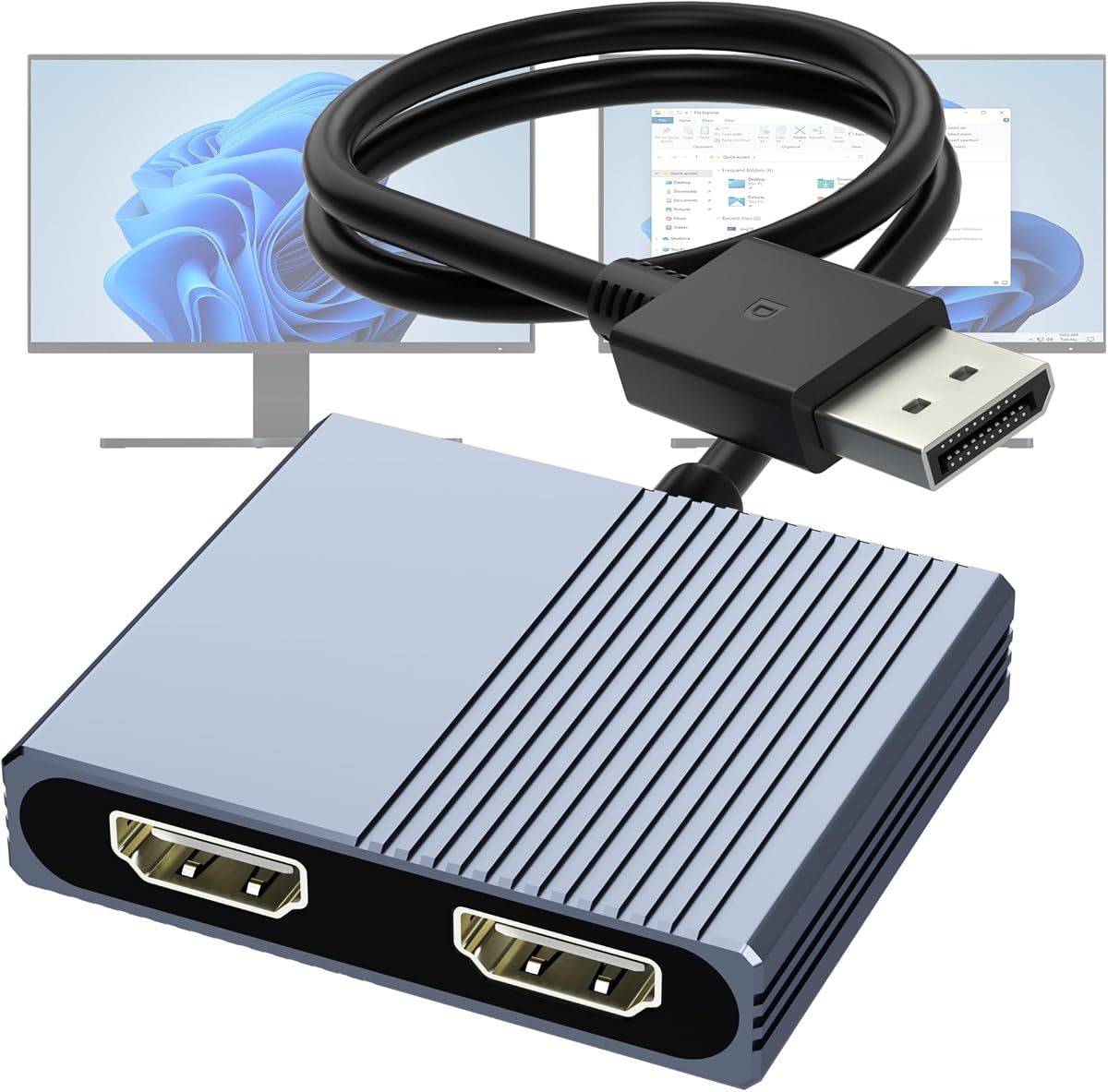
This adapter outputs one DisplayPort signal to dual HDMI displays supporting dual 4K@60Hz for smooth visuals. It is compatible with NVIDIA and AMD graphics cards ensuring efficient multi-screen display for desktop users.
We may earn a commission when you buy through this link, at no additional cost to you.
The device features an aluminum alloy housing and gold-plated ports providing durable construction and stable transmission. Extended mode is supported for Windows users enhancing work efficiency while Mac users are limited to mirroring.
Users should verify their graphics card supports at least 18Gbps to achieve multi-monitor extended displays. The rugged design withstands repeated plugging and unplugging ensuring longevity in demanding environments.
We recommend this adapter for desktop professionals needing extended high-resolution displays. Its build quality and performance make it a reliable choice for serious setups.
Effectively meets multi-screen display needs allowing you to extend desktops across multiple monitors seamlessly.
Features gold-plated ports and aluminum housing ensuring stable signal transmission and resistance to wear over time.
We may earn a commission when you buy through this link, at no additional cost to you.
This USB-C hub features dual HDMI ports supporting 4K@60Hz allowing for smooth vivid visuals. It includes a 100W PD port to charge your laptop while using all ports ensuring efficient power delivery.
We may earn a commission when you buy through this link, at no additional cost to you.
Three USB 2.0 ports allow you to connect peripherals like keyboards and mice freeing up laptop ports for a neat workspace. The compact design makes it easy to carry between home and office setups.
Mac users can extend to a single additional display or mirror whereas Windows supports MST for dual-screen extension. Ensure your USB-C port supports DP Alt Mode for optimal performance and compatibility.
We recommend this hub for users seeking a portable all-in-one solution. Its driver-free design and versatile connectivity make it ideal for hybrid work environments.
Slim lightweight build fits easily into laptop bags making it perfect for hybrid work between office and remote setups.
Includes multiple USB ports and 100W PD allowing you to charge and connect peripherals simultaneously without needing extra adapters.
We may earn a commission when you buy through this link, at no additional cost to you.
Selecting the right dual HDMI monitor adapter involves considering compatibility resolution and connectivity features to ensure seamless operation.
Ensure the adapter supports your operating system whether Windows macOS or Linux as many adapters restrict functionality like extended display on macOS.
Verify OS support before purchasing to avoid limitations that may hinder your productivity.
Check if the adapter supports your desired resolution such as 4K and refresh rates like 60Hz for smooth visuals during work or gaming.
Higher refresh rates and resolutions enhance clarity and reduce motion blur for a better experience.
Look for adapters with 100W power delivery to charge your laptop while connected ensuring you stay powered during long sessions.
Power delivery capability is essential for maintaining battery life while using multiple displays.
Choose an adapter with USB-C or USB-A ports depending on your devices to ensure compatibility and ease of connection.
Multiple ports allow you to connect peripherals without additional hubs or dongles.
Some adapters require driver installation which may complicate setup on work laptops but ensure stability and functionality.
Plug-and-play adapters are preferred for quick setup but may offer fewer features.
Verify whether the adapter supports extended or mirrored modes to match your workflow and display preferences effectively.
Extended modes are crucial for multitasking while mirroring suits presentations.
Opt for adapters with durable materials like aluminum housings and gold-plated ports to ensure longevity and stable connections.
Robust construction reduces wear from repeated plugging and ensures reliable performance.
Consider adapters with comprehensive warranties and technical support to safeguard your investment and resolve issues promptly.
Reliable support ensures you get assistance when compatibility or hardware problems arise.
Connect the adapter to your laptop or desktop using the provided cable and ensure power sources are connected for optimal performance.
Configure display settings in your operating system to extend or mirror screens as needed for your specific workflow requirements.
Keep ports clean and avoid bending cables excessively to maintain signal integrity and extend the adapter lifespan.
Not all adapters support extended displays on macOS as some only allow mirroring. Check product specs for MST support or macOS-specific limitations before buying.
Some adapters require external power for stable dual 4K output while others draw power from USB. Verify power requirements to ensure your setup works.
Ensure your cables and monitors support HDMI 2.0 or higher. Also check adapter specs for 4K@60Hz compatibility and correct display settings.
Yes if your laptop has USB-C with video output or HDMI ports. Use an adapter or docking station to extend displays across multiple monitors.
Mirror shows identical content on all screens while extend allows different content on each screen improving multitasking and workflow efficiency.
Most adapters are for productivity and not recommended for gaming due to latency. Use dedicated graphics outputs for gaming displays.
Some adapters support Android devices with OTG but may be limited to mirror mode and lower resolutions like 1080p.
Some adapters require drivers for full functionality while others are plug-and-play. Check product details and install required software if needed.
The top picks for the best dual HDMI monitor adapter include the StarTech USB-A 3.0 for reliability the Acer 4-in-1 hub for budget options and DisplayPort adapters for premium performance.
Prioritize compatibility resolution support and power delivery features to find an adapter that meets your specific workflow and device requirements effectively.
Remember to check current prices and availability before purchasing since offerings may change frequently across different platforms and retailers.