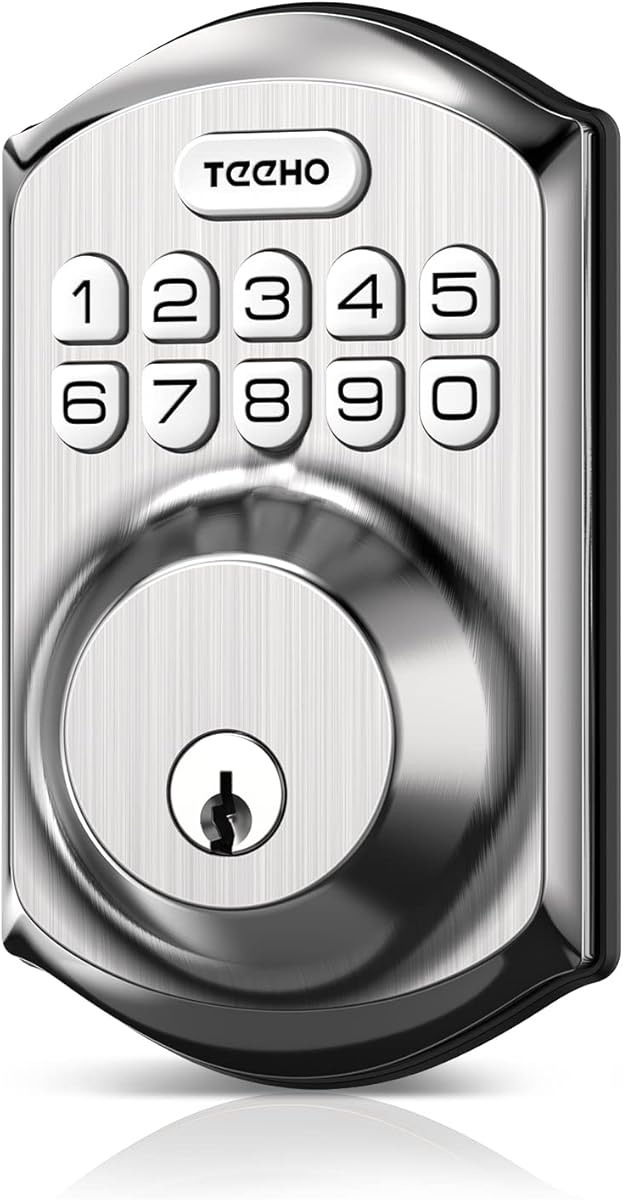
TEEHO TE001 Keyless Entry
4.5Editor score
20 access codes included
One-time guest codes
Low battery indicator
This guide compares ten top digital door lock models featuring WiFi, fingerprints, and keypads to help you secure your home with modern smart technology.
Digital door locks are transforming how we secure our homes by replacing traditional keys with smart technology. These devices offer convenience through remote access, voice control, and biometric scanning while maintaining high security standards.
We evaluated ten leading models based on connectivity options, unlocking methods, build quality, and ease of installation. Our analysis focuses on real-world performance, battery efficiency, and compatibility with popular smart home ecosystems.
Each pick highlights specific strengths like budget-friendly pricing, premium features, or specialized use cases. Note that product availability and pricing may change, so verify current details before purchasing to ensure the best fit.
4.5Editor score
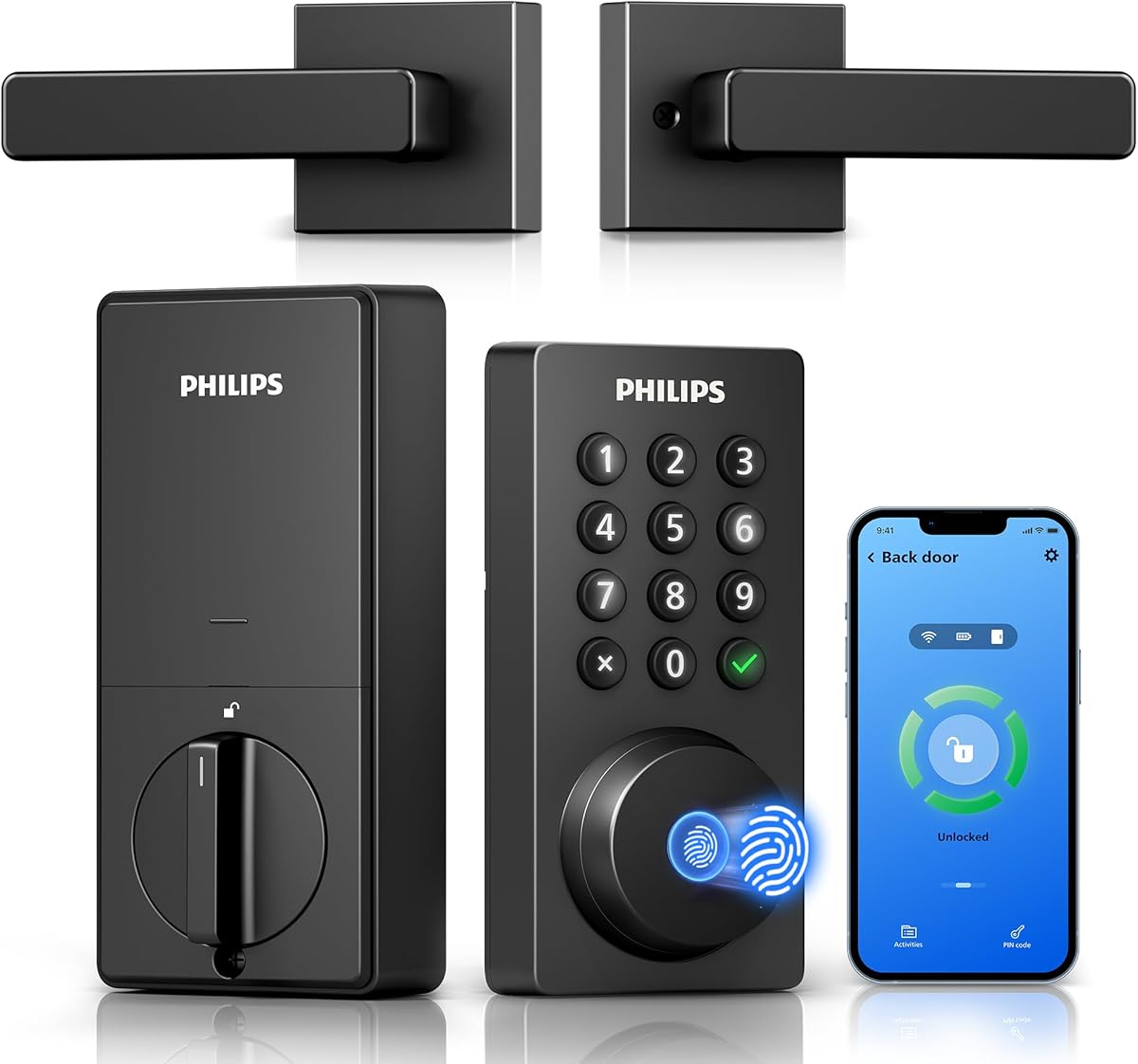
4.3Editor score
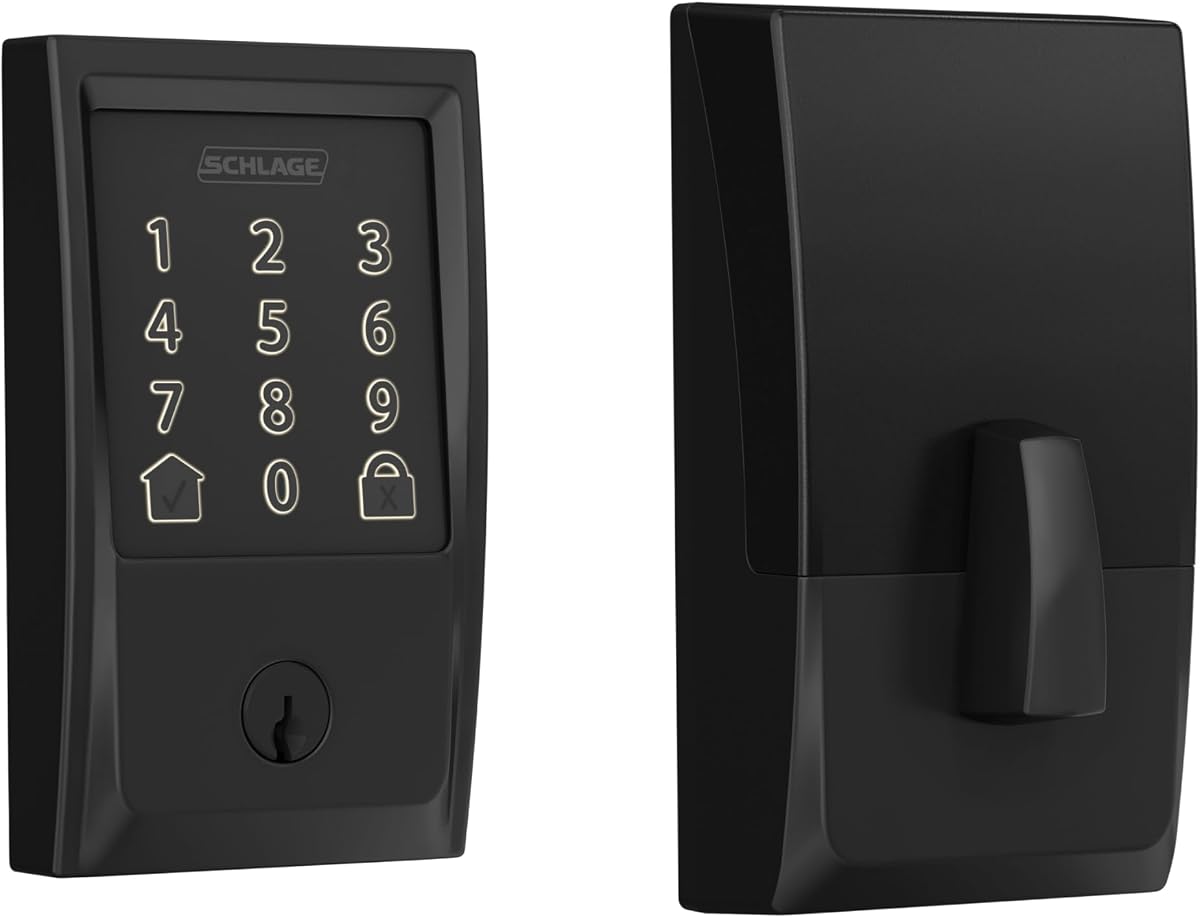
4.2Editor score
The following table provides a side-by-side comparison of all ten digital door locks evaluated in this guide. It highlights key specifications and unique features to help you quickly identify the model that fits your specific security and connectivity needs.

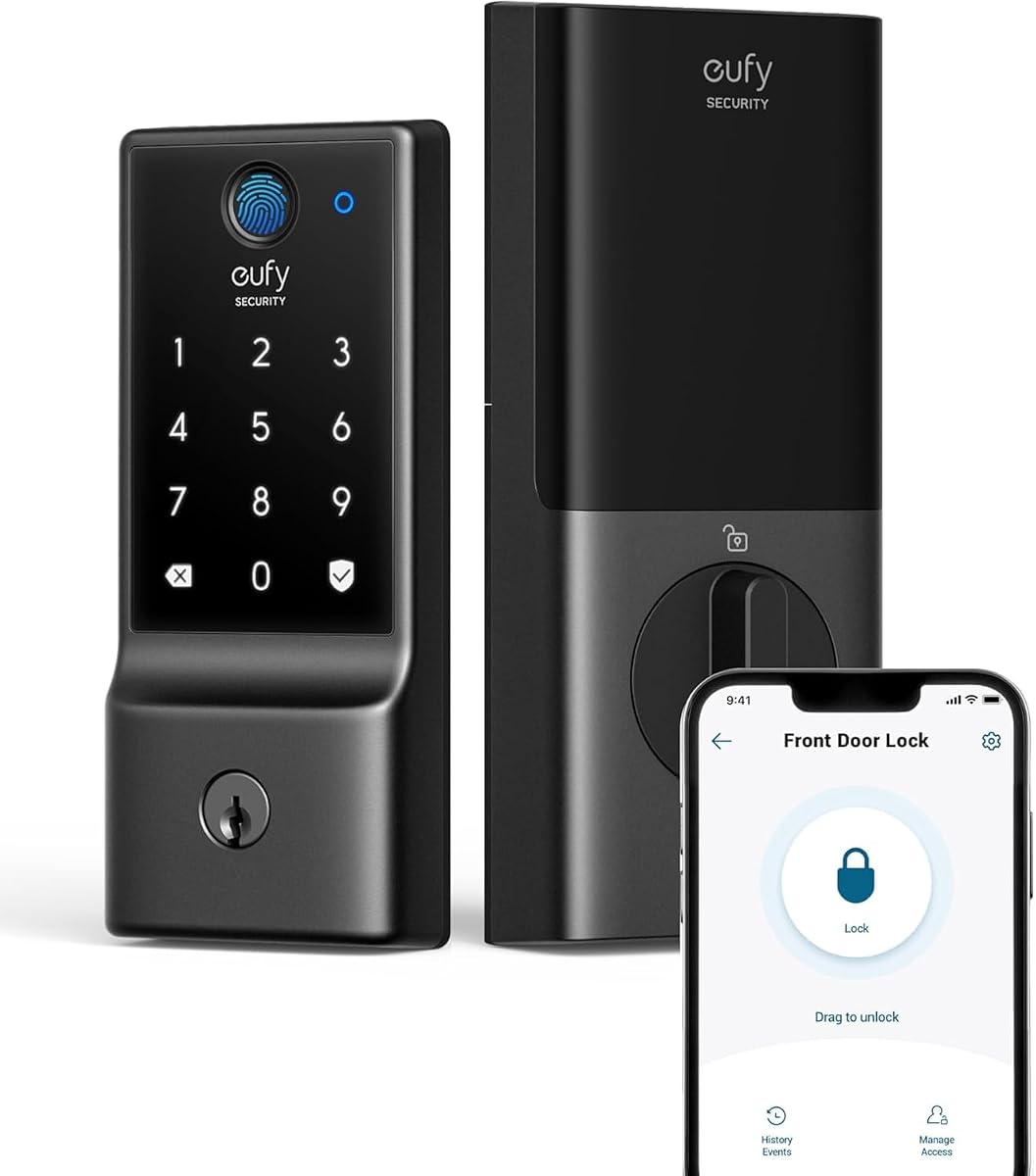




The Philips WiFi Keypad Deadbolt stands out as the top choice for its seamless connectivity and comprehensive feature set. With a rating of 4.3 stars, it delivers reliable performance for homeowners seeking modern convenience without compromising security.
We may earn a commission when you buy through this link, at no additional cost to you.
Its built-in WiFi connection eliminates the need for extra hubs while supporting voice commands and real-time app monitoring. The 0.3 second fingerprint recognition ensures quick entry even in poor light conditions.
While auto-lock defaults to off which may concern some users it is easily enabled via the app. Battery life extends to six months though alkaline batteries are recommended over rechargeables for stability.
This lock is ideal for families needing flexible access codes and remote management. The included handle set simplifies installation making it a complete front door upgrade solution.
Direct connection to home WiFi ensures you can monitor access from anywhere without extra hardware or bridges.
Manage permanent and temporary codes through the app for guests or service providers with real-time history tracking.
We may earn a commission when you buy through this link, at no additional cost to you.
The Philips Wi-Fi Smart Deadbolt offers versatile unlocking options including app passcode fingerprint and voice control. It scores 4.2 stars and excels in customization for managing access across different household members.
We may earn a commission when you buy through this link, at no additional cost to you.
With Away Mode you can disable all unlock methods except the master code while traveling. This adds an extra layer of protection without needing additional hardware or subscriptions.
The lack of a door sensor may limit some automation routines but the lock still provides reliable manual and remote control. Battery performance remains consistent under typical daily usage patterns.
This model suits tech-savvy users who want maximum flexibility in access management. Its straightforward setup makes it accessible even for first-time smart lock installers.
Activate Away Mode to restrict access to your master code only ensuring safety during vacations or extended absences.
Create up to 100 unique codes for family members guests or service providers with scheduled or one-time options.
We may earn a commission when you buy through this link, at no additional cost to you.
The eufy Security Smart Lock C220 impresses with an eight-month battery life and multiple unlocking methods including Apple Watch. It earns 4.3 stars for its balance of security durability and smart home integration.
We may earn a commission when you buy through this link, at no additional cost to you.
Its self-learning AI improves fingerprint recognition accuracy over time reducing failed attempts. Built-in WiFi ensures remote control without additional bridges while IP53 rating protects against splashes.
While not fully weatherproof for extreme conditions it handles typical outdoor exposure well. The BHMA Grade 3 certification confirms it meets recognized industry standards for residential durability.
This lock works best for eufy ecosystem users and those prioritizing battery longevity. The simple installation process avoids drilling making it a convenient upgrade option.
Pair with eufy doorbells to create unified routines within the Security app for seamless automation.
The fingerprint sensor refines recognition patterns with each scan ensuring faster and more reliable access over time.
We may earn a commission when you buy through this link, at no additional cost to you.
The Schlage Encode Smart WiFi Deadbolt delivers top-tier security with BHMA certification and advanced encryption. It holds a 4.2 star rating and is ideal for homeowners prioritizing robust protection and premium materials.
We may earn a commission when you buy through this link, at no additional cost to you.
Its alarm system alerts you to forced entry attempts or unusual movement adding an extra safety layer. The touchscreen resists fingerprints maintaining a clean appearance while providing quick access control.
Though the price is higher than many alternatives the build quality justifies the investment. It integrates smoothly with Alexa and Google for voice control without needing extra hubs.
Choose this model for maximum peace of mind and long-term durability. Its design suits traditional homes seeking a blend of classic aesthetics and modern functionality.
Industry expert certification confirms it meets the highest standards for residential security and finish durability.
Customizable alarms trigger on forced entry or door movement providing alerts for potential security threats.
We may earn a commission when you buy through this link, at no additional cost to you.
The Yamiry Fingerprint Knob combines a sleek handle design with six unlocking methods including key fobs and voice. It receives 4.3 stars and suits renters or landlords needing flexible access control without complex wiring.
We may earn a commission when you buy through this link, at no additional cost to you.
Its reversible handle accommodates both left and right-handed doors making installation straightforward. App management allows remote code generation and tracking which is useful for managing tenants or guests.
Remote control requires a separate WiFi gateway which adds cost but keeps the base lock affordable. The design avoids drilling making it a less invasive upgrade for existing door frames.
This lock is perfect for property managers and budget-conscious buyers. Its simple setup and versatile access options make it practical for both personal and rental properties.
Manage access for multiple tenants from a single app allowing easy code changes between rental periods.
The reversible handle ensures compatibility with any door swing without requiring additional hardware or modification.
We may earn a commission when you buy through this link, at no additional cost to you.
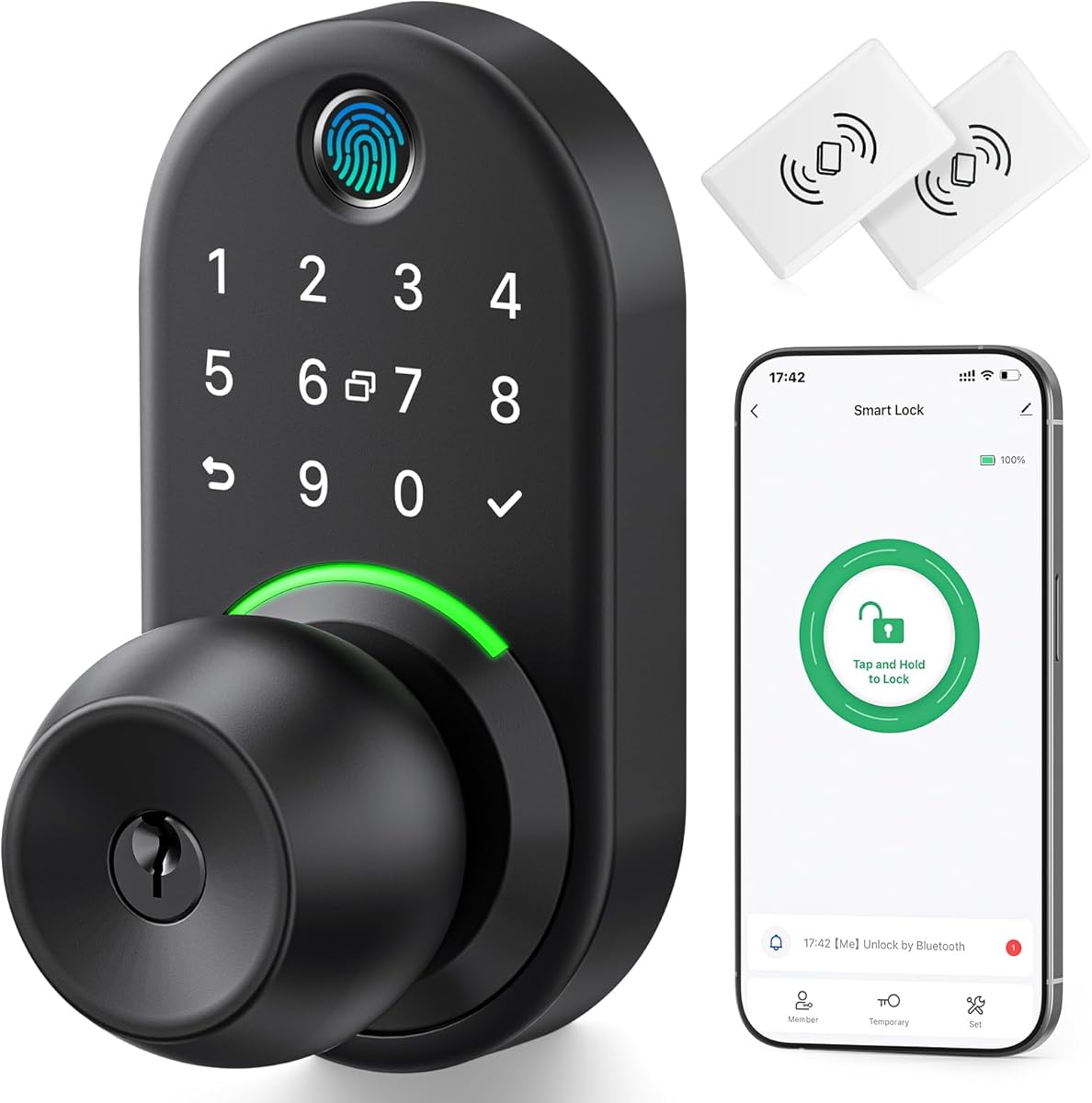
The TEEHO TE001 offers excellent value with a 4.5 star rating and essential smart features. It is the best budget pick for those who want keypad convenience without monthly fees or complex wiring.
We may earn a commission when you buy through this link, at no additional cost to you.
Its one-time guest codes allow secure temporary access for visitors or deliveries. Battery life lasts up to 365 days and low battery alerts ensure you never get locked out unexpectedly.
Without WiFi it requires physical access to change settings but this simplicity reduces hacking risks. The aluminum alloy construction provides solid protection against weather and forced entry.
Choose this lock for straightforward security on a budget. It is ideal for homeowners who prefer local control and reliable performance over advanced smart features.
Set temporary codes for guests or cleaners that delete after single use maintaining permanent access control.
Powered by four AA batteries lasting up to a year with clear alerts when replacement is needed.
We may earn a commission when you buy through this link, at no additional cost to you.
The Yamiry Keyless Entry Digital lock focuses on simplicity with easy installation and reliable keypad access. It holds 4.4 stars and suits users who want basic digital entry without app complexity.
We may earn a commission when you buy through this link, at no additional cost to you.
Its backlit keypad ensures visibility at night and auto-lock times can be set from five to 99 seconds. The aluminum body provides durability while resisting environmental damage.
While it lacks WiFi this model avoids dependency on internet connectivity. Physical key backup adds reassurance during battery failure or system resets.
This lock works well for entry doors needing reliable automation. Its straightforward design appeals to those preferring direct control without smart home integration.
The backlit keypad ensures codes are easy to read in low light conditions enhancing usability after dark.
Adjust auto-lock timing to match your routine from quick relock to longer delays for convenience.
We may earn a commission when you buy through this link, at no additional cost to you.
The Yamiry Fingerprint Handle locks five unlocking options including fingerprint and app control. It earns 4.3 stars and offers robust access management for households needing shared entry without physical keys.
We may earn a commission when you buy through this link, at no additional cost to you.
Its ability to store 50 passwords and fingerprints supports large families or shared spaces. The high-hardness aluminum design protects against corrosion and physical damage over time.
Bluetooth provides local app control while remote access requires a separate gateway. Physical key backup ensures you can enter during low battery or system issues.
Select this lock for versatile access with a focus on durability. It balances modern features with traditional security needs at a competitive price point.
Store up to 50 unique credentials including fingerprints and passwords supporting large households or shared spaces.
High hardness aluminum resists corrosion and impact ensuring long-lasting performance in varied weather conditions.
We may earn a commission when you buy through this link, at no additional cost to you.
The Veise VE017 emphasizes privacy with on-device AES128 encryption and self-learning AI for biometric accuracy. It receives 4.3 stars and suits security-conscious users wanting local data storage.
We may earn a commission when you buy through this link, at no additional cost to you.
Its Anti-Peeping code feature lets you disguise PINs by entering random numbers before or after the real code. Battery life reaches 12 months and USB-C emergency charging prevents lockouts.
While remote access needs a separate gateway this lock protects against cloud breaches by storing data locally. The IP55 rating ensures it withstands rain and dust effectively.
This lock fits those prioritizing data security alongside convenience. The lifetime support and warranty provide long-term assurance for sensitive security investments.
Anti-Peeping codes let you hide your real PIN behind random numbers preventing shoulder surfers from guessing access.
User credentials stay on-device with AES128 encryption eliminating cloud risks associated with centralized data storage.
We may earn a commission when you buy through this link, at no additional cost to you.
The Veise VE027-K WiFi delivers high capacity with over 100 PIN codes and built-in connectivity. It holds a 4.5 star rating and is ideal for busy homes needing extensive user management.
We may earn a commission when you buy through this link, at no additional cost to you.
Its 0.2 second fingerprint scan ensures rapid entry for family members while voice control offers hands-free operation. The included two-knob set provides a complete solution for door upgrades.
Battery life reaches 240 days with standard AA batteries though frequent usage may reduce this. The WiFi integration allows real-time alerts and remote monitoring without extra hubs.
This lock is best for families wanting extensive access control. Its combination of speed capacity and connectivity makes it a versatile choice for modern households.
Manage over 100 unique PIN codes supporting large families or multiple authorized users without reassigning codes.
The high-density sensor recognizes fingerprints in 0.2 seconds ensuring fast entry for every family member.
We may earn a commission when you buy through this link, at no additional cost to you.
Choosing the right digital door lock requires balancing features with your specific needs. This section covers key factors to consider before purchasing to ensure optimal security and convenience.
Decide between built-in WiFi or Bluetooth models. WiFi allows remote access without hubs while Bluetooth is simpler but limited to phone proximity. Consider if you need to check lock status or grant access while away from home.
Choose built-in WiFi if remote access is essential. Bluetooth suffices for local control only.
Look for multiple methods like fingerprint code keypad and physical key. More options ensure entry even if one method fails. Verify support for voice assistants if you want hands-free operation.
Select locks with at least three unlocking methods for maximum reliability and convenience.
Battery longevity impacts maintenance frequency. Aim for locks offering six months or more. Check if low battery alerts are present to avoid lockouts. Alkaline batteries generally last longer than rechargeables.
Prioritize models with long battery life and clear low-power notifications to prevent unexpected lockouts.
Confirm the lock fits your door thickness and bore hole. Most locks require 1-3/8 to 2 inches thickness. Check backset dimensions and whether your door swing is left or right opening to avoid installation issues.
Measure your door carefully before purchase to ensure the lock fits without drilling or modifications.
Look for BHMA or ANSI certifications indicating tested durability. Grade 3 is standard for residential use. Check encryption standards for connected models to protect against hacking attempts.
Verify security ratings ensure the lock meets industry standards for residential safety and protection.
If installing outside verify IP ratings for water and dust protection. IP53 handles light rain while IP55 or higher is better for exposed locations. Temperature range also matters for extreme climates.
Choose IP55 rated locks for outdoor installation to withstand rain and dust effectively.
Ensure compatibility with your existing ecosystem like Alexa Google or Apple HomeKit. Some locks support routines or voice commands which enhance automation. Check if a gateway is needed for remote voice control.
Pick locks supporting your smart home devices for unified control and automation routines.
Review warranty terms and support availability. Good brands offer phone and email support with clear hours. Lifetime warranties or extended coverage provide peace of mind for long-term use.
Verify warranty and support terms before purchase to ensure assistance if issues arise later.
Install the lock by following the manufacturer manual step-by-step. Ensure the door thickness and hole size match requirements to avoid misalignment or latch issues. Use the reset function to set door direction correctly.
Regularly update firmware via the app to patch vulnerabilities. Clean the keypad and sensors with a soft cloth to prevent dust from affecting recognition. Replace batteries at the first low-power warning.
Test all unlock methods after installation to confirm reliability. Share codes only with trusted individuals and remove guest codes after use. Review access logs occasionally to monitor for unauthorized entry attempts.
Yes most digital locks operate on batteries so they function during power outages. However remote features may fail if they require internet. Always keep physical keys as backup for emergencies.
Locks with built-in WiFi allow remote control via smartphone apps. Bluetooth-only models require proximity. Check if a separate gateway is needed for full remote access capabilities.
Fingerprint sensors use biometric encryption that is highly secure. Modern locks detect fake fingerprints with high accuracy. Choose models with local encryption to prevent cloud-based data breaches.
Most models fit standard wooden doors 1-3/8 to 2 inches thick. Always check bore hole and backset dimensions. Metal or fiberglass doors may require additional hardware or adapters.
Most locks include low battery alerts before complete failure. Some have emergency power ports using USB or 9V batteries. Always keep a physical key accessible for emergencies.
Yes many models support one-time or scheduled codes. These can be created and deleted via the app. This ensures temporary access without sharing permanent codes.
We reviewed ten models ranging from budget to premium with standout choices like the Philips WiFi Keypad Deadbolt and TEEHO TE001. Each offers unique strengths for different security needs and budgets.
Prioritize connectivity options and battery life to match your daily routine. Ensure physical security ratings and weather resistance align with your installation environment.
Verify current product availability and terms before purchasing as features change over time. Selecting the right lock enhances both convenience and home protection.