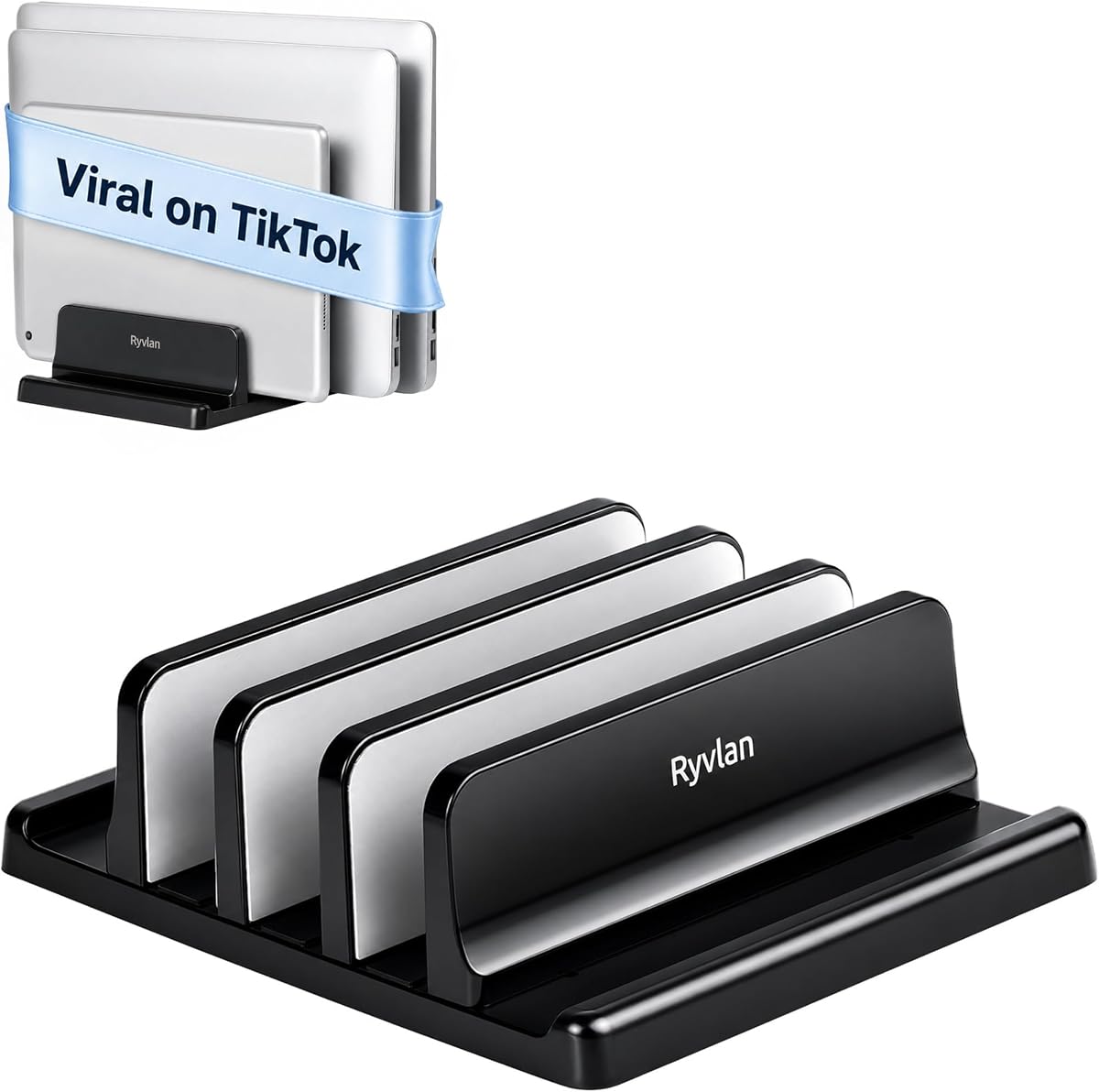
Ryvlan Vertical Laptop Stand
4.6Editor score
Three slot design
Adjustable width range
Impact resistant ABS
Minimalist footprint
Managing multiple devices can clutter your workspace quickly. A dedicated laptop rack for multiple laptops organizes your tech safely. It saves space while protecting your expensive hardware from scratches and spills effectively.
We compared ten real products based on capacity, build quality, and stability. Each option offers unique benefits for home offices, classrooms, or shared workspaces. Our analysis highlights what makes each stand reliable for daily use.
Each pick shows specific strengths like adjustable slots or premium materials. Prices change frequently so check current listings before buying. This guide helps you choose the best fit for your specific device collection needs today.
4.6Editor score

4.2Editor score

4.5Editor score
As an Amazon Associate we earn from qualifying purchases.
This side-by-side comparison reviews all ten products to highlight key differences in capacity, materials, and features. Each entry lists core specifications to help you decide which rack fits your specific workspace constraints and device types.




The Ryvlan Vertical Laptop Stand serves as a robust three slot organizer ideal for small desks. It holds up to three laptops plus two tablets or phones simultaneously while maintaining a minimal footprint. This versatile design clears clutter quickly and keeps essential devices within arm's reach comfortably.
We may earn a commission when you buy through this link, at no additional cost to you.
Adjustability is its standout feature since every slot adjusts from 0.47 inches to 1.2 inches using a simple wrench. This range accommodates thin notebooks and thick gaming machines without wobbling or sliding during daily use. The molded impact resistant ABS material with silicone padding protects device surfaces from scratches while staying secure on bare surfaces.
While durable for typical workloads this stand may need periodic tightening to maintain maximum stability. The plastic body is lighter than aluminum options so heavier gaming rigs could potentially cause slight flex over years of daily handling. Still these trade offs remain acceptable given its low cost and effective space saving performance.
This stand suits home offices and students needing quick access to multiple devices. Its minimalist black finish blends seamlessly with modern workspaces while the included wrench ensures a customized fit. Choose this option if you prioritize flexible slot widths and compact storage for mixed device types.
The adjustable width ensures a snug fit for different laptop thicknesses so devices stay put during use.
At roughly 7.3 inches wide it frees up significant desk surface for keyboards and writing space easily.
We may earn a commission when you buy through this link, at no additional cost to you.
Elestoria 10 Slot Vertical Laptop Stand delivers industry leading capacity for users managing large tech ecosystems. This premium aluminum alloy rack docks up to ten laptops or tablets while reclaiming 80 percent of desk space. The modern grey finish and lightweight footprint offer a professional look suitable for offices and studios.
We may earn a commission when you buy through this link, at no additional cost to you.
Its wide adjustment range from 0.24 inches to 5.83 inches ensures a perfect fit even for laptops with protective cases. Open side dividers allow unobstructed access to charging ports without removal so daily connectivity remains hassle free. Passive thermal convection design keeps devices cool by promoting airflow around each stored unit effectively.
The heavier price point reflects the premium build but remains fair for the capacity provided. The aluminum construction adds weight which may make it less portable than lighter plastic alternatives. Still these trade offs are minor compared to the efficiency gains from vertical storage and professional aesthetics.
This rack fits teachers or tech admins managing many devices in classrooms or reception areas. It provides superior cooling and secure clamping so hardware stays protected while fully accessible. Choose this model if you need maximum device density with premium materials and airflow benefits.
Stores up to ten laptops or tablets to free massive desk area for work and collaboration.
Vertical passive airflow reduces heat buildup better than flat storage on hot days.
We may earn a commission when you buy through this link, at no additional cost to you.
Elestoria 5 Slot Vertical Laptop Stand elevates your workspace with a high grade aluminum finish and solid base. It cradles up to four laptops and one tablet while reclaiming 80 percent of desk space. The patented multifunctional design keeps iPads and MacBook setups organized on a single desktop efficiently.
We may earn a commission when you buy through this link, at no additional cost to you.
Three sliding brackets allow independent width adjustment from 12mm to 38mm for perfect fit across different devices. Solid aluminum construction with soft silicone padding protects from scratches while polished edges ensure safe handling. A heavy stable base prevents tipping and wobble during daily placement or removal of units.
Closed base design limits direct access to bottom ports but ensures structural integrity and neat appearance. The price reflects premium build and patent pending design features so budget buyers might look elsewhere. Still these trade offs suit users valuing long term durability and professional aesthetics.
This stand suits professionals working in clamshell mode with external monitors or keyboards. It keeps hardware organized and secure so you stay focused on tasks without clutter. Choose this option if you need a sturdy elegant rack for mixed laptops and tablets.
Each slot adjusts separately so you can fit thin and thick laptops in one stand.
Solid aluminum alloy resists warping and keeps hardware safe from surface wear.
We may earn a commission when you buy through this link, at no additional cost to you.
Unittype Bamboo Multi Device Organizer complements any desktop with natural wood color and space saving design. It elegantly stores smartphones tablets and laptops while minimizing space usage and enhancing visual appeal. This versatile file organizer doubles as a mail holder keeping home offices tidy and organized.
We may earn a commission when you buy through this link, at no additional cost to you.
Removable six slot design accommodates various device sizes ensuring seamless access and improved organization for daily use. Sturdy natural bamboo construction features non slip rubber feet that protect desks from scratches while enhancing stability. Its compact footprint fits small home offices and expansive workstations equally well.
Natural materials may need gentle care to avoid water damage or dents so avoid direct moisture exposure. Slots may not fit thicker protective cases so check device dimensions before purchase. Still these trade offs are minor for those seeking eco friendly aesthetics and functional storage.
This organizer suits home users and studios seeking warm natural style with practical storage. It keeps devices and mail tidy in one spot. Choose this if you value bamboo aesthetics and multi use versatility.
Bamboo adds warmth and elegance to your desk while offering solid structural support.
Removable slots adapt to tech and mail so you use one organizer for multiple needs.
We may earn a commission when you buy through this link, at no additional cost to you.
This 10-Device Laptop and Tablet Charging Station combines storage and power for classrooms and offices. It integrates 6 AC outlets and 4 USB ports to support laptops Chromebooks and mobile devices simultaneously. Pre-installed surge protection and cable management keep charging safe and tidy.
We may earn a commission when you buy through this link, at no additional cost to you.
The open rack design allows quick insertion and removal without doors or cabinets simplifying daily access for users. Compact vertical layout maximizes storage while minimizing countertop usage across shared spaces. A surge-protected power strip rated for 110V/10A ensures safer everyday charging for all devices.
Higher upfront cost reflects the integrated power system which eliminates the need for separate adapters or strips. Proximity to an outlet is required so placement may be constrained by wiring layout. Still these trade offs are acceptable for the safety and convenience it brings.
This station fits schools libraries and training rooms needing organized multi-device charging. It simplifies power management so devices stay powered and ready. Choose this if you want all-in-one power and storage reliability.
Built-in outlets remove the need for extra adapters so setup is fast.
Surge protection shields devices from spikes and keeps the station reliable.
We may earn a commission when you buy through this link, at no additional cost to you.
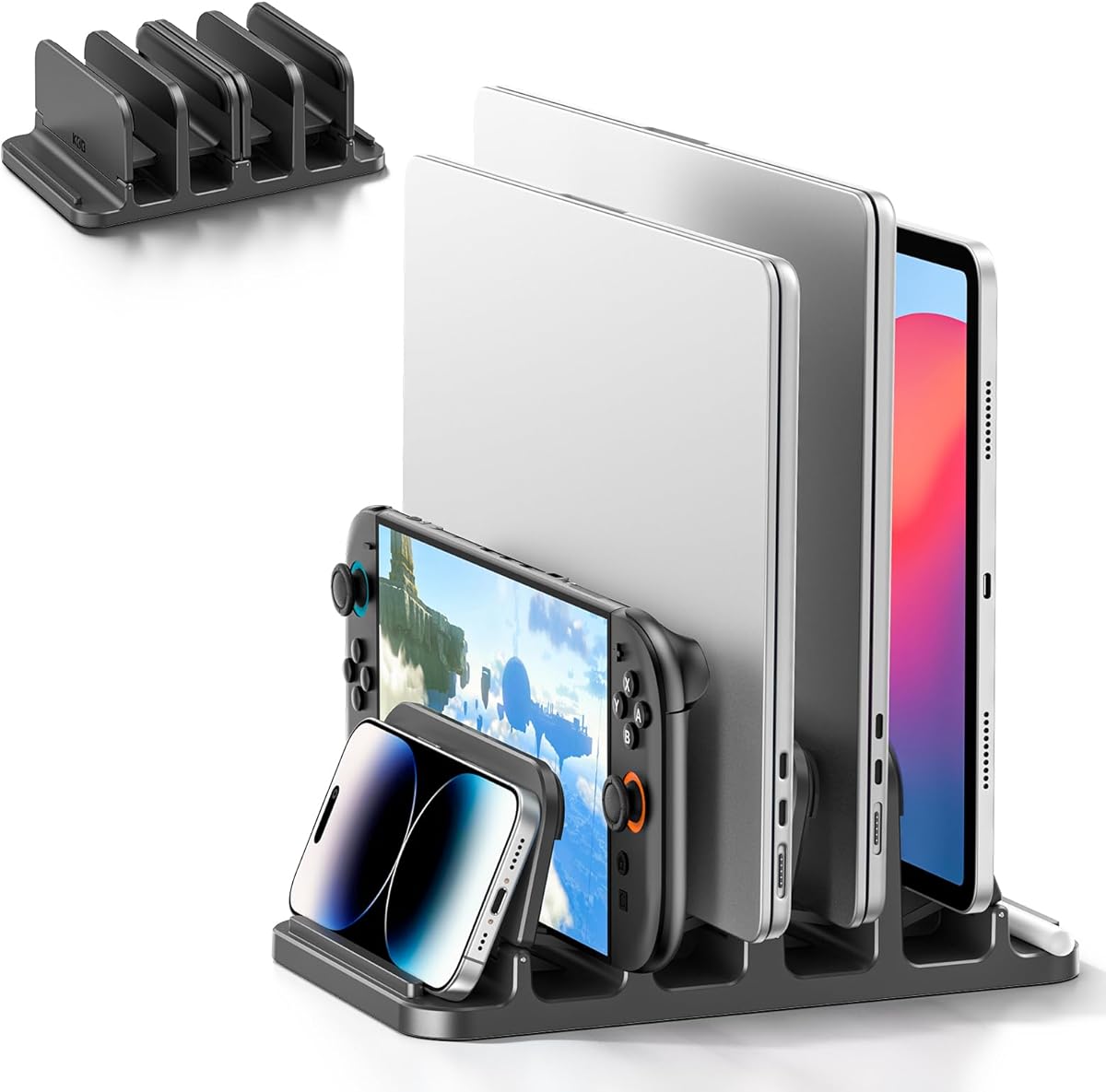
KDD 4-Slot Vertical Laptop Stand offers upgraded six storage slots for organizing multiple devices at once. The gravity mechanism locks units securely without extra clamps keeping devices steady on any desk. Anti-slip silicone pads on base and slots prevent movement during daily use.
We may earn a commission when you buy through this link, at no additional cost to you.
This multifunctional 6-in-1 design fits laptops tablets phones Kindles books and game consoles with compatibility up to 1.1 inches. It organizes equipment in an upright position to maximize desktop space and create a neat productive working environment. Vertical layout simplifies access and keeps your workspace tidy.
Slot height limits fit devices under 1.1 inch so thick cases may not fit. Plastic construction is lighter than metal but still stable for normal workloads. Still these trade offs suit users prioritizing low cost and multi-device versatility.
This stand suits home offices needing quick access for mixed tech. It keeps gear organized without tools. Choose this if you want simple secure storage for phones and small laptops.
Weight of device engages lock so no extra tools needed.
Six slots hold laptops phones books so desk stays tidy and organized.
We may earn a commission when you buy through this link, at no additional cost to you.
Vertical Laptop Stand 5 Slots saves valuable desk space while organizing laptops tablets and phones simultaneously. Its 5-in-1 design fits up to 17.3 inch devices and keeps desks organized and productive. Brushed CNC-machined aluminum matches Apple and Surface texture for a premium look.
We may earn a commission when you buy through this link, at no additional cost to you.
Adjustable slots let you set width to match your devices from smallest to largest using the included hex key. Non-slip silicone pads protect from scratches and keep the stand in place. Solid weight-balancing base ensures devices stay safe and upright during work.
Adjustment needs the included wrench which may be misplaced. Mid-range price is higher than basic stands but lower than premium racks. Still these trade offs suit users seeking durability and airflow benefits at fair cost.
This stand fits professionals and students who want quality and cooling. It keeps gear secure and neat. Choose this if you want a tidy aluminum dock for mixed devices.
CNC machining and brushed finish match premium laptop aesthetics for a unified look.
Vertical layout increases airflow to prevent overheating during long use.
We may earn a commission when you buy through this link, at no additional cost to you.
POCHAR 8-Device Universal AC Laptop Charging Station delivers ready-to-use power for classrooms and offices. Wide-angle slots hold laptops and Chromebooks up to 14 inches and 1.4 inches thick. No assembly needed so you can start using it immediately from the box.
We may earn a commission when you buy through this link, at no additional cost to you.
The power strip contains surge protection to avoid voltage spikes ensuring safe reliable performance for daily use in high-demand environments. Compact design fits on desks and tables and moves easily between shared spaces. It keeps devices neatly arranged for quick access by students and teachers.
Fixed slot widths may not fit devices outside the 1.4 inch limit. Larger footprint requires more desk space than compact stands. Still these trade offs are acceptable for its plug-and-play convenience and capacity.
This station fits businesses and schools needing quick setup and reliability. It simplifies charging and organization. Choose this if you want fast deployment for multiple devices.
Wide angle slots accept most laptops and Chromebooks without custom brackets.
Unbox and use immediately so no tools or assembly are needed.
We may earn a commission when you buy through this link, at no additional cost to you.
10 Device Laptop Storage Rack stands on the floor to provide robust high-capacity charging for classrooms and libraries. Built of premium steel with high-temperature painted finish it resists rust and wear over time. Equipped with 10 slots and removable partitions it handles many device types.
We may earn a commission when you buy through this link, at no additional cost to you.
Four universal wheels with brakes let you move and lock the rack easily across rooms. Open design facilitates rapid device access and allows unrestricted air circulation to keep devices cool during charging. The bottom shelf provides additional storage for printers or supplies.
Floor standing use requires dedicated floor space and assembly may take time before use. Not ideal for small desks but great for open rooms. Still these trade offs suit mobile needs in large facilities.
This rack fits schools or offices needing mobile storage. It simplifies moving and charging. Choose this if you need large capacity and mobility.
Wheels and brakes let you move the rack to any room quickly.
Ten slots plus extra shelf handle large batches of devices.
We may earn a commission when you buy through this link, at no additional cost to you.
MobileVision Bamboo Multi Device Organizer stores up to five devices in dedicated 1-inch slots. Crafted from sturdy bamboo it provides a secure platform for valuable devices and fits small desktops well. Integrated rubber feet prevent sliding and protect surfaces from scratches.
We may earn a commission when you buy through this link, at no additional cost to you.
At 10 inches long and 7 inches tall it offers efficient storage without excessive space usage. Ideal for conference rooms classrooms and home workspaces it promotes a tidy organized environment. Each slot keeps devices safe and within reach to avoid damage.
1-inch gaps may not fit devices with thick cases so check dimensions first. Natural bamboo may need gentle care to avoid moisture damage. Still these trade offs suit users seeking eco-friendly and compact storage.
This organizer fits small offices needing tidy tech storage. It keeps devices secure and near. Choose this if you want bamboo style for compact needs.
Natural bamboo keeps your desk tidy and adds warmth.
Rubber feet prevent slipping so devices stay protected.
We may earn a commission when you buy through this link, at no additional cost to you.
Choosing a laptop rack requires assessing capacity, build, and features to match your workspace. Below are key factors that influence performance and usability for multiple devices.
Determine how many devices you need to store simultaneously. Racks range from three slots to ten or more. A higher slot count helps declutter larger setups but may require more desk or floor space. Consider your daily device mix before committing to capacity.
Choose a rack that matches your regular workload without excess space or tight fits.
Materials affect stability and lifespan significantly. Aluminum racks offer premium durability and heat dissipation. Bamboo adds natural aesthetics but may need gentle care. Plastic is lightweight and affordable but can be less rigid over time. Match material to your budget and usage intensity.
Prioritize sturdy materials if you plan heavy daily use or shared environments.
Adjustable slots ensure a snug fit for different thicknesses and cases. Fixed slots may restrict device choices and cause wobbling. Check if width and height can be customized so laptops and tablets stay secure. Open side designs help port access without removal.
Select adjustable racks to accommodate growing device variety and varying case thickness.
A stable base prevents tipping and sliding especially with heavy devices. Weighted bases or rubber feet improve grip on smooth desks. For floor-standing units check for locking wheels and sturdy frames. Stability affects safety and ease of daily access.
Look for weight and non-slip features to keep racks secure under load.
Vertical storage improves passive airflow compared to flat stacking. Better cooling protects internal components from overheating during charging or storage. Some racks include thermal convection designs that boost ventilation. Keep airflow in mind for gaming or high-performance units.
Prioritize designs that keep devices cool to extend their operational life.
Some racks include built-in power outlets and USB ports to simplify charging. Surge protection helps safeguard hardware during charging cycles. Cable management features reduce clutter and improve safety. Consider these features if devices need frequent top-ups.
Choose integrated power options to streamline setup and reduce cable mess.
Measure your desk or floor space before purchasing. Compact stands save countertop area while larger floor racks need more room. Vertical design maximizes height instead of width. Match dimensions to your workspace constraints to avoid clutter.
Ensure the rack fits your area so it aids organization without crowding your workspace.
Finish affects how the rack integrates with your decor. Modern aluminum looks professional while bamboo adds warmth. Select colors like grey or black to match laptops and desks. Aesthetics matter in client-facing offices or studios.
Pick a finish that complements your workspace style and devices.
Place the rack on a flat stable surface away from direct sunlight or heat sources. Ensure the base sits evenly and that feet or pads are fully contacting the desk for maximum grip and stability.
When inserting devices slide them in gently until slots secure them snugly. Adjust widths as needed using included tools so devices sit flush and upright without wobble or strain on connectors or ports.
Clean surfaces regularly with a damp cloth and dry immediately to maintain finish and prevent moisture damage. Check screws or locks periodically to ensure slots stay tight and the rack remains secure over years of daily use.
Many racks feature adjustable slots that accommodate cases within a specific thickness range. Always verify the slot adjustment limits listed in the product data before buying. Open side designs help avoid cable obstruction while using a case.
Use racks with weighted bases and silicone pads for added grip. Ensure you adjust slot widths so devices sit snug and upright. Heavy devices should go in bottom slots to lower the center of gravity and reduce tipping risk.
Some racks include integrated outlets or USB ports for charging without removal. Others rely on open-side designs that allow cable access while devices stay upright. Check for surge protection if you want safe continuous charging.
Aluminum alloys offer strong resistance to wear and better heat dissipation. Bamboo adds style but may need gentle care to avoid moisture damage. Plastic is budget-friendly but less rigid over heavy daily use.
Some racks use tool-free screw adjustments while others include a hex key for precise tuning. Check product details to know if tools come with the rack or if you need separate ones for customization.
Floor racks offer larger capacity and mobility with wheels so they work well for classrooms or open offices. Desk stands suit compact workspaces where vertical space is limited. Pick based on your available space and device volume.
Look for racks with silicone padding along all slot walls and base edges. Smooth polished finishes reduce abrasion and non-slip pads keep the rack from sliding. This helps protect your device from surface damage during daily storage.
The top picks include the Elestoria 10-Slot for capacity, Ryvlan for budget flexibility, and the 10-Device Charging Station for integrated power. Each stands out for distinct strengths across build and usability for different users.
Prioritize capacity and stability first then check adjustability and airflow. Materials and finish matter for long-term use and aesthetics. Match features to your device mix and workspace constraints for a smart purchase.
Prices and stock vary so check current listings before buying to ensure the best fit. Use our comparisons to narrow options and find the right laptop rack for multiple laptops today.