
Dexnor for Samsung Galaxy Tab S10 Lite/S10 FE/S9 FE/S9 Case with Keyboard
4.5Editor score
Multi-touch trackpad included
Backlit rechargeable keyboard
Dual S Pen holders
Finding the right keyboard case for your Galaxy Tab S10 Lite can transform your device into a powerful productivity tool. A quality accessory offers robust protection while providing a comfortable typing experience for work or creative tasks.
We evaluated ten leading options based on compatibility, build quality, typing comfort, and additional features like trackpads or backlit keys. Our analysis ensures you find a case that fits your specific model and usage needs perfectly.
Each pick highlights key strengths and potential trade-offs to guide your decision-making process. Please note that product availability and pricing may change over time, so verify details before purchasing your chosen accessory.
4.5Editor score

4.4Editor score

4.7Editor score
As an Amazon Associate we earn from qualifying purchases.
The following table provides a side-by-side comparison of the top-rated keyboard cases available for the Galaxy Tab S10 Lite and compatible models.
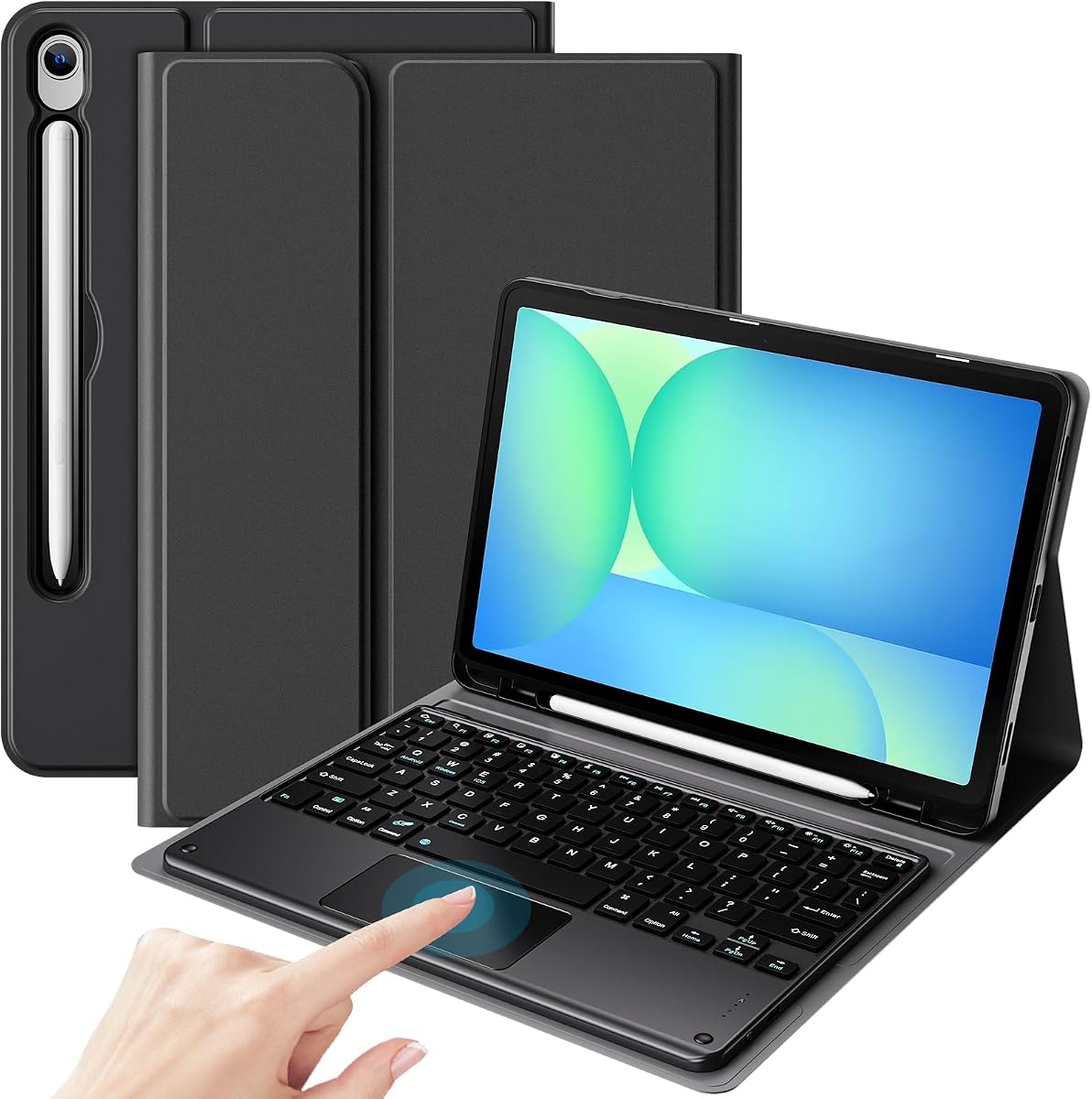


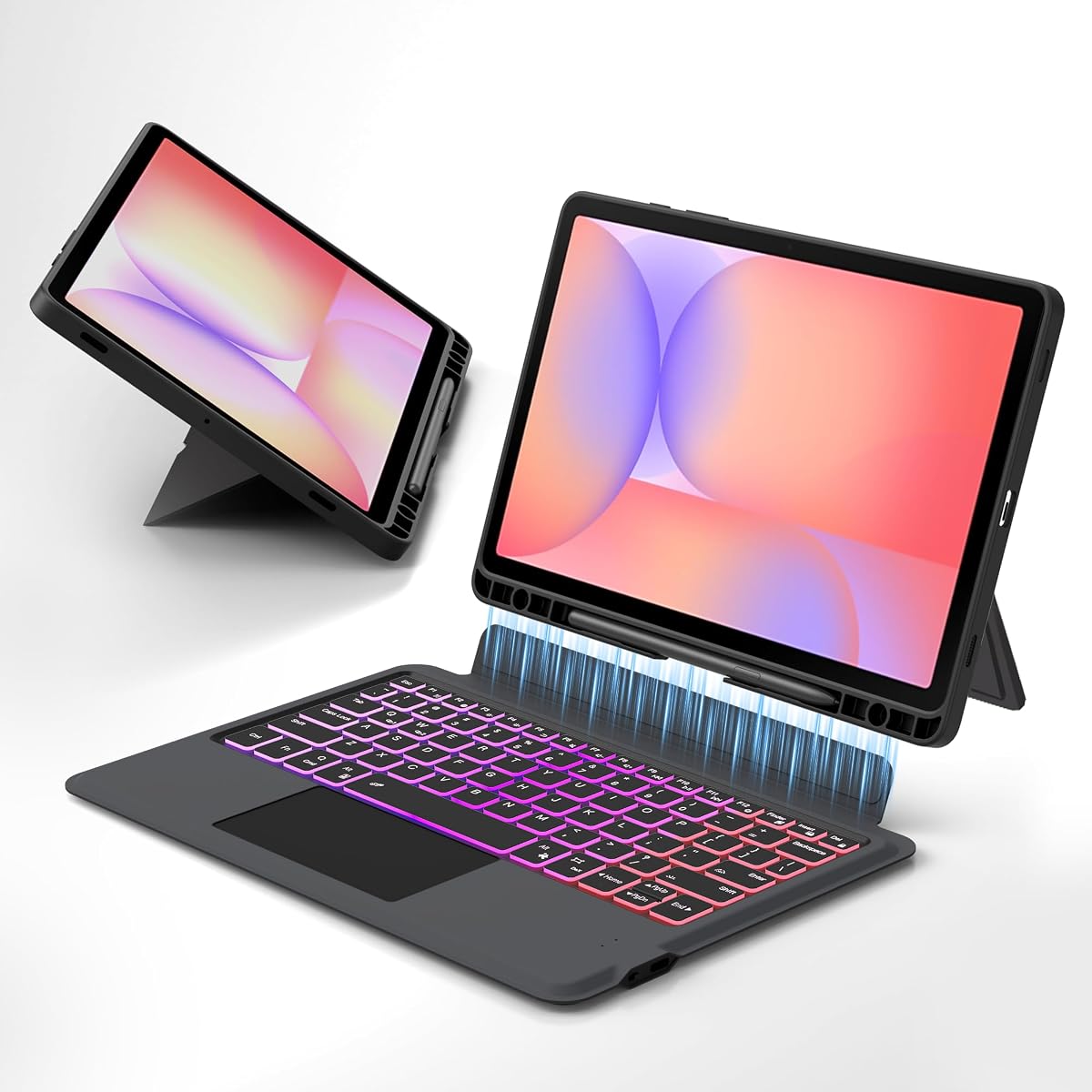

This keyboard case offers an excellent balance of functionality and value for Galaxy Tab S10 Lite users. It features a rechargeable keyboard with Type-C fast charging, ensuring you are never left without power during critical work sessions.
We may earn a commission when you buy through this link, at no additional cost to you.
The design supports multiple viewing angles, allowing you to adjust the tablet to your preference for typing or media consumption. The durable PU leather cover protects your device while maintaining a slim profile that is easy to carry.
While it lacks a built-in trackpad found in more premium options, the keyboard itself is comfortable for long typing sessions. The magnetic detachment allows you to use the keyboard and stand independently when needed.
Buy this option if you want a reliable, affordable accessory that covers the essentials for productivity. Its compatibility with the S10 Lite and FE models makes it a versatile choice for current tablet owners.
The built-in Type-C charging port ensures quick recharges, while auto energy-saving mode preserves battery life during inactivity.
Anti-slip grooves and adjustable keyboard placement provide stable support for the tablet in various viewing positions.
We may earn a commission when you buy through this link, at no additional cost to you.
The Dexnor case stands out as a premium choice with its integrated trackpad and enhanced build quality. It transforms your tablet into a true laptop replacement, perfect for document editing and web browsing.
We may earn a commission when you buy through this link, at no additional cost to you.
Features like the aluminum alloy hinge and multi-touch gestures provide a robust and responsive typing experience. The backlit keyboard ensures you can type comfortably even in low-light environments.
While the price is higher than basic cases, the added functionality justifies the investment for power users. The dual storage slots for the S Pen are particularly convenient for keeping your stylus secure.
Choose this if you need a professional-grade accessory that prioritizes efficiency and durability. It is an ideal match for those who frequently switch between tablet and laptop modes.
The multi-touch trackpad supports gestures similar to a desktop mouse, streamlining navigation and file management tasks.
High-quality materials and a sturdy hinge ensure long-term reliability and protection for your tablet device.
We may earn a commission when you buy through this link, at no additional cost to you.
This budget-friendly option offers excellent value by including both a keyboard and a wireless mouse in the package. The rainbow backlight adds a stylish touch to your typing setup without costing much.
We may earn a commission when you buy through this link, at no additional cost to you.
While it lacks the touchpad of premium models, the inclusion of a mouse makes navigation easier than just relying on the screen. The PU leather cover provides decent protection against daily wear and tear.
It is a great choice for users who need basic productivity features without a heavy investment. The auto sleep wake function helps preserve battery life when the case is not in use.
We recommend this for casual users or students who want a complete typing setup on a tight budget. It delivers core functionality effectively while keeping costs low.
The inclusion of a wireless mouse alongside the keyboard offers a more complete PC-like typing and navigation experience.
Adjustable rainbow lighting allows you to personalize your device's look and improve visibility in dark environments.
We may earn a commission when you buy through this link, at no additional cost to you.
ProCase is known for reliable accessories, and this keyboard case maintains that standard with a functional touchpad and sturdy build. It supports multi-gesture controls for smooth navigation on your tablet.
We may earn a commission when you buy through this link, at no additional cost to you.
The detachable design gives you flexibility to use just the cover for media consumption or attach the keyboard for work. The stand is stable and adjusts to multiple angles for comfortable viewing.
It is a solid mid-range option for those who want a touchpad without the extra cost of premium models. The slim design ensures it fits easily into bags and backpacks.
Consider this if you prioritize reliability and a clean design over extra features like backlighting. It suits users who need a versatile accessory for mixed usage scenarios.
The ability to detach the keyboard allows for quick switching between typing and tablet viewing modes.
The touchpad supports gestures like swiping and switching apps, reducing the need to constantly touch the screen.
We may earn a commission when you buy through this link, at no additional cost to you.
This case adds a pop of color to your setup with a pink design and a rainbow backlight on the keyboard. It comes bundled with a wireless mouse, enhancing the productivity suite.
We may earn a commission when you buy through this link, at no additional cost to you.
The honeycomb cushioning inside provides additional protection against overheating and impacts. This feature helps extend the lifespan of your tablet while keeping it secure inside the case.
It is a great choice for users who value style and bundle value over premium trackpad features. The compatibility with the S8 series also makes it versatile for older devices.
We suggest this for those who want a fun and functional accessory at a reasonable price. It is perfect for students or casual users who prefer a colorful aesthetic.
The pink exterior and rainbow backlight allow for a personalized look that stands out from standard black cases.
The internal honeycomb pattern acts as a shock absorber, adding an extra layer of defense against drops.
We may earn a commission when you buy through this link, at no additional cost to you.
This model combines a multi-color backlight system with a functional touchpad for a complete typing experience. It covers the basic needs for document editing and navigation without extra bulk.
We may earn a commission when you buy through this link, at no additional cost to you.
The honeycomb mesh inner layer helps dissipate heat, which is useful during long typing or gaming sessions. The pen slot ensures your stylus is always within reach and protected from scratches.
It is a versatile choice for users who want a trackpad but prefer a simple design. The 7 backlight modes offer enough variety for different lighting conditions and preferences.
We recommend this for general productivity use where a mouse is not strictly necessary. It offers a good balance of features for everyday work tasks.
The honeycomb mesh design aids in airflow and heat dissipation to keep the tablet cool during use.
Seven different backlight modes allow you to change the visual style of the keyboard to match your mood.
We may earn a commission when you buy through this link, at no additional cost to you.
As an official Samsung accessory, this case offers seamless integration with the devices operating system. The dedicated AI key provides quick access to assistance features, boosting your productivity instantly.
We may earn a commission when you buy through this link, at no additional cost to you.
Wireless keyboard sharing allows you to connect and type on multiple compatible devices, which is great for multi-device workflows. The design is slim and protects the device while maintaining a modern look.
It is best suited for users who prioritize official support and specific ecosystem features over third-party alternatives. The price is higher but reflects the brand quality and specialized functions.
We recommend this for Samsung enthusiasts who want the most integrated experience available. It ensures all features work reliably without compatibility issues.
The dedicated AI key lets you access Bixby or Gemini instantly for queries without navigating through menus.
Wireless keyboard sharing allows you to use the same keyboard to switch between different Galaxy devices effortlessly.
We may earn a commission when you buy through this link, at no additional cost to you.
This keyboard case stands out with its ability to connect to two devices simultaneously via Bluetooth. You can switch between your tablet and smartphone easily using a simple key combination.
We may earn a commission when you buy through this link, at no additional cost to you.
The precision touchpad ensures smooth and accurate navigation, while the adjustable brightness levels help you see clearly in any light. The case also includes card slots for storing small items like memory cards.
It is an excellent option for users who work across multiple devices and need quick switching capabilities. The detachable design adds to its utility by allowing modular use.
We suggest this for professionals who need flexibility in their workflow. The dual channel feature is a significant advantage over standard single-connectivity cases.
Dual Bluetooth channels allow you to pair with a tablet and phone simultaneously for seamless task switching.
Built-in card slots offer convenient storage for SD cards or small accessories while traveling.
We may earn a commission when you buy through this link, at no additional cost to you.
This case is designed with productivity in mind, featuring a one-click DeX mode key for a desktop experience. The 270-degree hinge allows for flexible positioning, making it ideal for various work scenarios.
We may earn a commission when you buy through this link, at no additional cost to you.
The full row of Android shortcut keys enhances efficiency by giving you quick access to common functions. The rainbow backlight and smart touchpad provide a modern typing experience suitable for long sessions.
It is a strong contender for users who want to maximize their tablet as a computer replacement. The high degree of adjustment ensures the screen is always at the perfect angle.
We recommend this for power users who need desktop-level features from a tablet case. It transforms the experience significantly when combined with DeX mode.
The One-Click DeX button instantly switches your tablet to a desktop-like interface for better multitasking.
Stepless hinge adjustment allows the screen to be positioned at virtually any angle for comfort.
We may earn a commission when you buy through this link, at no additional cost to you.
This model prioritizes ergonomics and build quality with a 125-degree viewing angle that reduces neck strain. The scissor-switch keys offer a satisfying tactile feel similar to a laptop keyboard.
We may earn a commission when you buy through this link, at no additional cost to you.
It features a long-lasting battery that can support up to 80 hours of continuous typing, ensuring you rarely need to recharge. The multi-finger touchpad supports advanced gestures for smooth navigation.
While it is on the heavier side, the premium materials justify the weight for those who need reliability. The stain-resistant surface keeps the case looking new despite frequent use.
We recommend this for users who type for long hours and value comfort. Its ergonomic design and durable build make it a top choice for professionals.
Scissor-switch mechanisms provide a responsive typing feel that reduces finger fatigue over long sessions.
A large battery capacity ensures the keyboard remains powered through weeks of regular daily usage.
We may earn a commission when you buy through this link, at no additional cost to you.
Selecting the right keyboard case involves considering compatibility, features like touchpads or backlighting, and build quality to suit your daily workflow.
Ensure the case specifically lists support for the Galaxy Tab S10 Lite. Models vary slightly in dimensions, and a case meant for a larger screen may not fit securely. Always check the model number in your tablet settings before buying.
Verify the exact model number against the product description to avoid purchasing an incompatible accessory that offers no protection or functionality.
Look for a keyboard with full-sized keys and a scissor-switch mechanism for comfortable typing. If you type for long periods, the key travel and layout matter significantly for reducing strain on your hands.
Prioritize keyboards with good spacing and tactile feedback to improve typing speed and accuracy while minimizing accidental key presses.
Cases with built-in touchpads enhance navigation and allow you to control the cursor without lifting your hands. This is useful for editing documents or browsing the web compared to using only a screen.
If you prefer a mouse or do not need cursor control, a simpler keyboard may be more cost-effective and lightweight for your needs.
Check the battery capacity and charging method of the keyboard. Type-C charging is convenient as it matches your tablet cable, and a battery lasting over 20 hours ensures fewer interruptions.
Opt for models with auto sleep modes to conserve power when the device is not in active use.
A stable stand is essential for typing accuracy. Look for cases that offer multiple angles or adjustable mechanisms to support your preferred viewing position without wobbling.
Ensure the stand locks securely in place so the tablet does not shift during typing or media viewing.
If you work in low-light environments, a keyboard with backlighting is valuable. RGB or solid color options allow you to adjust brightness and style to suit your preference.
Consider whether you need just one color or multiple modes, as more complex lighting systems may impact battery life.
The case should provide full coverage including the corners and edges to prevent scratches and dents. Materials like PU leather or hard plastic offer different levels of protection and style.
Ensure the interior has a soft lining to protect the screen and back of the tablet from abrasion.
Some cases include extra features like S Pen holders, card slots, or magnetic detachability. These add utility but may increase the bulk or price of the accessory.
Decide which extras align with your needs, such as carrying storage or a stylus slot, to avoid paying for features you will not use.
To begin, attach the keyboard to the case using the magnetic connectors and ensure it clicks into place. Pair the keyboard with your tablet via Bluetooth settings by entering pairing mode on the keyboard.
Clean the keyboard regularly with a soft, dry cloth to remove dust and debris. Avoid using harsh chemicals or liquids directly on the keys to protect the electronics and surface finish.
Charge the keyboard using a Type-C cable to maintain battery life. If you are not using it for a long period, turn it off to prevent battery drain and extend the battery's overall lifespan.
Many of the cases listed are designed to be compatible with both the S10 Lite and S10 FE due to similar screen sizes. Always verify the product description to confirm it supports your specific model before purchase.
Turn on the keyboard and put it in pairing mode. On your tablet, go to Bluetooth settings and scan for devices. Select the keyboard name from the list to establish the connection.
Yes, several models in this guide include a built-in multi-touch trackpad. These allow for mouse-like navigation and are ideal for productivity tasks like document editing.
Most cases feature a dedicated slot or holder for the S Pen to keep it secure and prevent loss. Check the product specifications to ensure the slot supports your specific stylus model.
Battery life varies by model, typically ranging from 200 hours to over 80 hours of continuous typing. Using the backlight reduces this duration, so consider your needs when selecting a model.
Most magnetic folio cases support auto wake and sleep when the lid is opened or closed. This feature helps save battery life and ensures the device is ready when you need it.
Some cases are designed to be compatible with multiple generations including the S9 series. Check the compatibility list on the product page to see which specific models are supported.
Use a soft, dry cloth to wipe away dust and fingerprints. If necessary, slightly dampen the cloth with water but avoid spraying liquid directly onto the keyboard keys.
Our top picks include the FINTIE case for its balance of features, the Dexnor for premium trackpad support, and the Rainbow case for budget value. Each offers distinct benefits depending on your needs.
When choosing, prioritize comfort and compatibility to ensure the accessory integrates smoothly with your workflow. Features like touchpads or backlighting can significantly enhance your productivity experience.
Remember to verify your tablet model and current availability before making a purchase. Product details and stock levels can change, so always check the latest listing for accurate information.