
ARESGAME AGV Series 500W
4.4Editor score
80 Plus Bronze Certified Efficiency
Black Cable Management Aesthetics
Ultra Quiet Cooling Fan
Explore our expert comparison of the top 350W PSU models for compact builds. We evaluate efficiency, reliability, and features to help you choose the perfect
Choosing the right power supply is critical for system stability and longevity. A quality unit delivers clean power, protects components from surges, and operates quietly under load. We focus on models that balance performance with value for everyday computing needs.
We compared ten distinct power supply units based on efficiency ratings, protection features, and build quality. Our analysis covers ATX, Flex ATX, and Mini-ITX form factors to suit various case sizes. Each entry is reviewed for real-world usability and component safety.
Every selection highlights specific strengths like quiet fans or modular cabling. We provide detailed specs and pros and cons to simplify your decision. Prices fluctuate based on market trends and availability, so check current listings before purchasing your chosen model.
4.4Editor score

4.6Editor score

4.7Editor score
This table compares all ten selected power supplies side by side. It highlights key specifications including wattage, efficiency certification, form factor, and specific connector types. Use this overview to quickly identify which unit matches your hardware requirements and case size constraints.



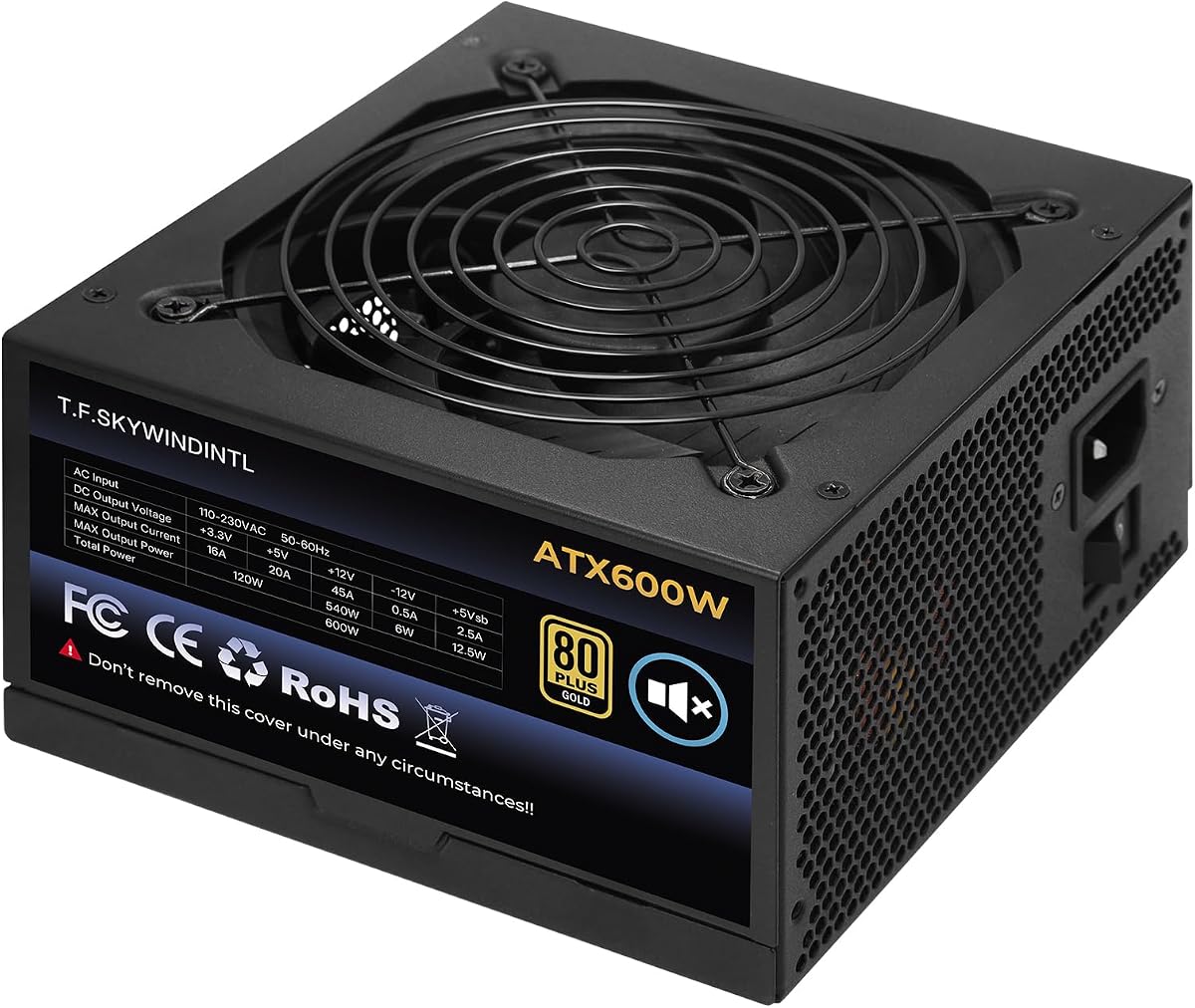
This Thermaltake unit stands out for its reliable 500W continuous output. It meets Intel ATX standards with active PFC. It is rated highly by users for consistent power in entry level builds.
We may earn a commission when you buy through this link, at no additional cost to you.
The 80 Plus White certification ensures efficient power usage. The 120mm fan provides cooling without excessive noise. Protective features like OVP and SCP safeguard your hardware from electrical faults.
Cables are fixed which limits cable management options. However, the price makes this a strong value for basic systems. It handles standard loads well without voltage drops.
Ideal for budget builders needing a solid power source. It balances cost and quality effectively for everyday computing. This is our top recommendation for reliable ATX power.
The 80 Plus certification ensures the unit uses power effectively without wasting energy as heat.
Multiple safety layers including OVP and SCP protect your PC from voltage spikes or shorts.
We may earn a commission when you buy through this link, at no additional cost to you.
The Silverstone FX350 offers premium Gold efficiency in a small Flex ATX case. It delivers 350W continuous power suitable for dense systems. Its design supports 24/7 operation in professional environments.
We may earn a commission when you buy through this link, at no additional cost to you.
The single +12V rail provides stable current for high draw components. Fixed cables are robust but limit flexibility in small cases. Active PFC helps maintain power factor standards efficiently.
It is pricier than basic options but justifies the cost. The high efficiency reduces electricity bills over time. It is built for stability in compact enclosures.
Choose this for high end compact PCs. It offers robust protection and efficiency. It is the best choice for users prioritizing build quality.
The 80 Plus Gold certification minimizes energy waste and lowers operational costs over time.
Flex ATX 1U design fits into small server cases where standard units will not.
We may earn a commission when you buy through this link, at no additional cost to you.
This AGV unit offers excellent value for budget builders. It delivers 500W with Bronze efficiency. All cables are black for cleaner aesthetics without extra cost.
We may earn a commission when you buy through this link, at no additional cost to you.
The 120mm fan ensures the unit stays cool quietly. It includes essential protections against electrical faults. The price is very competitive for the wattage offered.
It lacks modular cables which can clutter small cases. However, the warranty provides peace of mind for users. It handles standard loads effectively.
Ideal for entry level desktops. It meets basic needs with reliability. It is our top pick for cost conscious buyers.
The 500W output provides ample power for standard PCs at a very affordable price point.
All black cables help create a neat interior look in transparent cases without extra expense.
We may earn a commission when you buy through this link, at no additional cost to you.
The Apevia unit focuses on small form factor compatibility. It supports Mini ITX and Flex ATX. Fully modular cables allow for flexible routing in tight spaces.
We may earn a commission when you buy through this link, at no additional cost to you.
It supports split connectors for motherboards with different pin needs. The 40mm fan is compact but effective. Active PFC ensures wide voltage compatibility.
User reviews note lower reliability scores. You must connect all cables for it to power on. This requires careful handling during assembly.
Recommended for compact custom builds. The modularity aids airflow management. It suits users with specific size constraints.
Fully modular cables allow you to connect only what you need for better airflow.
Split connectors accommodate various motherboard power requirements without extra adapters.
We may earn a commission when you buy through this link, at no additional cost to you.
The VENUS450W delivers reliable 450W power for desktops. It features auto thermal fan control for noise management. The unit supports wide voltage switching.
We may earn a commission when you buy through this link, at no additional cost to you.
Comprehensive protection systems ensure safe operation. Split CPU connectors help with older boards. It includes ample peripherals for standard components.
Lacks an official efficiency rating. The build is functional but basic. It serves basic office or media PCs well.
A solid choice for low cost builds. It prioritizes safety and simplicity. It is ideal for non demanding systems.
The auto thermally controlled fan adjusts speed based on heat to keep noise low.
The manual switch supports both 115V and 230V inputs for global compatibility.
We may earn a commission when you buy through this link, at no additional cost to you.
This unit serves as a basic replacement option. It is compatible with HG2 series cases. It provides standard 350W output for low end systems.
We may earn a commission when you buy through this link, at no additional cost to you.
ROHS compliance ensures environmentally safe materials. It lacks advanced features. The design focuses on essential power delivery for entry level units.
Data is limited compared to branded models. It works for simple replacements. It is best used in non demanding environments.
Consider for simple office PCs. It matches standard ATX dimensions. It is a safe choice for basic repair needs.
ROHS compliant materials ensure the product meets environmental safety guidelines for electronics.
The standard ATX case size fits most desktop chassis without requiring modification.
We may earn a commission when you buy through this link, at no additional cost to you.
Designed for low energy consumption systems. It features magnetic ring design for stability. Thermal sensors manage fan speed for quiet operation.
We may earn a commission when you buy through this link, at no additional cost to you.
Clear connectors make installation quick. It adapts to voltage needs flexibly. Users appreciate the simple effective design for basic needs.
No advanced modular features. It fits basic desktop requirements. The 5 star rating reflects satisfaction with reliability.
Great for home media PCs. It balances energy use and simplicity. It is a solid choice for quiet operation.
The fan speed is controlled by a thermal sensor to reduce noise levels.
Clear marked connectors ensure fast and effective installation for the user.
We may earn a commission when you buy through this link, at no additional cost to you.
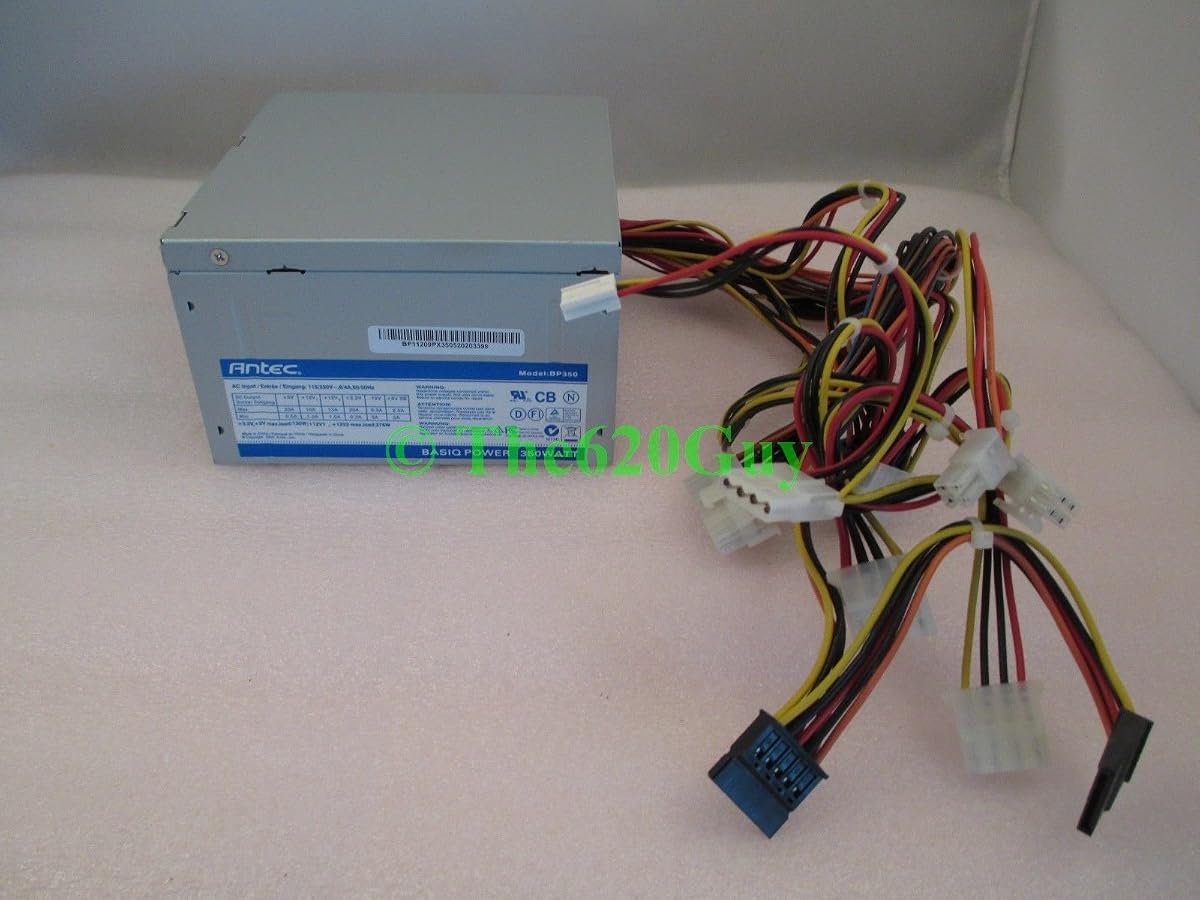
Antec brings years of experience to this Basiq model. It is a workhorse for entry level users. It provides reliable power without unnecessary features.
We may earn a commission when you buy through this link, at no additional cost to you.
The build quality reflects Antec standards. It is simple and efficient for budget builders. It meets standard power needs effectively.
It lacks modern efficiency ratings. It is a basic model. However it remains a solid choice for trust.
Recommended for trust focused builds. It balances price and quality. It is ideal for basic entry level PCs.
Antec uses solid quality standards ensuring long term performance for budget systems.
The workhorse design does the job simply and efficiently for entry level tasks.
We may earn a commission when you buy through this link, at no additional cost to you.
This BP350 variant features a compact 80mm fan. It supports ATX12V V2.01 standards. It is designed for quiet operation in small builds.
We may earn a commission when you buy through this link, at no additional cost to you.
It is trusted for quality in small cases. The design is solid and reliable. It fits where larger units will not.
The small fan may spin faster. But it remains quiet. It suits compact systems well.
Choose for smaller cases. It offers Antec reliability. It is the best pick for tight enclosures.
The small form factor ensures fit in compact cases without space issues.
The 80mm quiet fan ensures low noise output during standard use.
We may earn a commission when you buy through this link, at no additional cost to you.
This unit delivers 600W continuous power for gaming. It features 80 Plus Gold efficiency. It is designed for high performance systems.
We may earn a commission when you buy through this link, at no additional cost to you.
The 125mm FDB fan ensures silent cooling. It supports wide voltage inputs safely. Multiple protections secure your hardware.
Non modular cables limit flexibility slightly. It is robust and reliable. It handles modern GPUs well.
Choose for high end builds. It is the best pick for gaming. It offers power and stability.
The 600W output ensures enough power for modern CPUs and mid range graphics cards.
The 125mm fluid dynamic bearing fan ensures quiet operation under load.
We may earn a commission when you buy through this link, at no additional cost to you.
Selecting a power supply requires evaluating key technical factors. We cover wattage, efficiency, form factor, and protections to help you make an informed decision.
Ensure the PSU wattage matches your total system power draw. A 350W to 500W unit suits most entry level desktops. Always check your CPU and GPU TDP.
Choose a PSU that provides enough headroom for stable operation without overworking the system.
Look for 80 Plus certification to ensure efficient power conversion. Bronze and Gold ratings reduce electricity costs and heat. White certification is acceptable for budget builds.
Higher efficiency means less waste heat and lower energy bills over time.
Verify the case size compatibility. Standard ATX units fit most towers while Flex ATX suits small enclosures. Mini ITX PSUs are compact for specialized builds.
Measure your case interior to ensure the unit fits properly without obstruction.
Safety features like OVP and OCP protect against surges. A good PSU includes multiple layers of defense for hardware longevity. Never compromise on basic protection.
Ensure the unit includes standard protections like OVP UVP and SCP for safe operation.
Modular units allow custom cable routing for better airflow. Fixed cable units are cheaper but less flexible. Choose based on your case size and cable management needs.
Modular cables help keep builds cleaner especially in compact cases.
A high quality fan keeps the PSU cool without excessive noise. Look for units with thermal control for quieter operation. Fan size impacts airflow and noise levels.
Check the fan diameter and bearing type to ensure quiet operation.
A longer warranty indicates the manufacturer's confidence. Look for at least a three year warranty for peace of mind. High end units offer five years.
Always check the warranty period before purchase to ensure long term support.
Balance cost with features to get the best value. Basic units are affordable for simple builds. Avoid extremely cheap no name brands for reliability reasons.
Prioritize reliability over minimal savings for critical components.
Install the PSU in the bottom of your case with the fan facing the intake vent to ensure proper airflow. Secure it with four screws to prevent vibration and noise.
Connect all necessary cables to the motherboard and components before testing. Ensure the 24pin connector is fully seated to prevent power issues.
Keep the unit free of dust to maintain cooling efficiency. Periodically clean the intake vents with compressed air to prevent overheating.
A 350W PSU is generally suitable for low power gaming systems using integrated graphics or entry level cards. It can support CPUs with TDP under 65W. For higher performance GPUs you will need more wattage.
Modular power supplies allow you to detach unused cables for better airflow. Non modular units have all cables permanently attached. Modular units are cleaner but often more expensive.
Yes certification ensures efficient energy use which lowers heat and bills. It also indicates a certain level of build quality. It is a key metric when comparing different units.
Check the form factor first as larger units like standard ATX may not fit. Compact cases often require Flex ATX or Mini ITX sizes. Always verify dimensions before buying.
This may indicate dust buildup or failing bearings. Check if the fan is blocked by dust or cables. Ensure the case airflow is adequate to cool the unit properly.
Look for OVP OCP and SCP to safeguard against electrical faults. These features protect your components from spikes and shorts. Ensure the spec sheet lists these protections clearly.
We reviewed ten top units ranging from basic to premium. The Thermaltake Smart and Silverstone units stand out for reliability. Each offers unique strengths for different builds.
Prioritize efficiency and protection when making your choice. A quality unit ensures longevity for your components. Select a form factor that matches your case.
Prices vary based on availability and sales. Always check the latest prices on Amazon before buying. We hope this guide simplifies your selection process.