
Magnasonic All-in-One
4.3Editor score
Fast 5 Second Scanning
SD Card Support
HDMI Connectivity
Preserving old film memories requires a reliable 35mm slide scanner that balances quality with ease of use. These devices convert physical negatives into digital files for modern viewing and sharing. Choosing the right model ensures your cherished moments are saved with clarity and detail.
We evaluated ten top-rated scanners based on resolution, screen quality, and standalone functionality. Each product was assessed for how well it handles various film types like 135 and 110 formats. Our analysis highlights the best options for different budgets and technical needs.
Each pick in this list showcases unique strengths such as touch interfaces or high MP output. Note that product availability and specific pricing may change over time. We recommend checking current listings to confirm the latest features and deals before purchasing your ideal scanner.
4.3Editor score

4.3Editor score

4.0Editor score
As an Amazon Associate we earn from qualifying purchases.
This comparison table outlines the key specifications and features of each top-rated scanner to help you make an informed decision.

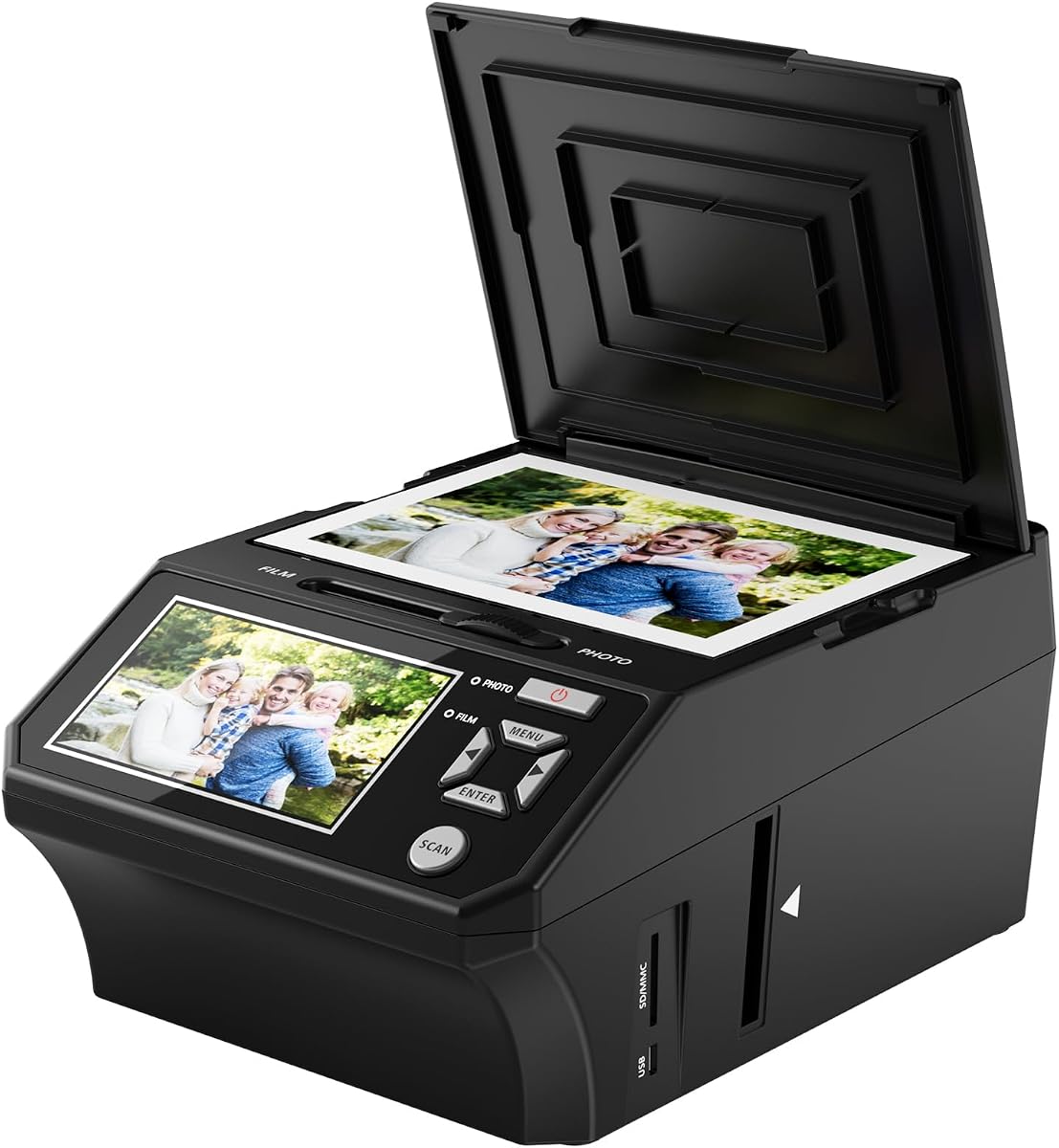




The KODAK Slide N Scan is a powerful digital film scanner designed to convert old negatives and slides into digital files. It features a 22MP resolution and a 5-inch LCD screen for easy previewing. This device supports 135, 110, and 126mm film types making it versatile for various collections.
We may earn a commission when you buy through this link, at no additional cost to you.
Its standout quality is the convenient easy-load film inserts that allow for continuous loading. This makes scanning faster and simpler compared to models requiring constant repositioning. The advanced capture software enhances and resizes photos via an easy scan button without complex settings.
While highly effective, note that the SD card is not included which adds to the setup cost. Also the device is not the most compact option available for users needing extreme portability. However these trade-offs are acceptable given the robust feature set and ease of use.
This scanner is ideal for families wanting to preserve memories without needing a computer. The elegant design also allows it to double as a digital picture frame. We recommend it for users seeking a balance of performance and simplicity.
The 5-inch display lets you view and edit photos directly on the device for immediate feedback.
Adapters for multiple film types ensure you can digitize your entire archive with one device.
We may earn a commission when you buy through this link, at no additional cost to you.
The Magnasonic All-in-One offers a cost-effective solution for digitizing old film and slides. It converts 35mm and Super 8 negatives into high-resolution 24MP JPEG files. The large 5-inch display allows viewing directly on the scanner or via HDMI on a TV.
We may earn a commission when you buy through this link, at no additional cost to you.
Its key strength is the fast and easy scanning process which takes less than five seconds per image. You can adjust brightness and color directly on the scanner without installing drivers. The convenient SD card slot supports up to 128GB for ample storage.
However the HDMI cable is not included in the box so you must purchase it separately for TV viewing. The editing options are also fairly basic compared to more expensive models. These drawbacks are minor considering the excellent value and performance.
This scanner is perfect for budget-conscious buyers who want reliable standalone functionality. It simplifies the conversion process significantly for seniors or casual users. We highly recommend it for those prioritizing speed and affordability.
Frustration-free setup and quick scanning make it easy to preserve a lifetime of photos.
Use the built-in screen or connect to a TV for a larger viewing experience.
We may earn a commission when you buy through this link, at no additional cost to you.
The KODAK Slide N Scan Max delivers efficient digitization with a smooth-moving tray that feeds film seamlessly. It captures detailed images up to 4208×3120 resolution using a 13MP CMOS sensor with 22MP interpolation. This device supports 135mm, 110mm, and 126mm formats for comprehensive archiving.
We may earn a commission when you buy through this link, at no additional cost to you.
Its premium feature is the direct SD saving capability which eliminates the need for a computer entirely. This enhances portability and convenience for users on the go. The simple one-touch editing allows you to resize and adjust images without complex menus.
The main trade-off is the higher price compared to other models in this list. Additionally connectivity options are limited to SD and USB which may not suit advanced setups. These factors are acceptable for users valuing streamlined workflow and high quality.
This scanner is ideal for professionals or enthusiasts who need reliable high-resolution output. It simplifies photo digitization with single-touch convenience for all film types. We recommend it for those seeking a premium standalone solution.
The smooth tray reduces handling time allowing you to process more slides in less time.
Advanced sensor technology ensures crisp large digital files that capture fine details.
We may earn a commission when you buy through this link, at no additional cost to you.
This versatile photo scanner converts 35mm slides and negatives as well as printed photos into high-quality JPEGs. It features a vibrant 5-inch LCD screen with wide viewing angles for stunning clarity. The device operates entirely offline making it hassle-free for parents and grandparents.
We may earn a commission when you buy through this link, at no additional cost to you.
Its key strength is the complete bundle that includes an 8GB SD card right out of the box. The high-speed scanning captures images in seconds and saves them directly to the card. It is backed by a reliable 3-year warranty for peace of mind.
One trade-off is that it is primarily focused on basic formats and printed photos which may limit advanced use. The device is also somewhat bulky compared to portable models. These points are acceptable given the excellent warranty and included accessories.
This scanner is perfect for families wanting to convert photo archives without technical barriers. The intuitive one-touch buttons make it straightforward for users of all ages. We recommend it for those seeking a complete package with strong support.
Straightforward buttons and no drivers make the setup process quick and easy.
Declutter your home by rescuing physical photos from fading and converting them to digital.
We may earn a commission when you buy through this link, at no additional cost to you.
This all-in-one photo scanner easily digitizes old memories including slides and Super 8 film. It saves images directly to built-in memory or an external SD card up to 64GB. The bright 5-inch screen offers a wide viewing angle for real-time editing and playback.
We may earn a commission when you buy through this link, at no additional cost to you.
Its standout quality is the HDMI and USB output options which allow viewing on TV or transfer to PC. The full accessory kit includes everything needed to get started like cables and holders. It is backed by a 12-month warranty for assurance.
Note that the SD card is not included which adds a small setup cost. Additionally navigating the built-in software might take a moment to learn initially. These drawbacks are minimal given the comprehensive kit and flexible connectivity.
This scanner is ideal for users wanting multiple ways to view and share their photos. It simplifies scanning with one-touch functionality for anyone. We recommend it for families who value convenience and variety.
Connect via USB to PC or HDMI to TV for flexible viewing and sharing options.
The high-resolution display doubles as a frame to showcase your memories in your home.
We may earn a commission when you buy through this link, at no additional cost to you.
The HP FilmScan features a 7-inch color LCD touch display for seamless preview and editing on the device. It transforms negatives into vivid digital memories using a 13-megapixel color CMOS sensor. The quick-feed loading tray simplifies scanning of 135 126 and 110 formats.
We may earn a commission when you buy through this link, at no additional cost to you.
Its key strength is the convenient on-device editing that lets you crop and adjust scans without software. The gallery mode turns it into a digital picture frame for continuous display. This workflow facilitates easy digitization for both professionals and beginners.
The higher price point is a consideration for budget buyers compared to other models. Also some users may find the touch interface slightly complex to master at first. These trade-offs are acceptable given the high-end features and large screen.
This scanner is ideal for users wanting a modern interface for photo management. It offers professional-quality results with ease for any skill level. We recommend it for those prioritizing screen quality and editing tools.
The touch screen allows intuitive navigation and adjustments directly on the device.
Transfer photos to computer or display slideshows on TV via USB or HDMI ports.
We may earn a commission when you buy through this link, at no additional cost to you.
The HP FilmScan HPFS500 allows you to convert slides to digital formats with professional-quality results. It features a 5-inch all-angle LCD touch screen for previewing and editing directly on the device. Equipped with a 13MP CMOS sensor it delivers exceptional image clarity.
We may earn a commission when you buy through this link, at no additional cost to you.
Its standout quality is the USB-C powered versatility which allows efficient function from a PC USB or adapter. The quick-load tray allows seamless scanning of various film negative strips and positive slides. Save your scanned images directly to an SD card for simplicity.
The main trade-off is the higher price which may not fit all budgets. Additionally you must buy an SD card separately if you need storage. These factors are acceptable for users needing modern connectivity and reliability.
This scanner is ideal for tech-savvy users who prefer USB-C ports for power. It simplifies the digitization process with intuitive controls. We recommend it for those seeking a versatile and modern solution.
The all-angle touchscreen makes it easy to view and adjust photos from any position.
Compatible with various formats ensuring versatile use for your entire collection.
We may earn a commission when you buy through this link, at no additional cost to you.
This powerful KODAK Film Scanner converts old negatives and slides into JPEG digital files quickly. It supports 35mm 126 110 Super 8 and 8mm formats for extensive legacy support. The large 3.5 TFT LCD features adjustable brightness and convenient tilt for easy operation.
We may earn a commission when you buy through this link, at no additional cost to you.
Its key strength is the included cables and extras like HDMI AC adapter and video cable. An adapter for everything ensures fast flexible operation with multiple film inserts. The intuitive user interface helps you browse gallery and edit image RGB resolution easily.
One drawback is the smaller screen size which may be harder for some users to view. Also the SD card is not included requiring a separate purchase. These are minor cons given the extensive format support and included accessories.
This scanner is ideal for collectors with mixed legacy film formats including 8mm. It simplifies the scanning process with easy buttons and adapters. We recommend it for those needing broad compatibility at a mid-range price.
Multiple adapters allow you to scan various film types efficiently with one device.
The included cables and brush make setup easier and improve image clarity by cleaning dust.
We may earn a commission when you buy through this link, at no additional cost to you.
DigitConvert offers a truly portable scanner that transforms negatives to digital JPEG without software. It supports 35mm film and slides with effortless batch scanning for 135 film. The built-in 2.4 inch color LCD screen allows instant preview and adjustment directly on device.
We may earn a commission when you buy through this link, at no additional cost to you.
Its key strength is the plug-and-play functionality requiring no drivers or installation. Fast-load adapters ensure film stability during scanning for sharp professional-grade results. Compatible with Mac and PC it features TV-out and USB interfaces for file sharing.
The smaller display might be a limitation for detailed editing tasks compared to larger models. Also the resolution is lower than premium options which may affect print quality. These trade-offs are acceptable for a budget-friendly portable solution.
This scanner is ideal for seniors wanting a simple way to convert old slides. It is a thoughtful gift for families to rediscover forgotten memories. We recommend it for casual users prioritizing affordability and portability.
Batch scanning lets you process 135 films quickly without stopping for every frame.
Use USB or TV-out to share your story and memories with family on big screens.
We may earn a commission when you buy through this link, at no additional cost to you.
The ClearScan T7 features a large touch screen for easier previewing adjusting and saving directly on device. Unlike traditional button-only models it helps reduce confusion for parents grandparents and first-time users. It scans 35mm 135 and 126 negatives into digital JPEG photos for archiving.
We may earn a commission when you buy through this link, at no additional cost to you.
Its standout quality is the included 16GB SD card which allows saving without extra purchases. The touch interface makes it comfortable for families to digitize old film at home. It provides 24MP digital photo output for clear images from old slides.
The main trade-off is the higher price which may not suit tight budgets. Some users may also take time to learn the touch menus at first. These are acceptable given the user-friendly design and included memory.
This scanner is ideal for beginners wanting a modern and intuitive experience. It simplifies the entire workflow from preview to save. We recommend it for those seeking a high-quality touch-based scanner.
The touch interface helps reduce button confusion making it comfortable for new users.
Preview adjust and save directly to the included SD card without needing extra purchases.
We may earn a commission when you buy through this link, at no additional cost to you.
Choosing the right scanner involves balancing resolution ease of use and connectivity options for your needs.
Resolution determines how much detail you can extract from old film. Look for 10MP or higher sensors with interpolation for clear digital files suitable for printing. Higher resolution ensures your scanned photos retain fine details and colors over time.
Standalone scanners allow you to save directly to SD cards without connecting to a PC. This simplifies the workflow for seniors or casual users who prefer not to manage drivers or software. Ensure the device supports easy file transfer if you plan to backup to computer later.
A larger LCD screen makes it easier to preview images and confirm focus before saving. Models with 5-inch or larger displays reduce eye strain during long scanning sessions. Touch screens offer modern interfaces but buttons may be more intuitive for some users.
Ensure the scanner supports all film types in your collection including 35mm 126 and Super 8. Adapters and trays vary so check if the package includes holders for your specific formats. Universal support saves money by avoiding the need for multiple devices.
Look for USB and HDMI ports to transfer files to computer or display on TV. HDMI is useful for family viewing sessions where you want to show photos on a large screen. Some models include cables but verify what comes in the box before buying.
On-device editing tools like color correction and cropping save time by reducing computer tasks. Advanced software may offer batch processing but simplicity is key for casual users. Check if the scanner allows basic adjustments to brightness and contrast directly on screen.
A reliable warranty ensures protection against defects especially for electronic devices with moving parts. Customer support can help resolve issues with software or adapters if you get stuck. Always check the manufacturer policy to know your rights after purchase.
Balance your budget with the features you need most for your digitization project. Higher prices often bring larger screens and touch interfaces but basic models work well for simple needs. Consider the total cost including accessories like SD cards and cables.
First prepare your film by cleaning it with the included brush to remove dust or speckles. Load the slide or negative into the correct adapter tray ensuring it is positioned properly for alignment. Follow the manual to insert the tray into the scanner gently until it clicks into place.
Second turn on the device and select the correct film type on the display screen. Press the scan button and wait for the image to process which usually takes a few seconds. Use the preview screen to confirm the image quality and adjust brightness if necessary before saving.
Third save your scanned images to an SD card or transfer them to your computer via USB. Regularly clean the scanner lens and light box with a soft cloth to maintain image clarity over time. Store your scanner in a dry place away from direct sunlight to protect the electronics.
Most modern standalone scanners do not require a computer as they allow saving directly to SD cards. You can view and edit photos on the built-in screen or via HDMI to a TV. A computer is only needed if you want to transfer files for larger storage or editing software.
A resolution of 22MP or 24MP is ideal for capturing fine details and ensuring high-quality prints. Higher resolution ensures your scanned photos retain color accuracy and sharpness. Look for scanners with interpolation features to enhance image quality further.
Many scanners include adapters for various formats including 110 126 and Super 8 film. Always check the product specifications to ensure it supports the specific types you own. Universal support saves you from buying multiple devices for different film types.
Most scanners come with built-in software to adjust brightness and color correction instantly. You can flip or mirror images directly on the device without external tools. For detailed editing save to computer and use photo software later.
Blurry images often result from dust on the film or scanner lens. Use the included cleaning brush and ensure the film is loaded correctly in the tray. Also check that your resolution settings are high enough for your needs.
Most standalone scanners are compatible with both macOS and Windows via USB connection. Some require no drivers for basic file transfer making them easier to set up. Always check system requirements if you plan to use accompanying software.
We highlighted top models like the KODAK Slide N Scan and HP Touch LCD for their standout features. These options provide high resolution and ease of use suitable for various user needs. Choose the one that fits your film collection and budget best.
Prioritize standalone functionality if you want a simple workflow without complex software. A good screen and universal format support are key factors for long-term satisfaction. Consider your priority features like HDMI output or touch interface for your experience.
Prices and availability change frequently so always verify current listings on Amazon. Check for updated models that might offer improved specs or better value. Taking time to review current deals ensures you get the most for your investment.