
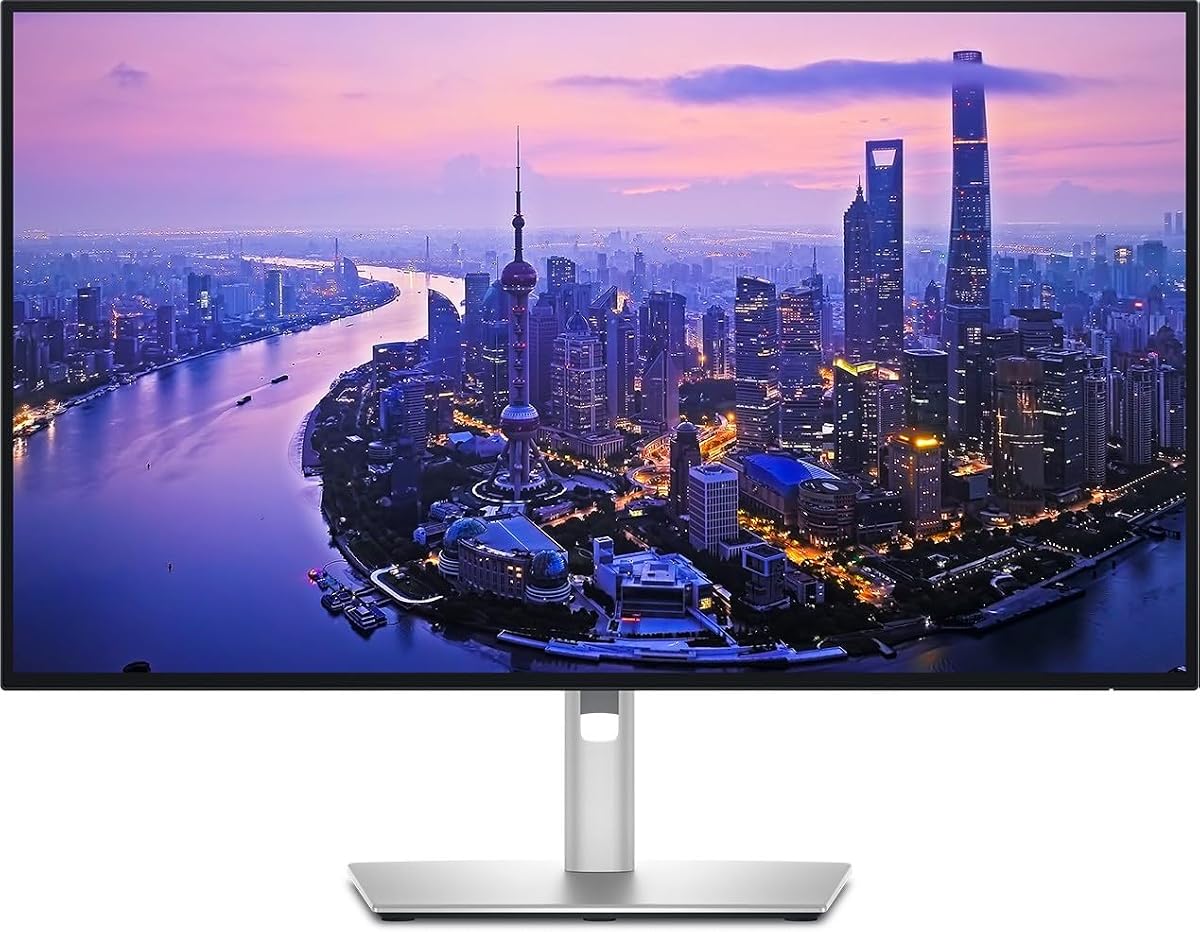
Dell UltraSharp U3226QER
4.6Editor score
IPS Black Panel Tech
Built-in KVM Switch
3000:1 Contrast
Finding the right display is crucial for modern workflows. A 4K monitor with Thunderbolt offers stunning clarity and rapid data transfer. This combination enhances productivity for designers and developers alike.
We evaluated ten leading models based on color accuracy and connectivity options. Each pick balances performance with ergonomic design. Our analysis ensures you find a screen that fits your specific professional needs perfectly.
Every selection highlights unique strengths for different use cases. From budget-friendly options to premium hubs, we cover it all. Please note that product availability and features may change over time.
4.6Editor score
4.4Editor score

4.1Editor score
As an Amazon Associate we earn from qualifying purchases.
This side-by-side comparison highlights the key specifications of each model to help you decide quickly.


This model stands out as a top choice for professionals needing reliable performance. It offers a stunning visual experience with deep blacks and vibrant colors suitable for critical work. The Thunderbolt 4 connection ensures your laptop remains charged while you work seamlessly.
We may earn a commission when you buy through this link, at no additional cost to you.
The factory calibration ensures colors are accurate from day one without extra software. With support for 140W power delivery, it can charge even high-performance laptops efficiently. The ambient light sensor adjusts brightness automatically to reduce eye strain during long sessions.
While the price is higher than standard monitors, the value lies in the integrated hub features. You save on separate docks and power bricks. The only minor trade-off is the reliance on IPS black which may not be available everywhere.
Invest in this unit if you need a central command center for your desk setup. It excels for designers and developers who demand precision and clean cable management. This is the definitive choice for a premium single-cable workspace.
The IPS Black panel delivers 99% DCI-P3 coverage with Delta E less than 1.5. This ensures your creative projects look true to life on screen.
Thunderbolt 4 allows daisy chaining up to two additional 4K monitors. This keeps your desk clutter-free while expanding your virtual workspace effortlessly.
We may earn a commission when you buy through this link, at no additional cost to you.
This monitor is tailored for creators who value image fidelity above all else. The 32-inch screen provides ample space for complex edits and multi-window workflows. It pairs beautifully with Mac devices due to its Display P3 color coverage.
We may earn a commission when you buy through this link, at no additional cost to you.
The Enhanced IPS Black panel offers a 3000:1 contrast ratio which is rare for this category. Shadows appear deeper and colors pop more vividly. The KVM switch allows you to control two machines with one keyboard and mouse easily.
The premium light ash finish adds a touch of elegance to any office space. While the cost is significant, the productivity gains from the KVM feature are substantial. It is an ideal companion for executive or creative suites.
Choose this if you want a screen that matches high-end Mac aesthetics and performance. It is perfect for those who switch between a laptop and desktop daily. This unit elevates your workspace to a professional standard.
Tested specifically with macOS devices to ensure seamless compatibility. The Display P3 color profile aligns perfectly with Apple ecosystem standards.
Switch between your personal laptop and work device instantly. The KVM feature simplifies workflows without needing extra peripherals.
We may earn a commission when you buy through this link, at no additional cost to you.
This model offers incredible value for those needing Thunderbolt connectivity on a budget. It features two Thunderbolt 3 ports which allows for daisy chaining setups. The 32-inch screen size gives you generous workspace for multitasking tasks.
We may earn a commission when you buy through this link, at no additional cost to you.
The ability to connect two 4K sources simultaneously is a major plus for productivity. You can view different signals side by side using Picture-by-Picture technology. The stand is fully adjustable allowing you to find a comfortable viewing angle easily.
While the refresh rate is limited to 60Hz it suits most office and creative tasks. The VA panel provides deep blacks but viewing angles are slightly narrower than IPS. These trade-offs are acceptable given the price and feature set.
It is an excellent choice for users who want to expand their setup without overspending. If you need dual display support with USB-C charging this unit fits the bill. We recommend it for general office use and basic creative work.
Connect two separate sources to view them at once. This enhances productivity by removing the need for extra monitors.
Eye Saver Mode reduces blue light emissions to protect vision. This helps prevent strain during extended work sessions daily.
We may earn a commission when you buy through this link, at no additional cost to you.
This monitor brings high refresh rate benefits to the 4K category. The 120Hz capability ensures smooth scrolling and fluid motion in videos. It is a great option for those who prioritize visual fluidity over extreme color precision.
We may earn a commission when you buy through this link, at no additional cost to you.
ComfortView Plus reduces blue light effectively to maintain eye health over time. The 65W power delivery is sufficient for most ultrabooks and laptops. It offers a solid balance of features at a competitive market price.
The refresh rate is a standout feature for general productivity and media consumption. While it lacks the higher power output of premium hubs it covers essential needs. The sound quality is decent for background music during work hours.
Opt for this if you want a reliable screen that handles content well. It is suitable for daily computing tasks where motion smoothness matters. This model represents a smart buy for value-conscious professionals.
The 120Hz refresh rate minimizes motion blur significantly. This is ideal for video editing timelines or scrolling code.
Low blue light emissions protect your eyes during long sessions. The design prioritizes health without compromising color quality.
We may earn a commission when you buy through this link, at no additional cost to you.
This display combines high color accuracy with smart features that stand out. It supports HDR400 which enhances dynamic range in compatible content. The 95% DCI-P3 coverage makes it suitable for creative work and entertainment alike.
We may earn a commission when you buy through this link, at no additional cost to you.
A unique feature is the built-in webOS platform which allows streaming directly. You can watch content without turning on your computer. The 90W USB-C power delivery keeps your laptop charged while you view media.
The sound system includes Waves MaxxAudio which provides clear audio output. While the smart features are useful they might not be needed for everyone. The stand is adjustable but takes up significant desk space at times.
Consider this unit if you want versatility in a single device. It bridges the gap between a work monitor and an entertainment hub. It is a robust choice for versatile home office environments.
WebOS platform allows independent media consumption without a PC. This is great for multitasking or breaks during work.
High DCI-P3 coverage ensures colors appear rich and lively. This enhances both professional edits and casual viewing.
We may earn a commission when you buy through this link, at no additional cost to you.
This version of the U2725QE focuses on providing a complete connectivity hub. It supports 100% sRGB which is standard for office productivity tasks. The inclusion of sustainable materials reflects a modern eco-conscious approach to manufacturing.
We may earn a commission when you buy through this link, at no additional cost to you.
You can connect various peripherals via USB-A and USB-C ports easily. This simplifies your desk by reducing the need for separate hubs. The color performance is reliable for document work and general design projects.
Some user feedback suggests variability in quality control over recent batches. However the core features remain solid for daily professional usage. It is a practical choice for those prioritizing port selection over premium aesthetics.
Select this if you need a reliable hub without unnecessary extras. It serves well in standard office setups where function is key. It offers a straightforward solution to cable clutter effectively.
Designed with sustainable materials to reduce environmental impact. This aligns with corporate responsibility goals for offices.
Multiple ports allow connection of storage and accessories easily. This keeps your workspace organized and efficient.
We may earn a commission when you buy through this link, at no additional cost to you.
This compact unit is designed specifically for Mac users needing color precision. The 24-inch form factor is perfect for limited desk spaces. It includes Pantone validation which is essential for professional graphic design and media work.
We may earn a commission when you buy through this link, at no additional cost to you.
Thunderbolt 4 provides 100W charging which is sufficient for most notebooks. The color accuracy aligns with industry standards ensuring consistent outputs. It is a strong contender for creative professionals with space constraints.
The main limitation is the smaller screen size for extensive multitasking. However for detailed work it offers high pixel density. The stand is fully adjustable ensuring comfort during long editing sessions.
This is an ideal pick for freelancers or designers with a Mac setup. It ensures color consistency without occupying too much room. We recommend it for high-quality small workspace solutions.
Pantone validation ensures industry-standard color accuracy. This is crucial for print and digital media work.
The 24-inch design fits easily in tight office corners. It maintains high resolution without cluttering your area.
We may earn a commission when you buy through this link, at no additional cost to you.
This monitor excels at providing clear and detailed imagery for professionals. The 32-inch 4K resolution offers a high pixel density for sharp text. HDR10 support adds contrast depth to your visual content effectively.
We may earn a commission when you buy through this link, at no additional cost to you.
The Eye Saver Mode is a standout feature for reducing strain. It minimizes blue light and flicker to keep your eyes comfortable. The slim bezel design makes it easy to build a multi-monitor setup.
While it may lack some advanced Thunderbolt hub features it delivers pure visual quality. The IPS panel ensures consistent colors across viewing angles. It is a great choice for reading and detailed work.
Choose this if visual clarity and eye comfort are your top priorities. It suits users who spend long hours reading or designing. This model offers a reliable display for everyday tasks.
High pixel density makes fonts sharp and easy to read. This reduces eye fatigue significantly over long hours.
HDR10 support enhances dark and light details. This makes images look more dynamic and realistic.
We may earn a commission when you buy through this link, at no additional cost to you.
This model focuses on providing expansive screen real estate for complex tasks. The 31.5-inch display accommodates multiple windows comfortably. It includes an integrated Thunderbolt hub to centralize your connections efficiently.
We may earn a commission when you buy through this link, at no additional cost to you.
The HDR capabilities improve the visual experience in supported applications. The slim bezel design adds a modern look to any environment. It is designed for users who need to see more at once.
The stand provides a stable base which is essential for a screen this size. While HDR is present it is not the primary selling point. The hub features make it easier to connect peripherals quickly.
Select this unit if you need more space for your daily workflow. It is suitable for coding or data analysis. It offers a solid solution for multitasking professionals.
Large screen size allows more apps open simultaneously. This increases efficiency for multi-tasking professionals.
Built-in hub simplifies cable management for your desk. Connect devices without needing a separate docking station.
We may earn a commission when you buy through this link, at no additional cost to you.
This variant highlights the reliability of Dell's hub monitor technology. It includes warranty support which provides peace of mind for businesses. The Thunderbolt 4 connection supports high-speed data transfer and video.
We may earn a commission when you buy through this link, at no additional cost to you.
As a hub monitor it centralizes your peripheral connections effectively. It helps reduce clutter by routing all signals through the display. The design maintains the standard ergonomics expected from the UltraSharp series.
While it shares core specs with other models it emphasizes service and warranty. This is ideal for office deployments where longevity matters. It ensures you get a consistent experience across different devices.
Choose this if you are procuring for a business or team. It offers a dependable standard with warranty support. It is a solid choice for professional IT setups.
Includes comprehensive warranty support for business users. This ensures long-term reliability and minimal downtime.
Centralizes all ports to reduce cable clutter. It keeps your workstation clean and efficient.
We may earn a commission when you buy through this link, at no additional cost to you.
Selecting the right monitor requires understanding key factors that affect your workflow.
Panel type dictates color and contrast performance. IPS panels offer wide viewing angles while IPS Black provides deeper blacks for contrast.
Choose IPS for general use and IPS Black for high contrast needs.
Check the wattage supported by the USB-C port. Higher wattage ensures your laptop stays charged under load.
Look for at least 90W to support most professional laptops.
A built-in hub reduces the need for extra docks. Ensure it has enough USB-A and USB-C ports for your peripherals.
Prioritize models with multiple downstream ports for maximum convenience.
Color accuracy is critical for creative work. Look for coverage of sRGB and DCI-P3 color spaces.
Factory calibration ensures the monitor is ready for accurate work out of the box.
4K resolution ensures sharp text and images on any size. Higher density improves clarity for reading code or documents.
Ensure the monitor supports 3840×2160 for true 4K performance.
Adjustability is key for comfort during long sessions. Look for tilt, swivel, and height adjustments.
A good stand helps prevent neck strain and supports healthy posture.
Higher refresh rates like 120Hz offer smoother motion. This is beneficial for video editing or multitasking.
Standard 60Hz is sufficient for static work but 120Hz adds fluidity.
Certifications like Pantone Validation ensure industry-standard color. This is vital for designers and photographers.
Choose a certified display if color fidelity is a priority for your job.
Connect your laptop using the Thunderbolt cable to enable both video and power delivery. Ensure the cable is rated for high speed to support full resolution.
Use the built-in hub to connect peripherals like drives and keyboards. This keeps cables organized and your desk clean for better workflow.
Clean the screen with a microfiber cloth to avoid scratches. Avoid harsh chemicals and store the monitor in a stable environment for longevity.
Yes, you should use a certified Thunderbolt cable to ensure full speed and power delivery. Standard USB-C cables may not support the required bandwidth or charging rates.
Yes, most models support power delivery ranging from 65W to 140W. This allows you to charge your laptop while using it connected to the display.
Thunderbolt is a protocol that uses USB-C connectors but offers faster data transfer and more power. It allows daisy chaining which standard USB-C does not.
Most models work with both Mac and PC systems. Some have specific optimizations like Display P3 for Mac but generally both OSs are supported.
Yes, many Thunderbolt models support daisy chaining. This lets you connect multiple screens to your laptop using just one cable to the first monitor.
Thunderbolt offers more bandwidth and power delivery. It allows you to connect video, data, and charge with a single cable unlike HDMI.
We highlighted top picks like the Dell U2725QE for performance and the Samsung TU87F for budget. Each option meets different needs in the professional market.
Prioritize color accuracy and power delivery based on your daily tasks. A good hub simplifies your setup and saves valuable desk space.
Always check current availability and warranty details before purchasing. These features ensure your investment lasts and meets your standards.