
TCL NXTPAPER 11 Gen 2
4.4Editor score
Paper-like display technology
8GB RAM with 128GB storage
Reverse charging capability
The modern tablet landscape has evolved significantly with the integration of advanced artificial intelligence capabilities. These devices now offer smarter assistance for creativity, education, and daily tasks than ever before.
We evaluated ten leading models based on performance, display quality, AI features, and overall usability. Our analysis focuses on how well each tablet handles real-world workloads and creative projects.
Each selection highlights unique strengths tailored to different user needs and budgets. Please note that product availability and pricing may vary over time so check current listings before purchasing.
4.4Editor score

5.0Editor score

4.7Editor score
As an Amazon Associate we earn from qualifying purchases.
This side-by-side comparison highlights key specifications and features across all ten selected tablets to help you make an informed decision based on your specific requirements.




The Lenovo Yoga Tab AI Tablet stands out as a top-tier device designed specifically for creators and power users. It delivers powerful AI capabilities alongside premium craftsmanship in a lightweight design.
We may earn a commission when you buy through this link, at no additional cost to you.
Its Qualcomm Snapdragon 8 Gen 3 processor ensures smooth performance for professional multitasking and content creation. The included Tab Pen Pro and keyboard make it a versatile tool for note-taking and editing.
While the price is higher than many competitors the included accessories and performance justify the investment for serious users. The IP53 rating adds durability for daily use.
This tablet is ideal for professionals and students who need reliable AI tools and high-quality visuals for work or creative projects on the go.
Intelligent features like live transcription and photo editing streamline workflows significantly for creative professionals.
The 144Hz refresh rate and 3K resolution provide ultra-smooth motion and sharp details for media and work.
We may earn a commission when you buy through this link, at no additional cost to you.
The TCL NXTPAPER 11 Gen 2 offers a compelling mix of affordability and useful features for everyday users. Its paper-like display reduces eye strain for extended reading sessions.
We may earn a commission when you buy through this link, at no additional cost to you.
It includes a 4096-pressure-level stylus for precise input on digital art or notes. The AI features like Circle to Search and text assistants enhance productivity effectively.
While performance is not flagship level it handles daily tasks smoothly. The included case and flip cover add value to the overall package.
This tablet is a great choice for students or casual users seeking a budget-friendly device with good eye care features.
NXTPAPER technology filters blue light and reduces glare to protect eyes during long reading or work sessions.
Three display modes allow you to switch between standard, ink paper, and color paper for different content types.
We may earn a commission when you buy through this link, at no additional cost to you.
The Samsung Galaxy Tab S10+ delivers a premium experience with its large Dynamic AMOLED display and robust Galaxy AI features. It is built for users who want top-tier hardware and software integration.
We may earn a commission when you buy through this link, at no additional cost to you.
Features like Sketch to Image and Note Assist enhance creativity and productivity. The included S Pen offers precise input for drawing and annotation tasks.
Its IP68 rating provides peace of mind against spills and dust. The large screen is excellent for media consumption but may be heavy for some.
This model is perfect for those seeking a high-end tablet for work and entertainment with advanced AI capabilities.
AI tools like Circle to Search and Note Assist help organize ideas and find information quickly.
The 12.4 inch AMOLED screen delivers vibrant colors and deep blacks for an immersive viewing experience.
We may earn a commission when you buy through this link, at no additional cost to you.
The Samsung Galaxy Tab S11 combines durability with strong performance for daily use. Its IP68 rating ensures protection against spills and dust making it reliable for various environments.
We may earn a commission when you buy through this link, at no additional cost to you.
With 12GB RAM it handles multitasking smoothly without slowdowns. Galaxy AI features like Note Assist and Drawing Assist help keep work organized and creative.
The included S Pen offers precise control for drawing and notes. While storage is limited microSD expansion provides a solution for additional files.
This tablet is ideal for users who need a durable device for work or school with solid performance features.
The IP68 rating protects against water and dust allowing you to use the tablet confidently in different settings.
AI features like Note Assist and Drawing Assist streamline note-taking and sketching for better efficiency.
We may earn a commission when you buy through this link, at no additional cost to you.
The TCL NXTPAPER 14 offers a spacious 14.3 inch display ideal for creative work and media. Its paper-like technology reduces glare and eye strain during long sessions.
We may earn a commission when you buy through this link, at no additional cost to you.
Equipped with a T-PEN stylus it supports drawing and note-taking effectively. The large battery ensures extended use for work or entertainment on the go.
While the size provides ample workspace it may be bulky for some users. The metal body adds durability to the design.
This tablet suits users who prioritize screen real estate and eye comfort for reading or creating content.
NXTPAPER 3.0 filters blue light and reduces glare for comfortable extended viewing of documents and art.
The 10000mAh battery supports all-day use with fast charging to minimize downtime when power is needed.
We may earn a commission when you buy through this link, at no additional cost to you.
The Samsung Galaxy Tab A11+ is designed for family use with ample storage and reliable performance. Its upgraded chipset keeps tasks responsive for daily activities.
We may earn a commission when you buy through this link, at no additional cost to you.
With 256GB storage it provides space for movies games and documents. The bright 11 inch screen and quad speakers offer an engaging experience for media.
Fast charging helps minimize downtime between uses. While not a premium device it offers solid value for household entertainment.
This tablet is a practical choice for families needing a versatile device for browsing and streaming.
8GB RAM and 256GB storage allow seamless multitasking and storage of large files without slowdowns.
Quad speakers with Dolby Atmos create a rich audio experience for movies and music listening.
We may earn a commission when you buy through this link, at no additional cost to you.
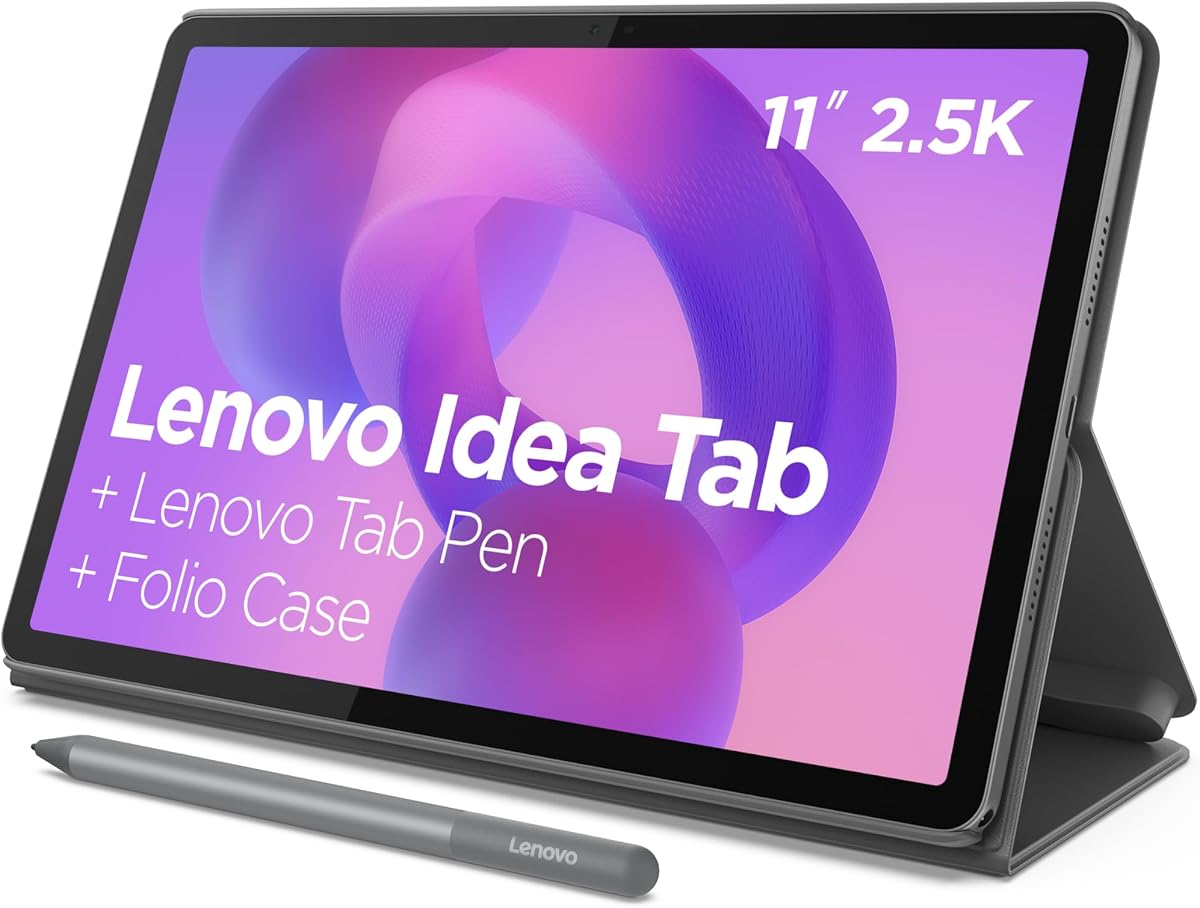
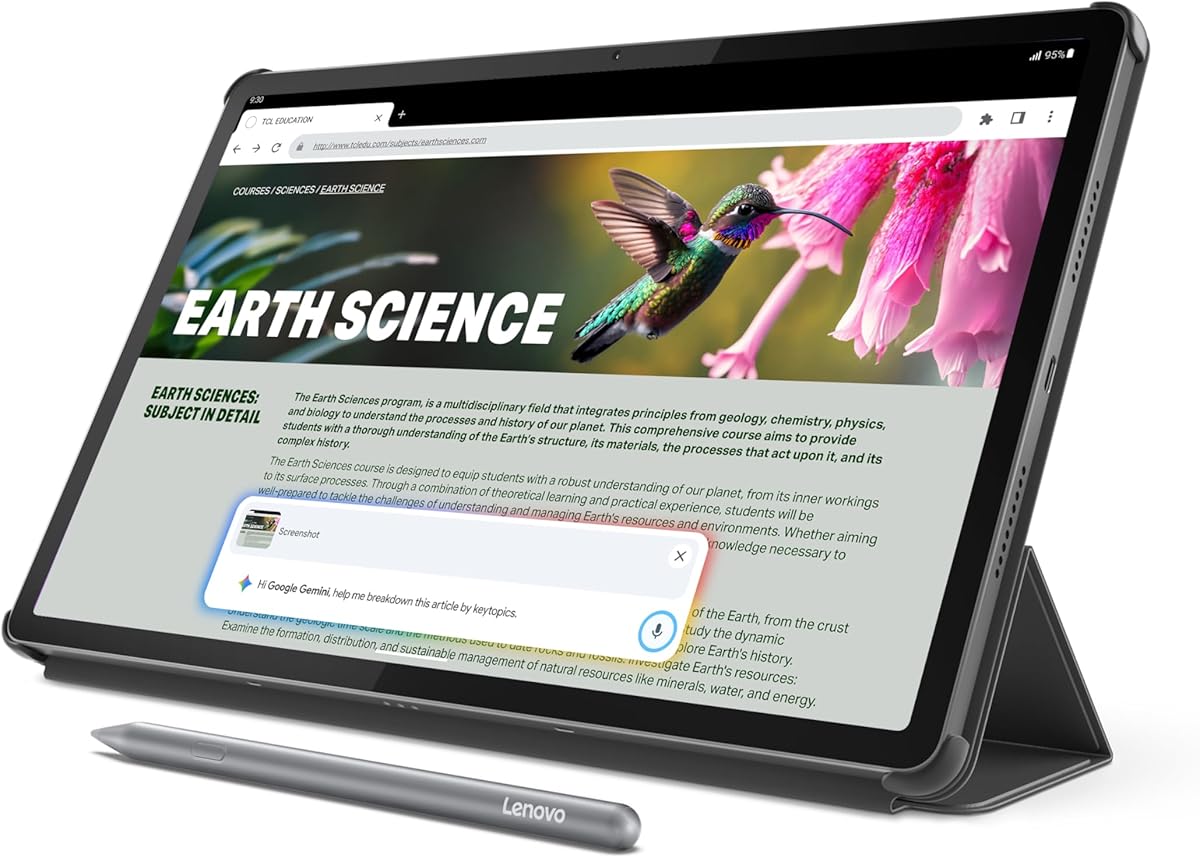
The Lenovo Idea Tab is tailored for students with integrated learning apps and eye care features. Its 2.5K display offers sharp visuals for study sessions and media.
We may earn a commission when you buy through this link, at no additional cost to you.
Circle to Search with Google helps find answers quickly without switching apps. The included Tab Pen and folio case add value for note-taking.
Battery life supports all-day use on campus. While performance is balanced it handles most study tasks effectively.
This tablet is well-suited for students seeking a reliable and affordable device for coursework.
Apps like Lenovo AI Note and Nebo help organize notes and calculate equations efficiently.
TÜV Rheinland Low Blue Light hardware reduces eye strain during long reading or writing periods.
We may earn a commission when you buy through this link, at no additional cost to you.
The CHUWI Hi10 Max brings powerful Intel architecture to tablets with AI computing capabilities. Its high-speed RAM and SSD ensure smooth multitasking for office work.
We may earn a commission when you buy through this link, at no additional cost to you.
Multiple ports support external monitors and accessories for desktop-like productivity. The kickstand case facilitates hands-free use in various settings.
While not fully Android it offers a unique hybrid experience. Users should note the stylus is sold separately.
This tablet suits users needing a robust device for light creative work and office tasks.
Built-in AI Boost NPU enables fast local AI content generation and smart image editing tasks.
Multiple USB-C and USB-A ports support external displays and accessories for expanded connectivity.
We may earn a commission when you buy through this link, at no additional cost to you.
The Lenovo Idea Tab Pro integrates Google Gemini for enhanced study assistance. Its large 3K display provides vivid visuals for streaming lectures or media.
We may earn a commission when you buy through this link, at no additional cost to you.
Circle to Search allows instant queries while working on assignments. The gaming certification ensures smooth performance for entertainment breaks.
Quick charging minimizes downtime during busy days. While storage is modest it handles daily tasks well.
This tablet is ideal for students who want advanced AI help and a large screen for study.
Google Gemini acts as a super-assistant to help brainstorm ideas and organize study materials.
The 12.7 inch 3K display offers crisp text and vibrant colors for comfortable extended reading.
We may earn a commission when you buy through this link, at no additional cost to you.
The Android 16 Tablet offers many features at a budget price point. It includes GPS and Face ID for convenience during travel or access.
We may earn a commission when you buy through this link, at no additional cost to you.
Its high RAM claim suggests smooth multitasking for casual use. Widevine L1 support ensures HD streaming for media consumption.
While build quality is basic the included 2-year warranty provides some protection. Users should verify performance expectations.
This tablet is a budget-friendly option for users needing GPS and storage expandability.
Built-in GPS and dual-band WiFi 6 support fast and stable internet connections on the go.
Internal ROM supports expansion via TF card to store more files and applications easily.
We may earn a commission when you buy through this link, at no additional cost to you.
Selecting the right AI tablet involves evaluating several key factors to ensure it meets your needs.
Look for tablets with modern processors like Snapdragon or Intel Core Ultra that can handle AI tasks efficiently. Sufficient RAM such as 8GB or more ensures smooth multitasking when running multiple apps.
Prioritize high-performance chips if you plan to use AI tools for content creation or heavy multitasking.
A high-resolution display improves readability and visual clarity which is important for long study or work sessions. Consider screen size based on portability needs versus workspace requirements.
Opt for displays with eye comfort features if you read or write frequently to reduce strain.
Check what specific AI tools are included such as live transcription translation or search features. These functions should align with your productivity goals and daily tasks.
Choose a device with integrated AI features like Gemini or Galaxy AI for enhanced functionality.
Ensure the tablet has enough internal storage for your apps files and media. Expandable storage options like microSD slots offer flexibility for growing data needs.
Select at least 128GB of storage and expandability to avoid running out of space quickly.
Long battery life is essential for portable use throughout the day without constant recharging. Fast charging capabilities minimize downtime when you need power quickly.
Look for tablets offering over 10 hours of usage with fast charging support.
Consider materials and protection ratings like IP68 for water and dust resistance if you use the device outdoors. A sturdy build ensures longevity and protects against accidental drops.
Prioritize durable designs with protective cases or rugged ratings if durability is a concern.
Some models include a stylus or keyboard which can save money and enhance productivity immediately. Check if accessories are necessary for your workflow before purchasing separately.
Choose bundles with pens or keyboards if you plan to take notes or type often.
Support for latest WiFi standards and Bluetooth ensures reliable connections to other devices and networks. Multiple USB ports allow for connecting external displays and accessories.
Ensure the tablet has sufficient ports and wireless features for your connectivity needs.
To maximize the lifespan of your tablet keep it away from extreme temperatures and direct sunlight. Use a protective case to shield the device from scratches and impacts during travel.
Regularly update the software to access new AI features and security patches. Clear unnecessary files and cache to maintain optimal performance and storage space.
Use the included stylus or compatible accessories carefully to avoid damage to the screen. Charge the battery when it drops below 20 percent to preserve its health over time.
AI tablets offer features like live transcription, automated note organization, and smart search. These tools enhance productivity by reducing manual effort and streamlining workflows for work or study.
No, stylus inclusion varies by model. Some premium tablets come with a pen included while others require a separate purchase. Check product details before buying.
Smaller tablets around 11 inches are portable for travel. Larger screens above 12 inches provide better workspace for reading or creative work.
Availability of specific AI features depends on region and language support. Check with the manufacturer for compatibility in your country before purchasing.
Most modern tablets offer 8 to 15 hours of usage depending on brightness and app usage. Battery health may degrade over time so avoid constant full discharges.
Yes, most Android tablets support Bluetooth keyboards. Some models include a keyboard accessory that connects via physical pins for easier use.
The Lenovo Yoga Tab AI Tablet leads the list with its powerful processor and included accessories making it ideal for professionals. The TCL NXTPAPER 11 Gen 2 offers great value for budget-conscious users.
When selecting a model prioritize features that match your primary use case such as display quality for reading or AI tools for productivity. Balance performance needs with portability requirements.
Remember that prices and availability change so review the current listings before making your final purchase decision for the best deal.