
ASUS Prime X470-Pro
4.6Editor score
Affordable price point
8-channel HD audio
SafeSlot PCIe protection
This guide compares the top Amd Ryzen Gen 2 X470 Motherboards for performance, features, and value to help you choose the right motherboard for your build.
Selecting the right motherboard is crucial for any AMD Ryzen build, especially when targeting second-generation processors. The X470 chipset offers robust features like multi-GPU support and advanced overclocking capabilities that appeal to enthusiasts seeking high performance without breaking the bank.
We have evaluated ten top-rated boards based on power delivery, connectivity options, thermal design, and user feedback. Our analysis focuses on real-world performance metrics and compatibility with Ryzen 2000 series CPUs to ensure you get the most reliable hardware for your next system upgrade.
Each pick highlights specific strengths such as VRM quality, networking speeds, or budget-friendly pricing. Keep in mind that prices fluctuate frequently due to market demand and retailer promotions, so verify current listings before making your final purchase decision for optimal value.
4.6Editor score

4.4Editor score

4.3Editor score
The following table provides a side-by-side comparison of all ten products listed in this guide. It highlights key specifications such as socket type, memory support, and unique features to help you quickly identify the board that fits your specific needs and budget constraints.


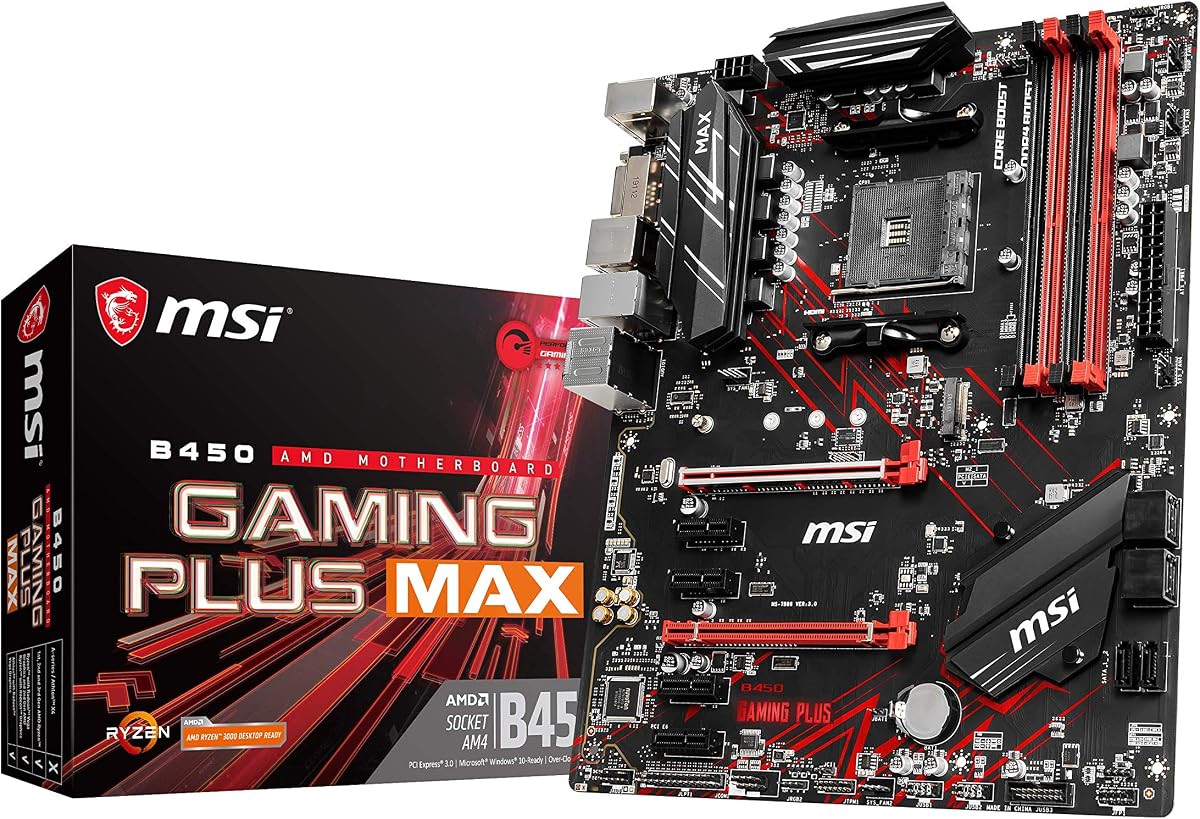
This board delivers high-end performance with modern connectivity options that appeal to gamers and power users seeking speed and reliability.
We may earn a commission when you buy through this link, at no additional cost to you.
Its robust power design ensures stable overclocking capabilities while the integrated WiFi 6E provides fast wireless speeds for seamless online gaming experiences.
While the price is higher than basic options, the inclusion of premium features like dual M.2 slots and HDMI 2.1 justify the investment for future-proofing.
Buyers looking for a modern build with excellent wireless performance and reliable power delivery will find this motherboard an ideal choice for their next system.
The inclusion of HDMI 2.1 and USB 3.2 Gen 2 Type-C ensures compatibility with the latest peripherals and display standards.
ProCool power connectors and durable capacitors work together to manage heat efficiently during heavy workloads and extended gaming sessions.
We may earn a commission when you buy through this link, at no additional cost to you.
This premium motherboard stands out with its dedicated audio DAC and powerful power delivery system designed for serious enthusiasts.
We may earn a commission when you buy through this link, at no additional cost to you.
The 10+2 phase digital PWM ensures stable power for high-core-count Ryzen processors while the ESS 9018 DAC delivers studio-quality sound.
Though pricey, the advanced features like Fins-Array heatsinks and dual M.2 slots offer tangible benefits for users needing maximum performance.
Enthusiasts willing to invest in top-tier hardware will appreciate the build quality and feature set that supports demanding multitasking and gaming workloads.
The ESS 9018 DAC provides clearer audio output compared to onboard codecs, enhancing the immersive experience for music and gaming.
Direct Touch Heatpipes and Fins-Array heatsinks work effectively to dissipate heat from the VRM and chipset areas.
We may earn a commission when you buy through this link, at no additional cost to you.
This board offers a well-rounded feature set that balances performance and price for users needing multi-GPU capabilities and modern connectivity.
We may earn a commission when you buy through this link, at no additional cost to you.
The Hybrid Digital PWM design provides reliable power delivery while the front USB Type-C port adds convenient access for modern peripherals.
Although it lacks built-in WiFi, the robust construction and dual M.2 slots make it a solid choice for desktop builds focused on wired connections.
Users seeking a reliable platform for high-end graphics cards and fast storage without paying a premium for extra features should consider this model.
Support for both CrossFire and SLI allows for flexible graphics configurations depending on specific software or game requirements.
A front USB 3.1 Gen 2 Type-C port simplifies connecting devices that need quick access without reaching behind the tower.
We may earn a commission when you buy through this link, at no additional cost to you.
This budget-friendly option delivers essential high performance features like SafeSlot and auto-tuning without the cost of premium gaming extras.
We may earn a commission when you buy through this link, at no additional cost to you.
Its 5-Way Optimization handles fan speeds and system tuning automatically making it ideal for users who want reliability without manual configuration.
While it lacks advanced RGB lighting or WiFi the robust audio codec and M.2 support make it a practical choice for cost-conscious builders.
Buyers looking for a stable platform that handles Ryzen 2000 series processors well while keeping overall costs low will find this board excellent.
Fan Expert 4 provides advanced fan control options that allow for custom curves and optimized cooling profiles.
The injection molded SafeSlot adds metal framing to protect the PCIe slot from heavy graphics card movement.
We may earn a commission when you buy through this link, at no additional cost to you.
This micro-ATX board offers a compact footprint and support for newer Ryzen processors making it ideal for small form factor builds.
We may earn a commission when you buy through this link, at no additional cost to you.
It includes PCIe 4.0 support for the M.2 slot and a straightforward power design that handles mainstream CPUs without issue.
While the VRM is basic the board provides essential connectivity and Q-Flash for easy BIOS updates without extra components installed.
Users building small PCs who need modern CPU support and fast storage options without needing extensive expansion will prefer this efficient board.
The micro-ATX design fits in smaller cases while still providing full ATX functionality for core components.
Dual M.2 slots allow for a primary fast boot drive and a secondary storage drive without using SATA cables.
We may earn a commission when you buy through this link, at no additional cost to you.
This ATX board includes built-in WiFi and multiple USB-C ports which simplifies connectivity for users lacking extra expansion cards.
We may earn a commission when you buy through this link, at no additional cost to you.
The OptiMem layout helps memory kits run at higher speeds with lower voltages enhancing overall system responsiveness and stability.
Though Ethernet is limited to 1Gb the inclusion of wireless connectivity and dual M.2 slots covers most modern usage scenarios effectively.
Buyers needing a standard ATX motherboard with convenient wireless options and USB-C access will find this model provides solid value and reliability.
ASUS OptiMem technology improves trace layout to allow memory kits to operate at higher frequencies with lower voltages.
Having USB-C on the front panel allows quick access for charging or data transfer without bending around the PC.
We may earn a commission when you buy through this link, at no additional cost to you.
This board provides robust power delivery with a 10+3 phase design that ensures stable operation for demanding Ryzen processor models.
We may earn a commission when you buy through this link, at no additional cost to you.
The Q-Flash Plus feature allows users to update the BIOS without installing the CPU or RAM which is useful for troubleshooting compatibility.
While it lacks high-end audio it delivers solid gaming features including dual M.2 slots and an integrated I/O shield for easier building.
Users wanting a well-powered board with convenient update features and modern connectivity will find this a reliable choice for their next build.
Q-Flash Plus allows BIOS updates without needing a CPU installed which simplifies the process of achieving compatibility.
The Digital Twin power design ensures efficient power delivery to the CPU reducing heat generation during intense tasks.
We may earn a commission when you buy through this link, at no additional cost to you.
This micro-ATX board stands out with WiFi 6 support and HDMI 2.1 output making it perfect for small builds needing high speed and resolution.
We may earn a commission when you buy through this link, at no additional cost to you.
Its OptiMem design ensures memory kits perform well while ECC memory support offers extra data integrity for professional workstation tasks.
Although limited in expansion slots the robust power delivery and fast M.2 slots make it a strong option for compact enthusiast systems.
Buyers needing a small form factor board with modern wireless connectivity and support for newer processor generations will appreciate this versatile design.
HDMI 2.1 support allows for 4K resolution at 60Hz providing a crisp display output for gaming or media.
Support for ECC memory adds a layer of data integrity which is valuable for workstations requiring high accuracy.
We may earn a commission when you buy through this link, at no additional cost to you.
This gaming focused board includes features like Audio Boost and StoreMi technology to enhance the gaming and storage experience for users.
We may earn a commission when you buy through this link, at no additional cost to you.
The Turbo M.2 slot delivers faster storage speeds while the DDR4 boost ensures clean signals for memory to prevent data loss.
Although it lacks PCIe 4.0 the strong power design and audio quality make it a competitive choice for budget-conscious gaming builds.
Gamers prioritizing audio quality and storage features over raw chipset speed will find this board provides a solid platform for their needs.
Audio Boost technology rewards ears with studio grade sound quality which enhances the immersive gaming experience.
StoreMi technology combines fast SSD space with larger HDD storage to improve performance and capacity efficiently.
We may earn a commission when you buy through this link, at no additional cost to you.
Choosing the right motherboard requires evaluating several critical factors to ensure compatibility and longevity for your system. This section breaks down key aspects such as chipset features and VRM quality to help you make an informed decision.
The X470 chipset offers robust features for Ryzen 2000 and 3000 series CPUs including PCIe support and overclocking capabilities. It bridges the gap between standard and enthusiast boards providing a balanced platform for most builds.
Ensure your CPU is compatible with the BIOS version as some boards may require updates for newer processors.
Voltage Regulator Modules determine how stable power is delivered to the CPU. Boards with more phases usually handle higher power loads and overclocking better than basic models.
Look for models with robust heatsinks on the VRM to prevent thermal throttling during long gaming sessions.
Check how many DIMM slots the board supports and what speeds it can handle. Most X470 boards support four DIMMs allowing for high capacity memory configurations.
Faster memory speeds can improve gaming performance so ensure the board supports high-frequency RAM profiles.
Modern builds benefit from USB Type-C ports and multiple USB 3.1 Gen 2 connections for fast data transfer. Also consider the number of SATA ports available for storage drives.
Verify that the rear I/O panel has enough ports for your peripherals without needing extra hubs.
If your case lacks Ethernet cables built-in WiFi is a convenient feature to consider. Look for models that include WiFi 6 or Wave 2 for better wireless speeds.
Some boards require buying separate WiFi cards so check if antennas are included with the package.
Integrated audio codecs vary in quality so look for boards with dedicated DACs or high-fidelity audio chips if sound quality matters to you.
Basic boards often have good enough audio for gaming but audiophiles may prefer dedicated sound cards.
RGB headers allow you to sync lighting across compatible components which can enhance the visual appeal of your build.
Ensure the software provided is easy to use and supports your preferred lighting effects.
If you plan to use multiple graphics cards or add capture cards check the number and type of PCIe slots available.
X470 boards usually support CrossFire or SLI but verify the physical spacing between slots.
Install the motherboard in a clean static-free environment using the correct standoff screws to ensure proper grounding and mounting within the case.
Update the BIOS immediately after assembly to ensure full compatibility with your CPU and RAM modules by using the manufacturer's USB tools.
Regularly clean dust from the heatsinks and fans to maintain optimal airflow and prevent overheating during long-term usage.
Some boards in this list support Ryzen 5000 series but you may need to update the BIOS first. X470 boards are generally compatible but check the specific CPU support list before buying to ensure it will work out of the box.
X470 offers better VRM performance and official support for multi-GPU setups compared to B450. It also provides more PCIe lanes which allows for more storage devices without bandwidth sharing.
Most consumer X470 boards do not officially support ECC memory but some models may run it in non-ECC mode. You should check the specific product specifications if ECC is required for your use case.
No many modern boards include high-quality audio codecs that are sufficient for gaming and general use. High-end models even include dedicated DACs that outperform entry-level sound cards.
Some boards feature BIOS Flashback which allows you to update using a USB drive without a processor installed. Refer to the manual to find the correct button and USB port for this feature.
It depends on your setup. If running Ethernet cables is difficult built-in WiFi saves you the cost of buying a separate wireless card later. It provides convenience especially in rental properties where drilling is restricted.
X470 boards typically support memory speeds up to 3200MHz or higher with XMP profiles. Using faster RAM can improve Ryzen CPU performance significantly so look for boards with high-speed support.
With proper care and good ventilation a motherboard can last five to ten years or more. Avoiding power surges with a good PSU and keeping dust away from components extends its lifespan.
We hope this guide helped you find a motherboard that fits your needs whether you prioritize audio budget or raw performance.
Always compare features like power phases and connectivity ports to ensure the board matches your long-term usage requirements.
Check current prices and availability before purchasing as deals can change frequently and older models may have better discounts now.