
NetumScan USB 1D Barcode Scanner
4.4Editor score
Plug and play USB connection
Strong CCD scanning technology
Durable anti-shock design
Discover the top barcode scanners for library use this guide compares wireless and wired models for speed, battery life, and compatibility with library systems.
Libraries rely on efficient inventory management to serve patrons effectively. A quality barcode scanner streamlines checkouts, returns, and asset tracking tasks. The right device reduces errors and saves staff time during busy circulation periods.
We evaluated leading scanners based on connection types, battery endurance, and decoding accuracy. Our analysis focuses on models that handle ISBN codes and damaged labels well. Wireless flexibility and rugged durability were key selection criteria for public use.
Each pick highlights specific strengths for library workflows and general inventory needs. Prices and availability change frequently so verify current details before buying. Read on to find the scanner that matches your facility requirements and budget.
4.4Editor score

4.4Editor score

4.3Editor score
This side-by-side comparison highlights key specifications for all ten selected scanners. Look for connection options, battery capacity, and supported barcode types to match your library workflow needs.




This NETUM Bluetooth Barcode Scanner earns our top spot with its versatile connectivity and robust performance. It supports 2.4G wireless, Bluetooth, and wired modes, making it adaptable to various library setups. The strong recognition ability handles worn or damaged ISBN codes effectively.
We may earn a commission when you buy through this link, at no additional cost to you.
Its 2600mAh battery provides exceptional endurance, lasting for months on a single charge even with frequent use. The ability to store up to 100,000 barcodes ensures data is not lost during connectivity drops. Library staff benefit from quiet operation options during peak hours.
The scanner requires scanning manual barcodes to set configurations which adds a minor setup step. Additionally it does not work with certain POS systems like Square or Lightspeed which may limit retail integrations. However these constraints are acceptable for most library circulation tasks.
Libraries needing a reliable wireless scanner with long battery life should choose this model. Its durability and offline storage capabilities make it ideal for mobile checkout carts or outdoor events. The programmable features allow for workflow customization.
Switch between Bluetooth, 2.4G, and wired modes to match your current workstation setup.
Charge once and work for a month without worrying about battery depletion during shifts.
We may earn a commission when you buy through this link, at no additional cost to you.
The NetumScan USB 1D Barcode Scanner offers an excellent entry point for libraries seeking cost efficiency. Its CCD sensor technology captures codes from paper and screens accurately. The sturdy design withstands drops from up to 2 meters making it ideal for public use.
We may earn a commission when you buy through this link, at no additional cost to you.
Three scanning modes including auto-induction reduce hand fatigue during repetitive tasks. It reads deformed or fuzzy barcodes that other scanners might miss. The USB connection ensures stable data transmission without battery concerns.
Wireless flexibility is absent which may limit mobile cart usage. However the durability and low cost make it a smart choice for fixed checkout counters. The simple setup means minimal IT support is required.
Budget conscious libraries should prioritize this model for static scanning stations. Its reliability and resistance to physical damage ensure long service life. The auto-sensing mode improves workflow efficiency significantly.
High-quality ABS material ensures the scanner survives accidental drops common in busy environments.
Triggerless scanning reduces manual effort when processing large volumes of books quickly.
We may earn a commission when you buy through this link, at no additional cost to you.
This Tera scanner stands out with a unique screen for customizing settings like language and volume. It handles both 1D and 2D codes including PDF417 on driver licenses. The charging cradle integrates the receiver eliminating the need for separate USB dongles.
We may earn a commission when you buy through this link, at no additional cost to you.
Advanced imaging scans barcodes on reflective materials and even underwater. The 2500mAh battery ensures seamless all-day operation. Libraries managing mixed media collections benefit from its superior decoding capabilities.
The device is more expensive than basic options and setup can be intricate. However the premium features justify the cost for complex inventory needs. The ergonomic design improves comfort during long scanning sessions.
Libraries needing 2D support and premium features should consider this model. Its wireless flexibility and robust construction make it ideal for diverse workflows. The cradle ensures the scanner is always ready for use.
Adjust display settings directly on the scanner to fit your team preferences.
The built-in receiver simplifies connection reducing clutter on your workstation desk.
We may earn a commission when you buy through this link, at no additional cost to you.
Weighing just 35 grams this Eyoyo scanner is perfect for portable tasks. It connects via 2.4G wireless Bluetooth or USB to suit different scenarios. The vibration mode allows for discreet scanning in quiet library zones.
We may earn a commission when you buy through this link, at no additional cost to you.
The 650mAh battery lasts up to 10 days with typical daily use. It decodes most common 1D codes including damaged or colorful ones. The compact size fits easily in a pocket or small bag.
Screen scanning is not supported which limits use with digital ISBNs. The battery life is shorter than high capacity alternatives. However its portability makes it a strong choice for mobile staff.
Staff needing a lightweight scanner for on-the-go checks should choose this model. Its vibration mode ensures silence during study hours. The versatile connections adapt to various library devices easily.
At 35 grams this scanner is virtually weightless for carrying around the building.
Vibration feedback keeps noise levels low in quiet reading areas.
We may earn a commission when you buy through this link, at no additional cost to you.
This Tera scanner features a unique battery indicator light to prevent downtime. The extended curved handle provides a comfortable grip for extended use. It includes anti-shock silicone covers to protect against drops.
We may earn a commission when you buy through this link, at no additional cost to you.
IP54 technology protects against dust making it suitable for various environments. The smooth trigger reduces strain during repetitive scanning. Wireless transmission reaches up to 328 feet in open spaces.
It focuses on 1D codes which is sufficient for most library books. The battery life is excellent but range depends on obstacles. The design prioritizes user comfort and durability over advanced 2D support.
Libraries prioritizing ergonomics and battery visibility should choose this model. Its robust build handles daily wear and tear well. The indicator light ensures staff know when to charge without guessing.
See remaining power at a glance to avoid interruption during busy checkout times.
A widened curved shape fits natural hand positions reducing fatigue over shifts.
We may earn a commission when you buy through this link, at no additional cost to you.
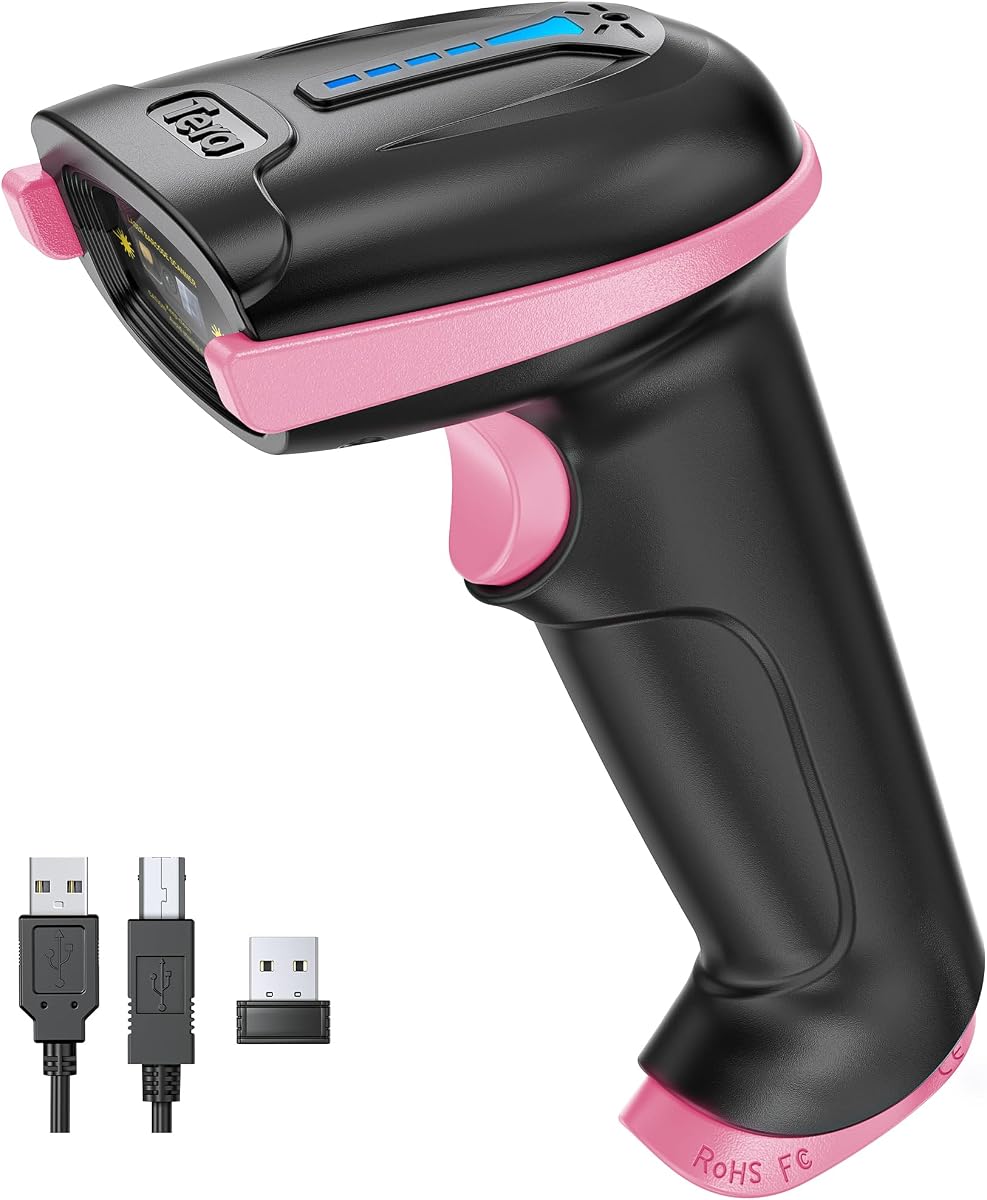
This pink version of the Tera scanner offers a distinct visual option for staff. It features the same battery indicator and ergonomic handle as the purple model. The design focuses on usability and durability for daily tasks.
We may earn a commission when you buy through this link, at no additional cost to you.
IP54 protection ensures reliability in dusty environments. The smooth trigger and battery light streamline operations. Wireless connectivity is stable for typical library layouts.
It does not support 2D codes which may limit future compatibility. The aesthetic choice is subjective but the functionality remains top tier. The build quality is consistent across color options.
Libraries seeking a distinct tool for specific teams should consider this model. Its performance matches the purple variant with added style. The battery indicator remains a key feature for workflow efficiency.
Choose a color to help identify specific scanner roles or teams easily.
Color variations do not affect the core scanning reliability or battery life.
We may earn a commission when you buy through this link, at no additional cost to you.
The WoneNice scanner delivers rapid performance with 200 scans per second. Its laser technology works well on standard paper labels and ISBNs. Plug and play functionality ensures it works immediately on any USB port.
We may earn a commission when you buy through this link, at no additional cost to you.
Configurable options allow customization of prefix and suffix characters. It is compatible with all common software including Excel and Word. The cable length provides reasonable flexibility for static desks.
Lack of wireless limits movement compared to other options. It is best for dedicated checkout stations where cables are manageable. The speed and reliability make it a staple for high volume areas.
Fixed stations needing fast reliable scanning should choose this model. Its configurable features adapt to specific library systems. The speed handles queues efficiently during peak hours.
Process large batches of returns quickly with 200 scans per second speed.
Works seamlessly with any software running on Windows Mac or Linux systems.
We may earn a commission when you buy through this link, at no additional cost to you.
Symcode offers exceptional range with 400m transmission in open spaces. Network mode allows multiple scanners to connect to one receiver which is great for large warehouses. Offline storage holds up to 100,000 barcodes.
We may earn a commission when you buy through this link, at no additional cost to you.
The 2000mAh battery provides over a week of continuous use. Auto pairing with the receiver simplifies setup. It handles automatic 1D codes with consistent reliability.
It may not work with certain POS software which is worth checking. The laser technology is robust but limited to 1D. For large facilities requiring range this model is ideal.
Large libraries or storage rooms need long range should select this model. Its network capabilities support team workflows efficiently. The offline storage ensures data safety during connectivity loss.
Connect multiple scanners to one receiver for centralized data collection.
Store thousands of codes locally if wireless connection drops temporarily.
We may earn a commission when you buy through this link, at no additional cost to you.
This pink Eyoyo scanner brings a touch of style to technical tasks. It shares specs with the regular mini version but adds a vibrant look. Vibration and sound toggle options provide flexible feedback modes.
We may earn a commission when you buy through this link, at no additional cost to you.
Connectivity options include 2.4G wireless Bluetooth and USB for versatility. The 650mAh battery suits daily light to moderate use. Its decoding strength handles damaged or colorful barcodes well.
Screen scanning is not supported which limits modern workflows. The aesthetic is a nice addition for personalization. Performance matches the standard mini model effectively.
Staff wanting a personal device should prefer this pink version. It functions like the black mini model with added charm. The vibration mode ensures silent operation in quiet areas.
The pink color stands out for easy identification on workbenches.
Silent vibration cues keep noise down during quiet reading periods.
We may earn a commission when you buy through this link, at no additional cost to you.
This Anyeast scanner features an adjustable stand for handsfree scanning. It supports both 1D and 2D codes including QR and PDF417. The auto-sensing sensor activates when a code is presented to the stand.
We may earn a commission when you buy through this link, at no additional cost to you.
Setup is simple with plug and play USB connectivity. Customizable settings allow for prefix or suffix adjustments easily. The handsfree design reduces hand strain during high volume processing.
It requires a wired connection which limits mobility. Space is needed for the stand on the counter. However for checkout stations this design is highly efficient.
Libraries wanting handsfree convenience should choose this model. The stand integration simplifies workflow at fixed points. The 2D support adds versatility for modern codes.
Use the stand to scan books without holding the device in your hand.
Tilt the stand to find the perfect position for different book sizes.
We may earn a commission when you buy through this link, at no additional cost to you.
Selecting the right barcode scanner requires balancing connectivity, durability, and decoding capabilities specific to library environments.
Wireless scanners offer mobility for carts and shelves while wired units ensure stable connections for fixed desks. Bluetooth and 2.4G wireless provide freedom from cables during returns processes.
Choose wireless for mobile staff and wired for high-volume stationary counters where range is limited.
Libraries operate long hours so a scanner with long battery life reduces charging interruptions. Look for capacities above 2000mAh for all-day use without frequent recharging.
Prioritize models with multi-day battery life to avoid workflow disruptions during peak hours.
CCD sensors handle paper and screen codes well while laser scanners excel on paper labels. Image-based scanners support 2D codes like QR which are becoming more common.
Select CCD or image sensors if you need to scan digital ISBNs on mobile devices.
Public environments subject equipment to drops and dust. IP54 ratings or shock resistance ensure the scanner survives daily wear and tear.
Look for drop resistance and protective covers to extend the device lifespan.
Scanners should be easy to setup with plug and play USB or simple pairing barcodes. Avoid units requiring complex software installation for basic tasks.
Simple setup reduces IT workload and speeds up staff onboarding.
Ensure the scanner supports your library's OS like Windows or Mac. Most modern scanners work across systems but verify before buying.
Check system requirements to avoid connection issues after purchase.
Auto-sensing modes reduce trigger pulling and fatigue during repetitive tasks. Continuous scanning helps when processing large batches quickly.
Auto-induction modes are essential for reducing hand strain.
Library books often have worn labels. Scanners that decode damaged or fuzzy barcodes prevent manual entry errors.
Opt for strong decoding capabilities to handle imperfect labels.
Pair the scanner by scanning the setup barcode in the manual or connecting via USB for plug and play functionality. Allow a few seconds for the system to recognize the device before testing.
Keep the scanning window clean from dust or smudges that may block light. Wipe gently with a soft cloth to ensure optimal readability of barcodes.
Recharge the battery periodically even when not in use to maintain health. Store the device in a dry area to avoid moisture damage to internal components.
Yes most modern USB and Bluetooth scanners work with standard library systems. They mimic keyboard input so any software accepting typed text will recognize scanned data. Verify vendor lists for proprietary systems if needed.
Quality scanners offer anywhere from 8 hours to several weeks depending on usage. High capacity 2000mAh models last multiple days under average daily usage patterns in public libraries.
Only image-based CCD scanners can read codes from screens. Laser scanners may fail on reflective screens so check the specs if this is a requirement for your mobile circulation.
Bluetooth or 2.4G wireless are best for mobile carts. They eliminate cables and allow staff to move freely throughout the building for faster returns.
Most work via plug and play HID mode without drivers. Simply connect via USB or pair via Bluetooth and the device appears as a keyboard input to your operating system.
Choose scanners with strong decoding capabilities for damaged or smudged codes. CCD and image sensors perform better than lasers on worn labels found on older books.
Libraries have diverse needs from mobile carts to fixed desks. Our top picks cover wireless flexibility durability and budget-friendly options for all scenarios.
Prioritize battery life and connectivity for your specific workflow. Ensure compatibility with your system and consider the noise levels for study areas.
Always check current prices and availability before purchasing. The right scanner enhances efficiency and improves the experience for both staff and patrons.