
Roku 40-Inch Select Series Smart TV 2026-1080p Full HD TV – RokuTV
4.5Editor score
Full HD 1080p picture
Simple Roku interface
Voice remote included
Finding a cheap AI enabled TV means balancing smart capabilities with picture quality. Modern sets offer voice control and upscaling tools that enhance viewing without breaking the budget. These options bring intelligent features to everyday rooms.
We evaluated ten models focusing on AI processing, streaming apps, and overall value. Each pick includes real user ratings and verified specs. The list covers sizes from compact bedrooms to large living rooms.
Each pick shows key strengths like upscaling or voice access. Prices change frequently so check current listings before buying. This guide helps you choose the right smart TV for your space and needs.
4.5Editor score
4.3Editor score

4.0Editor score
As an Amazon Associate we earn from qualifying purchases.
This table shows key specs for each model. Compare resolution, smart platform, and special features side by side to find the best fit.



This 65-inch model brings AI upscaling to a large display. It holds a solid rating and focuses on clarity. The Crystal Processor enhances colors effectively.
We may earn a commission when you buy through this link, at no additional cost to you.
Motion Xcelerator keeps sports smooth. Color Booster adds vibrancy. Free channels from Samsung TV Plus reduce subscription needs.
It lacks higher refresh rates for gaming. Sound is standard but works. Trade-offs fit the price point.
Buyers wanting big size for living rooms should choose this. It delivers 4K clarity without high cost.
Color Booster adjusts tones to match source intent. This makes reds and blues pop more.
Frame transitions adjust in real time. Scenes stay clear during action.
We may earn a commission when you buy through this link, at no additional cost to you.
The Roku 40-inch offers reliable HD viewing. It rates high for ease. Smart Picture adjusts signals well. Voice remote simplifies search.
We may earn a commission when you buy through this link, at no additional cost to you.
Apps launch quickly. Home screen is uncluttered. Bluetooth headphone mode helps late night. AirPlay works from Apple devices.
It is not 4K. Best for small spaces. Not for big rooms needing detail.
Perfect for bedrooms or kitchens. Users wanting simplicity will like this. It fits tight budgets.
Home screen reduces scrolling. Picks appear based on usage.
Sound remains while display dims. Headphone mode keeps quiet.
We may earn a commission when you buy through this link, at no additional cost to you.
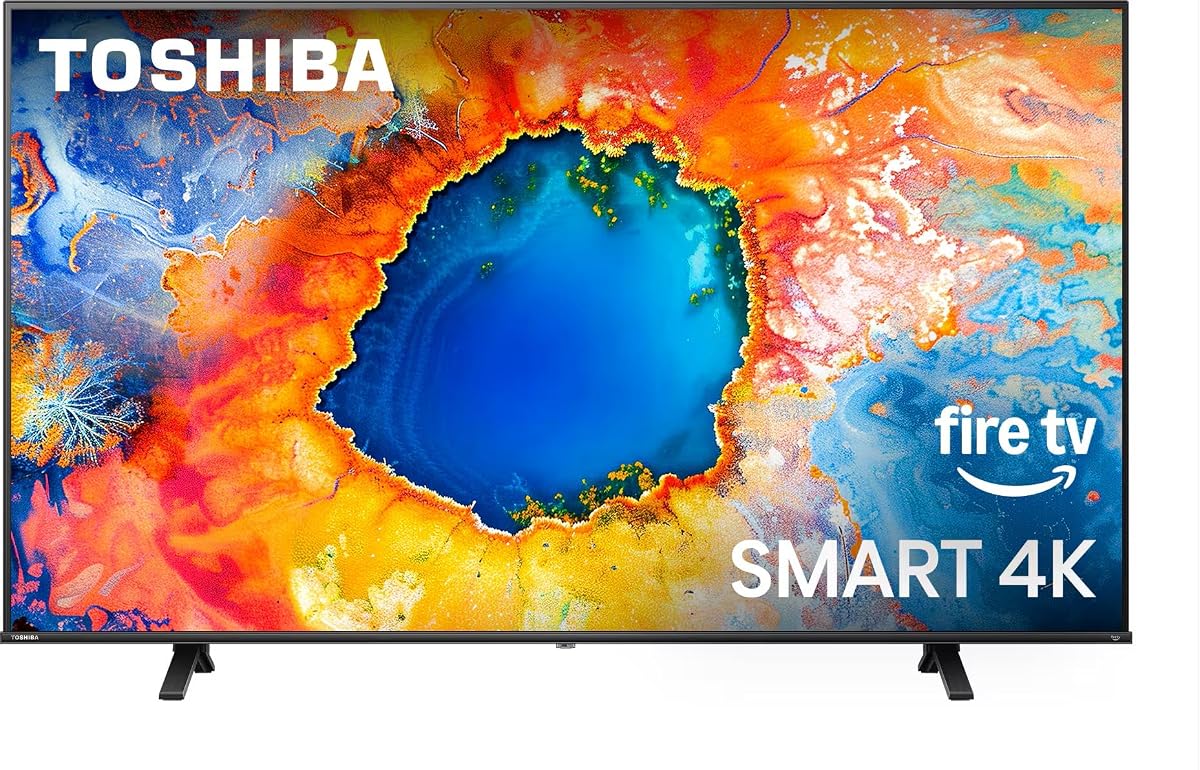
Toshiba C350 uses AI to upscale Full HD. It reaches near 4K clarity. Dolby Vision brings detail. Fire TV centralizes apps.
We may earn a commission when you buy through this link, at no additional cost to you.
Ultimate Motion reduces blur. Game mode supports VRR. Sports mode enhances play details. Voice remote helps search.
Not every HDR format is supported. Contrast works but varies. Acceptable for typical viewing.
Ideal for medium rooms. Gamers and sports fans get value. The price matches features.
AI detects textures to refine pixels. Lower sources look sharper.
Dolby Atmos adds space. Sound matches screen realism.
We may earn a commission when you buy through this link, at no additional cost to you.
Insignia F50 centers on Fire TV access. It offers 4K with HDR10. Sound uses DTS Virtual-X. Smart home controls add utility.
We may earn a commission when you buy through this link, at no additional cost to you.
Over a million titles exist. Free streaming includes Pluto. Parental PIN keeps kids safe. Connections suit most gear.
Brightness is average. Remote is functional but simple. Works for casual streaming.
Buyers seeking simple smart setup choose this. It keeps costs low while delivering core 4K.
Control lights from TV. Camera feeds show easily.
eARC sends full signal. Soundbars connect cleanly.
We may earn a commission when you buy through this link, at no additional cost to you.
The Roku 50-inch QLED brings vibrant color. Smart Picture optimizes signal. Frameless look fits modern walls. Voice remote finds apps.
We may earn a commission when you buy through this link, at no additional cost to you.
HDR10 improves contrast. Quick access to apps. Bluetooth headphone mode stays quiet. Setup takes minutes.
Blacks are not deep. Brightness works for day. Good for most rooms.
Those wanting QLED color on budget pick this. It merges style and streaming well.
QLED enhances shade accuracy. Visuals stay true.
Shortcuts launch favorite apps. Time saves on search.
We may earn a commission when you buy through this link, at no additional cost to you.
Hisense E6 uses AI to adjust brightness. It supports many HDR formats. Motion Rate 120 helps sports. Wi-Fi 6 speeds data.
We may earn a commission when you buy through this link, at no additional cost to you.
AI Smooth Motion reduces blur. Game Mode Plus aids players. Filmmaker Mode keeps original intent. Voice control works.
Auto-brightness may shift. Sound lacks power. But tech features are strong.
Buyers valuing tech over size choose this. It fits smart homes well.
Sensor detects room light. Saves power while adjusting.
Game Mode Plus reduces lag. Input delay lowers.
We may earn a commission when you buy through this link, at no additional cost to you.
LG uses Alpha 7 AI to refine detail. Personalized Wizard sets tone. WebOS offers free channels. AirPlay works well.
We may earn a commission when you buy through this link, at no additional cost to you.
HDR10 Pro improves contrast. Filmmaker Mode respects intent. Game Optimizer tracks stats. Streaming supports Xbox Cloud.
Interface can slow. Gaming is limited. Still strong overall.
LG fans wanting processing power pick this. It delivers quality for 4K.
AI learns preferences. Picture matches tastes.
Apple AirPlay mirrors phones. Sharing stays easy.
We may earn a commission when you buy through this link, at no additional cost to you.
Insignia 75-inch fits large rooms. Direct LED helps uniformity. Voice remote controls content. Many apps load fast.
We may earn a commission when you buy through this link, at no additional cost to you.
DTS Virtual-X wraps audio. HDMI eARC passes sound. Connections include USB and coax. It handles basic inputs.
Audio lacks power. Weight adds install care. But size wins value.
Buyers wanting big display without cost pick this. It fits family rooms.
Direct LED lights evenly. Edges match center.
VESA pattern allows mounts. Wall fit stays secure.
We may earn a commission when you buy through this link, at no additional cost to you.
Insignia 32-inch fits tight spots. It uses LED backlighting. Surround sound helps audio. AirPlay shares media.
We may earn a commission when you buy through this link, at no additional cost to you.
Fire TV loads apps. Voice remote finds content. HDMI ARC simplifies cables. Setup is quick.
It is HD only. Port count is low. But it works.
Perfect for dorms or kitchens. It offers core smart at minimal cost.
Small frame fits desks. Space stays open.
AirPlay sends iPhone video. No extra gear needed.
We may earn a commission when you buy through this link, at no additional cost to you.
Amazon Ember uses sensors to wake. It loads apps fast. Alexa+ finds shows quickly. Ambient Experience suits decor.
We may earn a commission when you buy through this link, at no additional cost to you.
Wi-Fi 6 keeps speed. Voice remote controls tasks. AirPlay allows phone share. Fire TV stays simple.
Resolution caps at HD. Size limits use. But smart wins.
Those in Amazon ecosystem pick this. It delivers quick smart control.
Omnisense sensors trigger. Display wakes on entry.
Alexa+ scans topics. Natural language works.
We may earn a commission when you buy through this link, at no additional cost to you.
Choosing a budget smart TV involves checking resolution, AI tools, and apps. These factors impact daily use.
Look for 4K panels when possible. AI upscaling improves older content clarity. It maps pixels for detail. Models with AI processors handle low-res files better.
Prioritize sets with AI upscaling to extend content life.
Fire TV and Roku offer many apps. Check if your streams are available. WebOS suits LG owners. Alexa or Google Assistant help search.
Ensure the platform matches your streaming apps.
HDR10 is basic. Dolby Vision adds dynamic tone. Check for HDR formats you stream. Brighter TVs show HDR better.
Select HDR formats you use often.
Soundbars work well. Look for ARC or eARC. DTS or Dolby sound adds depth. Audio impacts immersion.
Plan for external speakers if needed.
Sports and games need motion tech. Motion rates help blur. Game modes reduce latency. Check refresh rates for play.
Prioritize motion features for sports or gaming.
HDMI counts matter. USBs help playback. Ethernet keeps connection stable. Wi-Fi 6 speeds data. Check for AirPlay or Google Cast.
Match ports to your existing devices.
Measure your space. 32 to 50 inches fits most rooms. 65 or 75 suits walls. Wall mount options help layout.
Choose size based on viewing distance.
Price ranges vary by size. AI features add cost. Balance specs with needs. Compare offers during sales.
Focus on value for your usage.
Start by placing the TV near a window for natural light. Avoid direct sunlight to prevent glare. Use a wall mount if needed.
Connect to Wi-Fi before first setup. Use the voice remote to find apps. Adjust picture settings to your room lighting.
Clean the screen with a soft dry cloth. Turn off when not in use to save power. Check firmware updates regularly.
Cheap AI enabled TVs use budget panels with AI processors. They apply upscaling and tone mapping. These features enhance detail without high cost. Smart platforms add voice control.
Most models in this list support 4K. Fire TV and Roku apps load well. Wi-Fi 6 on some sets helps. Check specs to confirm resolution.
Dolby Vision appears on select models. It improves dynamic contrast. Check support before buying. HDR10 is more standard across price ranges.
Yes, voice remotes work standalone. You can ask for apps or channels. Smart home control is optional. Most remotes include a voice button.
Add a soundbar or bar. Use HDMI eARC for quality. DTS or Dolby audio options help. TV speakers are limited by size.
Some support Game Mode and VRR. Low latency helps input. Check refresh rate. For casual play they work well.
This guide highlighted ten models balancing price and AI tools. The top three picks cover budget, balance, and advanced features. Each brings useful smart capabilities.
Focus on resolution, motion handling, and platform. Match size to your room. Use voice control for ease.
Prices change often. Check current listings before buying. Pick what fits your daily viewing needs.