
Canon PIXMA TR4720
3.8Editor score
Built-in fax capability
Wireless printing support
Compact home office design
This guide compares the top cheap fax machines for home and office use, evaluating speed, reliability, and features to help you choose the best affordable
Finding a reliable fax machine on a budget can be challenging in today's digital age. Many businesses and home offices still require fax capabilities for legal or medical documents. We have reviewed the most affordable options to help you find the right fit without overspending.
Our team analyzed ten top-rated models based on customer feedback, technical specifications, and overall value. We looked at transmission speeds, memory capacity, and ease of use to ensure a comprehensive comparison. This list covers both dedicated fax units and multi-function printers with fax capabilities.
Each pick in this guide highlights specific strengths and potential weaknesses to guide your decision-making process. You will see detailed breakdowns of features, pros, and cons for every model listed. Please note that prices and availability can change frequently, so check current listings before purchasing.
3.8Editor score

4.0Editor score

4.0Editor score
The following table provides a side-by-side comparison of all ten fax machines included in this guide. It highlights key specifications such as paper capacity, transmission speed, and connectivity options to help you quickly identify the model that best suits your specific needs.




The Brother FAX-575 stands out as a robust solution for users needing reliable fax capabilities without breaking the bank. With a solid rating of 4.0 stars, it is highly regarded for its consistent performance and ease of use in home offices. This model combines fax, phone, and copier functions into one convenient unit.
We may earn a commission when you buy through this link, at no additional cost to you.
Its standout quality is the 512 KB memory which can store up to 25 pages for later transmission or recall. This feature is particularly useful if you need to send multiple documents at once or if your phone line is busy. The 9,600 BPS fax modem ensures that pages are transmitted quickly, taking about 15 seconds per page.
One trade-off is the lack of wireless connectivity which means you must connect this device via a traditional phone line. While this ensures stability, it may limit flexibility compared to modern all-in-one printers. However, for users prioritizing dedicated fax reliability over mobile convenience, this is an acceptable compromise.
Who should buy this machine is anyone running a small business or home office that requires frequent faxing. The 50-sheet paper capacity reduces the need for constant refilling making it ideal for high-volume users. We recommend this model for its balance of speed memory and reliability.
The large memory capacity allows you to store documents temporarily ensuring you never miss a transmission due to a busy line.
With a 9,600 BPS modem you can send faxes quickly reducing wait times and improving overall office efficiency.
We may earn a commission when you buy through this link, at no additional cost to you.
The Brother FAX-575 Renewed offers the same core functionality as the new version but at a more attractive price point. With a rating of 3.8 stars it provides solid value for budget-conscious buyers who do not need a brand new machine. This renewed unit is tested to ensure it meets original performance standards before sale.
We may earn a commission when you buy through this link, at no additional cost to you.
Key strengths include the 512 KB memory and 9,600 BPS fax modem which allow for efficient document handling and quick transmission. The 50-sheet paper capacity ensures you can handle moderate volumes without constant refills. It maintains all the essential fax phone and copier features expected from this model.
A potential trade-off is that renewed products may come with a shorter warranty period compared to new items. Buyers should check the specific terms provided by the seller to understand their coverage. However for many users the cost savings outweigh the risk of a slightly reduced warranty period.
This option is best for individuals or small offices looking to cut costs without sacrificing essential fax capabilities. It is an excellent choice if you want to try a reliable brand without the full price tag. We recommend checking the renewal condition carefully before purchase.
By choosing the renewed version you get access to premium features at a significantly lower cost than buying new.
Renewed units are tested to ensure they meet performance standards giving you confidence in the machine's reliability.
We may earn a commission when you buy through this link, at no additional cost to you.
The Canon PIXMA TR8620a is a top-tier choice for those seeking a premium all-in-one experience with robust fax capabilities. With a 4.0 rating it combines printing scanning copying and faxing into one sophisticated device. Its integration with Alexa adds a modern touch allowing for voice commands and smart home integration.
We may earn a commission when you buy through this link, at no additional cost to you.
Standout features include auto 2-sided printing which saves paper and reduces clutter in your office. The 200 sheet capacity ensures you are ready for large jobs without frequent paper changes. The 15 ipm print speed ensures documents are produced quickly keeping your workflow moving efficiently.
The trade-off for these premium features is a higher price point compared to basic fax machines. Additionally the setup process can be more complex due to the sheer number of features and connectivity options. However for power users this extra cost and complexity are justified by the added convenience.
This model is ideal for home offices that need versatility and smart features alongside faxing. If you value voice control and high capacity paper handling this machine offers a premium experience. We recommend it for users who want a high-end multi-function device.
Alexa voice control allows you to manage printing tasks hands-free making it perfect for busy environments.
Auto 2-sided printing helps reduce paper waste and lowers long-term operating costs for your office.
We may earn a commission when you buy through this link, at no additional cost to you.
The Sharp UXB20 is an inkjet fax machine that offers a balance of affordability and useful features for small offices. With a 3.3 rating it provides solid basic functionality for users who need fax and copy capabilities. The inkjet technology allows for color printing which is useful for highlighting important documents.
We may earn a commission when you buy through this link, at no additional cost to you.
Key strengths include 30 speed dial presets which allow you to save frequently used numbers for quick access. The caller ID ready feature ensures you know who is sending you a fax before answering. The 24-page memory capacity allows for storing multiple documents if your line is busy.
A trade-off is the lower memory capacity compared to laser fax units which may limit heavy volume use. Additionally the transmission speed is standard but may be slower than dedicated laser units. For most home offices these limitations are acceptable given the lower cost.
This unit is best for users who need a simple fax solution with some added convenience features. It fits well in small spaces and provides reliable performance for occasional use. We recommend it for light faxing needs on a budget.
With 30 speed dial presets you can send faxes to frequent contacts instantly saving time and effort.
The caller ID feature helps you screen incoming faxes so you know what you are receiving before printing.
We may earn a commission when you buy through this link, at no additional cost to you.
The HP DeskJet 2955 is a wireless all-in-one printer that supports faxing via the HP app for added convenience. With a 3.7 rating it is popular for its compact design and ease of use in home environments. The included trial of Instant Ink helps keep printing costs manageable for new users.
We may earn a commission when you buy through this link, at no additional cost to you.
Key strengths include wireless connectivity which allows you to print or fax from your smartphone easily. The 60-sheet input tray is sufficient for small jobs and the HP AI helps optimize print layouts to save paper. This model is designed to fit seamlessly into any home office space.
The trade-off is that faxing is handled through the app rather than a dedicated hardware dialer which some users may find less convenient. The paper capacity is also basic compared to larger office units. However for home use these limitations are often negligible.
This printer is best for home users who prioritize wireless functionality and space-saving design. It is suitable for those who need occasional faxing alongside regular printing and scanning tasks. We recommend it for modern home setups.
Wireless connectivity allows you to send documents from your phone without needing to connect to a computer.
The Instant Ink trial helps lower ongoing costs by delivering ink only when you need it automatically.
We may earn a commission when you buy through this link, at no additional cost to you.
The Canon PIXMA TR4720 is a versatile all-in-one printer that includes built-in fax capabilities for home use. With a 3.8 rating it is appreciated for its compact design and ease of setup. The auto document feeder allows you to scan multiple pages quickly making it efficient for batch faxing.
We may earn a commission when you buy through this link, at no additional cost to you.
Key strengths include the 100 sheet capacity which is generous for a home printer of this size. Mobile printing support ensures you can send documents from your phone or tablet effortlessly. The wireless capability removes the need for physical cables cluttering your desk space.
The trade-off is that it is designed primarily for home use so high-volume heavy-duty tasks may strain the device. Additionally color print speeds are moderate which may not suit urgent printing needs. However for standard home office tasks it is reliable.
This machine is best for home offices needing a compact all-in-one solution with fax capabilities. It balances size functionality and ease of use well for general daily tasks. We recommend it for versatile home printing.
The auto document feeder allows you to process multiple pages for faxing without placing them on the glass manually.
Designed to be compact it fits easily into small spaces making it ideal for limited home office areas.
We may earn a commission when you buy through this link, at no additional cost to you.
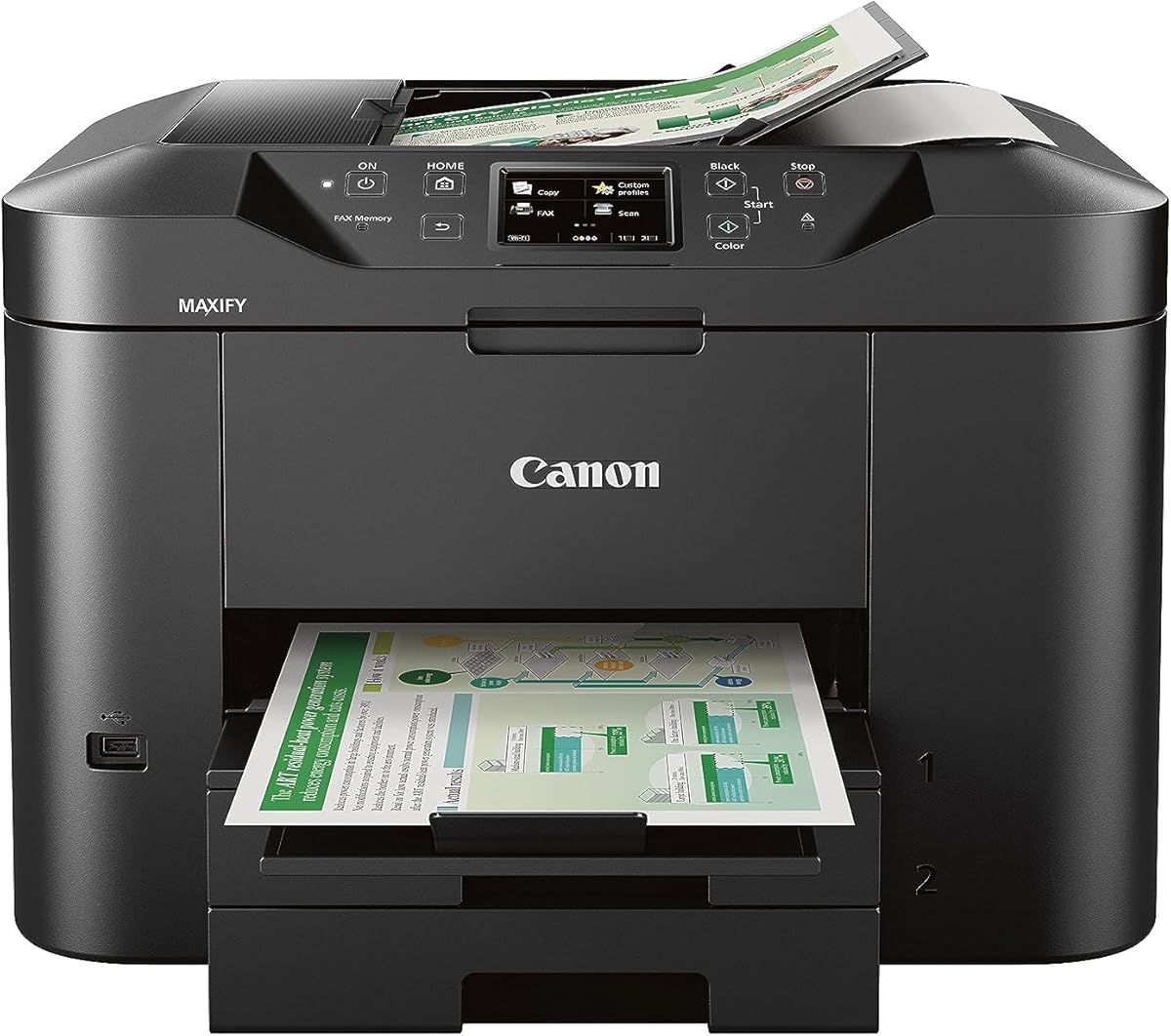
The Canon MAXIFY MB2720 is built for business environments with a high duty cycle and robust features. With a 3.9 rating it stands out for its ability to handle large volumes of printing and faxing daily. The dual resistant inks ensure that your documents are professional and durable.
We may earn a commission when you buy through this link, at no additional cost to you.
Key strengths include a combined capacity of 500 sheets which allows for long periods of uninterrupted printing. The 20,000 page duty cycle means this machine is built to last under heavy usage conditions. Mobile app support allows you to manage tasks remotely from your smartphone.
The trade-off is that it is larger and more expensive than home-focused models. It requires more desk space and investment but pays off in reliability and volume handling. This makes it ideal for small businesses with steady demand.
This printer is best for businesses that need a reliable workhorse for faxing and printing. It is suitable for environments where document quality and speed are critical. We recommend it for professional offices.
With 500 sheets of paper capacity you can focus on work without constant interruptions to reload paper.
Dual resistant inks ensure that your printed documents remain legible and professional even with handling.
We may earn a commission when you buy through this link, at no additional cost to you.
The Brother IntelliFAX-2840 uses laser technology to deliver fast and crisp fax transmissions. With a 3.9 rating it is a solid choice for those needing quick output quality. The laser engine ensures text is sharp and professional looking which is important for business correspondence.
We may earn a commission when you buy through this link, at no additional cost to you.
Key strengths include a speed of 21 ppm which is very fast for a dedicated fax machine. The 200 dpi resolution provides clear copies of documents and signatures. It uses plain paper which is cost-effective and avoids the need for special thermal paper.
The trade-off is that it lacks network readiness meaning it functions as a standalone device only. This limits sharing capabilities but ensures a direct and secure line. For dedicated faxing tasks this is often a preferred setup.
This machine is best for users prioritizing speed and output quality over advanced connectivity. It is ideal for offices sending faxes frequently and needing sharp text. We recommend it for dedicated fax workflows.
With 21 ppm speed you can process documents quickly reducing waiting times during busy periods.
Laser technology ensures that your faxed text remains legible and professional on the receiving end.
We may earn a commission when you buy through this link, at no additional cost to you.
The Brother IntelliFax 575 Thermal utilizes thermal transfer technology for reliable fax transmission. With a 3.3 rating it offers an efficient way to send documents using standard thermal paper. This model is Energy Star rated which helps reduce power consumption during use.
We may earn a commission when you buy through this link, at no additional cost to you.
Key strengths include a 50 sheet input tray and a 10 sheet ADF for easy document handling. The 400 x 400 dpi resolution ensures clear copies are produced from originals. It is compact enough for smaller desks without sacrificing core functionality.
The trade-off is that thermal paper can fade over time which may not be suitable for long-term archiving. The speed is standard but not as fast as laser units. However for quick transmissions it performs well.
This machine is best for users needing a reliable thermal fax solution at a lower cost. It is suitable for offices that need simple faxing capabilities without complex features. We recommend it for basic use.
As an Energy Star rated device it helps lower power costs while maintaining consistent performance.
The 400 dpi resolution ensures that your copied documents remain sharp and easy to read.
We may earn a commission when you buy through this link, at no additional cost to you.
The Panasonic KX-FHD331 is a basic plain paper fax machine designed for straightforward document transmission. With a 2.7 rating it is a budget-friendly option for users who need minimal functionality. It uses standard plain paper making it cost-effective for regular faxing needs.
We may earn a commission when you buy through this link, at no additional cost to you.
Key strengths include caller ID compatibility and an answering machine interface which enhances utility. The 9.6 Kbps modem speed is standard for basic transmission tasks. It is a simple unit that avoids complex features that may confuse new users.
The trade-off is the lower rating which suggests potential reliability issues compared to other models. Buyers should be prepared for basic performance and limited support options. It is best suited for very light or occasional use.
This machine is best for users needing a no-frills fax solution on a tight budget. It is suitable for homes or small offices that do not require high volume faxing. We recommend checking reviews before purchase.
The simple design makes it easy to set up and use for anyone without technical experience.
Caller ID compatibility ensures you know who is sending you a fax before it is received.
We may earn a commission when you buy through this link, at no additional cost to you.
Selecting the right fax machine requires understanding your specific needs and budget constraints. We have outlined key factors to consider to help you make an informed decision.
Transmission speed determines how quickly your documents are sent over the phone line. Faster modems like 9,600 BPS can reduce wait times significantly for high-volume users.
Look for modems with at least 9,600 BPS speed to ensure efficient document handling.
Memory capacity allows you to store documents temporarily before sending or retrieving them. Larger memory helps when your phone line is busy or when sending bulk faxes.
Choose a unit with at least 25 pages of memory for reliable operation in busy environments.
Paper capacity refers to how many sheets your machine can hold at once. Higher capacity reduces the frequency of refilling which is important for uninterrupted workflows.
Opt for machines with at least 50 sheets of paper capacity to avoid frequent interruptions.
Connectivity options include wired and wireless connections for printing and faxing. Wireless models offer more flexibility while wired models provide stable connections.
Prioritize wireless connectivity if you need to print or fax from mobile devices regularly.
Fax types include thermal, inkjet, and laser technologies. Laser faxes are faster and clearer while inkjet faxes allow for color printing.
Select a type that aligns with your needs for clarity, color, and speed.
Many modern machines combine faxing with printing, scanning, and copying. All-in-one units save space and cost compared to separate devices.
Consider an all-in-one printer if you need multiple office functions to save space and cost.
Warranty coverage ensures you are protected against defects and malfunctions. Support services help resolve technical issues quickly.
Always check the warranty terms and support options before purchasing a used or renewed unit.
Ease of use includes the interface layout and setup complexity. User-friendly controls make daily operation smoother for everyone.
Choose models with intuitive panels and clear displays to minimize training time.
To start using your fax machine, ensure it is connected to a working phone line and powered on. Load paper into the tray and adjust the guides to fit the sheet size properly. Configure the date and time on the display to ensure sent documents are stamped correctly.
Regular maintenance includes cleaning the scanner glass and rollers to prevent smudges or jams. Check for any paper dust buildup which can interfere with the paper feed mechanism. Use only recommended paper types to avoid damaging the internal components.
For optimal longevity, keep the machine in a dry and cool environment away from direct sunlight. If not using it for extended periods, turn it off and unplug it to conserve energy. Follow the manufacturer's cleaning schedule to maintain print quality and performance.
Many modern machines work on shared phone lines using distinct ring detection, but dedicated lines reduce busy signals. If you send faxes frequently, a dedicated line may ensure better reliability. Check your specific model's instructions for line requirements.
Thermal faxes use special paper that darkens with heat, while laser faxes use toner and standard paper. Laser machines typically produce higher quality output and last longer. However, thermal units may be cheaper upfront.
Yes, many all-in-one printers allow sending faxes over the internet via email or app services. These digital alternatives avoid the need for a traditional analog phone line entirely. Check if your model supports online faxing before buying.
Open the paper access cover and gently pull out the jammed paper in the direction of travel. Avoid tearing the paper as loose bits can damage the machine. Close the cover securely and restart the device to resume operation.
Renewed units offer the same features at a lower price, making them great for budget buyers. Ensure you check the seller's warranty and return policy before committing. They can be a smart choice if verified for functionality.
A standard page transmission takes about 15 seconds on most modern machines with 9,600 BPS modems. Faster models may reduce this time slightly, but speed depends on line quality. Generally, expect about a minute for a short batch.
We reviewed ten excellent options ranging from basic dedicated units to versatile all-in-one printers. The Brother FAX-575 stands out for reliability while the Canon PIXMA TR8620a leads in smart features. Each model offers unique benefits depending on your budget and needs.
Prioritize transmission speed and memory capacity if you handle a high volume of documents daily. For home offices, wireless connectivity and compact designs should take precedence over raw power. Assess what matters most to your daily workflow before deciding.
Prices and availability change frequently so always verify the latest details before making a purchase. Check current stock and warranty terms to ensure you are getting the best deal available. We hope this guide helps you find the perfect fit for your office.