
STGAubron Gaming PC
4.0Editor score
RX 580 graphics
16GB RAM memory
Core i7 processor
Discover the top Desktop Gaming PC for Gta 6 options. We compare performance, specs, and value to help you choose the right rig for seamless gameplay in 2026.
Choosing a Desktop Gaming PC for Gta 6 requires careful consideration of graphics power and processor speed. The upcoming title demands robust hardware to deliver immersive visuals and smooth performance. This guide helps you navigate the market to find systems capable of handling next generation open world gaming.
We evaluated ten prebuilt systems based on their component quality, thermal performance, and overall value. Each machine was assessed for its ability to run modern AAA titles efficiently. Our analysis focuses on specs that matter most for high fidelity gaming experiences in demanding environments.
Each pick highlights key strengths and potential trade-offs for different user needs. Prices may fluctuate frequently so check current listings before purchasing. Our goal is to provide clear insights so you can invest confidently in a setup that supports your gaming ambitions.
4.0Editor score

4.5Editor score

3.5Editor score
This side by side comparison highlights the essential specifications of each system. You will see how processors and graphics cards vary across different price points. Understanding these differences helps you match a machine to your specific performance needs.



The YAWYORE Gaming PC stands out as a balanced option for modern AAA gaming. With a Ryzen 7 5700X and RTX 5060 it delivers smooth performance. This system scores highly for its ability to handle demanding titles without compromise.
We may earn a commission when you buy through this link, at no additional cost to you.
Its core strength lies in the combination of an eight core CPU and robust GPU. The 32GB of RAM ensures smooth multitasking while gaming or streaming. The MSI B550M motherboard provides a stable foundation for long sessions.
While DDR4 memory is used instead of DDR5 the overall performance remains competitive. The GPU limits high resolution gaming slightly but handles 1080p and 1440p well. This trade-off is acceptable given the competitive pricing and feature set.
Gamers seeking a reliable rig for Gta 6 will find this system highly capable. It offers the necessary power for future titles while maintaining affordability. We recommend it for those wanting high performance without breaking the bank.
DLSS support and ray tracing enable realistic visuals and efficient frame rates.
With 32GB RAM you can stream and play simultaneously without lag.
We may earn a commission when you buy through this link, at no additional cost to you.
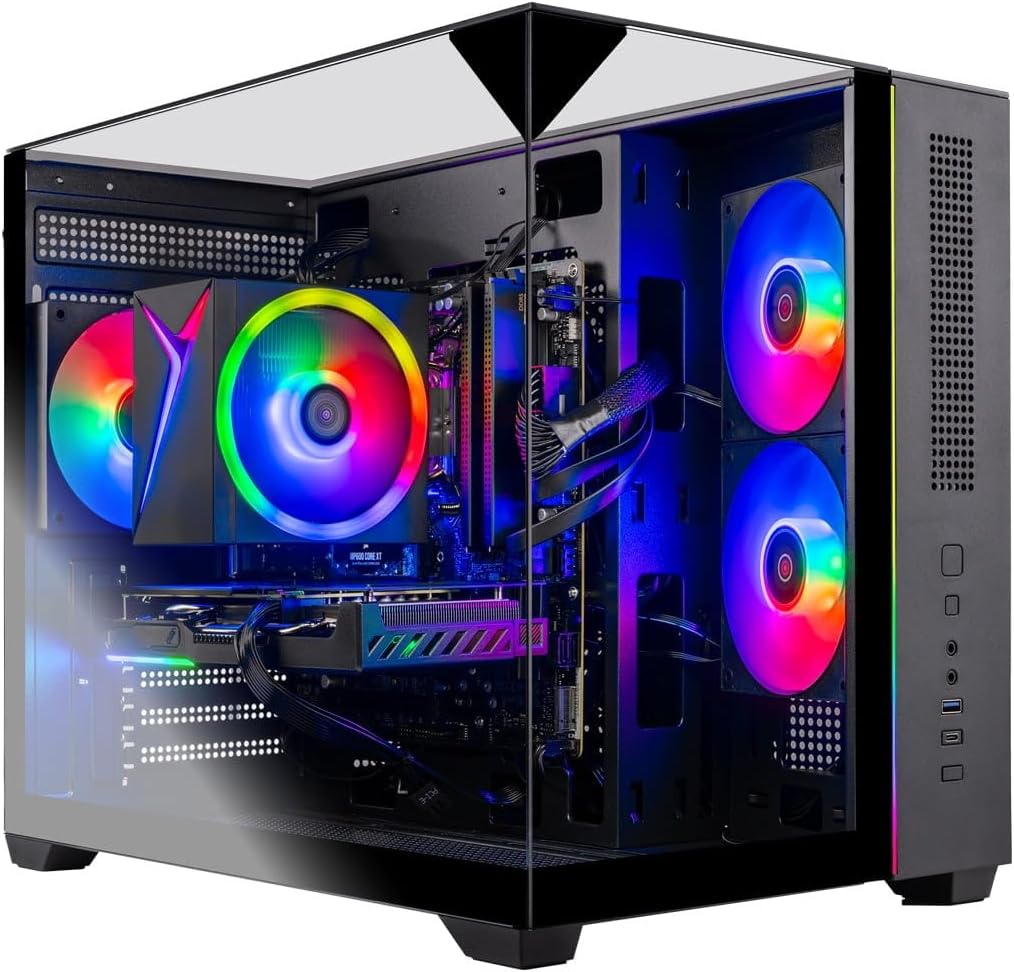
This STGAubron model is an excellent entry point for budget conscious gamers. It offers a Core i7 processor and 16GB RAM at a very accessible price. While the GPU is older the system handles many popular titles well.
We may earn a commission when you buy through this link, at no additional cost to you.
The standout features include the generous RGB lighting and included peripherals. You receive a full keyboard and mouse set out of the box. This makes setup quick and appealing for those starting their gaming journey.
The RX 580 card limits performance in newer AAA titles like Gta 6. It may struggle with ultra settings or high frame rates in demanding scenes. However for 1080p gaming on medium settings it remains functional.
For casual gamers or those needing a secondary PC this system offers value. It is ideal for eSports titles and older games where high end specs are less critical. Upgrade paths exist but the GPU is the main bottleneck.
Peripherals and WiFi 6 ensure you can start playing right away.
Six RGB fans allow for a vibrant and personalized setup look.
We may earn a commission when you buy through this link, at no additional cost to you.
The msi Codex R2 is a high end desktop designed for serious performance. Equipped with an RTX 5070 and DDR5 RAM it targets 1440p and 4K gaming. This machine delivers premium visuals and smooth gameplay for future titles.
We may earn a commission when you buy through this link, at no additional cost to you.
Its main advantage is the powerful GPU which supports advanced rendering features. The 32GB of DDR5 ensures fast data throughput for demanding applications. MSI Center software gives you deep control over system settings easily.
The higher cost reflects the premium components and build quality. Some users report mixed experiences so review feedback carefully before buying. Cooling is efficient with four fans to maintain performance under load.
If budget is flexible and you want top tier features this is a great pick. It handles VR and high refresh rates effortlessly. This rig is best for enthusiasts seeking the best possible experience today.
DLSS 4 and Ray Tracing support enable next level visual fidelity.
WiFi 6E reduces latency for competitive online gaming sessions.
We may earn a commission when you buy through this link, at no additional cost to you.
KOTIN delivers a solid mid-range system with modern components. The Ryzen 7 8700F and RTX 5060 Ti handle 1440p gaming smoothly. It includes DDR5 RAM and Gen4 NVMe storage for fast load times.
We may earn a commission when you buy through this link, at no additional cost to you.
The build quality focuses on airflow with six copper pipes and ARGB fans. This keeps temperatures low during long sessions. The Gold PSU ensures efficient power delivery and system stability.
One consideration is the 16GB RAM limit which might need upgrades later. Also ensure you connect monitors to the GPU ports not motherboard. These minor points do not detract from its overall value.
This PC is ideal for gamers wanting current tech at a fair price. It supports future upgrades easily. We recommend it for those prioritizing speed and thermal performance in a clean build.
DDR5 RAM provides faster bandwidth for seamless multitasking.
Advanced cooling ensures consistent performance during marathon sessions.
We may earn a commission when you buy through this link, at no additional cost to you.
This Skytech system combines a Ryzen 7 7700 with 32GB of DDR5 RAM. It is built for smooth gaming and content creation. The RTX 5060 Ti ensures good performance in modern titles.
We may earn a commission when you buy through this link, at no additional cost to you.
The triple tempered glass case offers a premium look and feel. With no bloatware you get a clean Windows experience out of the box. Cooling is handled by efficient fans and air flow.
The GPU limits absolute top tier performance but handles 1080p and 1440p well. The 32GB RAM is a significant plus for heavy multitaskers. Just handle the glass with care during shipping or moves.
It is a strong choice for those wanting balance between aesthetics and power. The upgrade path is clear if you need more GPU power later. We suggest it for gamers who value high memory capacity.
No pre installed junk apps means more resources for your games.
Tempered glass panels showcase the internal RGB components beautifully.
We may earn a commission when you buy through this link, at no additional cost to you.
The CyberPowerPC model features the latest Intel Core i5 processor. It delivers reliable performance for gaming and productivity. The RTX 5060 provides a good baseline for modern game requirements.
We may earn a commission when you buy through this link, at no additional cost to you.
With 16GB of DDR5 RAM you benefit from fast memory speeds. The PCIe 4.0 SSD ensures quick boot times and load speeds. RGB lighting adds a nice custom touch to your desk.
While 16GB RAM is standard it might need upgrade for heavy streaming. The GPU is capable but not top tier for high resolution gaming. Still it offers a strong value for the price.
This is a good pick for those preferring Intel platforms. It balances performance and cost effectively. We recommend it for gamers needing a dependable system for 1080p gaming.
The 14th Gen i5 provides excellent efficiency and speed.
Multiple USB ports ensure easy connection for all peripherals.
We may earn a commission when you buy through this link, at no additional cost to you.
This STGAubron system focuses on strong raw performance with legacy parts. The RTX 3070 is still a very capable card for high settings. Paired with 32GB RAM it handles multitasking with ease.
We may earn a commission when you buy through this link, at no additional cost to you.
The Core i7 CPU provides solid processing power for demanding apps. It runs many popular titles smoothly and supports streaming well. The included keyboard and mouse add to its ready to use appeal.
The GPU is older than newer models so it lacks some modern features. But its raw power remains competitive in its class. Consider this if you find a deal on high memory systems.
It is best for gamers wanting high memory and GPU power on a budget. The 32GB RAM is a huge plus. We recommend it for users prioritizing overall system specs over brand new tech.
32GB RAM allows for heavy multitasking and background apps.
RTX 3070 delivers excellent 1440p performance.
We may earn a commission when you buy through this link, at no additional cost to you.
This system offers massive memory and core count for productivity tasks. The 12 core Xeon and 64GB RAM are rare in consumer builds. It excels at rendering and heavy workloads alongside gaming.
We may earn a commission when you buy through this link, at no additional cost to you.
The GTX 1080 Ti provides substantial VRAM but is quite old. It lacks support for modern ray tracing or DLSS features. Still its raw rasterization power is significant for older titles.
Liquid cooling helps maintain stability under high loads. The 11GB VRAM is useful for texture heavy mods. However for Gta 6 the GPU will likely be a bottleneck.
Best for professionals needing high CPU power who also game. It is a unique niche build. We suggest it for those prioritizing CPU performance over cutting edge graphics.
64GB RAM ensures you never run out of resources.
Water cooling keeps the system quiet and efficient.
We may earn a commission when you buy through this link, at no additional cost to you.
SKYESEV offers a budget friendly solution with surprisingly high memory. The 32GB RAM is unusual for this price range. The Ryzen 5 5600 handles daily tasks and light gaming well.
We may earn a commission when you buy through this link, at no additional cost to you.
The RTX 3050 GPU is suitable for 1080p gaming. It supports ray tracing but at lower settings. For streaming and editing the extra RAM helps significantly.
Cooling is handled by ARGB fans keeping the system quiet. It is easy to set up and use right away. This makes it great for first time PC gamers.
It is an excellent choice for casual gamers and streamers. The RAM ensures smooth performance even when multitasking. We recommend it for those needing value and capacity over raw speed.
High RAM allows for smooth streaming and gaming simultaneously.
NVMe SSD ensures quick load times for your library.
We may earn a commission when you buy through this link, at no additional cost to you.
This entry level system is designed for casual gamers on a budget. It features a Ryzen 5 5500 and RTX 3050 which handle basic gaming well. It is a complete system ready for immediate use.
We may earn a commission when you buy through this link, at no additional cost to you.
The 16GB RAM and 1TB SSD provide sufficient space for apps. The cooling system keeps noise low during typical use. It supports ray tracing for compatible titles.
GPU performance is limited for high resolution AAA games. It is best for eSports and lighter titles. The low cost makes it accessible for many users.
Ideal for first time PC buyers or secondary setups. It offers essential features without complex setup. We recommend it for those prioritizing ease of use and low cost.
Set up quickly with included OS and standard connectivity.
ARGB cooling ensures the system stays quiet.
We may earn a commission when you buy through this link, at no additional cost to you.
Choosing the right system involves balancing CPU GPU and memory for your needs. Here are the key factors to consider.
The GPU is critical for rendering detailed environments in open world games. Look for recent RTX models to ensure compatibility with ray tracing and DLSS features.
Prioritize a card with at least 8GB VRAM for future proofing high resolution textures.
A fast CPU prevents bottlenecks in physics and AI calculations. Aim for six or more cores for smooth performance.
Modern Ryzen 7 or Intel Core i5/i7 processors provide strong multi-core power.
Memory ensures smooth multitasking between the game and other apps. 16GB is standard but 32GB is better for heavy usage.
Higher capacities prevent slowdowns during background recording or streaming.
Fast storage reduces load times in large open worlds. An NVMe SSD is essential for quick access.
Look for at least 1TB to store multiple large titles without clutter.
Heat management affects long term stability and noise levels. Efficient cooling allows sustained high performance.
Check for multiple fans and quality coolers before buying to ensure longevity.
Modern ports and wireless options ensure your peripherals work seamlessly. Look for USB 3.2 and WiFi 6.
Bluetooth allows easy pairing for controllers and audio devices.
A solid warranty protects your investment against defects. Look for at least one year of coverage.
Manufacturer support availability is key for quick resolution of hardware issues.
Connect your monitor to the dedicated graphics card ports instead of motherboard headers for best performance. Use high speed HDMI or DisplayPort cables to support high refresh rates.
Keep the system in a well ventilated area to allow airflow. Dust the fans regularly with compressed air to prevent overheating and noise.
Update drivers through official software tools for optimal performance. Adjust graphics settings in game to balance visual quality with your desired frame rate.
The STGAubron Gaming PC with RX 580 offers a great entry point. While it may not handle high settings perfectly it provides value for casual players. It is ideal for those on a tight budget.
16GB is the minimum standard for modern gaming. However 32GB is recommended for smooth multitasking. It prevents stuttering when streaming or running background apps.
High end models like the msi Codex R2 can handle 4K. Most mid tier systems are optimized for 1080p or 1440p. Check GPU specs for specific resolution support.
Most systems come with Windows 11 pre-installed. Drivers usually install automatically via updates. Some come with pre-installed tools for RGB and performance tuning.
AMD Ryzen 7 or Intel Core i7 processors are ideal. They offer multiple cores for encoding while gaming. High thread counts ensure smooth streams without lag.
Check if your power supply has enough wattage. Verify physical space inside the case for new cards. Most standard towers allow easy replacement of components.
Models with RTX 5060 or better support VR gaming. They offer enough power for headsets without stuttering. Check specific port availability for your VR device.
We covered ten systems ranging from budget to premium builds. Each offers different trade-offs in power and cost. Your ideal choice depends on your resolution and budget needs.
Prioritize the GPU and RAM for the best experience. These components have the biggest impact on frame rates. Ensure cooling and storage match your long term goals.
Prices change frequently so verify current listings before purchase. Use our comparison to find the right fit for your needs. Enjoy smooth gameplay with the right system.