
MINISFORUM DEG1 Docking Station
4.5Editor score
Compact 14 cm portable design
OCuLink 4i high-speed interface
Force power-on startup function
This comprehensive guide compares the top ten eGPU docks for laptops and mini PCs, evaluating connectivity, compatibility, cooling, and performance to help you
eGPU docks transform limited laptop graphics into desktop-level power, enabling smooth gaming and heavy creative workloads. Choosing the right enclosure ensures stable connections and efficient thermal management for your specific hardware needs.
We evaluated ten leading eGPU docks based on bandwidth speed, connector type, power supply flexibility, and overall build quality. Our analysis focuses on real-world usability for both gaming enthusiasts and professional creators seeking maximum performance.
Each pick below highlights key strengths and potential trade-offs to guide your decision-making process. Remember that product availability and specifications can change over time, so verify details before purchasing to ensure compatibility with your setup.
4.5Editor score

4.4Editor score

4.8Editor score
This table provides a side-by-side technical comparison of all ten selected eGPU docks, highlighting critical specifications like interface speed, power support, and unique features to aid quick selection.


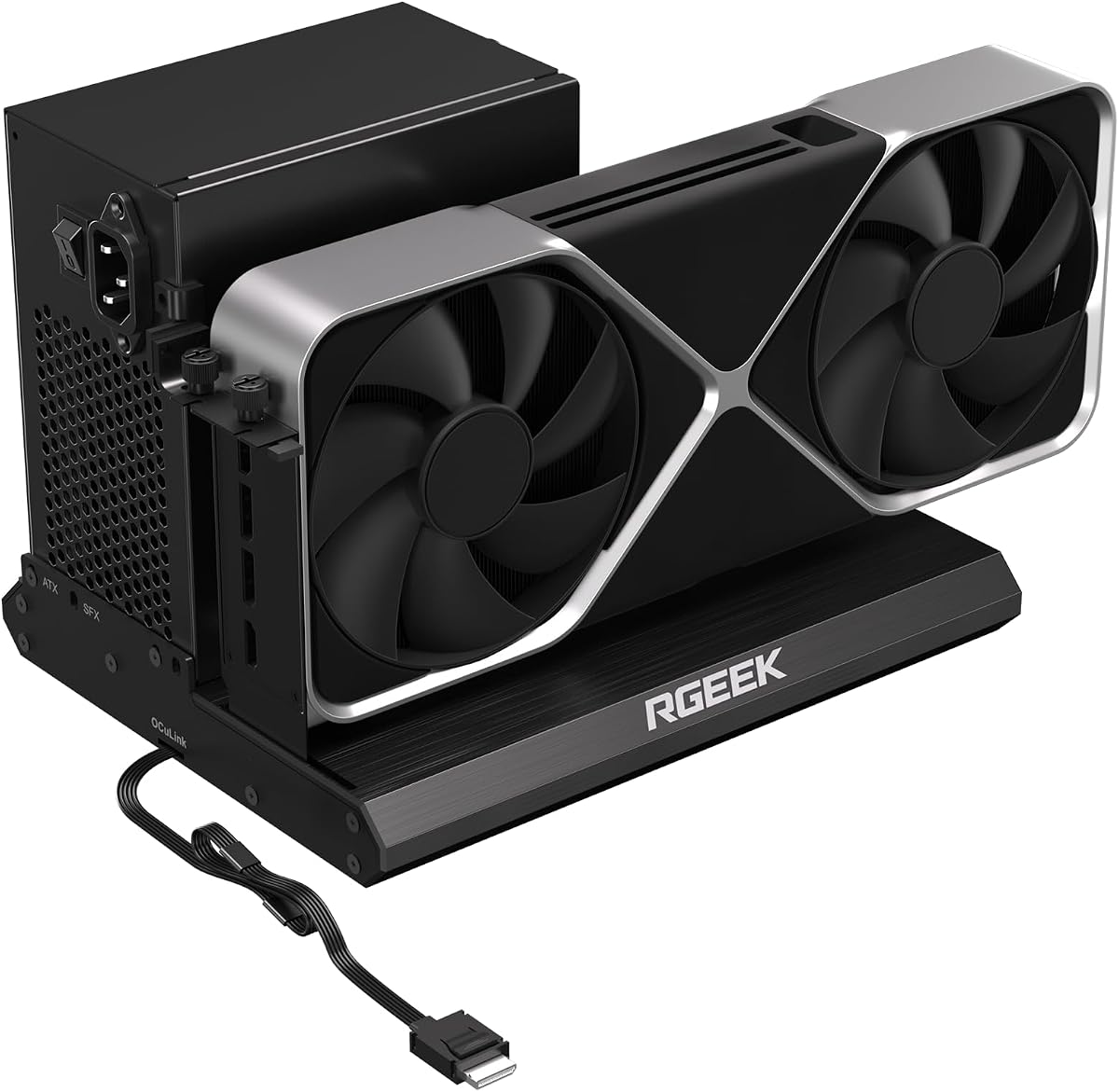
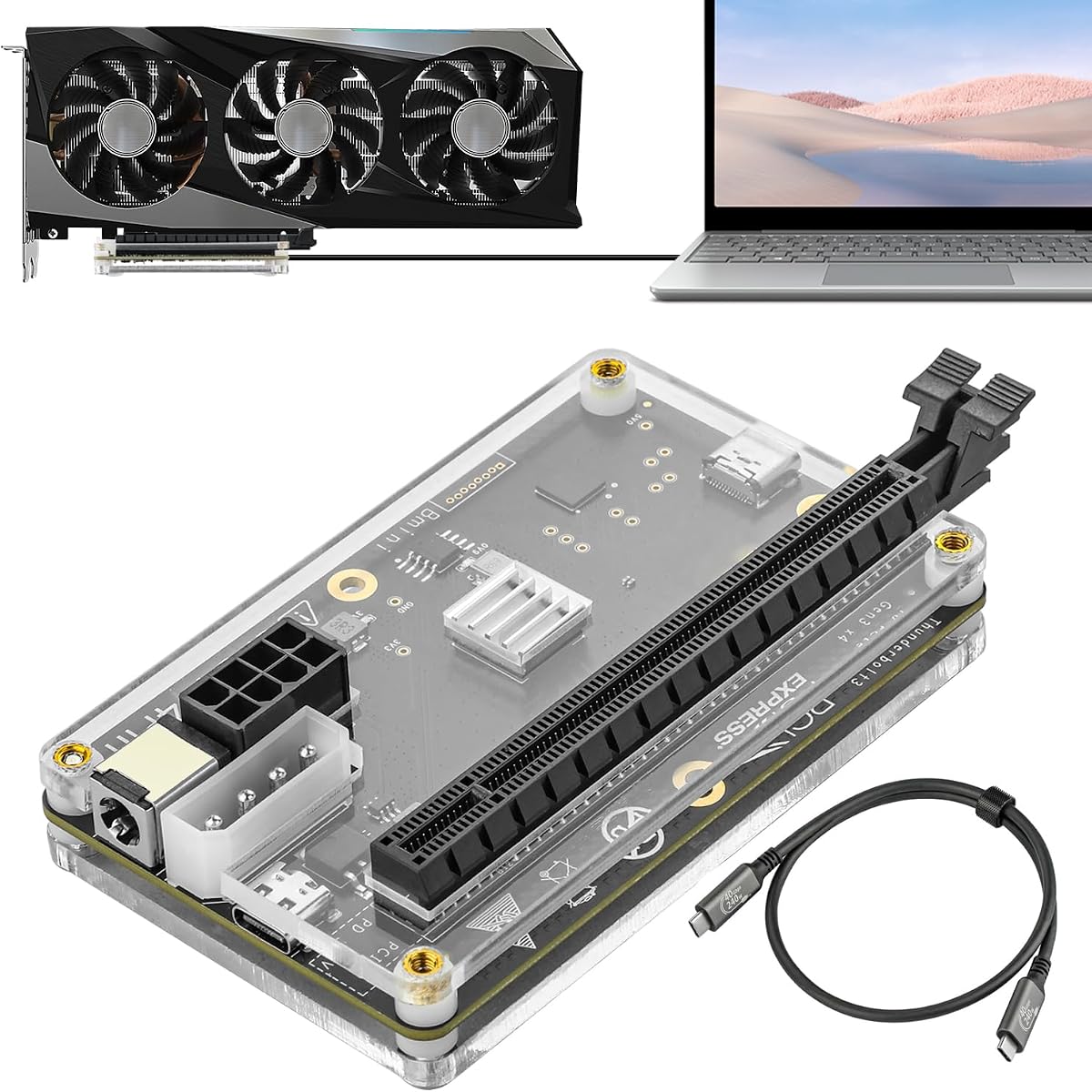


This dock stands out as a top contender for hybrid setups needing both universal compatibility and raw speed. It supports the latest Thunderbolt 5 standards alongside OCuLink, offering flexibility unmatched by most competitors in the market today.
We may earn a commission when you buy through this link, at no additional cost to you.
The standout feature is the dual-link capability allowing users to toggle between modes easily without swapping cables. Additionally, the integrated M.2 NVMe slot provides direct storage access for AI models and large project files, streamlining workflows significantly.
While the unit offers excellent performance, it requires users to source their own power supply and graphics card, adding to the total setup cost. The signal booster is effective but does not eliminate all latency issues inherent to external GPU connections.
Ideal for professionals and power users who need a versatile bridge between mobile and desktop computing. Its ability to synchronize with host devices makes it a robust choice for those seeking high performance without sacrificing convenience.
The ability to switch between USB4 V2 and OCuLink means you can use the dock with a wider range of devices without needing multiple enclosures.
Storing heavy assets locally on the dock allows for faster access times when switching between host machines, keeping your workflow seamless and efficient.
We may earn a commission when you buy through this link, at no additional cost to you.
For those prioritizing portability and cost, this miniature dock delivers impressive performance in a tiny form factor. It fits easily in a backpack, making it ideal for users who need to upgrade laptop performance on the go.
We may earn a commission when you buy through this link, at no additional cost to you.
The OCuLink 4i interface ensures high-speed data transfer rates comparable to Thunderbolt without the overhead. The force power-on function simplifies the startup process, automatically triggering the dock when the host system boots up.
Users must note that hot plugging is not supported, requiring a full shutdown before connecting or disconnecting the cable. This limitation is a trade-off for the compact design and cost-effective construction compared to larger enclosures.
This dock is perfect for travelers and students who need a reliable graphics boost without carrying bulky equipment. Its compatibility with standard power supplies ensures you can find replacements easily if needed.
At just 14 centimeters in length, this dock is small enough to carry in a standard handbag, offering desktop power wherever you travel.
High-quality amplifier chips are built-in to ensure stable signal transmission, reducing the risk of connection drops during intensive gaming sessions.
We may earn a commission when you buy through this link, at no additional cost to you.
This premium option combines high-end features with a robust build designed to handle the most demanding graphics cards. Its dual-channel support allows users to choose between maximum bandwidth or universal compatibility depending on their needs.
We may earn a commission when you buy through this link, at no additional cost to you.
The removable top cover is a standout feature, enabling the installation of oversized GPUs up to 370 millimeters long. The semi-open aluminum chassis ensures excellent heat dissipation while maintaining a quiet operation suitable for office environments.
While the cost is higher than basic enclosures, the inclusion of advanced connectivity and superior cooling justifies the investment for power users. The 100W power delivery ensures your laptop stays charged while connected.
Best suited for professionals and enthusiasts who want a future-proof solution capable of handling next-generation GPUs. Its ability to support various operating systems makes it a versatile hub for mixed-technology environments.
You can choose between near-zero latency via OCuLink or hot-swap convenience with USB4, giving you control over your workflow priorities.
The expandable chassis design removes physical size restrictions, allowing you to install virtually any modern high-end graphics card without adapters.
We may earn a commission when you buy through this link, at no additional cost to you.
The Razer Core X V2 offers a robust enclosure designed for users who need to fit large graphics cards and require reliable power delivery. It supports the latest Thunderbolt 5 standards for ultra-fast bandwidth transfer.
We may earn a commission when you buy through this link, at no additional cost to you.
Tool-free installation allows you to swap graphics cards quickly without needing screwdrivers. The vented steel chassis with an active fan ensures components stay cool even under heavy loads during extended gaming sessions.
Mac users with newer chipsets should note this device does not support eGPUs on those specific machines. The premium price tag reflects the build quality and brand reputation for reliability.
Ideal for gamers and creators using Windows laptops who want a premium aesthetic and reliable performance. Its wide support for different GPU sizes ensures you have room to upgrade in the future.
The 140W power delivery capability ensures even power-hungry GPUs receive sufficient power while charging your laptop efficiently.
A durable steel chassis protects internal components from physical damage while helping to dissipate heat effectively during operation.
We may earn a commission when you buy through this link, at no additional cost to you.
This dock offers a straightforward solution for users needing a reliable connection without extra features. It focuses on delivering stable high-speed data transfer through OCuLink for enhanced performance.
We may earn a commission when you buy through this link, at no additional cost to you.
The inclusion of a flat, flexible cable reduces port damage risks and makes storage easier. Detachable design on both ends improves portability compared to traditional fixed-cable solutions.
Power is supplied only through standard ATX units which may be bulky for some setups. Hot plugging is not supported so you must shut down your system before making changes.
Best for budget-conscious users who already have an ATX power supply. It provides solid performance for gaming and professional graphics processing without unnecessary complexity.
Gold-plated contacts on the PCB reduce oxidation and resistance ensuring long-term reliability for your connection.
LED indicators provide clear real-time status of the device so you can monitor connectivity without checking system settings.
We may earn a commission when you buy through this link, at no additional cost to you.
Designed for enthusiasts looking for maximum potential speed this dock supports PCIe 5.0 bandwidth which doubles the capacity of older models. It ensures your setup is ready for future hardware advancements.
We may earn a commission when you buy through this link, at no additional cost to you.
The full aluminum material enhances heat dissipation and provides a sturdy structure. Factory-soldered cables minimize signal loss by removing unnecessary adapters from the chain.
Achieving full 5.0 speeds requires specific M.2 slots or adapters which may not be available on all laptops. It remains backward compatible with older standards to ensure usability.
This option is perfect for users who want the fastest available connection technology. It is ideal for AI tasks and professional rendering where bandwidth is a critical bottleneck.
Supporting up to 128Gbps ensures that data transfer is never the limiting factor for your GPU performance.
The aluminum casing helps draw heat away from critical components preventing thermal throttling during intense sessions.
We may earn a commission when you buy through this link, at no additional cost to you.
This dock is unique in its ability to support gaming consoles alongside standard laptops. It provides a way to enhance graphics capabilities for systems like the Lenovo Legion Go with a versatile connector.
We may earn a commission when you buy through this link, at no additional cost to you.
The Thunderbolt 4 cable is included ensuring you have what you need for setup. Multiple power input options allow for flexibility if your standard power source is limited.
The slower transfer speed compared to modern OCuLink docks may limit performance for the most demanding tasks. However it remains a strong choice for console users.
Best for gamers who want to expand their console graphics without buying a new device. It offers a cost-effective bridge to desktop-level performance for entertainment.
Compatible with select gaming consoles allowing you to plug a powerful GPU directly into your handheld gaming device.
Choose from CPU, Molex, or PD inputs to match the power sources available at your location.
We may earn a commission when you buy through this link, at no additional cost to you.
Another variation of the popular DEG2 model this dock offers similar dual-mode capabilities with added networking features. It allows seamless switching between Thunderbolt and OCuLink connections.
We may earn a commission when you buy through this link, at no additional cost to you.
The inclusion of a 2.5G LAN port adds direct wired networking capability which is rare in docks. This is useful for gamers needing stable internet without relying on laptop adapters.
While it offers many ports the setup might be complex for non-technical users. It is important to check host compatibility as it does not work with certain mini PCs.
Ideal for users who need a comprehensive hub for storage networking and graphics. It simplifies the desktop setup by combining multiple functions into one enclosure.
Built-in LAN port provides direct Ethernet connection for reliable internet access even when your laptop is sleeping or connected.
Engineered to reduce signal degradation across different cables and host devices ensuring a smoother connection experience.
We may earn a commission when you buy through this link, at no additional cost to you.
This dock focuses on supporting the latest AI and local deployment workloads. It ensures compatibility with new GPU series and provides the necessary bandwidth for inference tasks.
We may earn a commission when you buy through this link, at no additional cost to you.
Using a certified controller module ensures better stability compared to generic alternatives. The 85W power delivery is sufficient for many laptops while keeping the dock size compact.
Care must be taken with power cable connections to avoid automatic power-off protection. Users should ensure they use the correct power sources to prevent issues.
Best for researchers and developers running local models on a laptop. It provides a stable platform for testing and deploying AI projects without needing a full workstation.
Supports local deployment of complex AI models allowing for efficient testing and inference without cloud reliance.
Features like daisy chain ports and USB hubs turn this dock into a central connection point for all your peripherals.
We may earn a commission when you buy through this link, at no additional cost to you.
This variant of the DEG2 offers a comprehensive set of features including storage and networking. It is designed to replace multiple peripherals with a single robust unit.
We may earn a commission when you buy through this link, at no additional cost to you.
The physical toggle allows easy switching between modes without needing software intervention. The M.2 slot helps keep file transfers efficient by allowing storage on the dock.
While feature-rich the price point is higher than basic docks. Users should ensure they utilize the additional features to get the best value from the purchase.
Ideal for power users who need a centralized hub for storage graphics and network. It simplifies the desktop workspace by consolidating connections into one box.
By storing models and assets directly on the dock you reduce transfer times between systems significantly.
Designed to reduce signal loss across diverse cables ensuring a stable connection regardless of your setup.
We may earn a commission when you buy through this link, at no additional cost to you.
Selecting the right eGPU dock requires understanding your hardware needs and connection options. This guide breaks down key factors to help you make an informed decision.
Check if your device supports Thunderbolt, USB4, or OCuLink. Newer models offer higher bandwidth speeds essential for high-end GPUs. Ensure the dock matches your laptop's output port for best performance.
Always verify port types on your laptop before purchasing. A mismatched dock will not function correctly regardless of other features.
Most docks require external power supplies. Look for ones that support ATX or SFX formats depending on your preference for size and noise. Internal power bricks are compact but may limit power options.
Confirming power compatibility helps avoid extra costs. Ensure the dock supports a PSU you can easily replace or upgrade.
Larger GPUs need enclosures with more room. Cooling systems with active fans prevent thermal throttling during intense use. Aluminum chassis help dissipate heat better than plastic.
Measure your GPU size before buying. A well-ventilated dock ensures stable performance over long periods.
Features like extra USB ports, LAN connections, or storage slots add value. These can simplify your desk setup by reducing extra cables. Consider your specific workflow needs.
Prioritize features that you actually use. Unnecessary add-ons may increase cost without improving core performance.
Choose brands with positive reviews and good warranty support. Established manufacturers often provide better driver support and software tools. Reliable brands reduce the risk of connection issues.
Research customer feedback specifically for your laptop model. Community insights can reveal potential compatibility nuances.
Consider docks that support newer standards like PCIe 5.0. This ensures the enclosure remains useful as technology advances. Flexibility in power supply options also adds longevity.
Investing in a versatile dock extends its usable life. Look for modular designs that allow easy upgrades.
Start by connecting the dock to your host via the recommended cable. Ensure the dock is powered on before connecting your laptop to avoid detection issues.
Install necessary drivers provided by the manufacturer. Regularly update firmware to maintain stability and performance. Do not disconnect cables while in active use unless supported.
Keep the dock in a well-ventilated area. Clean dust from fans regularly to prevent overheating. Proper maintenance extends the lifespan of the unit significantly.
Not every laptop supports eGPUs. Generally, laptops with Thunderbolt 3, Thunderbolt 4, or USB4 ports are required. OCuLink requires specific motherboard support. Always check your device specifications before buying.
Support for MacBooks varies significantly. Most modern Macs with Apple Silicon chips do not support eGPUs. Intel-based Macs generally have better compatibility. Check Apple support pages for your specific model.
Most docks do not include power supplies. You usually need to purchase an ATX or SFX power supply separately. This allows flexibility but adds to the total cost.
Hot plugging is not supported on OCuLink docks. Thunderbolt and USB4 docks often support it safely. Always check the manual for specific instructions to avoid connection failures.
Modern NVIDIA RTX 40 series and AMD RX 7000 series cards work well. Ensure the GPU fits physically within the enclosure dimensions. Check power requirements against your chosen PSU.
Connection bandwidth limitations can reduce performance. External cables introduce some latency compared to internal PCIe slots. However high-end docks minimize this difference effectively.
Choosing the right eGPU dock depends heavily on your specific connectivity needs and budget. We highlighted the MINISFORUM DEG2 for dual-link versatility and the UGREEN LinkStation for premium capacity.
Prioritize interface compatibility and power support to avoid setup issues. A dock that matches your laptop's port type will provide the most reliable experience without extra adapters.
Remember to verify current availability and pricing before purchasing. Technology changes quickly so always check recent user feedback for the latest compatibility updates.