
ANQ-L336 Mini eGPU
3.8Editor score
Compact and portable design
Supports ATX or SFX PSU
85W PD charging support
This guide compares the top ten eGPU enclosures for performance compatibility and value helping you choose the right external graphics solution for your needs.
External GPU enclosures unlock desktop level power for laptops and handhelds. They allow you to connect powerful graphics cards via Thunderbolt or USB4 interfaces for gaming and creative work.
We evaluated ten leading models based on bandwidth power supply quality and build design. Each product supports modern GPUs and offers unique features for different workflows and budgets.
Every pick highlights key strengths ideal use cases and limitations. Prices and availability change frequently so please check current listings before making your final purchasing decision today.
3.8Editor score

4.0Editor score
5.0Editor score
The table below provides a quick side-by-side overview of key specifications for each enclosure including bandwidth power support and notable features for easy comparison.


The Razer Core X V2 stands out as a top tier choice for users wanting maximum bandwidth and GPU compatibility. It supports Thunderbolt 5 with 80Gbps speeds ensuring minimal performance loss.
We may earn a commission when you buy through this link, at no additional cost to you.
Its steel chassis and active cooling fan keep high end GPUs running cool under heavy loads. The modular design allows easy swapping of graphics cards without tools.
While the cost is steep the future proof connectivity and robust build justify the investment for serious users. Mac users with M series chips should note incompatibility here.
If you need a reliable powerful enclosure for gaming or rendering this model delivers desktop level performance on laptops with the right ports.
The 80Gbps bandwidth doubles previous generation speeds allowing for smoother 4K gaming and faster data transfers.
Support for up to 4 slot wide cards means you can upgrade to larger GPUs without needing a new enclosure later.
We may earn a commission when you buy through this link, at no additional cost to you.
Sonnet delivers a powerhouse with this enclosure featuring an 850W supply capable of driving even the most power hungry GPUs. It excels for heavy workloads.
We may earn a commission when you buy through this link, at no additional cost to you.
The built-in Thunderbolt 5 dock adds extra USB and Ethernet ports making it a hub for peripherals as well. This saves space on your desk.
Its size is substantial which may not suit mobile users. The high wattage ensures you won't face power limits when upgrading your graphics card later.
Best suited for stationary setups where power and connectivity matter most. Professionals needing GPU acceleration for rendering will appreciate the reliability.
Additional USB and Ethernet ports turn the enclosure into a multi-purpose dock reducing cable clutter around your laptop.
The 850W supply ensures compatibility with upcoming high performance graphics cards without needing a PSU replacement.
We may earn a commission when you buy through this link, at no additional cost to you.
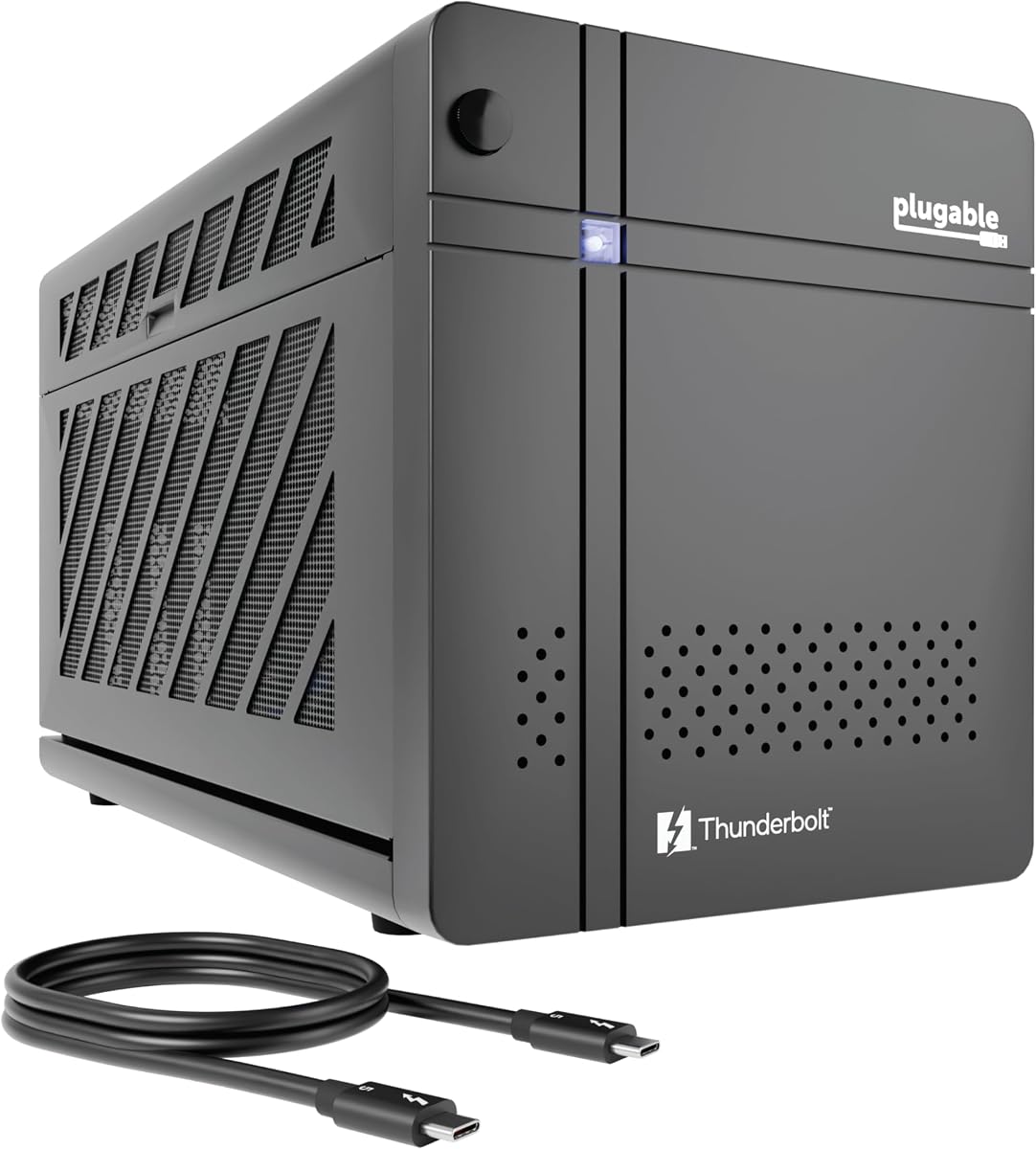
This enclosure is uniquely positioned for users running local AI models like Llama 3 without sending data to the cloud. It supports offline inference securely.
We may earn a commission when you buy through this link, at no additional cost to you.
The 850W Gold rated PSU ensures stable power delivery for intensive AI workloads. It also includes Ethernet and downstream ports for network setups.
Windows 11 is required so Linux or macOS users cannot use this device. The support from Plugable adds value for IT departments deploying multiple units.
Ideal for privacy conscious developers or researchers needing dedicated compute. The speed and security features make it a standout for specific AI tasks.
Running models locally keeps sensitive data within your network eliminating cloud risks and subscription fees.
Lifetime support and TAA compliance make this suitable for government or corporate IT deployments with strict standards.
We may earn a commission when you buy through this link, at no additional cost to you.
This kit comes with everything you need including a power supply and carrying case making setup incredibly simple. It targets portable users primarily.
We may earn a commission when you buy through this link, at no additional cost to you.
The aluminum shell is durable yet light enough to toss in a bag. It supports laptops with Thunderbolt 3 or 4 and USB4 interfaces easily.
The 240W PSU limits GPU choices to lower power cards. If you plan to use a high end desktop GPU this enclosure may not be enough.
Perfect for casual gaming or light creative work on the go. The included case adds value and protects the unit during travel.
No need to source a separate power supply since it comes included in the box ready for immediate connection.
The lightweight chassis and included case make it ideal for students or professionals moving between locations frequently.
We may earn a commission when you buy through this link, at no additional cost to you.
This Mini eGPU offers a cost effective way to add graphics power to your setup. It works with various power supply types giving flexibility.
We may earn a commission when you buy through this link, at no additional cost to you.
The 85W PD charging lets you power compatible handhelds like ROG Ally X directly. Mac users can also use this model unlike others.
Some users report needing driver tweaks for optimal performance. The budget friendly price means trade offs in finish compared to premium brands.
Great for those on a tight budget who want basic eGPU functionality. It opens up GPU acceleration without a huge financial commitment.
You can use existing ATX SFX or Flex power supplies from old PCs to save money on additional hardware.
Optimized for devices like ROG Ally X allowing 30W Turbo Mode pass-through for enhanced gaming performance.
We may earn a commission when you buy through this link, at no additional cost to you.
This enclosure provides good connectivity with two Thunderbolt ports for pass-through. It supports display output via DP for direct monitor connection.
We may earn a commission when you buy through this link, at no additional cost to you.
An interesting feature is AI support on Macs using AMD cards though this is niche and intended for development. It extends Mac utility.
Users should be ready for some setup effort to get everything working smoothly. The mid price range reflects average build quality.
Good for users needing multiple ports and display outputs. Developers interested in AI on Mac might find this particularly useful.
Two Thunderbolt ports let you connect the dock and another device simultaneously without extra hubs.
A dedicated DisplayPort ensures reliable video output to external monitors alongside your laptop screen.
We may earn a commission when you buy through this link, at no additional cost to you.
Sonnet has a reputation for reliability and this older model maintains strong performance. It supports both Mac and Windows users well.
We may earn a commission when you buy through this link, at no additional cost to you.
The 750W power supply handles most desktop GPUs easily. Additional USB and Ethernet ports add utility for peripheral connections.
Thunderbolt 3 is slower than newer 4 or 5 versions which limits peak performance. If you have TB3 ports this remains a solid choice.
Ideal for Mac users or those with TB3 laptops. The stability and support make it worth considering if compatibility is key.
Works with most Macs except M series chips offering a viable graphics upgrade path for Intel Macs.
USB and Ethernet ports reduce the need for separate dongles when connecting external devices.
We may earn a commission when you buy through this link, at no additional cost to you.
This compact enclosure targets users looking for basic functionality at a low price. It fits in small bags easily and supports standard OS.
We may earn a commission when you buy through this link, at no additional cost to you.
The included TB3 port and USB A port add some hub utility. It works with laptops having Thunderbolt or USB4 interfaces.
Setup requires checking controller compatibility and drivers. It is not recommended for handheld consoles or beginners needing simplicity.
Best for budget conscious users willing to tinker. It offers a gateway into eGPU use without spending much upfront.
The low price makes it accessible for those testing the waters of external GPU computing without large investment.
Its small size fits easily into laptop bags making it a travel friendly choice for occasional use.
We may earn a commission when you buy through this link, at no additional cost to you.
This dock offers dual link connectivity supporting both USB4 V2 and OCuLink for maximum flexibility. It also includes M.2 storage slots.
We may earn a commission when you buy through this link, at no additional cost to you.
You can store AI models or project files directly on the dock keeping data synced across hosts. Signal boosting improves stability.
OCuLink requires specific laptop support which may limit some users. Otherwise it offers advanced features not found elsewhere.
Great for tech enthusiasts needing storage and speed. It bridges the gap between docking and pure GPU performance modes.
Add M.2 SSDs to the dock for portable storage that moves with your GPU setup.
Switch between docking and pure GPU modes to optimize for bandwidth or convenience as needed.
We may earn a commission when you buy through this link, at no additional cost to you.
This kit provides a straightforward solution with all essentials included. It supports standard Thunderbolt interfaces and includes a carrying case.
We may earn a commission when you buy through this link, at no additional cost to you.
The 240W PSU is suitable for mid range cards. Setup is simple and quick for beginners needing immediate GPU boost.
It lacks advanced features like extra USB ports or high wattage power. Good for casual use but limited for heavy workloads.
Best for students or casual users needing portability. The complete kit approach removes guesswork for first time buyers.
Everything arrives in one box so you can start connecting and using right away.
The included case protects your unit during transport making it ideal for commuting.
We may earn a commission when you buy through this link, at no additional cost to you.
Selecting the right enclosure involves balancing speed power and cost. Consider your laptop ports and GPU needs to find the best match.
Look for Thunderbolt 5 or 4 to ensure you get enough speed. Higher bandwidth reduces performance bottlenecks.
Match the enclosure port to your laptop or handhelds ports to ensure compatibility.
Check the wattage to support your chosen graphics card. Higher end GPUs need more power.
Enclosures with included PSUs simplify setup but you may need to source your own for flexibility.
Verify the enclosure supports the width and length of your card. Some enclosures are compact.
Ensure the PCIe version matches your GPU to avoid performance drops.
Most enclosures work best with Windows 11. Macs have limited support.
Check if Linux or macOS is supported for your intended setup.
Steel chassis offer better cooling and durability than plastic. Active fans help manage heat.
A sturdy case protects the unit during transport for portable use.
Enclosures with extra USB or Ethernet ports add value. Look for downstream ports.
DisplayPort or HDMI outputs may be needed for external monitors.
Prices range widely from budget kits to premium docks. Set your spending limit.
Balance features and cost to get the best value for your needs.
Gaming requires bandwidth and power while AI may need local inference features. Match the enclosure to your workflow.
Portable use favors smaller enclosures with carrying cases.
Connect the GPU to the PCIe slot using the included tools. Secure the power cables properly.
Plug the Thunderbolt cable into your laptop. Install necessary drivers for the enclosure.
Keep vents clear and clean dust regularly to maintain cooling efficiency.
An eGPU enclosure lets you connect a desktop graphics card to your laptop via Thunderbolt. This boosts gaming and rendering performance significantly.
Only laptops with Thunderbolt 3 or 4 or USB4 ports work. Not all laptops have these ports so check first.
Some enclosures support Intel Macs but M series chips do not work well. Check compatibility before buying.
Yes most enclosures sell the card separately. Make sure it fits inside the enclosure size limits.
There is some performance loss due to the connection bandwidth but it is small. Modern Thunderbolt 5 helps reduce this.
Install the GPU card and power cables then connect to your laptop via Thunderbolt. Install drivers and reboot.
We recommend the Razer Core X V2 for overall performance and Sonnet Breakaway Box for power users. Budget buyers can try the ANQ-L336.
Prioritize bandwidth and power supply compatibility when choosing. Match your GPU needs to the enclosure features.
Prices fluctuate so check current listings for the best deals before you buy today.