
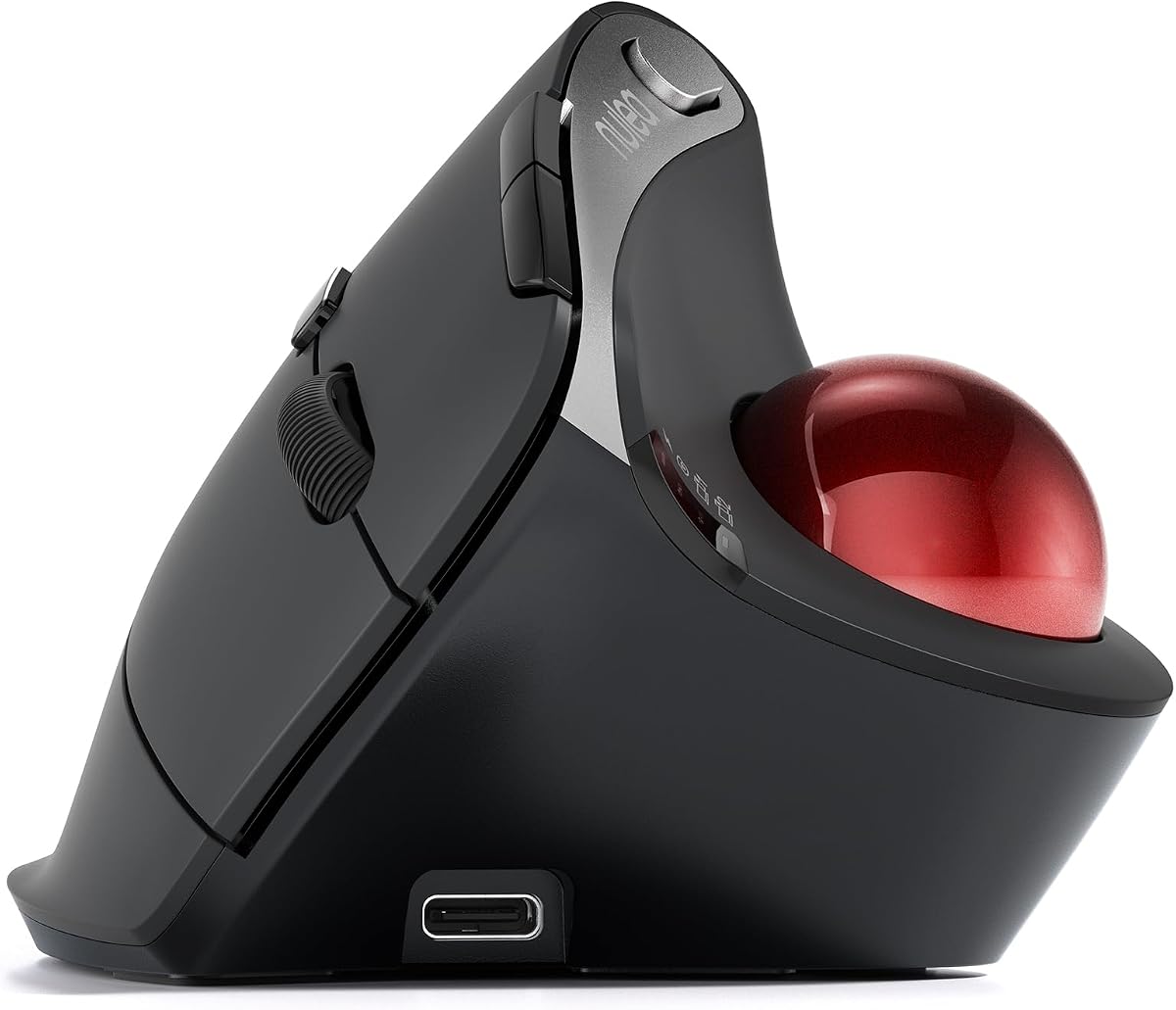
Nulea M501
4.4Editor score
Affordable price point
Rechargeable battery included
Multi-device connectivity support
This guide compares the top ergonomic trackball mice for comfort and productivity, reviewing ten models to help you choose the best device for your workspace
Finding the right input device can transform your daily workflow significantly. Ergonomic trackball mice offer a unique solution for reducing strain during long computing sessions. These devices allow precise cursor control without moving your wrist or arm across a desk.
We evaluated ten leading models based on comfort design, tracking precision, and connectivity options. Our analysis focuses on real-world usability and ergonomic certifications to ensure you find a reliable tool. Each product was assessed for build quality and battery performance metrics.
Each pick highlights specific strengths like wireless freedom or advanced customization features. You will see detailed breakdowns of specs and user feedback to guide your decision. Please note that availability and pricing may change frequently over time.
4.4Editor score
4.5Editor score

4.4Editor score
The following table provides a side-by-side overview of all ten selected trackball mice. It highlights key specifications and design features to help you quickly identify the model that fits your specific workflow requirements.




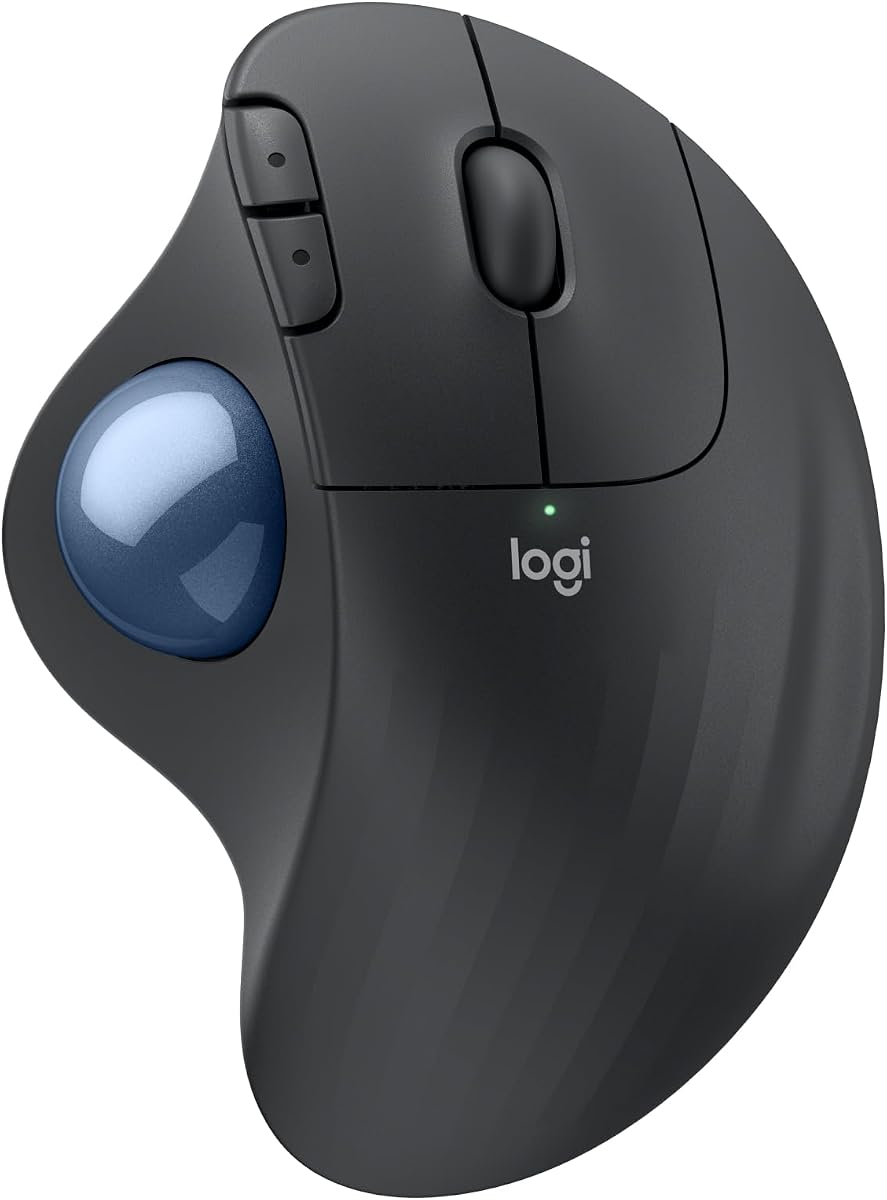
The Logitech Ergo M575S stands out as a top choice for those seeking comfort and precision. With a high rating and expert ergonomic certification it delivers smooth tracking without excessive movement. The thumb-controlled design keeps your forearm in a natural position throughout long work hours.
We may earn a commission when you buy through this link, at no additional cost to you.
Its sculpted shape supports your hand while minimizing strain in the forearm muscles. Users appreciate the quiet clicks which are ideal for shared office environments. The mouse connects via Bluetooth or USB receiver and offers up to eighteen months of battery life with one AA cell.
While the customization requires the Logi Options+ app for full potential the setup remains straightforward. Some users may find the trackball cleaning slightly involved but it is manageable for maintenance. The use of recycled plastic adds an eco-friendly dimension to this robust device.
This model is perfect for professionals who need reliability and comfort without spending premium prices. It balances features and value exceptionally well for daily office tasks. We recommend it for anyone looking to upgrade their input device for better posture.
The design aligns your forearm naturally to reduce strain over time during extended use sessions.
Silent clicks prevent distractions in quiet offices or homes allowing focus on tasks without noise.
We may earn a commission when you buy through this link, at no additional cost to you.
The Nulea M501 offers exceptional value for users seeking an ergonomic trackball without breaking the bank. Its smooth thumb control reduces wrist movement and promotes a natural hand position. The rechargeable battery eliminates the need for constant replacements making it convenient for daily use.
We may earn a commission when you buy through this link, at no additional cost to you.
You can connect to three devices via Bluetooth or USB dongle for seamless switching between work and home. The adjustable DPI levels allow you to tailor sensitivity to your specific needs across different surfaces. The curved shape fits comfortably in the palm reducing fatigue during long sessions.
Keep in mind that the buttons on this model are not programmable which limits advanced customization. Charging requires the included cable and should avoid fast chargers to protect battery health. Despite these minor drawbacks the performance remains strong for the price point.
This mouse is ideal for students or home office workers who want comfort on a budget. It provides the essential ergonomic benefits found in more expensive models. We suggest it as a reliable entry point into trackball usage.
High quality materials and ergonomic features are available at a price accessible to most users.
Built-in battery reduces waste and cost from disposable cells over the lifespan of the device.
We may earn a commission when you buy through this link, at no additional cost to you.
This Logitech model provides a straightforward approach to ergonomic input with strong user satisfaction. The trackball design improves forearm posture and keeps hands relaxed during work. It features a long battery life that ensures minimal interruptions for maintenance or power changes.
We may earn a commission when you buy through this link, at no additional cost to you.
Connectivity is handled through standard wireless options allowing easy pairing with most systems. The ergonomic shape supports natural hand positioning to reduce strain over extended periods. Users often highlight the reliability and consistent tracking performance of this device.
While it lacks advanced programmable features it excels in core functionality and durability. The design is tailored for medium to large hands ensuring a secure grip. Some users may prefer more customization but the simplicity appeals to many office workers.
Ideal for those who want a plug-and-play solution without complex software. It delivers on comfort and precision without unnecessary complications. We recommend it for straightforward daily computing tasks.
Consistent tracking and connection stability make it a dependable choice for routine work needs.
The shaped body supports the hand naturally to reduce discomfort during long usage periods.
We may earn a commission when you buy through this link, at no additional cost to you.
The Logitech MX Ergo S is engineered for advanced users who demand precision and customizable workflows. Its adjustable tilt angle supports better posture reducing muscle strain by a significant margin. The USB-C charging offers fast power-ups making it convenient for daily use.
We may earn a commission when you buy through this link, at no additional cost to you.
Six customizable buttons allow you to create shortcuts and automate common tasks efficiently. The thumb control trackball ensures smooth navigation on any surface with high precision. Silent clicks enhance focus by minimizing noise in shared or quiet spaces.
The premium build comes with a higher cost and larger size that may not suit all desks. It requires a commitment to setup and configuration for maximum benefit. However the comfort and productivity gains justify the investment for power users.
This model suits professionals with medium to large hands seeking top-tier ergonomic support. It combines advanced features with solid build quality for long-term use. We recommend it for those ready to invest in their workflow.
The tilt feature adjusts to your arm angle reducing physical stress during long computing sessions.
Programmable buttons and app integration streamline tasks to save time and effort daily.
We may earn a commission when you buy through this link, at no additional cost to you.
TECKNET offers a compelling vertical trackball that targets users prone to wrist strain. The sixteen degree angle promotes a natural hand position reducing forearm fatigue during work. A rechargeable battery ensures longevity and reduces waste from disposable cells over time.
We may earn a commission when you buy through this link, at no additional cost to you.
You can pair with three devices simultaneously allowing seamless transitions between systems. The silent mechanism ensures quiet operation perfect for libraries or shared offices. Adjustable DPI levels provide flexibility for different tasks and precision requirements.
The larger size is optimized for medium to large hands which may not fit everyone comfortably. Some users may need a week or two to adapt to the vertical orientation fully. Despite this the comfort benefits are often reported to be significant.
Ideal for those seeking a unique ergonomic alternative to standard trackballs. It balances performance and comfort well for extended use. We suggest it for users with specific ergonomic needs.
The tilted design aligns the wrist naturally to reduce pressure during long working hours.
Quiet clicks minimize distractions and allow focus on tasks without auditory interruptions.
We may earn a commission when you buy through this link, at no additional cost to you.
The Nulea M506 features a high rating and unique detachable trackball for easy maintenance. Its vertical structure keeps wrists and forearms in a relaxed position reducing strain over time. The textured palm surface ensures a secure and comfortable grip during usage.
We may earn a commission when you buy through this link, at no additional cost to you.
Connectivity supports up to three devices via Bluetooth or USB allowing flexible workflow options. The trackball can be removed quickly without tools to clear dust and dirt easily. Four DPI levels provide ample control for various tasks from design to browsing.
While the vertical design aids posture some users may need time to adjust. The battery life is solid but charging methods are standard. Overall it offers a strong balance of features and user satisfaction.
This mouse is great for users prioritizing ease of maintenance and ergonomic comfort. It suits office and creative tasks with precision control. We recommend it for those seeking a clean and comfortable input device.
A removable trackball simplifies cleaning to maintain smooth performance and hygiene effortlessly.
The angled shape aligns the wrist to reduce stress and fatigue during daily use.
We may earn a commission when you buy through this link, at no additional cost to you.
This Nulea model stands out with its infinite scroll wheel for effortless navigation. The sixty five degree angle keeps your arm and wrist in a natural relaxed state. Silent control ensures quiet operation perfect for shared spaces or late work.
We may earn a commission when you buy through this link, at no additional cost to you.
Thumb control reduces hand and arm movement minimizing fatigue during long desk hours. The device pairs with multiple systems easily for seamless workflow transitions. It offers a comfortable grip with a sculpted shape for all day use.
While it lacks some advanced customization the scroll feature enhances productivity significantly. The design focuses on core ergonomic needs and quiet performance. Some users may miss programmable buttons but simplicity is a plus for many.
Ideal for readers and researchers who navigate long documents often. It combines comfort with a practical scrolling solution. We recommend it for users needing efficient browsing.
The wheel automatically adjusts speed to let you breeze through long pages without effort.
Silent clicks keep the environment peaceful and allow uninterrupted concentration on work.
We may earn a commission when you buy through this link, at no additional cost to you.
The Nulea Ergonomic Tilt features a dedicated stand to elevate your wrist for comfort. This tilt position fits your palm precisely reducing strain during prolonged sessions. Silent operation ensures you can work without disturbing others in shared environments.
We may earn a commission when you buy through this link, at no additional cost to you.
Connectivity options allow pairing with three devices instantly for a smooth workflow. Four adjustable DPI levels offer flexibility for different tasks and screen sizes. The thumb trackball minimizes hand movement while maintaining precise control.
While the design is ergonomic it lacks advanced software features for deep customization. The tilt stand adds stability but may increase the footprint on your desk. Overall it delivers on core comfort and usability needs.
Ideal for users wanting a slight lift to improve posture without complex gear. It balances affordability with practical ergonomic design. We suggest it for light to moderate trackball users.
The stand elevates the mouse to align your wrist naturally and reduce pressure.
Silent clicks maintain focus and comfort for others in your workspace environment.
We may earn a commission when you buy through this link, at no additional cost to you.
Designed for enterprise use this model supports scale deployment and monitoring. It reduces muscle activity and promotes better forearm posture for employee comfort. The battery lasts up to eighteen months ensuring minimal downtime for IT teams.
We may earn a commission when you buy through this link, at no additional cost to you.
Smooth thumb control allows precise tracking on any surface without hand movement. Customizable shortcuts through Logi Options help streamline daily tasks and workflows. The build includes recycled plastic materials supporting sustainability goals.
While optimized for business it serves general users seeking durability and support. Some features like remote monitoring are not relevant for home users. The comfort and reliability make it a strong choice nonetheless.
Ideal for offices needing ergonomic tools with IT management capabilities. It also suits individuals valuing long-term value and eco-friendly materials. We recommend it for robust daily use.
Remote tools allow easy management across many devices for streamlined IT operations.
Recycled materials reduce environmental impact while maintaining quality and durability.
We may earn a commission when you buy through this link, at no additional cost to you.
This advanced model emphasizes secure connectivity with an encrypted dongle for protection. USB-C charging offers fast power-ups and up to 120 days of use. The tilt angle supports better forearm posture reducing muscle strain by twenty seven percent.
We may earn a commission when you buy through this link, at no additional cost to you.
Six programmable buttons allow enhanced control and time-saving shortcuts for productivity. The soft rubber grip and contoured shape fit medium to large hands well. Silent clicks maintain focus by minimizing noise during operation.
While the price is higher the security features justify it for sensitive work. The large design may not suit small desks but offers stability. Users benefit from reliability and modern charging standards.
Ideal for security-conscious professionals requiring precise and customizable input. It combines comfort with robust data protection. We recommend it for demanding workflows.
Encrypted connections protect your data and reduce risks during wireless usage.
Quick power-ups ensure minimal downtime for continuous work and productivity.
We may earn a commission when you buy through this link, at no additional cost to you.
Selecting the right trackball mouse involves weighing design comfort and feature sets. This section outlines key factors to consider to ensure you pick a device that meets your ergonomic needs.
Look for shapes that support your hand and align your forearm naturally. A good ergonomic mouse reduces strain on muscles and joints during long sessions. Features like tilts or vertical angles can enhance comfort significantly.
Choose a design that fits your hand size and preferred resting position.
Most models offer wireless connections via Bluetooth or a USB receiver. Consider how many devices you need to pair with simultaneously for switching. Wireless freedom is crucial for keeping your desk clean and flexible.
Ensure the connection type matches your system capabilities for stable performance.
Battery duration varies from days to months depending on the model. Rechargeable options reduce waste and cost over time compared to disposable cells. Check charging methods to see if USB-C or standard cables are required.
Prioritize a power solution that aligns with your usage frequency.
Programmable buttons allow you to assign shortcuts and boost productivity. Some models offer app support for deeper customization while others are fixed. Consider how much control you need over macros and actions.
Select a mouse with sufficient buttons for your workflow complexity.
DPI adjustability lets you tailor cursor speed to different tasks and screens. High precision is essential for design or editing work requiring accuracy. Ensure the trackball moves smoothly without lag on your preferred surfaces.
Look for adjustable DPI settings to match your specific usage scenarios.
Build quality affects durability and tactile feel over time. Some brands use recycled plastics to reduce environmental impact. Soft rubber grips can add comfort during extended contact periods.
Choose materials that feel sturdy and comfortable for your hand.
Silent clicks prevent noise distractions in shared workspaces. This feature is beneficial for office or home environments requiring focus. Check if both clicks and trackball movement are quiet.
Opt for quiet models if noise is a concern for you.
Trackballs can accumulate dust which affects performance. Detachable designs make cleaning easier without tools. Regular maintenance ensures smooth operation and longevity of the device.
Consider how easy the model is to clean before buying.
Start by pairing the mouse with your device via Bluetooth or USB receiver. Adjust settings like DPI or tilt to match your comfort preferences using the companion app if available. Allow time to adapt to the thumb control movement for best results.
Keep the trackball and sensor clean to ensure precise cursor movement. Use a soft cloth to wipe the ball and the housing regularly. If the model allows remove the ball to clear dust and dirt from the cage.
Charge or replace batteries as needed to avoid interruptions. Store the mouse in a cool dry place when not in use. Handle the buttons and scroll wheel gently to extend the lifespan.
An ergonomic trackball mouse is an input device that uses a stationary ball to move the cursor. This design keeps your wrist and arm still reducing strain compared to traditional mice. It is ideal for users seeking comfort during long computing sessions.
Trackball mice can help reduce symptoms by minimizing wrist movement. They promote a neutral hand position which lowers pressure on the median nerve. However individual results vary and you should consult a medical professional for advice.
Most models work out of the box without software. However optional apps allow you to customize buttons and settings. Basic functions like scrolling work immediately on any system.
Remove the ball by pressing the release mechanism if supported. Wipe the ball and the inside of the cage with a soft cloth. Replace the ball carefully to ensure smooth rolling.
Yes most trackball mice do not need a desk surface. Since the ball moves inside the housing you can use it on beds or sofas. This makes them versatile for small spaces.
Battery life varies by model from a few days to months. Rechargeable options offer convenience while disposable cells may last longer between changes. Check specs for exact durations before purchasing.
They are less common for fast-paced games but great for strategy titles. The precision and reduced movement help with aiming and control. Gamers with ergonomic needs often prefer them over standard mice.
Most models fit medium to large hands comfortably. Some designs are tailored for larger palms while others are compact. Check dimensions and reviews to ensure a good fit.
The ten models reviewed offer a range of features from budget-friendly to premium options. Each design provides ergonomic benefits to reduce strain and improve posture during work. Your choice depends on specific needs like connectivity battery life or customization.
Prioritize comfort and design that fits your hand size and work style. Features like silent clicks and detachable balls add value for maintenance and focus. Investing in the right mouse pays off in health and productivity gains.
Please check current availability and pricing before making a purchase. Product details may change over time so verify specs on the seller page. We hope this guide helps you find the perfect ergonomic tool.