
DARKROCK 3-Pack 120mm
4.6Editor score
Three fan value pack
Silicone vibration cushions
Simple 3-pin interface
This guide compares the top 10 exhaust fans for PC cooling, evaluating airflow, noise, and durability to help you find the right ventilation solution for your
Choosing the right exhaust fan for PC is crucial for maintaining optimal operating temperatures. A good fan ensures efficient airflow, reducing heat buildup that can throttle performance or shorten component lifespan.
We compared ten highly rated models based on airflow capacity, noise levels, bearing technology, and ease of installation. Each product was evaluated for its specific use cases including standard cases, servers, and mining rigs.
Every pick highlights key specifications and real-world performance traits. Note that product availability and pricing fluctuate frequently, so verify current details before making your final purchase decision today.
4.6Editor score

4.8Editor score

4.5Editor score
The table below presents a side-by-side comparison of all ten selected fans, highlighting their core specifications and unique attributes to help you quickly identify the best fit for your build requirements.




This Easy Cloud fan offers a unique solution for cooling where standard PC power is unavailable. It connects directly to wall outlets and includes a variable speed controller for flexible airflow management.
We may earn a commission when you buy through this link, at no additional cost to you.
It supports 110V to 220V voltages making it useful for global use. The dual ball bearings promise a lifespan of 50,000 hours ensuring reliability for long term server or cabinet cooling.
While it does not use standard PWM headers it compensates with manual control. The noise stays under 41 dB at high speeds balancing performance with acceptable acoustic levels for most rooms.
Ideal for enthusiasts needing simple plug-and-play cooling for routers or cabinets. It offers a practical alternative when building PC headers are inaccessible or insufficient for specific exhaust needs.
The AC plug design removes the need for complex wiring or motherboard connections for immediate cooling solutions.
Dual ball bearings ensure durability while the variable speed allows users to fine tune airflow based on specific thermal demands.
We may earn a commission when you buy through this link, at no additional cost to you.
The be quiet! Pure Wings 3 is engineered for silence and efficiency. It uses optimized blades to reduce noise while maintaining strong airflow performance under demanding configurations.
We may earn a commission when you buy through this link, at no additional cost to you.
Its rifle bearing provides an operating lifetime of 80,000 hours ensuring long term reliability. The fan can run at very low minimum RPM for near silent operation during idle periods.
While it lacks RGB lighting it focuses purely on functional performance. The frame is designed specifically for peak performance on radiators making it ideal for liquid cooling setups.
Buy this if you prioritize quiet operation over flashy visuals. It is a solid choice for office PCs or living room media centers where noise levels matter most.
The frame and blade geometry are tuned to push air through radiator fins efficiently without increasing acoustic noise.
Focusing on performance and silence the design omits unnecessary features to keep costs low and reliability high.
We may earn a commission when you buy through this link, at no additional cost to you.
This 3-pack from DARKROCK provides exceptional value for expanding airflow in larger cases. Each fan operates quietly with only 32.1 dBA noise making them suitable for quiet builds.
We may earn a commission when you buy through this link, at no additional cost to you.
Hydraulic bearings help stabilize rotation reducing vibration noise while extending service life to 30,000 hours. The nine blade design ensures effective cooling at up to 1200 RPM.
Installation is straightforward with standard 3 pin interfaces compatible with most motherboards. Soft silicone cushions absorb vibration to protect your case structure from wear over time.
An excellent choice for budget builders needing multiple exhaust fans. The combination of affordability and quiet performance makes this pack a practical pick for standard PC cases.
Buying three fans at once lowers the cost per unit significantly compared to purchasing individual fans for full case airflow.
Silicone cushions on each corner reduce mechanical vibrations preventing rattling sounds during high speed operation.
We may earn a commission when you buy through this link, at no additional cost to you.
The X1 USB fan targets portable cooling needs for consoles and routers rather than main PC cases. It runs silently at 18dB which is quieter than library silence for noise sensitive users.
We may earn a commission when you buy through this link, at no additional cost to you.
Powered via USB it can connect to power banks or laptops for flexible placement. The 120mm design delivers 55.8 CFM airflow enough to cool devices like PS5 or Xbox effectively.
Shock absorbing pads protect surfaces from scratches while the eco friendly ABS material ensures durability. A 530mm cable allows easy connection without needing additional adapters or hubs.
This is perfect for gamers needing extra cooling for external devices. It is not intended for PC chassis exhaust but excels at targeted spot cooling for electronics.
The USB power source allows placement anywhere without worrying about wall outlets or motherboard headers.
Operating at just 18dB it provides effective cooling without adding noticeable background noise to your environment.
We may earn a commission when you buy through this link, at no additional cost to you.
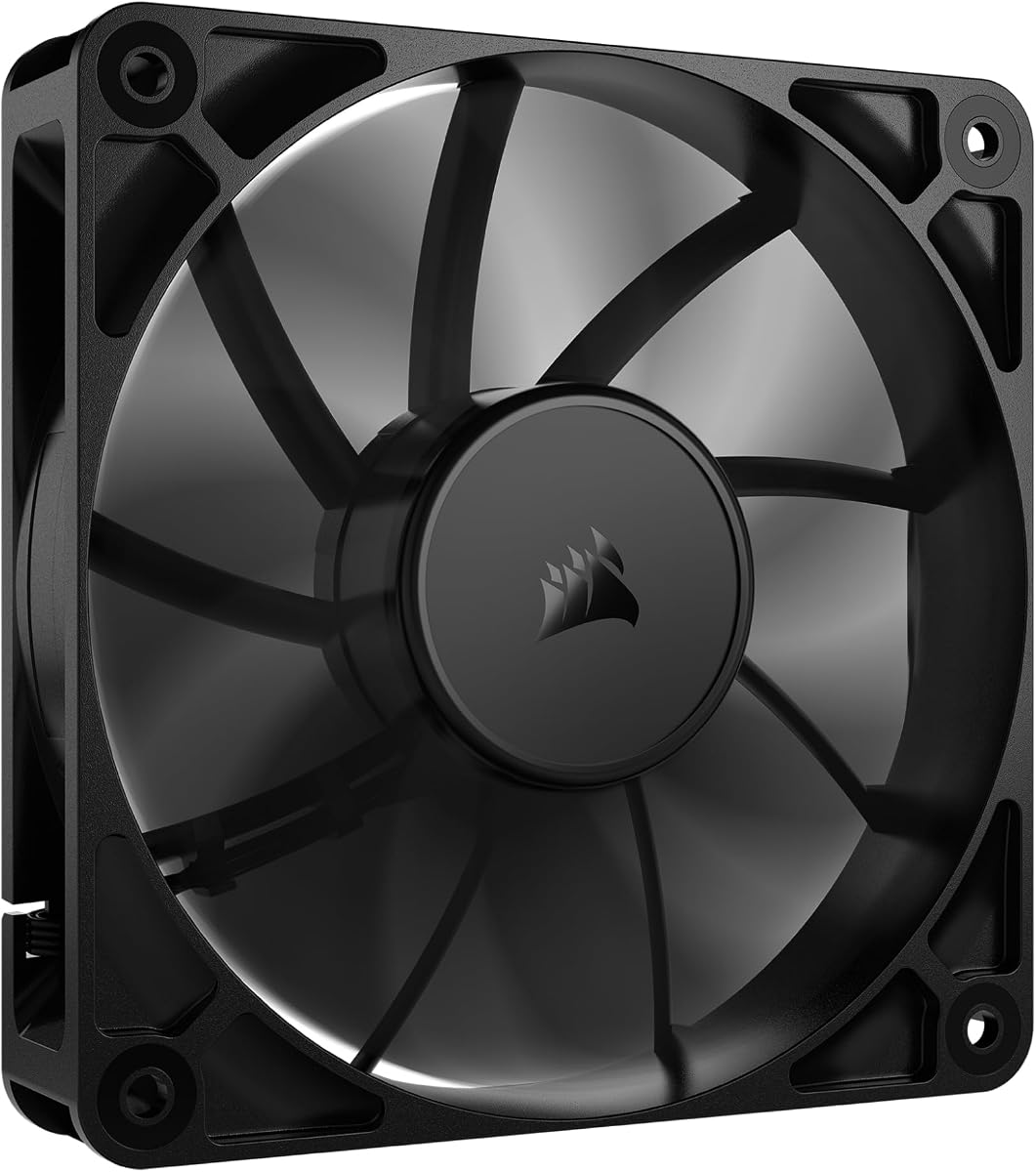
The CORSAIR RS120 features daisy chain connectivity simplifying cable management for multi fan setups. Each fan links to the next requiring only one 4 pin PWM connector to control multiple units.
We may earn a commission when you buy through this link, at no additional cost to you.
AirGuide technology uses anti vortex vanes to concentrate airflow on hot components like radiators. With 72.8 CFM airflow it pushes air through obstructions effectively ensuring targeted cooling where needed.
Magnetic dome bearings minimize friction and noise extending longevity and improving smooth operation. The design is ideal for radiator mounting where static pressure matters more than raw airflow.
Choose this for clean builds needing efficient radiator cooling. The daisy chain feature saves ports and reduces clutter making installation simpler for complex liquid cooling loops.
Fans connect in a series allowing control through a single motherboard header reducing cable congestion and simplifying setup.
High static pressure ensures the fan can push air through radiator fins and restricted case areas effectively.
We may earn a commission when you buy through this link, at no additional cost to you.
This 5 pack from Thermalright provides enough fans to fill a full case. Each unit supports ARGB lighting with 17 modes allowing full customization to match your system aesthetic.
We may earn a commission when you buy through this link, at no additional cost to you.
S-FDB bearings ensure stability and low noise while delivering up to 66.17 CFM airflow. The 4 pin PWM cable supports automatic speed control based on motherboard temperature readings.
The high brightness LEDs reflect well off blades creating a soft diffused light effect. It is ideal for cases needing both cooling capacity and visual flair for streaming setups.
Perfect for builders wanting full case coverage without buying individually. The inclusion of ARGB support adds value for those prioritizing aesthetics alongside performance.
Lighting can be synchronized via motherboard headers ensuring a cohesive visual experience across all five fans.
Purchasing a five pack reduces cost significantly compared to buying individual RGB fans for full case airflow needs.
We may earn a commission when you buy through this link, at no additional cost to you.
The Kingwin 80mm fan is designed for compact spaces or specific mining rig setups. It focuses on silent operation while delivering maximum airflow for its smaller size constraints.
We may earn a commission when you buy through this link, at no additional cost to you.
Its optimized blade design ensures good ventilation despite the reduced diameter. Long life bearings support consistent cooling and longevity for environments that require constant operation.
While less powerful than 120mm models it fits cases where space is tight. It is a suitable replacement for older systems requiring exact size matches for exhaust ports.
Ideal for small form factor builds or legacy PC cases. It provides reliable cooling where standard larger fans simply cannot fit.
The 80mm size fits older cases and small enclosures where larger fans are impossible to mount.
This fan is specifically built to handle the demands of mining rigs requiring sustained airflow over long periods.
We may earn a commission when you buy through this link, at no additional cost to you.
This redux edition of the Noctua NF-P12 delivers premium quality at a lower cost. It combines pressure optimized blades with a 4-pin PWM connector for precise motherboard speed control.
We may earn a commission when you buy through this link, at no additional cost to you.
Noise levels stay at just 25.1 dB(A) making it one of the quietest options on this list. With a Mean Time To Failure over 150,000 hours you get exceptional durability for any build.
The redux series strips away accessories to save money while keeping core performance intact. It supports automatic speed regulation so it is virtually silent at idle but powerful under load.
Buy this for the best balance of silence and performance. It is a safe investment for users who prioritize reliability and quiet operation above flashy features.
Noctua is renowned for quality ensuring smooth operation and low noise even after years of continuous use.
Blades are designed to maximize static pressure pushing air through radiators and dust filters efficiently.
We may earn a commission when you buy through this link, at no additional cost to you.
The Wathai 12038 is built for maximum airflow and industrial cooling tasks. It runs at 5300 RPM delivering 230 CFM airflow which is exceptionally high for a 120mm unit.
We may earn a commission when you buy through this link, at no additional cost to you.
It is specifically designed for mining rigs and server chassis requiring intense ventilation. Dual ball bearings offer a 67,000 hour lifespan ensuring reliability in demanding environments.
Noise can be high at full speed but you can adjust trigger temperatures in BIOS for intelligent speed regulation. This balances performance with acoustic comfort based on actual thermal needs.
Best for mining operations or hot server rooms where cooling capacity is paramount. It sacrifices quietness for raw cooling power.
With 230 CFM this fan moves significantly more air than standard 120mm case fans.
The dual ball bearings and high RPM motor are built for sustained high load operation typical of mining environments.
We may earn a commission when you buy through this link, at no additional cost to you.
This 3 pack offers a balance of value and performance with ARGB lighting support. Each fan uses S-FDB bearings to maintain stability and low noise at up to 1550 RPM.
We may earn a commission when you buy through this link, at no additional cost to you.
The 66.17 CFM airflow provides excellent case cooling. ARGB lights can be synchronized via motherboard headers for up to 17 different lighting effects.
The 55cm cable length makes installation convenient. It is suitable for cases needing three exhaust fans for balanced airflow without breaking the bank.
Ideal for budget builders wanting RGB and performance. It is a practical choice for adding style and airflow to a mid range gaming PC.
Lighting modes can be controlled and synchronized across all three fans for a unified look.
Purchasing three fans together provides better value than buying individual units for full case coverage.
We may earn a commission when you buy through this link, at no additional cost to you.
Selecting the right exhaust fan requires balancing airflow, noise, size, and features like PWM or ARGB support based on your specific build needs.
Airflow measured in CFM indicates how much air the fan moves. Higher CFM is essential for cases with high heat loads or restricted vents.
Look for higher CFM if you have a high performance CPU or GPU. Lower CFM may suffice for quiet office builds.
Noise levels impact your comfort especially during idle use. Fans below 25 dBA are generally considered silent while others above 35 dBA may be distracting.
Prioritize low dBA ratings for bedroom or office setups. Balance this with airflow needs to avoid overheating.
Fans come in sizes like 80mm 120mm or 140mm. Ensure your case supports the size you choose for proper exhaust placement.
Check mounting holes and clearance before purchasing. 120mm is the standard but 80mm fits older cases.
Bearings determine lifespan and noise. Hydraulic or rifle bearings are quieter and longer lasting than plain sleeve bearings.
Choose high quality bearings for long term reliability. They reduce friction and vibration over time.
PWM fans offer precise speed control via motherboard headers allowing automatic speed changes based on temperature.
DC fans use voltage control which is simpler but less precise. PWM is recommended for modern systems.
ARGB lighting adds visual flair and requires a compatible motherboard header. Decide if lighting matters for your build.
Choose ARGB for gaming rigs. Skip it if you prefer silence or budget priority.
Ensure your exhaust fan is oriented correctly to push hot air out of the case. Check airflow arrows on the fan frame.
Clean dust from blades and filters regularly to maintain performance and reduce noise. Use compressed air for safety.
Secure fans tightly to prevent vibration. Use rubber mounts or screws properly to avoid rattling sounds.
120mm is the standard choice for most cases offering a balance of airflow and noise. 140mm moves more air quietly if your case supports it.
One exhaust fan is usually enough for small cases. Large cases benefit from two fans to ensure effective airflow and heat removal.
PWM offers precise speed control via motherboard headers making it better for modern systems. DC is simpler but less flexible.
Ball and hydraulic bearings last longer than sleeve bearings. They provide durability and quieter operation over years of use.
Yes balancing intake and exhaust fans is key to positive airflow pressure. This helps prevent dust buildup inside your case.
Use compressed air to blow dust from blades while holding the fan still. Avoid spinning it freely to prevent damage to the bearings.
The Noctua NF-P12 redux-1700 PWM stands out for quality and silence while the DARKROCK 3-Pack offers exceptional value for budget builders.
Prioritize airflow and noise levels based on your build environment. Ensure compatibility with your case size and mounting options.
Check current prices and availability before purchasing as these values fluctuate frequently across retailers and vendors today.