
MXZ Gaming PC
3.5Editor score
Ryzen 7 9700X CPU
RTX 4070 Super GPU
16GB DDR5 RAM
This guide compares the best gaming pcs with rtx 4070 featuring top CPUs, RAM, and cooling for 1440p gaming and creative workloads in October 2026.
Finding the right gaming PC means balancing performance, price, and future-proofing for long-term use. A system built around the RTX 4070 offers excellent 1440p frame rates and strong ray tracing capabilities for modern titles without breaking the bank.
We evaluated ten prebuilt desktops based on CPU power, cooling efficiency, storage speed, and build quality. Each model was analyzed for its ability to handle AAA games, streaming, and creative workloads while maintaining stable thermals under load.
Every pick highlights unique strengths like premium chassis design, upgradeability, or specific component choices. Prices and availability shift frequently, so always verify current listings before purchasing to ensure you get the best value today.
3.5Editor score

4.6Editor score

5.0Editor score
The following table breaks down the core specifications of each model to help you quickly compare CPU generations, GPU variants, memory capacity, and storage options across the entire lineup.



This desktop features the Core i7-14700KF paired with the RTX 4070 12GB. It is built for smooth gaming and content creation with 16GB DDR5 and a 1TB SSD.
We may earn a commission when you buy through this link, at no additional cost to you.
The 14th gen CPU offers excellent multi-threaded performance for streaming while gaming. The RTX 4070 delivers solid 1440p performance and supports DLSS for higher frame rates.
It lacks specific details on cooling solutions which may affect noise levels under load. Users should verify thermal performance before purchase to ensure stable operation.
Ideal for users wanting recent Intel performance without premium pricing. It balances work and play effectively for most modern titles and creative apps.
The i7-14700KF handles heavy multitasking and creative workflows with ease, making it suitable for both gaming and productivity.
DDR5 RAM and a 1TB SSD ensure quick load times and responsive system performance across games and applications.
We may earn a commission when you buy through this link, at no additional cost to you.
The MXZ PC brings a 13th Gen i7-13700F and RTX 4070 to a competitive price point. It includes Windows 11 Pro and 6RGB fans for cooling and aesthetics.
We may earn a commission when you buy through this link, at no additional cost to you.
Performance is strong for 1080p and 1440p gaming with the RTX 4070. The 13th Gen i7 provides ample cores for streaming and background tasks without stuttering.
DDR4 RAM is a limitation compared to DDR5 systems but still offers good value. The 700W PSU is sufficient for this configuration and allows some headroom.
Great for gamers seeking reliable mid-range performance with good support. The lifetime tech support adds peace of mind for long-term ownership.
The 13th Gen i7 ensures solid performance for games and apps without the cost of newer generations.
Multiple RGB fans improve airflow and style while maintaining a professional look for home or office setups.
We may earn a commission when you buy through this link, at no additional cost to you.
The King 95 features the RTX 4070 Super for enhanced performance over standard 4070. It uses a Ryzen 7 7700 with fast DDR5 6000 RAM for gaming.
We may earn a commission when you buy through this link, at no additional cost to you.
The Super GPU boosts frame rates and ray tracing performance significantly. DDR5 memory ensures the CPU gets data quickly reducing bottlenecks during intense gaming sessions.
A Gold PSU provides reliable power efficiency and stability. The case design supports good airflow which is key for sustained performance over time.
Perfect for gamers wanting top-tier 1440p performance without going to 4K. It balances speed and efficiency better than most prebuilts.
The RTX 4070 Super offers more CUDA cores and power than the standard 4070 delivering higher FPS in modern games.
DDR5 at 6000MHz ensures minimal latency allowing the system to keep up with fast-paced gaming requirements.
We may earn a commission when you buy through this link, at no additional cost to you.
The MXZ 9700X model pairs a 9000 series Ryzen with RTX 4070 Super. It brings modern architecture and DDR5 to a lower price bracket.
We may earn a commission when you buy through this link, at no additional cost to you.
The 9700X offers efficient performance for gaming and productivity. Combined with the Super GPU it delivers strong 1440p results at a budget-conscious cost.
User ratings suggest quality control or support may vary compared to other brands. Buyers should weigh the hardware value against potential service differences.
Best for budget gamers wanting the latest AMD CPUs. It offers compelling specs for those prioritizing hardware over brand service.
The Ryzen 9000 series provides improved efficiency and performance for modern workloads.
RTX 4070 Super brings top performance for the price enabling high settings at 1440p resolution.
We may earn a commission when you buy through this link, at no additional cost to you.
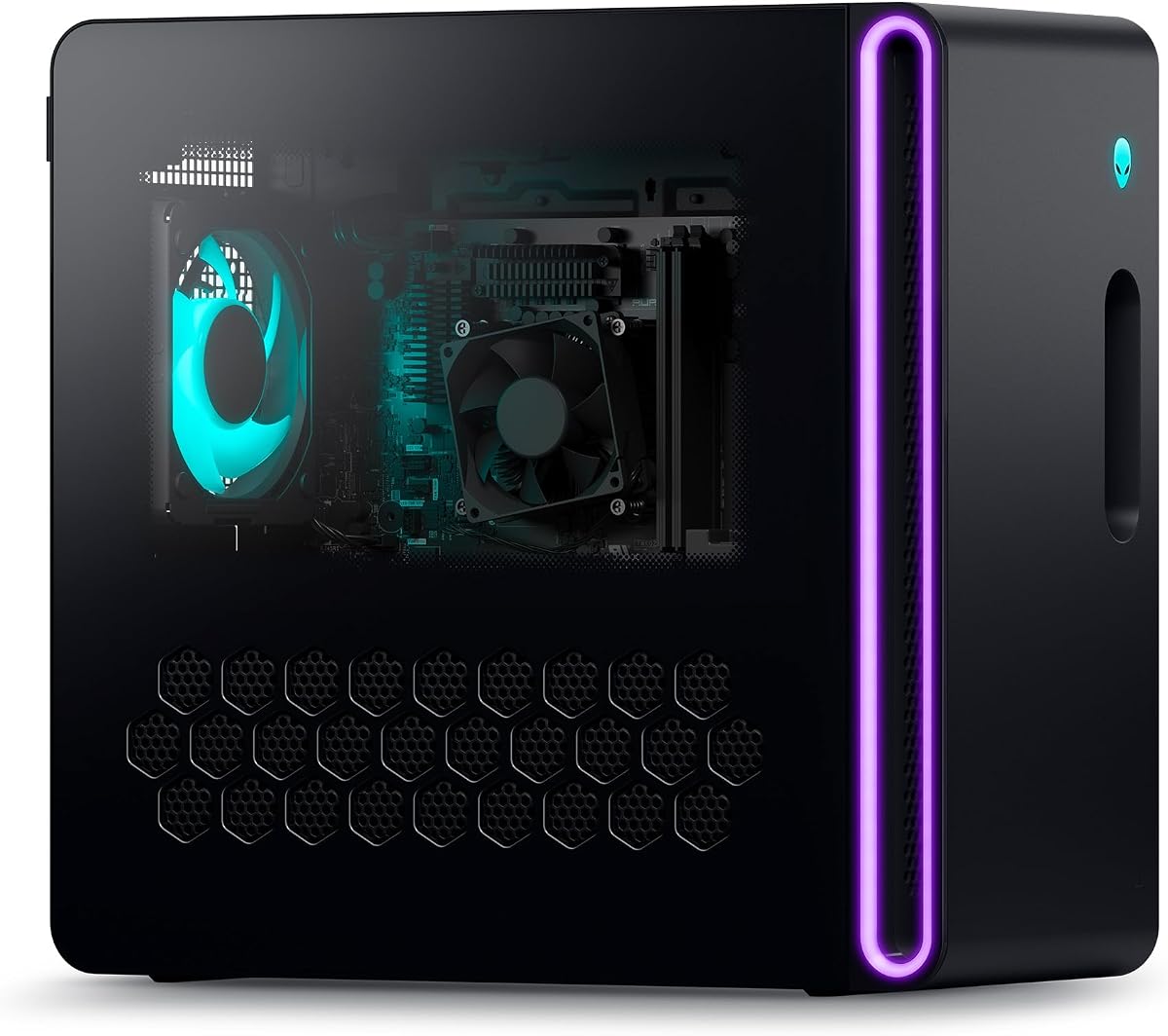
The Alienware Aurora features the RTX 5070 based on Blackwell architecture for next-gen performance. It uses the Ultra 7 265F processor for efficiency.
We may earn a commission when you buy through this link, at no additional cost to you.
Blackwell GPUs offer better ray tracing and AI upscaling features. The chassis design is sleek with customizable lighting zones for aesthetic appeal.
Pricing is high relative to component performance alone. However onsite service ensures quick hardware replacements without shipping hassles for home users.
Ideal for enthusiasts valuing brand support and design. It suits those who prioritize reliable service over raw spec value.
RTX 5070 brings Blackwell architecture for superior performance in modern and future titles.
Onsite service provides convenient hardware support directly at your home or office.
We may earn a commission when you buy through this link, at no additional cost to you.
The Codex Z2 includes 32GB DDR5 and 2TB SSD alongside RTX 5070. It is built for large game libraries and heavy multitasking.
We may earn a commission when you buy through this link, at no additional cost to you.
Ample RAM supports running multiple creative apps while gaming. The 2TB storage removes the need for external drives for most users.
Performance is strong but priced above average for similar specs. The cooling system supports long sessions with ARGB fans.
Best for power users needing large storage and memory. It balances high capacity with next-gen GPU performance.
32GB RAM and 2TB SSD allow seamless multitasking and large game library storage.
Multiple fans and efficient airflow keep thermals low during extended gaming sessions.
We may earn a commission when you buy through this link, at no additional cost to you.
The Codex R2 pairs an i5-14400F with RTX 5070 and 32GB RAM. It offers VR readiness and upgradeable standard components.
We may earn a commission when you buy through this link, at no additional cost to you.
The RTX 5070 provides advanced features like DLSS 4 Multi-Frame Generation. 32GB RAM ensures smooth multitasking for streaming and gaming.
The i5 CPU may limit peak performance compared to i7 or Ryzen 7 options. However it remains capable for most users at 1440p.
Good for users prioritizing GPU over CPU for VR and gaming. It allows future upgrades to improve overall system balance.
VR-ready design ensures compatibility with headsets for immersive experiences.
Standard components allow easy upgrades for storage or memory as needs change.
We may earn a commission when you buy through this link, at no additional cost to you.
The Aegis RS2 AI uses Ultra 7 265K and RTX 4070 Super with liquid cooling. It features AI-powered DLSS 3.5 and USB Type-C.
We may earn a commission when you buy through this link, at no additional cost to you.
Liquid cooling keeps the CPU cool under heavy loads ensuring stable performance. The Ultra 7 processor supports multitasking and productivity better than older models.
DLSS 3.5 uses AI to create frames boosting performance in supported games. The design is sleek and efficient with standardized upgrade parts.
Best for premium buyers seeking top cooling and AI features. It suits those needing maximum performance and stability for creative work.
360mm liquid cooling ensures maximum heat dissipation for stable high-performance operation.
DLSS 3.5 creates additional frames improving visual quality and speed.
We may earn a commission when you buy through this link, at no additional cost to you.
The Aurora R16 includes 32GB DDR5 RAM and RTX 4070 Super. It uses 14-phase voltage regulation for consistent power delivery.
We may earn a commission when you buy through this link, at no additional cost to you.
32GB RAM handles heavy workloads and streaming. The RTX 4070 Super provides high frame rates for modern gaming.
Price is high for the specs provided compared to other brands. The onsite service remains a strong advantage for home users.
Best for users wanting reliable brand support and high RAM. It suits those valuing service over maximum value.
12-phase voltage regulation ensures consistent energy for stable performance.
32GB RAM allows running demanding creative apps without slowdown.
We may earn a commission when you buy through this link, at no additional cost to you.
The iBUYPOWER Y40 pairs 32GB DDR5 with RTX 4070 Super and 2TB SSD. It includes RGB case lighting and gaming accessories.
We may earn a commission when you buy through this link, at no additional cost to you.
32GB RAM supports heavy multitasking and streaming. 2TB storage provides ample room for large game libraries.
The case includes tempered glass and RGB lighting. It offers good value for the storage and memory included.
Best for gamers wanting large storage and RGB style. It balances specs with a budget-friendly design.
2TB NVMe storage holds extensive games and media without external drives.
RGB lighting and tempered glass case provide a modern aesthetic for gaming setups.
We may earn a commission when you buy through this link, at no additional cost to you.
Choosing the right PC involves matching CPU, GPU, and RAM to your needs. This guide breaks down key factors to simplify your decision.
The RTX 4070 family includes standard and Super versions. The Super variant offers higher CUDA cores and performance for better 1440p gaming. Ensure your model specifies the exact GPU to avoid surprises in performance.
Always verify the exact GPU variant and features before purchase.
Intel 14th Gen or Ryzen 9000 series CPUs provide the best efficiency. Older CPUs may bottleneck the GPU in modern titles. Look for models with at least an i7 or Ryzen 7 for balanced performance.
Match CPU generation to your GPU to avoid bottlenecks.
16GB DDR5 is the minimum for smooth gaming. 32GB is better for streaming or creative workloads. DDR5 offers higher speeds than DDR4 improving overall system responsiveness.
Prioritize DDR5 and at least 16GB RAM for future-proofing.
NVMe SSDs are essential for fast load times. Aim for at least 1TB to fit multiple AAA titles. Models with 2TB offer more convenience without needing external drives.
Choose at least 1TB NVMe SSD for adequate game storage.
Liquid cooling provides better thermal management than air cooling. Air cooling is sufficient for most gaming if fans are optimized. Verify airflow design to prevent overheating during long sessions.
Check cooling type and airflow design for thermal stability.
Gold-rated PSUs provide efficiency and reliable power. Minimum 700W is recommended for RTX 4070 systems. Higher wattage allows safe upgrades without replacing the PSU.
Ensure PSU has Gold rating and sufficient wattage.
Onsite service saves time for hardware issues. Standard warranties are typical but premium services offer onsite visits. Check if support includes remote assistance or full onsite visits.
Prioritize systems with onsite support for easier repairs.
Standard components allow easier future upgrades. Proprietary designs may limit RAM or storage upgrades. Choose systems with standardized parts for long-term flexibility.
Select systems with standardized parts for easier future upgrades.
Place your PC in a well-ventilated space to ensure optimal airflow. Avoid enclosing it in cabinets without fans which can cause overheating.
Keep drivers updated via NVIDIA GeForce Experience for the latest performance patches and bug fixes. Updating Windows regularly ensures system stability.
Use MSI Center or Alienware Command Center to manage lighting and fan curves. Adjust settings to balance cooling performance and noise levels.
Yes the RTX 4070 handles 1440p gaming smoothly with high settings. It supports DLSS for higher frame rates and ray tracing effects.
16GB RAM is sufficient for most games. However 32GB is better if you stream or run multiple apps while gaming.
The Super variant has more CUDA cores and slightly higher power. It delivers better performance for a small price increase.
Liquid cooling keeps CPUs cooler and quieter under load. It is ideal for high-performance CPUs but air cooling works well too.
Most standard systems allow GPU upgrades if PSU supports it. Proprietary prebuilts may have physical limitations to consider.
Download NVIDIA GeForce Experience and enable automatic updates. This ensures you always have the latest performance patches.
The Skytech King 95 and msi Aegis RS2 offer top performance. The MXZ budget option provides great value for gamers.
Prioritize DDR5 and SSD storage for future-proofing. A balanced CPU and GPU pair ensures stable gaming without bottlenecks.
Check current prices and availability before purchasing. Deals change frequently so verify listings for the best value today.