
Seagate BarraCuda 8TB
4.7Editor score
High capacity storage
Fast transfer rates
Frustration free packaging
Choosing the right hard drive for RAID 0 is critical for maximizing speed and capacity without redundancy. You need drives that handle high throughput and maintain stability under constant stress to avoid data loss risks.
We evaluated ten top models based on performance specs reliability ratings and user feedback. This list covers enterprise grade NAS drives and desktop options optimized for striping configurations.
Each pick shows key features pros and cons to help you decide. Prices and availability change frequently so verify current details before purchasing to ensure you get the best value today.
4.7Editor score

4.0Editor score

4.6Editor score
As an Amazon Associate we earn from qualifying purchases.
Here is a side by side comparison of all ten drives evaluated in this guide. Use this table to quickly identify capacity RPM cache and warranty details for each model.






This Seagate BarraCuda drive is a strong budget choice for RAID 0 setups where cost matters. It holds 8TB of data and offers a solid 4.7 rating from users who trust its performance.
We may earn a commission when you buy through this link, at no additional cost to you.
Its sustained transfer rate reaches 190MB/s which is good for many desktop tasks. The drive builds on 20 years of innovation making it a safe bet for general storage needs.
While it lacks NAS specific features like vibration sensors it works well in standard cases. You save money compared to enterprise drives while still getting ample space.
Buy this if you need large capacity on a budget and understand RAID 0 risks. It is ideal for gaming PCs or non critical data storage.
The 8TB capacity provides ample room for media and games without breaking the bank.
With a strong user rating this drive delivers consistent speeds for everyday computing tasks.
We may earn a commission when you buy through this link, at no additional cost to you.
The IronWolf Pro 4TB is built for NAS environments but works well in RAID 0 arrays. It has a 4.5 rating and includes Rescue Data Recovery Services for peace of mind.
We may earn a commission when you buy through this link, at no additional cost to you.
It reaches speeds up to 214MB/s and handles 24/7 operation with minimal vibration. This makes it suitable for multi-user setups where reliability is key.
While the capacity is smaller than some others the included services add value. You get extra protection against failure which matters in RAID configurations.
Choose this for small scale NAS projects or when data safety is a priority. It balances performance and protection effectively.
This drive is optimized for multi-bay environments to reduce wear and tear over time.
Included three year data recovery helps mitigate risks associated with critical data storage.
We may earn a commission when you buy through this link, at no additional cost to you.
This 16TB IronWolf Pro drive tops the list for serious RAID 0 needs. It earns the Editor's Choice badge for its consistent performance and enterprise level reliability.
We may earn a commission when you buy through this link, at no additional cost to you.
With All CMR technology you get predictable speeds and endurance for 24/7 workloads. The 550TB/year workload rating ensures it can handle heavy data transfers without stress.
While it comes at a premium price the included Rescue Data Recovery Services offset some risk. You get peace of mind with 2.5 million hours MTBF.
Buy this for professional NAS setups or large media servers. It is the best blend of capacity and dependability for RAID arrays.
Designed for intensive 24/7 operation this drive offers top tier durability for demanding environments.
IronWolf Health Management helps prevent issues before they impact your RAID array performance.
We may earn a commission when you buy through this link, at no additional cost to you.
The WD Red Plus 12TB offers solid performance for NAS based RAID 0 systems. It uses CMR technology and has a 3.9 rating reflecting mixed but generally positive feedback.
We may earn a commission when you buy through this link, at no additional cost to you.
With 512MB cache it handles data bursts efficiently. The NASware firmware ensures compatibility with various enclosures which simplifies setup.
You might see slightly lower ratings due to specific hardware conflicts but it remains a strong choice. It supports up to 180TB/year workload which is robust.
Choose this for small business NAS systems needing large storage. It balances cost and features well for many users.
Specifically tested for NAS systems to ensure optimal performance in multi-bay environments.
Supports up to 180TB/year workload rate for sustained data transfer needs.
We may earn a commission when you buy through this link, at no additional cost to you.
This WD Red Pro 16TB handles high intensity workloads designed for unlimited bays. It shares the 3.9 rating with the 12TB model but offers more space for large arrays.
We may earn a commission when you buy through this link, at no additional cost to you.
The 550TB/year workload rating means it can sustain heavy usage without overheating. Partners with NAS vendors ensure it fits well in most enclosures.
While costs are higher the capacity justifies the investment for professionals. It is built for 24/7 multi-user environments.
Buy this for large server setups requiring vast storage. It delivers reliability where performance matters most.
Designed for NAS systems with unlimited number of bays offering flexible scalability options.
Western Digital partners with NAS vendors to ensure compatibility with most enclosures.
We may earn a commission when you buy through this link, at no additional cost to you.
The WD Ultrastar DC HC580 earns Best Premium for its massive 24TB capacity and 4.6 rating. It is designed for hyperscale environments demanding reliable performance.
We may earn a commission when you buy through this link, at no additional cost to you.
With 7200 RPM and large cache it delivers predictable speeds for server workloads. The 2.5 million hours MTBF ensures it lasts under stress.
Even as a renewed unit it offers enterprise features like CMR for reliability. It is a powerful choice for data centers.
Choose this for critical server applications needing extreme capacity. It provides top tier reliability for demanding needs.
Store vast amounts of data with a class-leading 24TB capacity for big data applications.
Engineered for massive scale-out and high-density data centers to support growth.
We may earn a commission when you buy through this link, at no additional cost to you.
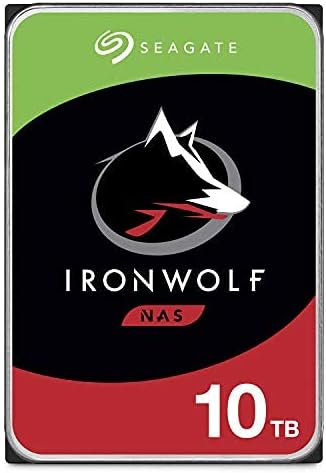
This 10TB IronWolf drive features AgileArray tech optimized for RAID. It holds a strong 4.7 rating for its consistent performance in NAS systems.
We may earn a commission when you buy through this link, at no additional cost to you.
With 256MB cache and 210MB/s speeds it handles multi-user workloads well. RV sensors reduce vibration noise in multi-bay enclosures.
The Rescue Data Recovery Service adds security for important data. It balances cost and features effectively for many users.
Buy this for home or small business NAS RAID. It offers excellent value with strong reliability.
Optimized with AgileArray for RAID to improve balancing and error recovery.
Includes 3-year Rescue Data Recovery Service with high success rate for peace of mind.
We may earn a commission when you buy through this link, at no additional cost to you.
The IronWolf 10TB v2 delivers powerhouse performance for up to 8-bay NAS. It holds a 4.0 rating for solid reliability in multi-user environments.
We may earn a commission when you buy through this link, at no additional cost to you.
With 256MB cache it offers fast file sharing. The integrated Health Management system helps you track drive health easily.
While it is a standard capacity option it provides consistent speed. Three year warranty adds protection for your investment.
Choose this for home NAS requiring large space. It is reliable for everyday storage needs.
Store more and work faster with this NAS-optimized hard drive providing ultra-high capacity.
Easily monitor drive health using the integrated IronWolf Health Management system.
We may earn a commission when you buy through this link, at no additional cost to you.
This IronWolf v3 model focuses on vibration resistance with RV sensors. It holds a 4.6 rating for consistent performance in multi-bay RAID setups.
We may earn a commission when you buy through this link, at no additional cost to you.
It delivers reduced wear and noise compared to standard drives. The 1M hours MTBF ensures long term reliability for 24/7 use.
Three year warranty gives you confidence. It works well in environments with multiple drives spinning.
Buy this for NAS arrays prone to vibration issues. It offers stability and speed.
Rotational vibration sensors deliver top RAID performance in multi-bay environments.
Enjoy long-term reliability with 1M hours MTBF and robust warranty coverage.
We may earn a commission when you buy through this link, at no additional cost to you.
The WD Red Plus 14TB offers quiet operation at 5400 RPM with a 4.5 rating. It uses CMR technology ensuring consistent performance without SMR issues.
We may earn a commission when you buy through this link, at no additional cost to you.
While slower than 7200 RPM models it saves power and reduces heat. Ideal for quiet home offices needing large capacity.
Supports up to 180TB/year workload. NASware firmware ensures compatibility across systems.
Choose this for quiet home NAS. It delivers reliable storage with minimal noise.
5400RPM performance class for quieter and cooler operation in home environments.
Uses CMR technology to ensure reliability and avoid shingling issues found in SMR.
We may earn a commission when you buy through this link, at no additional cost to you.
Selecting the right drives requires balancing capacity speed and reliability to ensure your array performs well.
Consider how much storage you need across your array. RAID 0 combines drives so two 8TB drives make 16TB total.
Choose capacity that fits your budget while leaving room for growth in the future.
Larger cache helps buffer data during transfers improving speed. Look for 256MB or more on modern drives.
Bigger cache reduces latency when handling multiple small files simultaneously.
7200 RPM drives offer faster performance than 5400 RPM. For RAID 0 prioritize higher RPM to maximize throughput.
Higher RPM means quicker read write speeds for demanding applications.
Choose CMR drives over SMR for better RAID compatibility. SMR slows down under heavy writes.
CMR ensures consistent performance and faster rebuilds if you switch to redundancy later.
Look for at least 3 year warranties to protect your investment. Longer terms often indicate better quality.
A good warranty saves costs if a drive fails prematurely.
Check the annual workload rating like 180TB/year or 550TB/year. Higher ratings mean more endurance.
Exceeding workload ratings can reduce drive lifespan over time.
Multi-bay arrays benefit from RV sensors that reduce noise and wear. This is key for RAID setups.
Sensors help maintain stability in enclosed cases with multiple drives.
Some drives include data recovery services which can save critical data. This adds peace of mind for RAID 0.
Recovery services are valuable because RAID 0 has no redundancy built in.
Install your drives securely in the chassis using mounting screws to prevent vibration. Ensure cables are firmly connected to avoid signal loss during operation.
Enable TRIM support if using compatible hardware and keep firmware updated for best performance. Use monitoring tools to track health stats regularly.
Back up critical data externally since RAID 0 offers no redundancy. If one drive fails all data is lost so maintain separate backups.
RAID 0 stripes data across two or more drives to improve speed and capacity. It splits files so each drive handles part of the data simultaneously. This doubles throughput but offers no redundancy if a drive fails.
While NAS drives are optimized for RAID they work with desktop drives too. However, NAS drives have better vibration resistance and reliability for 24/7 use which is safer for arrays.
The Seagate IronWolf Pro 16TB is a top pick for its capacity and reliability. The WD Ultrastar DC HC580 is best for enterprise needs while BarraCuda offers budget options.
Technically yes but it is not recommended. Mixing drives leads to uneven performance and higher failure risks. Use identical models and batches for stability.
RAID 0 is worth it for speed but you must back up data. Modern SSDs can replace RAID 0 but HDDs remain cost-effective for large capacity needs.
Use S.M.A.R.T monitoring tools provided by your OS or RAID controller. Check for reallocated sectors and temperature regularly to catch issues early.
These ten drives offer a range of capacities and price points to fit any RAID 0 needs. Whether you need enterprise grade or budget options there is a pick for every scenario.
Prioritize capacity and reliability over speed alone when selecting. Ensure drives are CMR rated and have good warranty coverage for long term use.
Remember to verify current pricing and stock before purchasing. Prices change often so compare deals carefully to get the best value today.