
Lightning to HDMI Adapter for iPhone
4.4Editor score
1080P HD resolution support
Includes charging port for power
Wide device compatibility range
This guide compares the top HDMI Lightning Adapter for iPhone models, covering compatibility, video quality, charging ports, and app support to help you choose
Finding the right HDMI Lightning Adapter for iPhone can transform your viewing experience significantly. These compact devices allow you to mirror your screen to larger displays effortlessly. Whether you need it for work presentations or home entertainment, choosing a reliable adapter ensures smooth performance and clarity.
We analyzed ten highly rated products based on user feedback, technical specifications, and compatibility features. Our evaluation focuses on MFi certification, resolution support, and additional ports for charging. This comprehensive list helps you navigate the market options to find the best fit for your Apple devices.
Each pick in this guide highlights key strengths and potential limitations for informed decision-making. Product features and availability can change over time as new iOS versions are released. Always verify current compatibility and pricing details directly on the retailer page before making your final purchase decision.
4.4Editor score

4.2Editor score

4.2Editor score
The following table provides a side-by-side overview of the top ten HDMI Lightning Adapter for iPhone models available. It highlights key specifications such as resolution support, charging capabilities, and compatibility to help you quickly identify the best option for your needs.





This HDMI Lightning Adapter for iPhone is a top choice for users seeking reliable screen mirroring. It holds an MFi certification which ensures stable connectivity with your devices. The adapter supports Full HD 1080P resolution making it great for presentations and videos.
We may earn a commission when you buy through this link, at no additional cost to you.
The standout feature is the included Lightning charging port. This allows you to keep your device powered during long sessions. It works seamlessly with a wide range of apps and media content without needing extra software or Wi-Fi setup.
While it performs well, note that HDCP protected apps like Netflix are not supported. This is a standard limitation for many third-party adapters. The compact size makes it easy to carry in your bag for travel or meetings.
It is ideal for business users and home entertainment seekers. If you need a dependable adapter for general screen casting this model delivers excellent value. Check the latest iOS compatibility before buying to ensure smooth performance.
MFi certification guarantees the adapter meets Apple standards for safety and performance reducing connection risks.
The charging port allows simultaneous device charging ensuring your phone never runs out of battery during use.
We may earn a commission when you buy through this link, at no additional cost to you.
This model offers a cost-effective solution for HDMI Lightning Adapter for iPhone needs. It is designed for simplicity allowing users to connect their devices instantly. The MFi certification ensures a secure connection that minimizes dropouts during use.
We may earn a commission when you buy through this link, at no additional cost to you.
It supports mirroring for presentations and casual media viewing. The compact design means it fits easily into small pockets or bags. Users appreciate the plug and play functionality which removes the need for complex driver installations.
The video output is clear at 1080P which is sufficient for most TVs and monitors. However it does not support 4K resolution or USB-C connections. Some users may find the lack of additional ports limiting for peripheral connections.
This adapter is perfect for students and casual users on a budget. It covers essential needs without unnecessary features. Verify your device model compatibility to ensure it works with your iOS version before purchasing.
Designed to be budget friendly this adapter brings reliable HDMI capabilities to a wider audience of iPhone users.
Its small size makes it highly portable ideal for presentations on the go or travel entertainment setups.
We may earn a commission when you buy through this link, at no additional cost to you.
KikoSaka offers a solid option for those seeking an MFi certified adapter. It focuses on essential functionality ensuring reliable screen mirroring. The design is straightforward allowing for quick connections to TVs or projectors without hassle.
We may earn a commission when you buy through this link, at no additional cost to you.
It supports a wide range of iPhone and iPad models from older to newer generations. The seamless experience across devices is a key highlight for users. It works well for displaying photos and videos on larger screens.
Users should note that this version may lack the charging port found in other models. This means you might need a separate power source for long sessions. However for short meetings it remains a reliable choice.
Ideal for users who prioritize brand reliability and simplicity. It is a good fit for basic presentation needs. Always check the product details to confirm if it meets your specific connectivity requirements.
Supports a broad spectrum of Apple devices ensuring longevity and utility across different iPhone and iPad models.
Straightforward design allows for quick plug and play setup suitable for users who want minimal complexity.
We may earn a commission when you buy through this link, at no additional cost to you.
This model features a built-in cable which can be convenient for home setups. The 6.6ft length provides flexibility for placement near a TV or monitor. It maintains the MFi certification ensuring a stable connection with your iPhone.
We may earn a commission when you buy through this link, at no additional cost to you.
The delay free performance is crucial for gaming or live presentations. Users report clear visuals at 1080P resolution. The design is robust and handles daily use well without showing signs of wear quickly.
However the fixed cable limits portability compared to dongle styles. It is not as easy to carry in a small pocket. Also it does not include a separate charging port for your phone.
Best suited for stationary home or office use. If you need a permanent connection point this adapter offers reliability. Ensure your setup can accommodate the cable length before purchasing.
The integrated cable simplifies connections for fixed setups reducing the need for separate HDMI cables.
Built with quality chips to deliver consistent video output with minimal lag or signal drops.
We may earn a commission when you buy through this link, at no additional cost to you.
As an official Apple product this adapter offers the highest assurance of compatibility. It works flawlessly with all Lightning devices without third-party issues. The build quality is robust ensuring longevity with frequent use.
We may earn a commission when you buy through this link, at no additional cost to you.
It supports both video and audio output making it a complete solution for media. The 1080P resolution is crisp and clear for presentations and videos. It is a standard choice for professional environments.
The main drawback is the cost which is higher than third-party options. You also need to buy an HDMI cable separately for the connection. Some users may prefer a single unit with built-in ports.
This is the best choice for those who prioritize quality over price. It is ideal for businesses and professionals needing reliable gear. Ensure you have an HDMI cable ready to use with this adapter.
Apple certified products undergo strict testing ensuring they meet high standards for safety and device compatibility.
Designed for business and home use with consistent performance that supports critical presentations and media.
We may earn a commission when you buy through this link, at no additional cost to you.
This adapter stands out with a strong rating and a generous warranty. It includes a charging port to keep your device powered during use. Support for iOS 17 ensures it works with the latest devices available.
We may earn a commission when you buy through this link, at no additional cost to you.
Users appreciate the balance of features and affordability. The video quality is clear at 1080P making it suitable for most screens. The 5-year warranty offers peace of mind for long-term use.
Note that some users may need to connect external power for stability. It is also labeled with 4K claims but primarily outputs at 1080P. Understanding these limits helps manage expectations during purchase.
It is a great pick for budget conscious buyers needing reliability. The warranty support is a significant plus for this price range. Always check the power requirements to avoid connectivity issues.
The extended warranty provides extra security for users concerned about long-term reliability and support needs.
Compatibility with recent iOS versions ensures the adapter works with newer iPhone models without update issues.
We may earn a commission when you buy through this link, at no additional cost to you.
lulaven provides a reliable adapter with zero lag performance for media. It is designed for quick setup without needing internet or apps. The MFi certification ensures a secure link between your iPhone and the display.
We may earn a commission when you buy through this link, at no additional cost to you.
It supports a wide range of apps including YouTube and local videos. This makes it versatile for both entertainment and educational use. The compact size fits easily in travel bags or pockets.
The output is limited to 1080P which is standard for most needs. It does not support USB-C models so check your device type carefully. This limitation is important for newer iPhone users to note.
Good for users needing a simple plug and play solution. It works well for classrooms and home entertainment. Verify your device model compatibility before ordering to avoid mismatched connections.
Designed for smooth video playback making it suitable for gaming or real-time presentations without delay.
Compatible with popular media apps allowing users to cast various content types easily to their big screen.
We may earn a commission when you buy through this link, at no additional cost to you.
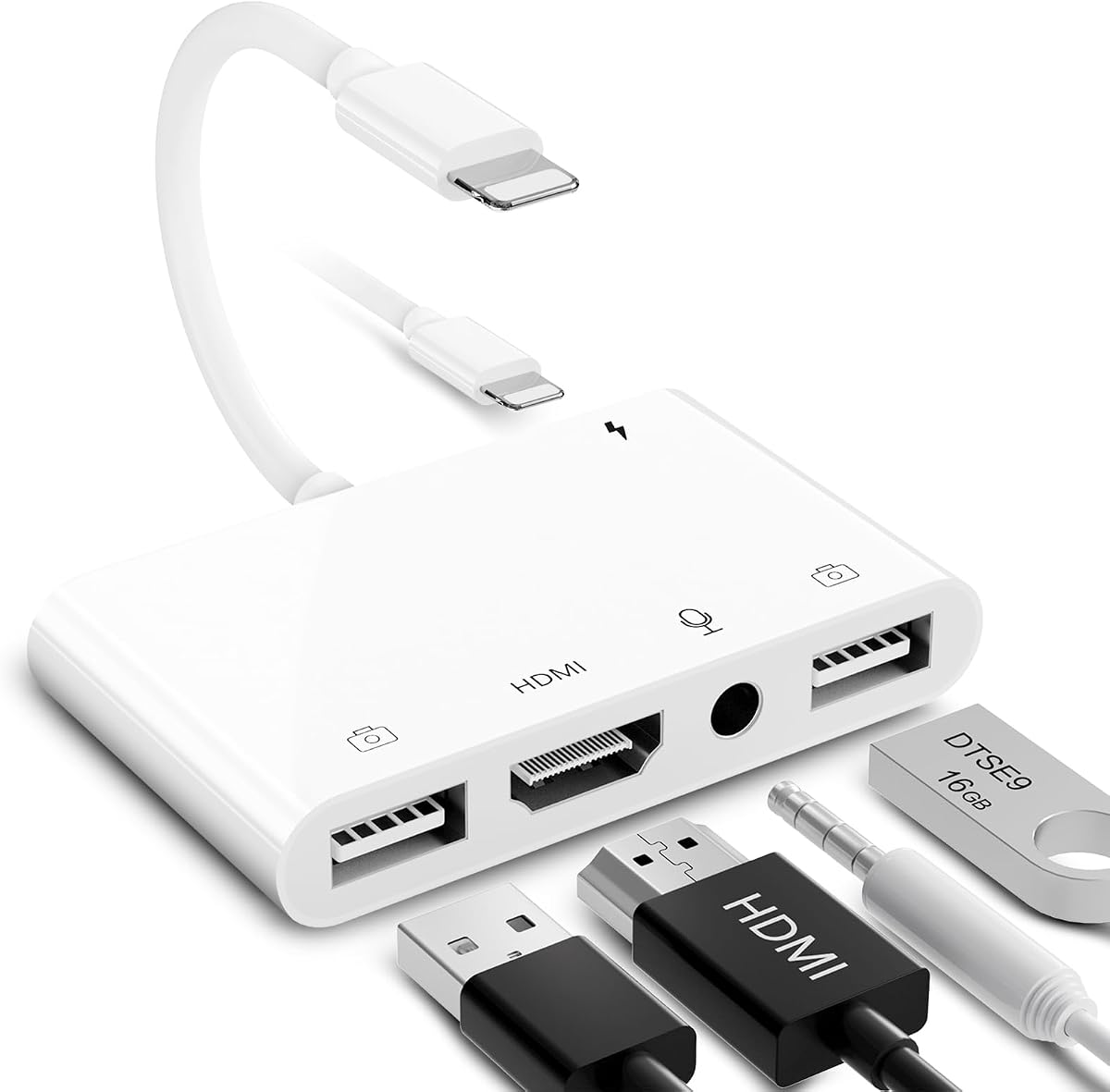
This adapter adds extra utility with multiple ports for peripherals. It allows you to connect keyboards and mice for productivity tasks. The HDMI port mirrors your screen while other ports expand functionality.
We may earn a commission when you buy through this link, at no additional cost to you.
The 3.5mm jack supports audio output for headphones or mics. This is useful for live streaming or private listening. The charging port ensures your device stays powered during use.
However the design is bulkier than simple dongles. It requires more space and planning for your setup. The complexity might be overkill for basic video viewing needs.
Best for power users who need a hub for multiple devices. It combines charging with connectivity for a versatile solution. Ensure your device supports the peripheral features you plan to use.
Multiple USB ports enable connection of keyboards mice and drives turning your phone into a mini workstation.
The dedicated 3.5mm jack allows for direct audio connection supporting headphones or microphone devices.
We may earn a commission when you buy through this link, at no additional cost to you.
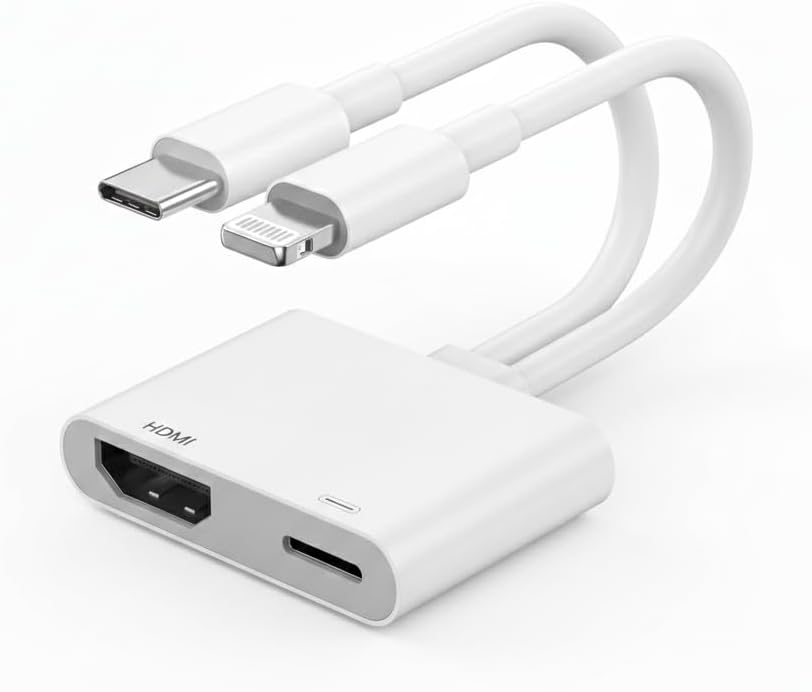
This adapter supports both USB-C and Lightning making it versatile for many devices. It offers 4K output for USB-C devices which is a significant upgrade. The 100W charging port ensures fast charging while in use.
We may earn a commission when you buy through this link, at no additional cost to you.
For Lightning users it supports most apps but not protected content. The dual support is ideal for users with mixed device environments. It is a powerful tool for MacBook and iPad Air owners.
Users should note that Lightning connections are still limited to 1080P. The 4K capability applies mainly to USB-C devices. This distinction is important when choosing based on resolution needs.
It is a future-proof choice for those with newer devices. The high rating reflects its performance and versatility. Check the specific port requirements to ensure it matches your primary device.
Combines Lightning and USB-C support making it a universal adapter for multiple Apple and non-Apple devices.
The 100W charging port supports fast charging ensuring your device remains powered during long usage sessions.
We may earn a commission when you buy through this link, at no additional cost to you.
This classic Apple model remains a top choice for reliability. It works consistently with all Lightning devices without issues. The high rating reflects user satisfaction with its performance over time.
We may earn a commission when you buy through this link, at no additional cost to you.
It supports 1080P video and audio output for clear displays. The design is simple focusing on essential HDMI connectivity. It is a standard option for professional environments.
However it does not include a charging port for the device. You must purchase a separate HDMI cable for the connection. This adds to the total cost of setting up your display.
Ideal for users who prefer original equipment over third-party options. It is a safe bet for compatibility and quality. Ensure you have the necessary HDMI cables ready for use.
A proven design used by millions ensures consistent performance and minimal technical issues.
High ratings indicate strong user trust in its quality and functionality for daily screen casting.
We may earn a commission when you buy through this link, at no additional cost to you.
Selecting the right adapter requires understanding your specific needs and device limitations. This section breaks down the key factors to consider for a smooth purchase.
MFi certification ensures the adapter meets Apple standards for safety and connection stability. Non-certified adapters may cause errors or damage your port over time.
Always look for the MFi label to guarantee secure and reliable performance with your iOS device.
Most adapters support up to 1080P HD resolution which is sufficient for most TVs and projectors. Some newer models offer 4K but often only for USB-C connections.
Check the resolution support based on your display type to ensure clear video quality.
Some adapters include a pass-through charging port to keep your device powered. This is useful for long presentations or media sessions.
Choose an adapter with charging if you plan to use it for extended periods.
Ensure the adapter matches your iPhone model and iOS version. Newer models may require specific firmware updates or chips.
Verify compatibility details before buying to avoid connection issues.
Most adapters support YouTube and local videos but restrict apps with HDCP protection like Netflix. This is a standard limitation across brands.
Understand which apps will work for your intended use case.
Dongle styles are more portable than cable-integrated versions. Consider where you will use it most often.
Opt for a compact design if you travel frequently with your device.
A longer warranty period provides protection against defects. Third-party brands often offer better support than standard options.
Check the warranty terms to ensure peace of mind after purchase.
Prices vary significantly between official Apple products and third-party options. Weigh the features against the cost.
Find a balance between budget and the features you need for your setup.
To use the adapter simply plug the Lightning end into your iPhone and connect an HDMI cable to the TV. Ensure your TV is set to the correct HDMI input source for the signal to appear.
Keep the adapter clean by avoiding dust buildup on the connector. Store it in a protective case when not in use to prevent bending or damage to the ports.
If you experience connection issues try restarting your iPhone or updating to the latest iOS version. A clean connection surface often resolves lag or signal drop problems.
Most Lightning adapters do not support apps with HDCP protection like Netflix due to copyright restrictions. You can view content from YouTube or local files however streaming paid apps may not work.
The iPhone 15 uses USB-C so you need a USB-C to HDMI adapter instead. Check the product description to ensure it supports your specific device model.
No drivers are required as these adapters are plug and play. You may need to tap Trust when prompted on your iPhone to allow the connection.
Some models include a charging port for pass-through power. If your adapter has this feature you can charge your phone while mirroring the screen.
Most Lightning adapters output at 1080P. Only specific USB-C models support 4K video output so check the specs before buying.
Yes most adapters require a separate HDMI cable to connect to your TV. Ensure you have the correct cable length for your setup.
Many top models are MFi certified ensuring Apple compliance. Always verify the certification details in the product listing to avoid compatibility issues.
A black screen can be caused by HDCP restrictions or iOS updates. Try restarting the device or checking the app compatibility list provided by the manufacturer.
We have reviewed ten top options ranging from budget dongles to official Apple adapters. Each offers unique strengths in connectivity and design to suit different needs.
Prioritize MFi certification and charging features based on your usage. For business needs reliability is key while home users may prefer cost-effective solutions.
Always verify the latest compatibility and pricing before purchasing. Product availability changes often so checking the retailer ensures you get the best deal.