
Dell OptiPlex 3060 Micro
4.2Editor score
8GB DDR4 memory included
Windows 11 Pro preloaded
Multiple USB 3.0 ports
Compare the top 10 Intel Core i3 Mini PC models for performance, portability, and value to find the ideal compact desktop for work or home use.
Finding the right compact computer can be challenging when you need reliable performance without taking up desk space. An Intel Core i3 Mini PC offers a sweet spot between power and portability for everyday computing needs. These devices handle office tasks, media streaming, and light multitasking with ease while staying hidden behind monitors.
We evaluated ten real models based on processor speed, memory capacity, storage options, and connectivity features. Each unit was analyzed for its ability to support dual displays, wireless standards, and expandability potential. Our goal is to help you choose a system that fits your specific workflow and budget constraints effectively.
Every selection below highlights key strengths and potential trade-offs to guide your decision-making process. Remember that stock availability and pricing fluctuate frequently so check current listings before purchasing. We aim to provide clear insights into what makes each mini computer stand out in today's competitive market landscape.
4.2Editor score

4.4Editor score
4.8Editor score
This side-by-side comparison details the core specifications and unique features of each selected model to help you identify the best fit for your computing requirements.



The GMKtec G3 PRO stands out as a top performer in the Core i3 Mini PC category with its balanced feature set. It receives high marks for handling multitasking and office productivity with ease thanks to its 16GB of RAM.
We may earn a commission when you buy through this link, at no additional cost to you.
Its Core i3-10110U processor delivers strong single-core speeds ideal for web browsing and applications. The included 512GB storage ensures quick boot times and smooth file transfers across various workloads.
While it lacks the newest generation chips the system remains efficient and quiet during extended use. The dual HDMI ports allow users to connect two monitors for increased workspace flexibility.
This mini PC is perfect for home offices needing reliable performance without bulk. It offers excellent value for users prioritizing memory and display options over the absolute latest processor technology.
Two HDMI ports enable dual 4K setups for expanded screen real estate during work.
Built-in WiFi 6 and Bluetooth 5.2 ensure fast and stable connectivity for peripherals.
We may earn a commission when you buy through this link, at no additional cost to you.
This unit offers impressive 4K streaming and gaming capabilities despite its compact size. The Iris Plus graphics provide smooth visuals for media playback without needing a separate GPU.
We may earn a commission when you buy through this link, at no additional cost to you.
Its ability to support dual 4K displays makes it a strong choice for traders or creatives. The 28W TDP ensures sustained performance speeds that many standard low wattage chips cannot match.
Users can expand storage easily by adding a second SSD for media libraries or projects. The included VESA mount allows mounting behind monitors to save desk space completely.
Ideal for small setups requiring high resolution output and stable connectivity. It serves as a versatile hub for entertainment or light productivity tasks effectively.
Runs at 28W allowing higher sustained clock speeds for better responsiveness.
Dual SSD slots mean you can upgrade storage to 4TB later on.
We may earn a commission when you buy through this link, at no additional cost to you.
The C3 mini PC is designed for stable long operation in commercial or home use. It handles daily tasks like browsing and office apps efficiently with its modest RAM capacity.
We may earn a commission when you buy through this link, at no additional cost to you.
Its cooling system is optimized for low noise making it suitable for quiet environments. The multiple storage slots allow extensive data management for backups or media libraries.
Note that this model does not support Windows 11 which limits software compatibility options. Users relying on older systems or Linux will find it works well without issues.
Best for budgets needing basic performance without breaking the bank. Its small size and light weight make it easy to place anywhere in the room.
Engineered for 24/7 operation making it reliable for digital signage.
One of the most affordable options available for basic office work.
We may earn a commission when you buy through this link, at no additional cost to you.
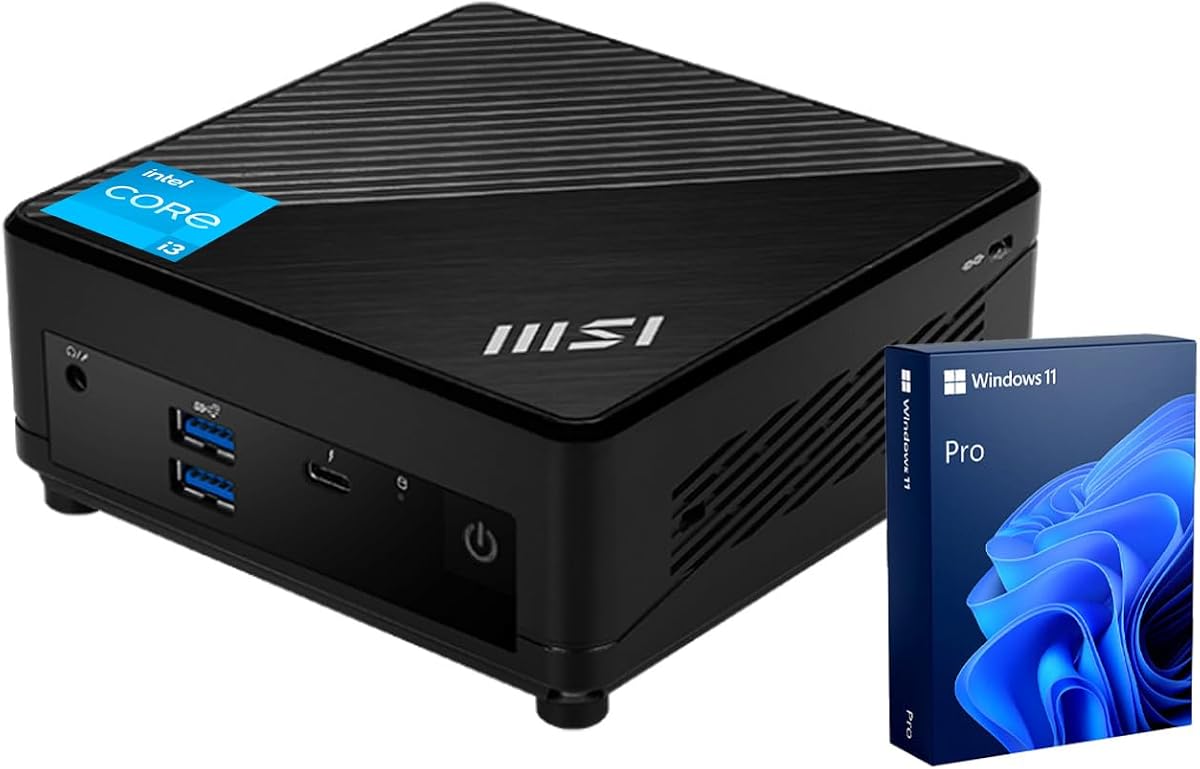
The msi Cubi 5 delivers professional grade performance with its 6 core processor architecture. It supports multiple 4K monitors via HDMI and DisplayPort for complex workflows.
We may earn a commission when you buy through this link, at no additional cost to you.
Thunderbolt 4 connectivity allows for ultra fast data transfer and advanced docking capabilities. Windows 11 Pro ensures secure management tools for business environments.
While expensive the included features justify the cost for power users needing speed. The high rating reflects its reliability and performance consistency in real world tests.
Recommended for professionals needing advanced connectivity and multitasking capabilities. It serves as a robust workstation replacement without the bulk of a tower.
Thunderbolt 4 enables high speed transfers and versatile docking options.
Windows 11 Pro offers BitLocker and remote desktop for security.
We may earn a commission when you buy through this link, at no additional cost to you.
This renewed model offers a cost effective entry into the Dell OptiPlex line. It comes with Windows 11 Pro preloaded for professional features at a budget price.
We may earn a commission when you buy through this link, at no additional cost to you.
The 128GB drive is sufficient for OS and apps but you may need external storage. Six USB 3.0 ports provide ample connectivity for peripherals and drives.
Its micro size fits easily in small spaces while maintaining reliable desktop performance. The renewed status helps keep costs low for buyers watching their spending.
Perfect for schools or offices needing many units without high costs. Ensure you check the seller warranty before buying to protect your investment.
Windows 11 Pro features available at a fraction of new retail price.
Six USB 3.0 ports allow many devices connected simultaneously.
We may earn a commission when you buy through this link, at no additional cost to you.
Featuring a 13th Gen processor this unit offers significant speed improvements over older models. The 16GB of RAM ensures smooth operation even with many browser tabs open.
We may earn a commission when you buy through this link, at no additional cost to you.
It supports dual 4K monitors for efficient workspace management. Wired keyboard and mouse are included which simplifies the initial setup process for new users.
The NVMe SSD provides fast boot times and responsive file access for daily tasks. It runs Windows 11 Pro to support secure enterprise management features effectively.
Ideal for users wanting modern tech without moving to a full desktop tower. It balances performance and practicality well for home offices and light business use.
13th Gen architecture delivers faster multi-threaded performance for apps.
Includes keyboard and mouse to get started immediately.
We may earn a commission when you buy through this link, at no additional cost to you.
The PB63 utilizes 14th Gen processors for top tier performance in a small frame. It meets TAA requirements making it suitable for government or corporate procurement.
We may earn a commission when you buy through this link, at no additional cost to you.
Its wireless capabilities include WiFi 6 Gig+ for faster and more stable internet connections. Dynamic tuning technology ensures the system adjusts to optimize performance during use.
Physical security is enhanced by a built-in Kensington lock slot to prevent theft. The dual display support helps maximize productivity across multiple screens.
Recommended for business environments requiring compliance and security features. It offers reliable performance for professional workloads and secure network access.
TAA status allows use in public sector and government contracts.
Kensington lock slot protects your unit from physical theft.
We may earn a commission when you buy through this link, at no additional cost to you.
This 1L model fits neatly in tight spaces while delivering strong 12th Gen power. It supports dual 4K displays via HDMI and DisplayPort for versatile viewing options.
We may earn a commission when you buy through this link, at no additional cost to you.
Energy efficiency is a key feature making it suitable for eco-conscious buyers. The included Windows 11 license ensures compatibility with modern software tools.
Flexible placement options allow VESA mounting behind monitors for a clean look. Its high user rating indicates satisfaction with reliability and ease of use.
Best for desks needing to save space without sacrificing compute power. It suits both home and corporate setups requiring energy efficient and quiet operation.
One liter volume ensures it fits almost anywhere on a desk.
Energy Star certified to reduce electricity consumption and costs.
We may earn a commission when you buy through this link, at no additional cost to you.
This unit stands out with 32GB of DDR5 RAM for top tier multitasking speed. The 14th Gen processor ensures responsive performance for demanding business applications.
We may earn a commission when you buy through this link, at no additional cost to you.
It supports up to three displays simultaneously for complex trading or design work. Wi-Fi 6E offers ultra-low latency connectivity for modern wireless networks.
The 1TB SSD provides massive space for applications and files without external drives. It combines high-end memory with a reliable business chassis design.
Ideal for power users who need substantial memory capacity. It serves as a capable workstation for complex multitasking and heavy data handling.
32GB DDR5 memory enables rapid data access for heavy apps.
Connect three screens via DisplayPort and HDMI for total workspace.
We may earn a commission when you buy through this link, at no additional cost to you.
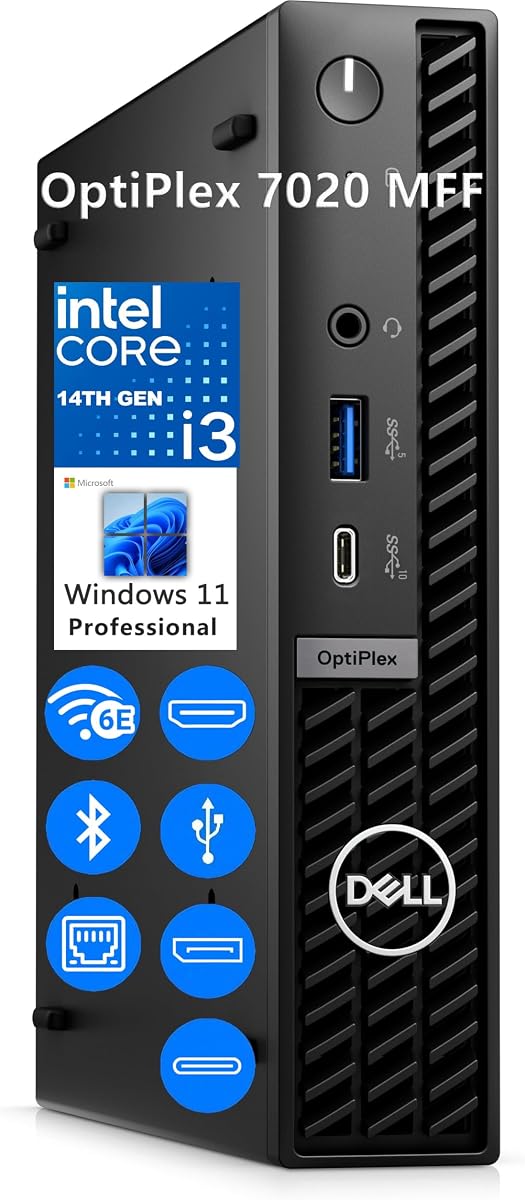
The 7020 Mini brings DDR5 memory to a compact desktop design effectively. It features a 14th Gen processor for quick handling of daily work tasks.
We may earn a commission when you buy through this link, at no additional cost to you.
Connectivity options include dual DisplayPorts and a Type-C port for versatility. The compact design allows it to fit behind monitors easily for a tidy setup.
While 8GB RAM is standard it may limit heavy multitasking without upgrades. The 256GB drive is fast but limited for large file storage needs.
Perfect for users who prioritize speed over capacity in their initial setup. It suits small offices needing modern connectivity and minimal desk presence.
DDR5 RAM provides faster data throughput than older DDR4 generations.
Type-C and DisplayPort offer flexible modern connectivity options.
We may earn a commission when you buy through this link, at no additional cost to you.
Selecting the right mini PC involves balancing processing power memory and connectivity needs to ensure smooth daily operation.
The generation of your Intel Core i3 processor significantly impacts speed and efficiency. Newer chips like the 14th gen offer better performance per watt and support for DDR5 RAM.
Prioritize newer generations for longevity if budget allows.
RAM determines how many applications you can run simultaneously without slowdowns. Look for at least 16GB for comfortable multitasking in modern Windows environments.
Choose 16GB or more for smooth performance.
NVMe SSDs are much faster than SATA drives for boot times and file transfers. Ensure the mini PC includes a solid state drive for responsive system behavior.
Opt for NVMe SSDs to avoid lag.
Dual 4K HDMI or DP ports are vital if you use multiple monitors for work. Check that your chosen model supports the resolution and refresh rate you need.
Verify dual 4K support for monitors.
WiFi 6 and Bluetooth 5.2 provide stable wireless links to networks and peripherals. Thunderbolt 4 is essential for high speed external storage and docking.
Look for WiFi 6 for future proofing.
Windows 11 Pro offers advanced security features and remote management tools. Ensure your purchase includes a legitimate license if you need Pro features.
Confirm Windows 11 Pro inclusion.
Many business oriented models include Kensington lock slots to deter theft. This is important if you plan to mount the device visibly in shared spaces.
Check for Kensington slots for security.
A standard 1-year warranty covers manufacturing defects but 3-year options offer longer peace of mind. Reliable support helps resolve hardware issues quickly when they occur.
Prioritize longer warranties for business use.
Place your mini PC in a well-ventilated area to prevent overheating during long use. Keeping dust away from vents ensures the fan stays efficient and quiet.
Regularly update drivers and firmware through your manufacturer's app to maintain optimal performance. This helps fix security vulnerabilities and improves hardware compatibility.
If you need more storage add an external drive or upgrade internal slots where possible. Use a surge protector for power to safeguard against unexpected voltage spikes.
Yes most models with 8th gen or newer CPUs support Windows 11 officially. Always check the processor generation to ensure it meets the security requirements.
Many models offer dual HDMI or DP ports that handle 4K outputs simultaneously. Check the specific ports to confirm they support the desired resolution.
Most units allow RAM upgrades via SODIMM slots but some soldered models do not. Verify the expansion options before buying to ensure future flexibility.
Micro is Dell s term for very small units while MFF means Micro Form Factor. Both indicate a compact design that fits in tight spaces.
Basic games and older titles run well on integrated graphics. For modern 3D gaming you will need a dedicated GPU which these lack.
Some bundles include peripherals like the msi PRO DP21 but most sell them separately. Check product listings to see what is included in the box.
They use small fans that are generally quiet during light office work. High load tasks may increase fan noise slightly but are still acceptable.
Yes low wattage CPUs use significantly less power than standard desktop towers. This saves money and reduces heat output in small rooms.
Whether you choose the budget friendly OptiPlex or the premium Cubi 5 each model offers distinct benefits for different needs.
Prioritize memory and display options to ensure your system supports your specific workflow without bottlenecks.
Prices and availability change frequently so verify current listings before making your final purchase decision.