
SUPVAN E11
4.5Editor score
Rechargeable battery
Compact lightweight design
Minimal margin printing
This guide compares the top 10 label makers for file folders based on portability, tape compatibility, ease of use, and label durability for home and office
Finding the right label maker for file folders transforms chaotic storage into a streamlined system. A quality device offers clear text, durable tapes, and intuitive controls for quick filing tasks.
We evaluated ten popular models based on build quality, battery life, app features, and tape versatility. Each option suits different budgets and workflows from simple home use to complex office environments.
Every pick highlights key strengths and limitations to help you choose confidently. Prices fluctuate frequently so verify current deals before purchasing to ensure you get the best value for your organization project.
4.5Editor score

4.6Editor score

4.4Editor score
The following table provides a side by side overview of all ten selected label makers. Compare their core specifications and features to identify the model that aligns best with your specific filing and organizational requirements.



The Brother P-Touch PTD210 stands out as a top choice for organizing file folders and office supplies. It boasts a high rating thanks to its ease of use and reliable print quality for daily labeling tasks.
We may earn a commission when you buy through this link, at no additional cost to you.
Its large display allows you to preview labels before printing ensuring accuracy for folder names. The included four tapes provide immediate value while the one touch keys speed up access to fonts and symbols.
While it requires separate AAA batteries the portable design makes it easy to move between desks and storage rooms. The AC adapter option adds flexibility for desktop use without draining batteries quickly.
This model is ideal for home offices or small businesses needing consistent professional labels. Its durability and tape compatibility make it a long term investment for any filing system overhaul.
The display lets you see exactly how your label will look reducing wasted tape and errors.
Four included tapes mean you can start organizing file folders right out of the box.
We may earn a commission when you buy through this link, at no additional cost to you.
The SUPVAN E11 offers exceptional value for those seeking an affordable yet capable label maker. It balances cost with features like a rechargeable battery and Bluetooth connectivity for versatile usage.
We may earn a commission when you buy through this link, at no additional cost to you.
Its minimal margin printing saves tape materials which is crucial for long term organization. The ability to print directly via keyboard or app gives users flexibility in how they input text.
While the design is compact it remains durable enough for regular office use. The rechargeable battery reduces ongoing costs compared to disposable battery models making it eco friendly too.
Perfect for students or home users this device delivers professional results without the high price tag. Its versatility ensures it adapts well to various labeling needs beyond just file folders.
Printing with only 0.2 inches of margin reduces waste and stretches your tape supply further.
Switch between quick keyboard typing and detailed app design for maximum flexibility.
We may earn a commission when you buy through this link, at no additional cost to you.
The DYMO LabelManager 160 brings a premium feel to office labeling with its robust build and intuitive keyboard. It is designed for users who prioritize speed and accuracy in their filing tasks.
We may earn a commission when you buy through this link, at no additional cost to you.
The QWERTY keyboard makes text entry fast and comfortable especially for long folder names. A large display ensures you can read and edit text easily before sending the print command.
While it costs more than basic models the included tape bundle offsets initial expenses. The auto power off feature helps manage battery life during extended organizing sessions.
Ideal for busy offices this model ensures consistent high quality labels that withstand wear. Its reliability makes it a solid choice for critical document management systems.
The full QWERTY layout feels like typing on a computer making text input effortless.
A large screen lets you check text alignment and formatting without squinting.
We may earn a commission when you buy through this link, at no additional cost to you.
The Brother PT-M95 focuses on simplicity and portability for everyday labeling needs. It is an excellent option for users who need a straightforward tool without complex app dependencies.
We may earn a commission when you buy through this link, at no additional cost to you.
Its lightweight build makes it easy to carry around the house or office during cleanup. The included tapes allow you to start labeling folders immediately upon opening the package.
While it lacks color printing it delivers clear sharp text that is easy to read. The deco mode adds a touch of style for personal files or gift tags.
This device suits those who value function over form in their labeling tasks. It provides consistent performance for organizing documents without unnecessary complexity.
Its compact size allows you to slip it into a drawer or bag easily.
Getting four tapes with the unit helps you test different styles right away.
We may earn a commission when you buy through this link, at no additional cost to you.
The Brother P-Touch PTD220 combines classic usability with modern conveniences like label memory. It is designed for home and office users who frequently reuse standard label formats.
We may earn a commission when you buy through this link, at no additional cost to you.
Saving up to thirty labels in memory means you can reprint common folder names instantly. The 25 pre-set templates simplify creating professional looking tags for bins or cabinets.
While it relies on standard batteries the performance is reliable for long tasks. The wide tape compatibility ensures you can label various item sizes easily.
Perfect for repetitive labeling this model saves time with its memory function. It strikes a balance between features and ease of use for daily organization.
Store your most used labels to save typing time on recurring organizational tasks.
Pre-set designs help you create consistent labels across your entire filing system.
We may earn a commission when you buy through this link, at no additional cost to you.
The SUPVAN T50M Pro excels at handling larger labels ideal for storage bins and big folders. Its app support allows adding images which enhances visual organization significantly.
We may earn a commission when you buy through this link, at no additional cost to you.
Printing high resolution images ensures logos or icons appear clear on labels. The app is completely free with no hidden costs making it accessible for all users.
While it needs a phone connection it supports various devices well. The auto size feature simplifies setup by recognizing tape type automatically.
This model is great for businesses needing branded or detailed labels. Its versatility supports both text and graphics for comprehensive organization needs.
Add images to your labels for quick visual identification of storage contents.
Handles labels from 0.75 inches to 2 inches wide for diverse projects.
We may earn a commission when you buy through this link, at no additional cost to you.
The SUPVAN E10 is a compact device perfect for quick labeling on the go. It offers a rechargeable battery that ensures long term use without constant battery changes.
We may earn a commission when you buy through this link, at no additional cost to you.
The built-in cutter makes finishing labels easy without needing external tools. Laminated tapes protect text from moisture and wear ensuring your folder labels last longer.
While the app requires setup it provides powerful editing options for free. Its portability makes it ideal for organizing multiple rooms or areas.
This model suits users who need durability and convenience in one device. It handles everyday labeling tasks efficiently with minimal fuss or setup.
The built-in blade cuts labels cleanly saving you time during long sessions.
Laminated tapes resist water and scratches so labels stay clear in humid areas.
We may earn a commission when you buy through this link, at no additional cost to you.
The NIIMBOT B2 stands out for its offline printing feature allowing labels without an app. This makes it ideal for quick tasks like date labels or simple tags instantly.
We may earn a commission when you buy through this link, at no additional cost to you.
Its app supports batch printing for same or different labels which speeds up organization. The intelligent identification technology saves money by recognizing tape length automatically.
While it supports Windows PCs the iPad is not compatible limiting some mobile users. The wide language support makes it useful for diverse households or offices.
This model offers great flexibility with both offline and online modes. It is a strong choice for varied labeling tasks from home to small business.
Print essential labels with one press of a button without needing to connect a phone.
Create multiple labels at once to organize entire shelves quickly and efficiently.
We may earn a commission when you buy through this link, at no additional cost to you.
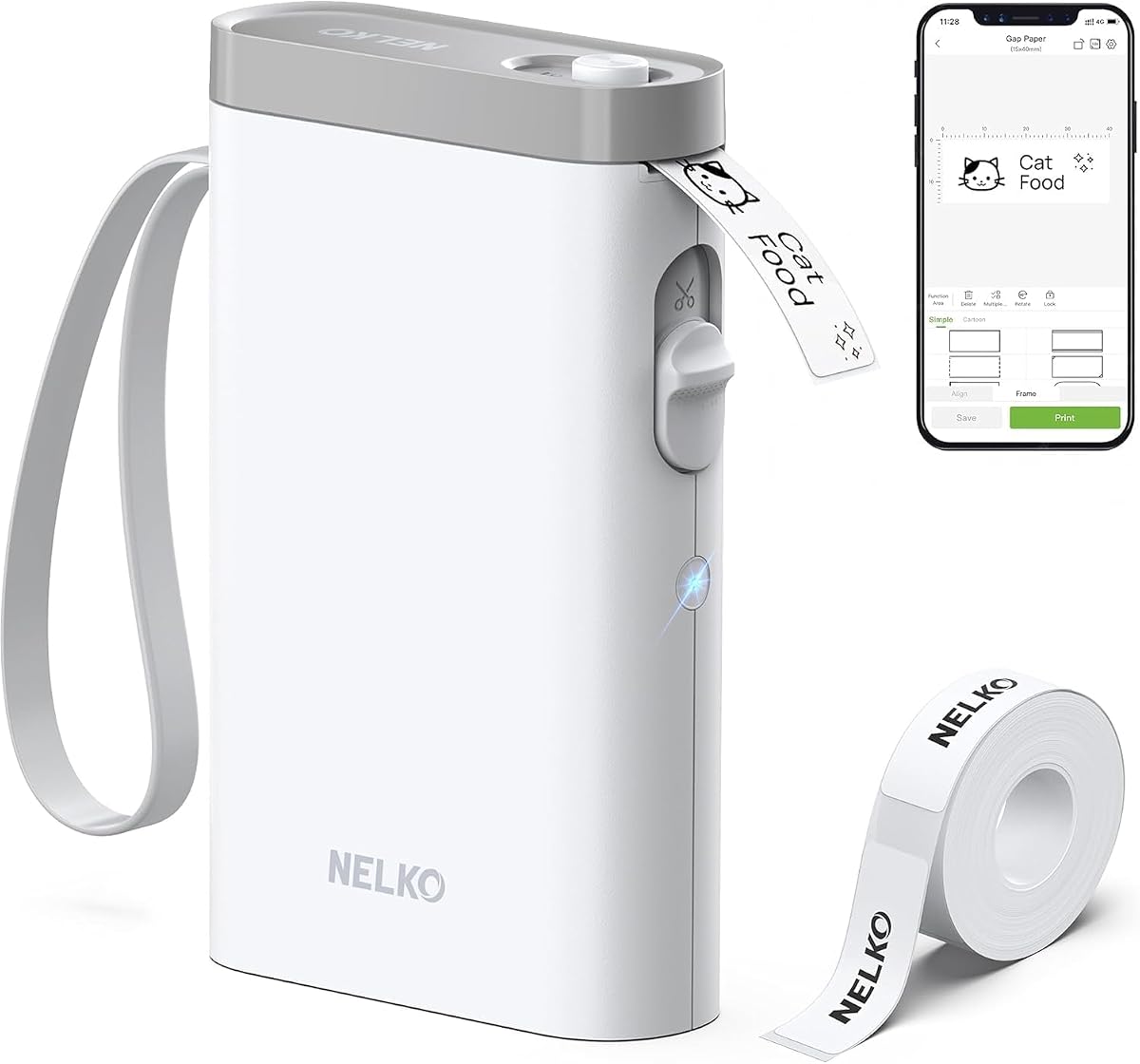
The Nelko P21 is one of the most portable label makers available today. Its pocket friendly size means you can print labels anywhere you find a task needing tags.
We may earn a commission when you buy through this link, at no additional cost to you.
It uses direct thermal technology so no ink or toner is ever required. This keeps maintenance low and operational costs manageable over time for users.
While it lacks PC compatibility the app offers thousands of icons and templates. Fixed label lengths simplify use but reduce flexibility for custom sized items.
Ideal for students or teachers this device is great for small labels. Its ease of use ensures even young users can create their own labels.
Thermal printing eliminates the need for cartridges so you save money and reduce waste.
With thousands of icons you can create unique labels for any item easily.
We may earn a commission when you buy through this link, at no additional cost to you.
The DYMO LetraTag 100H brings a visual approach to label creation with its display. It lets you preview your work before printing ensuring text aligns perfectly on tape.
We may earn a commission when you buy through this link, at no additional cost to you.
Its compact build fits easily in a drawer making it accessible for quick tasks. The auto power off feature conserves battery life when the device is idle.
While it comes with three tapes the ongoing tape costs can be higher. The box styles and font options add personalization without needing complex settings.
Best for home users this model is simple to operate and reliable. It provides a solid entry point for those new to label makers.
See exactly how your label will look on screen to avoid printing mistakes.
Auto power off extends battery life so you can use it longer between changes.
We may earn a commission when you buy through this link, at no additional cost to you.
Selecting the right label maker requires balancing cost features and long term needs. This guide breaks down the essential factors to consider for your specific organization project.
Decide between standalone keyboard models and Bluetooth devices. Standalone units offer simplicity and speed without needing a phone while Bluetooth models allow for complex designs and photo integration via an app.
Choose standalone for quick tasks or Bluetooth if you want visual customization on folders.
Check what tape widths the device supports. File folders often need wider tapes for clear visibility so ensure the model accepts at least 12mm tape. Also verify the cost and availability of replacement tapes.
Prioritize models with affordable and widely available tape to keep long term costs low.
Consider how the device is powered. Rechargeable batteries reduce waste and long term costs but disposable batteries offer convenience when away from a charger. Look for auto power off features to extend battery life.
Choose rechargeable for frequent use or disposable for occasional tasks in remote areas.
Think about where you will use the label maker. If you need to move between rooms or offices often choose a lightweight and compact model. A protective case is also helpful to prevent damage during transport.
Select a lighter unit with a case if you plan to label items across multiple locations.
Evaluate the variety of fonts and frames available. More options allow for better organization codes such as different fonts for priority folders. Templates can also speed up the creation of standard labels.
Ensure the model offers enough styles to distinguish between different types of documents easily.
A clear display helps prevent mistakes by letting you preview labels before printing. Look for screens that show text clearly without needing to squint. Some models offer larger displays which improve readability.
Opt for a model with a large preview screen to ensure labels are perfect before printing.
File folders are handled frequently so laminated tapes are often better than paper ones. They resist tearing and water ensuring labels stay readable over time. Check if the device supports these more durable tape types.
Invest in laminated tape capability to ensure your folder labels last through years of use.
Many units come with tape bundles that add immediate value. Check how many tapes are included and their widths. A bundle that includes standard widths for file folders saves you from buying extra right away.
Look for bundles that include enough tapes to start organizing your entire filing system immediately.
Start by installing the batteries or charging the device. Load the tape cassette carefully ensuring it clicks into place. Power on the device and wait for the display to initialize before typing.
Type your folder name and adjust the font size if needed. Use the preview function to check alignment and spacing. When satisfied press the print button to create your label.
Peel the label and apply it to the folder smoothly to avoid bubbles. Clean the print head occasionally with a soft cloth to maintain print quality. Store the device in a dry place to extend its lifespan.
Yes most label makers work well on plastic folders if you use laminated or vinyl tape. These materials adhere better to smooth surfaces and resist peeling over time. Ensure the folder surface is clean and dry before applying.
A width of 12mm or half an inch is ideal for standard file folders. It provides enough space for clear text while fitting neatly on the folder spine. Wider tapes can be used for larger storage bins or cabinets.
Most handheld label makers print in monochrome black text only. However you can achieve color by using colored tape or adding colored frames in the design. True color text requires specialized printers which are less common.
Many modern Bluetooth models work with iOS and Android phones via apps but Mac compatibility varies. Some require specific drivers or connections so check product details before buying. Most rely on mobile devices rather than computers.
Turn off the device and remove the tape cassette. Use a cotton swab slightly dampened with alcohol to gently wipe the print head. Let it dry completely before reloading tape to avoid smudging or damage.
Most models use standard AAA batteries which are easy to find. Some newer units come with built-in rechargeable batteries. Check the manual for specific requirements to ensure you buy the correct type.
The Brother P-Touch PTD210 leads as the top choice due to its balance of features and reliability. For budget conscious shoppers the SUPVAN E11 offers exceptional value without sacrificing essential tools.
Prioritize tape availability and battery life when making your final decision. A device that is easy to maintain will serve you better over years of regular use in your home or office.
Prices for these label makers change often so verify the current deals before purchasing. Taking time to compare models ensures you select a tool that meets your specific organizational needs perfectly.