
NIMO 15.6 AI Creator Laptop
5.0Editor score
AMD Ryzen 5 6600H processor
16GB DDR5 RAM
512GB PCIe SSD storage
Choosing the right laptop for vlogging is crucial for creators who need reliable performance on the go. A good vlogging laptop must balance processing power, display quality, and portability to handle editing and recording seamlessly.
We evaluated ten top models based on processor speed, graphics capabilities, screen accuracy, and battery endurance. Our analysis focuses on real-world workflows like 4K editing, color grading, and multi-tasking during travel.
Each pick highlights unique strengths for different creator needs, from budget-friendly entry points to high-end mobile workstations. Prices and availability change frequently, so verify details before purchasing to ensure you get the best value.
5.0Editor score

4.3Editor score

4.9Editor score
As an Amazon Associate we earn from qualifying purchases.
This side-by-side comparison highlights the key specifications and strengths of each model to help you find the ideal fit for your vlogging workflow.




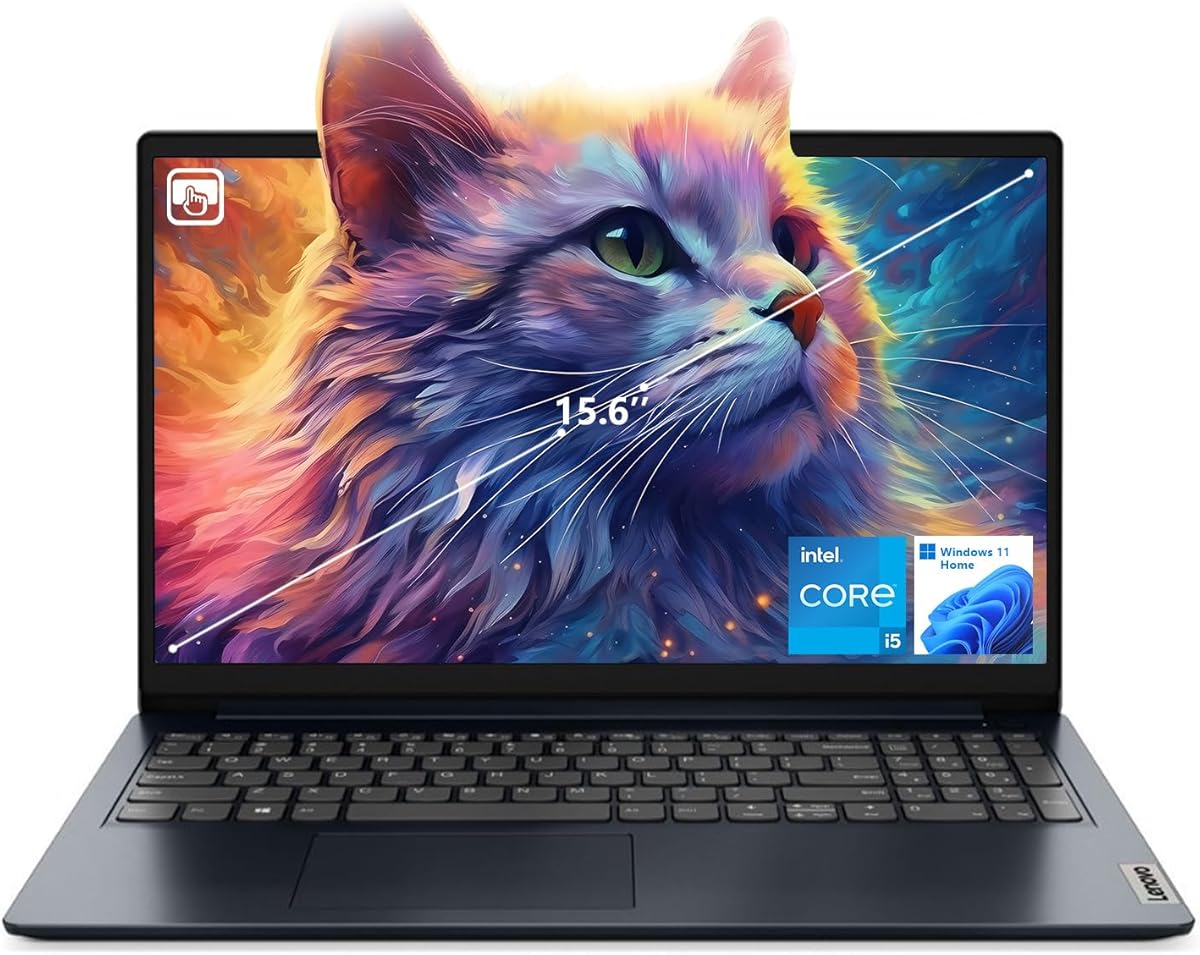

This NIMO model earns our Editor's Choice for its balanced specs at an accessible price point. It delivers solid multi-core performance suitable for light editing and daily workflow management.
We may earn a commission when you buy through this link, at no additional cost to you.
The AMD Ryzen 5 6600H processor provides ample power for handling video timelines and browser-based workflows. DDR5 memory and PCIe SSD ensure responsive multitasking.
While it lacks a dedicated GPU for heavy 4K work, its integrated graphics handle 1080p tasks smoothly. The 2-year warranty adds confidence for long-term use.
Ideal for students and entry-level vloggers who need reliability without overspending. Its upgradeability ensures it grows with your content creation needs.
The 6-core processor handles typical vlogging software without lag or stuttering.
Dual SODIMM slots allow RAM expansion to 64GB as storage needs increase.
We may earn a commission when you buy through this link, at no additional cost to you.
The GEEKOM X14 Pro stands out with its stunning 2.8K OLED display offering true blacks and vivid colors for grading content. Its lightweight build makes it easy to carry between shoots.
We may earn a commission when you buy through this link, at no additional cost to you.
Powered by Intel's latest Meteor Lake architecture, it handles intensive workloads smoothly. The dedicated NPU enhances AI features like background blur during live streaming.
Its long battery life supports all-day vlogging without needing a charger. The 100% DCI-P3 coverage ensures your edits match how viewers see them.
Best for creators prioritizing screen quality and portability over raw processing power. It's a premium choice for mobile content production.
The 120Hz OLED panel delivers smooth scrolling and rich contrast for video playback.
At 2.2 lbs, it fits in any bag without adding bulk to your kit.
We may earn a commission when you buy through this link, at no additional cost to you.
This HP model offers a massive 17.3 inch screen for comfortable editing timelines. At a budget-friendly price, it's ideal for those needing workspace without overspending.
We may earn a commission when you buy through this link, at no additional cost to you.
Its AMD Ryzen 5 processor handles multi-tasking tasks well. The included accessories like a mouse and stand add practical value for immediate use.
While 8GB RAM limits heavy multi-tasking, it works fine for casual editing. The Windows 11 Pro security features protect your content.
Great for students and beginners working at a desk. The large screen reduces eye strain during long editing sessions.
The 17.3 inch anti-glare display provides ample room for toolbars and previews.
Wi-Fi 6 and multiple USB ports ensure fast file transfers to external drives.
We may earn a commission when you buy through this link, at no additional cost to you.
This HP laptop mirrors the previous model with a large screen perfect for editing on a desk. Its consistent performance makes it a reliable workhorse for daily tasks.
We may earn a commission when you buy through this link, at no additional cost to you.
The AMD processor beats older Intel chips in benchmarks. Windows 11 Pro offers advanced security for protecting your video assets.
Though RAM is fixed at 8GB, it suits single-application workflows. The included accessories help set up a quick mobile station.
Recommended for stationary creators needing more screen real estate. It's a practical choice for focused editing sessions.
The full-size keyboard with numpad aids quick data entry and shortcuts.
USB Type-C and HDMI support flexible peripheral setups for vloggers.
We may earn a commission when you buy through this link, at no additional cost to you.
The Dell 16 offers an immersive 16 inch screen with a taller 16:10 ratio ideal for editing. Its ComfortView Plus protects your eyes during long color grading sessions.
We may earn a commission when you buy through this link, at no additional cost to you.
Powered by Intel Core 7 150U it handles moderate workloads well. The 16GB RAM ensures smooth switching between apps.
Onsite service adds convenience if hardware issues arise. Adaptive thermals keep the system quiet and efficient.
Great for remote workers needing a balance of screen space and comfort. Its design supports prolonged use without fatigue.
Reduced blue light emissions help prevent strain during late night edits.
Onsite service ensures quick fixes without shipping the device away.
We may earn a commission when you buy through this link, at no additional cost to you.
This NIMO powerhouse delivers desktop-level speeds with its 8-core Ryzen 7 8745HS processor. 32GB RAM allows handling of multiple 4K streams without hiccups.
We may earn a commission when you buy through this link, at no additional cost to you.
Integrated Radeon 780M graphics boost editing performance for light 3D rendering. The dual M.2 slots let you expand storage easily.
USB4 support enables high-speed external GPU connections for advanced workflows. The 75Wh battery provides decent all-day endurance.
Ideal for power users and engineers who need robust performance. It's a top pick for demanding vloggers.
The 45W processor ensures sustained high performance without throttling.
Upgradable RAM and storage mean the laptop lasts years.
We may earn a commission when you buy through this link, at no additional cost to you.
The Acer Aspire features a dedicated NPU enabling local AI tasks like auto-framing. Its 2TB storage stores massive video libraries without external drives.
We may earn a commission when you buy through this link, at no additional cost to you.
The touchscreen makes precise editing intuitive. Included hub simplifies connectivity. Intel Arc graphics handle mid-level creative work efficiently.
Weighing just 3.09 lbs it is easy to carry. Battery life supports a full work day on the go.
Best for creators leveraging AI tools for efficiency. It combines storage and AI features in a portable form.
The NPU speeds up local AI photo and video editing tasks.
2TB SSD holds large 4K projects and raw footage securely.
We may earn a commission when you buy through this link, at no additional cost to you.
The Lenovo Yoga 7i offers a 360 hinge for flexible tablet and tent modes. The 2K touchscreen aids creative work and presentations.
We may earn a commission when you buy through this link, at no additional cost to you.
Core Ultra 7 155U provides solid processing power. The Gigabit LAN port ensures stable connections for uploads.
Transition software auto-adjusts apps for orientation changes. It suits creative professionals needing device versatility.
Recommended for those wanting flexibility in form factor. It balances portability with creative screen options.
The 360 hinge adapts to sketching, viewing, and presenting.
Gigabit LAN port provides reliable internet for live streaming.
We may earn a commission when you buy through this link, at no additional cost to you.
This Lenovo IdeaPad delivers 16GB RAM in a lightweight chassis. The touchscreen and 10 core processor handle basic editing smoothly.
We may earn a commission when you buy through this link, at no additional cost to you.
Wi-Fi 6 ensures fast data transfers. Its affordable price makes it accessible for new vloggers.
While DDR4 is slower than DDR5, it suffices for moderate tasks. The SD card reader simplifies importing footage.
Best for budget-conscious creators needing memory capacity. It's a practical starter device.
16GB DDR4 RAM supports running editing software alongside browsers.
SD card reader allows direct footage transfers from camera.
We may earn a commission when you buy through this link, at no additional cost to you.
This NIMO model combines high performance with practical design. The Ryzen 7 8745HS handles complex editing smoothly.
We may earn a commission when you buy through this link, at no additional cost to you.
100W PD charging allows versatile power options. The 180 hinge aids sharing screens. It features 2-year warranty support.
USB4 support ensures future expandability. While the display is basic, performance compensates well.
Recommended for creators needing robust specs without premium pricing. It's a solid all-around choice.
100W PD charging ensures quick power replenishment during shoots.
180 hinge allows easy screen sharing for team reviews.
We may earn a commission when you buy through this link, at no additional cost to you.
Selecting a vlogging laptop requires balancing processing power, display quality, and portability. This guide breaks down key factors to consider before purchasing.
The CPU is the heart of your editing workflow. Look for multi-core processors like AMD Ryzen 5 or Intel Core Ultra series. They ensure smooth playback and faster exports.
Prioritize processors with high thread counts for efficient multitasking.
RAM impacts how many apps you can run. 16GB is ideal for editing; 32GB supports heavier 4K workloads. Storage speed matters for loading projects.
Aim for at least 512GB NVMe SSDs for quick access to media files.
Accurate colors are vital for editing. OLED or IPS panels with high color gamut coverage ensure your work looks consistent. Screen size affects comfort.
Choose screens with high resolution and proper color calibration.
Vloggers often carry laptops outdoors. Lightweight designs under 4 lbs make travel easier. Battery life ensures you can work away from outlets.
Focus on weight and battery endurance for on-the-go usage.
Ports like USB-C and SD readers simplify workflow. Thunderbolt or USB4 support speeds data transfer and external display connections.
Ensure your laptop has enough ports for your peripherals.
Good cooling keeps performance consistent. Thermal throttling slows exports and playback. Look for efficient heat dissipation designs.
Check reviews for heat and fan noise feedback.
Windows laptops offer broad software support. Ensure your editing suite runs smoothly on the OS. Check GPU acceleration support for rendering.
Verify compatibility with tools like Premiere Pro or DaVinci Resolve.
Reliable support matters for professional use. Local warranty options reduce repair downtime. Check manufacturer support terms carefully.
Prioritize laptops with clear warranty coverage.
Always keep your laptop on stable surfaces to prevent overheating. Use cooling pads if you edit for long hours.
Regularly update drivers to ensure compatibility with video software. This prevents crashes during critical editing tasks.
Protect your screen and keyboard with a case when traveling. Clean ports regularly to avoid connectivity issues.
Integrated graphics can handle 1080p and light 4K tasks. However, a dedicated GPU speeds up rendering. Many vloggers find integrated graphics sufficient for initial work.
16GB is the standard for smooth editing. 32GB is recommended for 4K projects or heavy multitasking. Less than 16GB may cause lag.
AMD Ryzen and Intel Core Ultra offer solid performance. Ryzen often provides better multi-core value. Choose based on specific benchmark needs.
Many models include SD readers for direct footage transfer. Check specs if your camera uses SD cards. External readers are alternatives if missing.
Look for 8 to 10 hours for full-day usage. OLED screens may drain battery faster. Carry a charger for longer shoots.
Most models allow SSD upgrades via M.2 slots. RAM may be soldered or upgradeable. Check upgrade options before purchasing.
Our top picks range from budget-friendly options to premium workstations. The GEEKOM GeekBook X14 Pro leads in display quality, while NIMO models offer value.
Prioritize processor speed and memory for smooth editing workflows. Portability ensures you can work from anywhere effortlessly.
Prices and availability change regularly. Always check current listings to confirm specs and warranty details before buying your next vlogging tool.