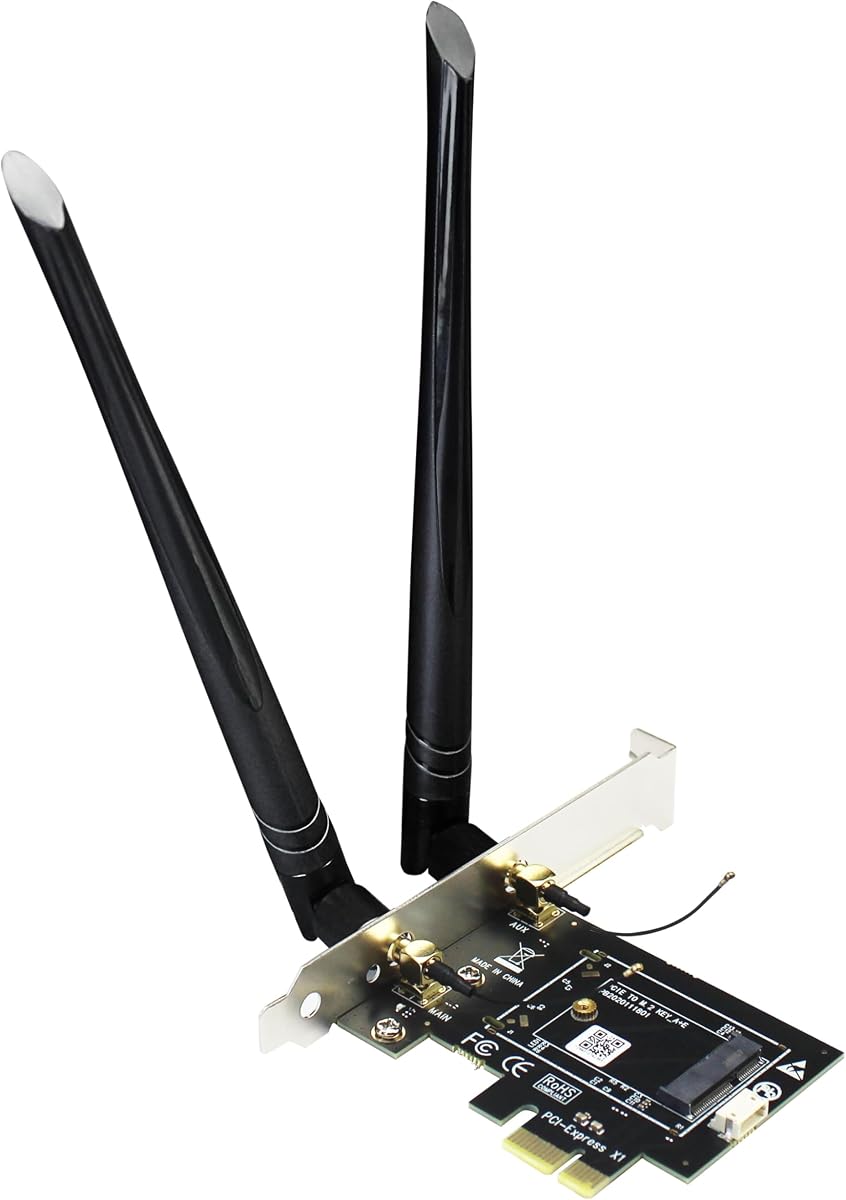
GLOTRENDS WA01 Adapter
4.1Editor score
M.2 Key E to PCIe X1
Supports Multiple WiFi Standards
Includes SMA Antenna Kits
This guide compares the top M2 Key E WiFi Cards for 2026, evaluating speed, compatibility, and features to help you choose the perfect wireless upgrade for
Choosing the right M2 Key E WiFi card can transform your wireless experience significantly. Whether you need faster gaming speeds or reliable streaming, the correct adapter ensures your system keeps up with modern demands.
We compared ten leading options based on real-world performance, compatibility with various motherboards, and user feedback. Our analysis focuses on key metrics like throughput, latency, and ease of installation.
Each pick highlights specific strengths to match different user needs and budgets. Remember that pricing fluctuates often so check current deals before finalizing your purchase decision today.
4.1Editor score

4.5Editor score

4.6Editor score
Here is a side-by-side comparison of all ten products to help you quickly identify the best fit for your specific hardware and performance needs.


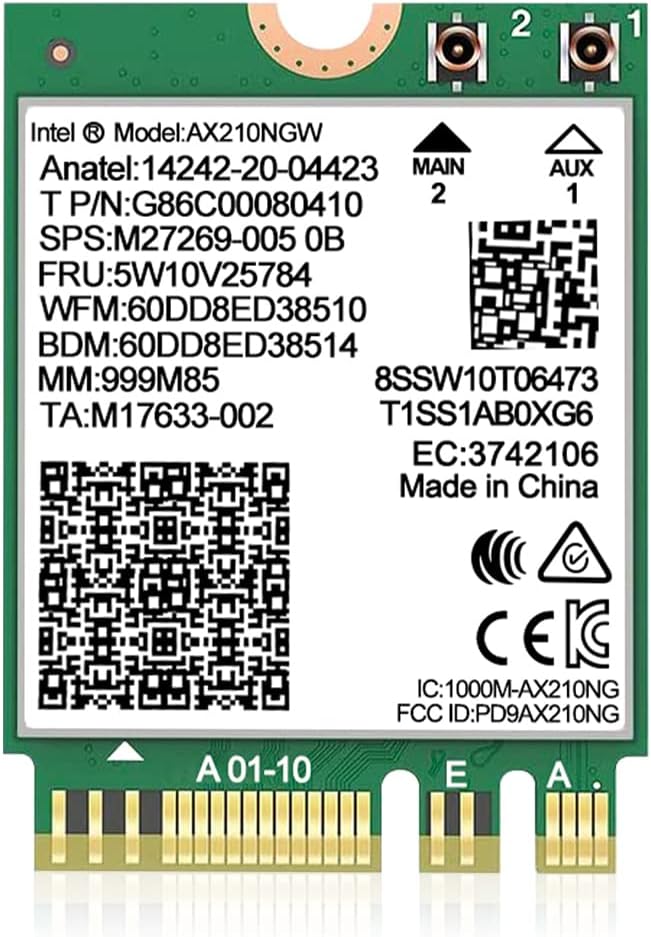




The AX210NGW DTK WiFi Card stands out as our top choice due to its robust performance and comprehensive kit. It offers reliable connectivity with WiFi 6E technology and includes all necessary mounting hardware.
We may earn a commission when you buy through this link, at no additional cost to you.
This card leverages the Intel AX210 chipset to deliver speeds up to 5.8Gbps across three bands. The inclusion of 5dBi high gain antennas ensures strong signal retention even at a distance from your router.
While it requires manual driver installation from the Intel website, the process is straightforward and ensures compatibility with your specific system configuration. The extra length of antenna cables may need careful routing in tight desktop cases.
Anyone seeking a reliable upgrade for gaming or 4K streaming should consider this model. It balances performance and price exceptionally well making it the best overall option for most users.
The included 5dBi antennas provide superior range compared to standard stubby antennas found in stock laptop modules.
Support for the 6GHz band ensures compatibility with next generation routers reducing congestion from older devices.
We may earn a commission when you buy through this link, at no additional cost to you.
The GLOTRENDS WA01 Adapter is the ideal budget solution for expanding wireless capabilities on desktop motherboards without native M.2 slots. It accepts a wide variety of modules from older standards to cutting edge WiFi 7.
We may earn a commission when you buy through this link, at no additional cost to you.
Its versatility allows it to work with modules like the AX210 or BE200 making it a flexible choice. The included 6dBi antennas ensure you get strong reception regardless of which module you insert.
Keep in mind that Bluetooth functionality requires a USB cable connection to the motherboard which might limit cable management in small cases. Additionally it does not support proprietary CNVio2 modules found in some laptops.
This adapter is perfect for hobbyists or budget builds where you want flexibility without spending extra. It effectively bridges the gap between modern M.2 cards and older desktop PCIe slots.
Supports nearly all NGFF M.2 modules with Key E or A+E interfaces except specific proprietary ones.
The included 6dBi SMA antennas are robust and offer better range than generic alternatives found elsewhere.
We may earn a commission when you buy through this link, at no additional cost to you.
The Intel Killer BE200 represents the pinnacle of wireless connectivity for gamers and power users. It brings the newest WiFi 7 standard to desktops with tri-band support and incredible speeds.
We may earn a commission when you buy through this link, at no additional cost to you.
Engineered specifically for gaming it delivers ultra-low latency which is crucial for competitive play. The support for Bluetooth 5.4 ensures your peripherals stay connected with minimal lag or interference.
This card does require an Intel processor and a compatible WiFi 7 router to unlock its full potential. Without these requirements met you may not see the advertised performance improvements over WiFi 6E models.
If you are building a high end rig with an Intel CPU and a WiFi 7 router this is the definitive choice. It maximizes your network throughput ensuring your hardware is not the bottleneck.
Dedicated software and hardware optimizations reduce ping spikes for a smoother gaming experience.
Tri-band architecture allows simultaneous high throughput connections without throttling during heavy usage.
We may earn a commission when you buy through this link, at no additional cost to you.
The 10Gtek PCIe x1 Adapter provides a solid bridge for older desktops needing modern M.2 wireless capabilities. It supports various PCIe slot sizes ensuring you can install it in most standard cases.
We may earn a commission when you buy through this link, at no additional cost to you.
It includes a dedicated Bluetooth cable which simplifies setup compared to adapters requiring manual wiring. The dual band antennas cover 2.4GHz and 5GHz effectively handling most daily internet tasks.
Unlike newer models this adapter does not support the 6GHz band limiting its future proofing potential. You also cannot swap cards while the system is running which requires shutdowns for changes.
This adapter is a reliable option for office PCs or media centers that do not need WiFi 6E speeds. It offers straightforward connectivity for those with standard PCIe slots.
Works with x1 x4 x8 and x16 slots giving you installation flexibility in almost any desktop motherboard.
The included 4-pin to 9-pin cable makes connecting Bluetooth straightforward without extra tools.
We may earn a commission when you buy through this link, at no additional cost to you.
The QCNCM865 WiFi 7 Card brings advanced connectivity to laptops that support M.2 Key E slots. It leverages Multi-Link Operation to combine bands for faster speeds and better reliability.
We may earn a commission when you buy through this link, at no additional cost to you.
This model achieves theoretical peak speeds of 5.8Gbps which is a significant jump over previous generations. It also supports Bluetooth 5.3 for improved peripheral connection quality and power efficiency.
Installation is straightforward with a compact design fitting modern laptops. However it requires Windows 11 specifically meaning older systems cannot utilize its full capabilities or drivers.
If you have a modern laptop and want to test WiFi 7 speeds this card is a great entry point. It future proofs your device against the upcoming standard for wireless networking.
MLO allows simultaneous data transfer across multiple bands reducing lag significantly during heavy network loads.
Being ready for WiFi 7 ensures you won't need to upgrade again soon as routers catch up.
We may earn a commission when you buy through this link, at no additional cost to you.
The WiFi 6E AX210 NGW card delivers reliable performance backed by Intel chipset stability. It supports both Windows 10 and 11 making it versatile for various systems.
We may earn a commission when you buy through this link, at no additional cost to you.
Tri-band functionality allows you to utilize the 6GHz band for high speed applications while keeping other devices on 2.4GHz. The Bluetooth 5.3 integration ensures seamless peripheral pairing.
Installation requires installing drivers manually which might be a minor hurdle for non technical users. It also does not support CNVIo2 slots so check your motherboard compatibility before buying.
This card is a safe bet for anyone looking to upgrade their wireless connectivity with proven technology. It offers a balanced mix of speed and reliability without unnecessary complications.
Drivers are easily available from Intel ensuring long term support for your system upgrades.
Dedicated 6GHz channel keeps high bandwidth tasks separate from slower device traffic.
We may earn a commission when you buy through this link, at no additional cost to you.
This AX210 NGW Wireless Card is designed for users seeking consistent performance and reliability. It features MU-MIMO support which improves efficiency when multiple devices are connected to your network.
We may earn a commission when you buy through this link, at no additional cost to you.
The card supports ultra-low latency which is beneficial for gaming and video conferencing. Tri-band support ensures you can utilize the less congested 6GHz band when needed.
It does not include an enclosure so you must install it into a compatible motherboard slot. Drivers must be downloaded separately which is standard but requires internet access to set up.
If you need a replacement for a broken laptop card this is a solid choice. It brings modern features to older systems effectively extending their wireless life and performance.
Allows simultaneous data streams to multiple devices preventing bottlenecks in busy households.
Optimized for real-time tasks like gaming and calls where lag is noticeable and frustrating.
We may earn a commission when you buy through this link, at no additional cost to you.
The AX210 NGW with 8dBi stands out because of its high gain antennas which provide excellent range. This is ideal if your router is far from your computer or there are many walls.
We may earn a commission when you buy through this link, at no additional cost to you.
It includes all necessary cables and brackets making installation straightforward. The 8dBi antennas are physically larger than standard ones so ensure you have space to mount them properly.
Setup involves connecting cables carefully to avoid damage. Once installed the performance is reliable and consistent across all three bands.
Choose this option if signal strength is your primary concern over minimal size. It delivers the range you need for stable connections in larger spaces.
8dBi antennas provide significantly better range than standard 5dBi ones for distant connections.
Everything needed including cables and brackets is provided reducing the need for extra purchases.
We may earn a commission when you buy through this link, at no additional cost to you.
The WiFi 7 QCNCM865 Network Card is another strong contender for those looking to upgrade to the latest standard. It supports MLO for improved speed and reliability.
We may earn a commission when you buy through this link, at no additional cost to you.
It is priced competitively compared to similar high-end modules. The performance is excellent when paired with a WiFi 7 router.
Keep in mind you must run Windows 11 to use it properly. Ensure your system is up to date before purchasing.
For early adopters this card offers a great balance of price and performance. It allows you to test new WiFi features without breaking the bank.
Offers high end features at a lower cost point than some brand name alternatives.
Multi-Link Operation combines channels for faster speeds and reduced latency on compatible networks.
We may earn a commission when you buy through this link, at no additional cost to you.
The BrosTrend WiFi 6 Card is a cost-effective solution for standard wireless needs. It offers AX1800 speeds which are sufficient for most home internet plans.
We may earn a commission when you buy through this link, at no additional cost to you.
It supports Linux kernels 6.5 or higher which is a unique advantage for Linux users. The Bluetooth 5.2 provides reliable connectivity for peripherals.
It lacks the 6GHz band so you miss out on future WiFi 6E benefits. It is better for standard browsing rather than high throughput tasks.
Choose this if you want a simple upgrade without high costs. It works well for users who do not need the absolute latest features.
Official support for modern Linux kernels makes it a rare find for open source systems.
Provides reliable speeds at a lower price point than premium tri-band options.
We may earn a commission when you buy through this link, at no additional cost to you.
Selecting the right adapter requires understanding your system's capabilities and your networking needs. Here are key factors to consider.
Modern adapters support WiFi 6E and WiFi 7 which offer faster speeds and lower latency. Choose WiFi 7 if you plan to upgrade your router soon for future proofing.
WiFi 6E is still excellent for most users and offers better performance than older WiFi 6.
Tri-band cards use 2.4GHz 5GHz and 6GHz to reduce congestion. If you have many devices the 6GHz band helps keep your connection stable.
Dual-band models are cheaper but might struggle in crowded wireless environments.
Newer adapters include Bluetooth 5.3 or 5.4 which offer better range and efficiency. This ensures your wireless mice and headphones work smoothly without dropouts.
Always check if your motherboard supports Bluetooth integration via USB headers.
Intel based cards usually have the broadest driver support across Windows versions. Avoid proprietary chipsets if you plan to change operating systems often.
Check if your motherboard uses CNVio2 interfaces which restrict your card choices significantly.
Ensure the manufacturer provides easy access to drivers. Intel cards are often easier to install since drivers come with Windows updates.
Third party vendors may require manual downloads which adds setup time for you.
High gain antennas improve signal strength significantly. Look for models that include 5dBi or higher if you are far from your router.
Antenna placement matters so ensure your case has space for mounting them properly.
Some advanced cards like WiFi 7 require Windows 11 to function fully. Older systems might work but not with advanced features enabled.
Linux users should verify kernel support before buying to avoid driver issues.
Higher prices often bring better performance but sometimes just brand names. Determine what speeds you actually need to avoid overspending.
A balanced approach ensures you pay for features you will actually use daily.
Install the card carefully by aligning the notch on the module with the slot on your motherboard. Secure it with a screw to prevent movement during system use.
Install the latest drivers from the manufacturer or Intel website. Reboot your system to ensure all services recognize the new hardware correctly.
Keep antennas connected firmly to prevent signal loss. Periodically check for driver updates to maintain optimal performance and security over time.
Not all laptops support these cards due to proprietary restrictions like whitelist lists. Most desktop motherboards support them if they have an available M.2 slot. Always check your device manual before purchasing.
Yes many of these cards offer low latency modes specifically for gaming. WiFi 7 cards especially provide the fastest response times for competitive play.
WiFi 6E adds the 6GHz band to existing speeds while WiFi 7 introduces higher throughput and Multi-Link Operation. WiFi 7 is newer and faster but requires more compatible hardware.
Yes they are backward compatible with older WiFi routers. However you will not get the full speed benefits unless your router also supports the newer standards.
Most modules connect Bluetooth via a USB header on the motherboard. You will need to run the driver installer provided by the manufacturer or download from Intel.
Installation is simple if you have an available M.2 slot. Just align the card and secure it with a screw then install the drivers via software.
Most cards do not come with external antennas but they have connectors. You should attach antennas to get the best possible range and signal stability.
Many Intel based cards work with Linux out of the box. You may need newer kernels or specific drivers depending on the specific WiFi standard you are using.
We have reviewed the top ten M2 Key E WiFi cards available for November 2026. Each offers unique strengths tailored to different user needs and system capabilities.
Prioritize features like WiFi 6E or 7 support and Bluetooth version to ensure your system keeps pace with modern standards. Consider your budget and the specific tasks you need most.
Prices for these components change regularly so verify current deals before buying. Choosing the right card ensures a fast reliable wireless experience for years to come.