
Kayoubi LCD Writing Tablet
4.6Editor score
14.5 Inch Large Screen
One-Click Erase
Lightweight Design
Electronic sketch pads have revolutionized the way artists, students, and professionals capture their ideas. These devices blend the tactile feel of traditional paper with the convenience of digital storage and editing tools.
We evaluated ten leading electronic sketch pads based on display quality, pressure sensitivity, software compatibility, and overall user experience. Our analysis covers standalone tablets, LCD writing boards, and pen displays for various needs.
Each pick highlights key strengths and ideal use cases to guide your decision. Please note that product availability and specifications may change over time, so verify details before purchasing.
4.6Editor score

4.4Editor score

4.4Editor score
As an Amazon Associate we earn from qualifying purchases.
The following table provides a side-by-side comparison of the top electronic sketch pads, highlighting key specifications to help you find the right fit for your creative workflow.




The HUION Note Digital Notebook offers a unique hybrid approach to digital sketching by combining a real paper notepad with a battery-free pen. It captures your handwriting and transfers it to a mobile device via an app, making it ideal for note-takers.
We may earn a commission when you buy through this link, at no additional cost to you.
Its standout feature is the ability to record audio synced with your notes, ensuring you never miss a context detail. The Bluetooth 5.0 connection ensures fast and stable pairing with your device for seamless data transfer.
While it lacks a screen, the tactile feel is unmatched. However, the reliance on physical paper refills and app connectivity means it is not a standalone digital solution for those needing immediate on-screen visibility.
This product is best for students and professionals who prioritize the feel of writing on paper but want digital backups. It bridges the gap between traditional notebooks and modern tech effectively.
The pen and notepad provide genuine friction and resistance similar to real writing tools.
Record lectures or meetings while taking notes so you can relive the session later.
We may earn a commission when you buy through this link, at no additional cost to you.
The XPPen Magic Note Pad stands out as a versatile standalone tablet designed for both serious artists and casual note-takers. With its 10.95-inch display featuring nano-etching technology, it delivers a realistic paper-like friction for natural strokes.
We may earn a commission when you buy through this link, at no additional cost to you.
Its 16K pressure sensitivity and tilt support allow for precise shading and line control. The Android 14 system ensures you can access a wide range of creative apps directly from the device without needing a computer.
The vibrant color display is impressive for a note-taking device, though the premium price reflects these advanced features. It is heavier than some e-ink alternatives but offers significantly more functionality for digital art.
This tablet is ideal for professionals and students who want a powerful, self-contained sketching solution. Its combination of hardware and software features makes it a top choice for digital creativity.
The AG nano-etching screen mimics the friction of pencil on paper for comfort.
Run apps like Procreate alternatives directly on the device without extra hardware.
We may earn a commission when you buy through this link, at no additional cost to you.
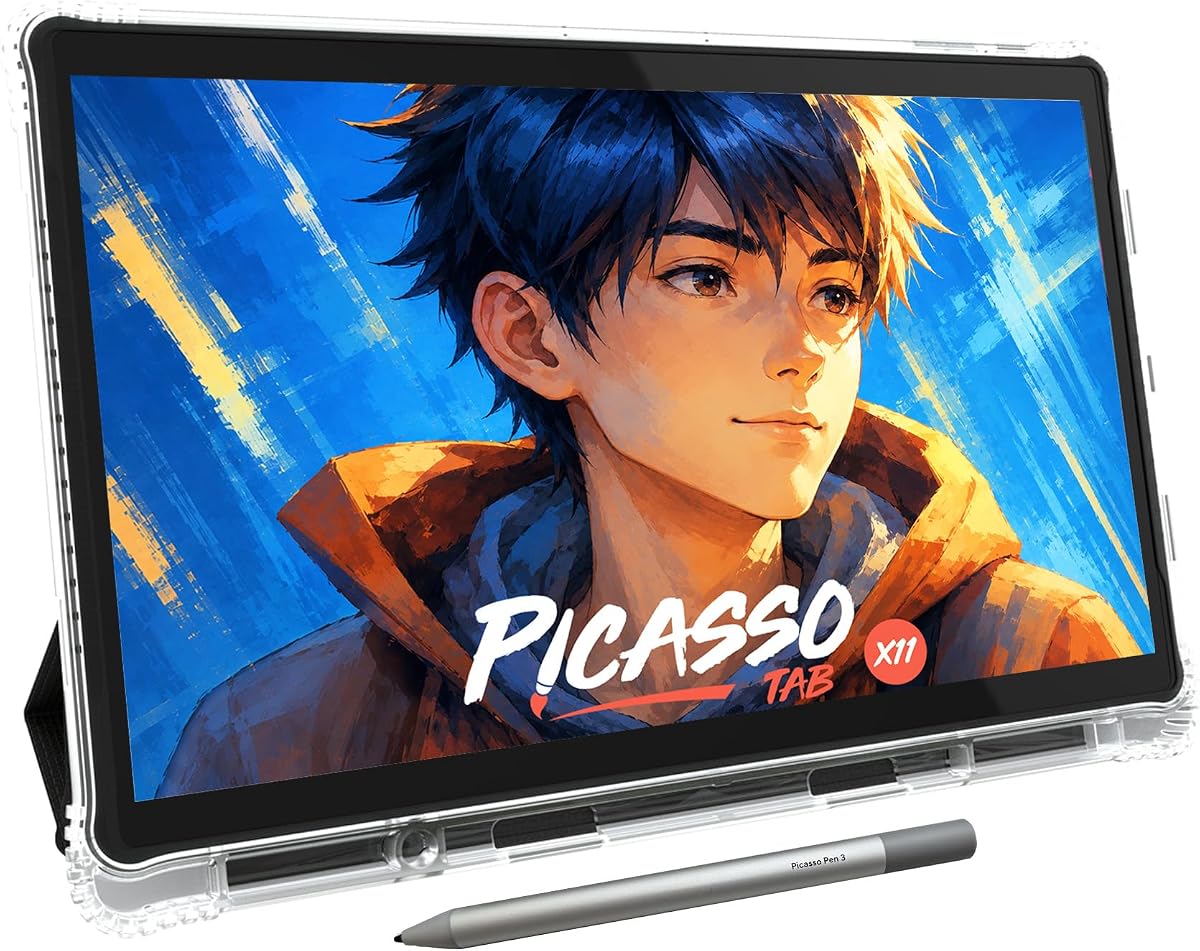
The PicassoTab X11 is a fully standalone drawing tablet that eliminates the need for a computer connection. Its laminated 11-inch 2K screen offers a realistic drawing feel with reduced parallax for better precision.
We may earn a commission when you buy through this link, at no additional cost to you.
It comes preloaded with five creative apps and lifetime VIP tutorials, making it an excellent choice for beginners looking to learn art basics. The included accessories like a case and screen protector add significant value.
While the pressure sensitivity is lower than high-end pen displays, it remains sufficient for sketching and casual art. The octa-core processor ensures smooth performance for multitasking and learning apps.
This device is perfect for students or hobbyists who want a complete creative setup in one package. The included tutorials and hardware make it a very compelling budget option for new artists.
Lifetime VIP tutorials provide guided lessons and exercises for skill building.
The box includes a case, glove, and power adapter to get you started immediately.
We may earn a commission when you buy through this link, at no additional cost to you.
The Kayoubi LCD Writing Tablet features a massive 14.5-inch screen that offers ample space for young artists to explore their creativity freely. Its simple design focuses on fun and education without complex settings.
We may earn a commission when you buy through this link, at no additional cost to you.
This device is safe for children's eyes as it emits no harsh blue light or glare. The one-click erase button allows for instant clearing of the screen to keep the creative process flowing smoothly.
While it lacks color and advanced features, its durability and ease of use make it a great educational toy. The lock function prevents accidental erasures, saving valuable creative moments.
Ideal for toddlers and young children, this tablet serves as a mess-free alternative to paper. Its large size and safe design make it a top choice for parents seeking entertainment and learning.
No ink or paper means no cleanup, perfect for travel and quiet time.
Zero blue light emission ensures safe usage for extended periods.
We may earn a commission when you buy through this link, at no additional cost to you.
The Bravokids 10 Inch LCD Writing Tablet is designed for children aged three to eight who need a portable and durable drawing tool. Its lightweight build makes it easy to carry in bags for travel or school.
We may earn a commission when you buy through this link, at no additional cost to you.
The colorful screen enhances the drawing experience, making it engaging for young users. The device is built to withstand drops with round corners and anti-fall construction, ensuring longevity.
It is a simple tool that focuses on creativity and quiet play. The battery door is secured with a screw for safety, and it offers over 100,000 rewrites for long-term use.
This product is perfect for keeping children occupied during long trips. Its fun colors and robust build make it a reliable educational gift that supports imagination on the go.
Compact and lightweight design makes it easy to take anywhere.
Screw-fixed battery door ensures children cannot access small battery parts.
We may earn a commission when you buy through this link, at no additional cost to you.
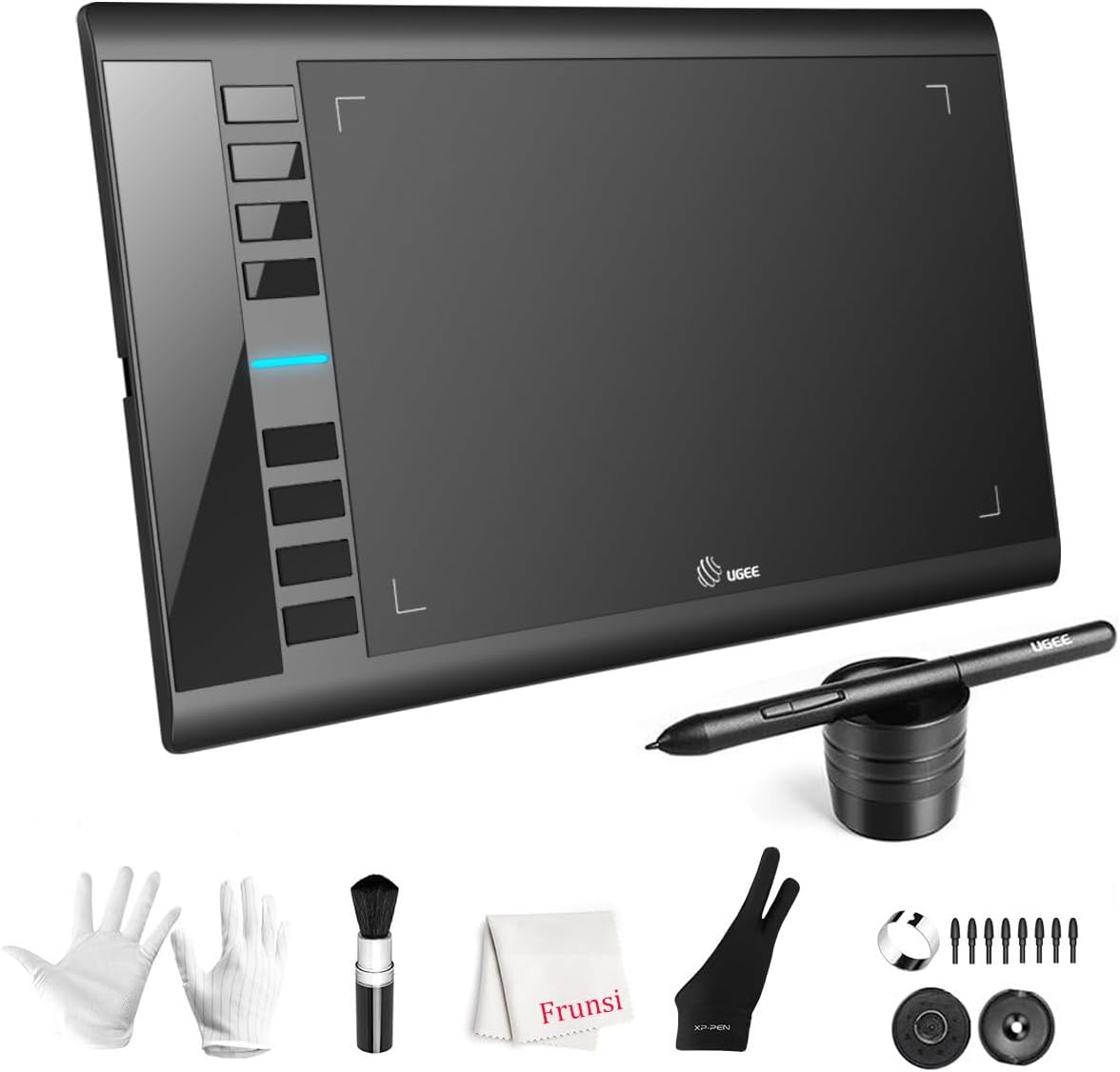
The UGEE M708 V3 offers a spacious 10×6 inch active drawing space ideal for digital artists transitioning from paper. It features a papery texture surface that provides a smooth and natural drawing experience.
We may earn a commission when you buy through this link, at no additional cost to you.
Its 16,384 levels of pressure sensitivity allow for detailed control over line width and opacity. The eight customizable express keys on the side streamline workflow by providing quick access to common shortcuts.
This tablet is compatible with a wide range of operating systems and software, making it versatile. However, it requires a connection to a computer, so it is not a standalone device for quick notes.
Best for hobbyists and beginners in digital art, this tablet provides professional features at an affordable price. The express keys and large space help improve productivity during creative sessions.
Express keys allow quick access to zoom, eraser, and undo functions.
Works with Windows, Mac, Android, and ChromeOS for broad compatibility.
We may earn a commission when you buy through this link, at no additional cost to you.
The Mafiti LCD Writing Tablet is an ultra-lightweight solution for quick notes and sketches. Its thin 1/8 inch profile makes it easy to slip into pockets or bags for use anywhere.
We may earn a commission when you buy through this link, at no additional cost to you.
It features a built-in stylus dock that doubles as a kick-stand, allowing you to display messages or lists upright. The coin-cell battery is easily replaceable when it runs out, ensuring long usability.
This device is perfect for home memos, office notes, or casual doodling. The update version offers thicker writing lines for better visibility, and the lock switch prevents accidental erasing.
Ideal for users needing a simple digital notepad, this tablet balances functionality with portability. Its stand feature and replaceable battery make it a practical tool for everyday reminders.
The stylus dock can hold the device upright for hands-free viewing.
The replaceable battery ensures the device remains usable for many years.
We may earn a commission when you buy through this link, at no additional cost to you.
The TEKFUN LCD Writing Tablet is built to withstand the rigors of travel and play. Its waterproof and anti-fall design ensures that accidental drops or spills will not damage the device.
We may earn a commission when you buy through this link, at no additional cost to you.
It offers 10 inches of space for kids to draw and write, keeping them engaged during long trips. The battery has a lifespan of about six months, which is standard for this type of device.
The lock key effectively prevents accidental clearing of the screen, ensuring that drawings are saved until the child is ready to erase them. It is a reliable choice for parents on the go.
This product is an excellent gift for toddlers and children who need entertainment. Its durability and simple interface make it a stress-free option for keeping kids occupied.
Waterproof and anti-fall construction makes it ideal for cars and planes.
A simple lock switch prevents accidental erasing of important artwork.
We may earn a commission when you buy through this link, at no additional cost to you.
The Wacom Intuos Small is a trusted tool used by professional graphic designers worldwide. It features Wacom's EMR technology that provides a battery-free pen experience with precise control and natural feel.
We may earn a commission when you buy through this link, at no additional cost to you.
It comes with exclusive access to creative software and training, helping you maximize its potential. The tablet is compatible with most major software applications for drawing, editing, and design work.
While the size is compact, it offers the precision and reliability that professionals need for detailed work. The battery-free pen ensures you never have to stop creating to charge your tool.
Best for beginners starting digital art, this tablet offers a proven platform to learn on. Its software and training included add significant value beyond just the hardware itself.
The pen technology is trusted by pros for its accuracy and comfort.
Registration grants access to creative software and online training resources.
We may earn a commission when you buy through this link, at no additional cost to you.
The XP-PEN Artist12 is a pen display that offers a vivid 11.6-inch FHD screen with vibrant colors and extreme detail. It provides a direct drawing experience where you can see your work as you create.
We may earn a commission when you buy through this link, at no additional cost to you.
Its battery-free stylus features a unique hexagonal design and an eraser for comfort and utility. The slim touch bar and six shortcut keys allow for quick zooming and scrolling during your work.
This monitor requires a connection to a computer via HDMI and USB ports, so it is not portable like standalone tablets. However, the color accuracy and pressure sensitivity are impressive for the price.
Ideal for designers needing color accuracy, this display delivers on visual quality. The included accessories like a glove and pen holder make it a complete package for digital creators.
72% NTSC color coverage ensures accurate and vivid color reproduction.
Hexagonal grip and eraser on the end mimic a traditional pencil feel.
We may earn a commission when you buy through this link, at no additional cost to you.
Choosing the right electronic sketch pad depends on your specific needs, budget, and whether you require a standalone device or one that connects to a computer.
Determine if you need a device that works independently with its own operating system like Android, or one that must connect to a laptop for functionality. Standalone tablets offer portability while PC-connected models often offer more power.
Choose standalone for on-the-go note-taking and PC models for professional digital art workflows requiring heavy software.
LCD screens are typically monochrome and suited for quick notes or doodles, while color displays support full artistic creation. Look for anti-glare coatings to ensure comfortable usage over long periods.
Select color displays for art and monochrome LCDs for simple writing tasks to save money and battery life.
Higher pressure levels allow for more nuanced line strokes, mimicking the feel of a real pen. Levels of 16,384 are ideal for shading and artistic expression, while lower levels suffice for notes.
Prioritize higher pressure sensitivity if you are an artist creating detailed work and sketches.
Larger screens provide more room to draw without feeling cramped but reduce portability. A 10-inch to 12-inch range is generally considered a balance between workspace and mobility.
Opt for larger screens for professional work and smaller ones for travel or casual use.
Battery life varies significantly between devices, from a few hours to several days. Check if the pen requires charging or if it is battery-free to avoid interruptions during use.
Look for battery-free pens and long-lasting device batteries to ensure uninterrupted creativity sessions.
Ensure the device supports the applications you already use or offers a robust ecosystem of creative tools. Compatibility with Windows, Mac, or Android systems affects workflow flexibility and file transfer.
Verify software compatibility with your preferred design tools before purchasing to avoid limitations.
Check if the package includes essential accessories like extra pen tips, gloves, cases, or stand covers. These add value and protect your device during transport and daily use.
Prioritize bundles that include protective cases and extra tips for better longevity and readiness.
Durable materials and anti-fall designs are crucial for devices used by children or in mobile environments. Look for reinforced corners and waterproof features to withstand accidental drops or spills.
Choose models with rugged construction if you plan to use the device in busy or outdoor settings.
To start using your sketch pad, follow the manufacturer's instructions to pair it with your device or turn it on. Install necessary drivers or apps to ensure full functionality and syncing capabilities.
Clean the screen regularly with a microfiber cloth to avoid scratches and maintain clarity. Avoid pressing too hard with the pen to prevent damage to the surface or the stylus tip.
Store your device in a protective case when not in use to prevent accidental damage. Keep it in a cool, dry place to maintain battery health and prevent overheating during use.
Yes, many electronic sketch pads offer high pressure sensitivity and color accuracy suitable for professional use. Models like the XPPen and XP-PEN Artist12 are widely used by designers for their precise pen tracking and display quality.
No, standalone tablets run their own operating systems and do not require a computer to function. They have built-in apps for drawing and note-taking that can be used independently on the device.
Battery life varies by model, with standalone tablets lasting several days on a single charge. LCD writing tablets often run for months on a single coin-cell battery before needing replacement.
Many manufacturers include free software or access to popular apps with the purchase of their tablets. Additionally, open-source and free creative apps are often compatible with these devices.
Yes, many devices are designed with children in mind featuring non-toxic materials and eye-friendly screens. The LCD writing tablets specifically have zero blue light emission making them safe for young users.
Drawing tablets typically require a computer connection and offer higher precision for digital art. Sketch pads often refer to standalone devices that allow direct writing and sketching without a computer.
The top picks for electronic sketch pads include the XPPen Magic Note Pad for standalone creativity, the Kayoubi LCD for kids, and the XP-PEN Artist12 for professional color work. Each offers distinct strengths based on user needs.
Prioritize standalone functionality if you want to sketch anywhere without extra gear. Look for pressure sensitivity and display quality if your primary goal is serious digital art creation.
Always check current availability and specifications before purchasing as product updates are frequent. Verify the device meets your specific workflow requirements to ensure a satisfying creative experience.