
GIGABYTE B550 Gaming X V2
4.5Editor score
DDR4 Memory Support
PCIe 4.0 Slots
Q-Flash Plus BIOS
Discover the top Gigabyte Motherboard options for 2026. This guide compares performance, features, and compatibility across AMD and Intel platforms.
Selecting the right Gigabyte Motherboard is crucial for building a stable and high-performance computer system. These boards define your processor support, memory speed, and expansion capabilities for any task.
We evaluated ten top-rated Gigabyte Motherboard models based on power delivery, thermal design, connectivity options, and user reviews. Our analysis highlights the best choices for gamers and creators.
Each pick showcases unique strengths like wireless networking, PCIe speed, and BIOS features. Please note that availability and pricing can change frequently, so check current listings before buying.
4.5Editor score

4.4Editor score

4.2Editor score
This side-by-side comparison helps you quickly identify which Gigabyte Motherboard model fits your specific needs. We compare key specifications across all ten selected products.


This Gigabyte Motherboard stands out for its excellent balance of performance and features. It supports the latest AMD Ryzen processors and offers fast DDR5 memory capabilities.
We may earn a commission when you buy through this link, at no additional cost to you.
Its twin 14+2+1 power phases ensure stable power for demanding workloads. The thermal design keeps components cool even during intense usage sessions.
While it has fewer M.2 slots than premium boards, it covers most user needs. The inclusion of WIFI6E and USB-C adds significant value to the build.
Enthusiasts looking for a reliable AM5 platform will find this board highly capable. It is a top choice for new AMD system builds.
The digital VRM solution provides stable power for CPU performance and efficiency.
PCIe 5.0 M.2 support allows for ultra-fast storage speeds for future proofing.
We may earn a commission when you buy through this link, at no additional cost to you.
This Gigabyte Motherboard offers top tier features for users who want the latest technology. It includes WIFI7 and USB4 for ultra-fast connectivity options.
We may earn a commission when you buy through this link, at no additional cost to you.
With four M.2 slots, it supports extensive storage arrays without needing add-in cards. The power design is robust enough for high-end Ryzen 9 processors.
Thermal performance is strong thanks to dedicated guards for VRMs and storage. The five-year warranty adds peace of mind for long-term ownership.
Build it for a high-end AM5 build and this board delivers excellent performance. It is ideal for workstations or enthusiast gaming setups.
WIFI7 support ensures you are ready for the next generation of wireless speeds.
Four M.2 slots give you plenty of room for high-speed SSDs.
We may earn a commission when you buy through this link, at no additional cost to you.
This Gigabyte Motherboard is a fantastic choice for budget-conscious builders. It supports older Ryzen CPUs and delivers reliable performance for gaming.
We may earn a commission when you buy through this link, at no additional cost to you.
Q-Flash Plus allows BIOS updates without needing a CPU installed, which is very convenient. The power phase design handles mid-range processors effectively.
It lacks built-in WIFI but offers strong wired networking and decent expansion. The RGB Fusion lighting adds a nice aesthetic touch to any build.
For those building a cost-effective AM4 system, this board is hard to beat. It balances features and price better than many competitors.
Q-Flash Plus simplifies BIOS updates and makes system maintenance much easier.
RGB Fusion allows you to sync lighting with other components for a unified look.
We may earn a commission when you buy through this link, at no additional cost to you.
This Gigabyte Motherboard features a distinct white design that appeals to aesthetic-focused builders. It matches the high-performance specs of the X870 series.
We may earn a commission when you buy through this link, at no additional cost to you.
The VRM power stages are optimized for stable performance with powerful Ryzen processors. Thermal guards ensure that storage and power components stay cool.
It includes WIFI7 and USB4 ports for maximum connectivity speed. The white color scheme makes it perfect for light-themed PC builds.
If you want performance with a unique look, this board is an excellent choice. It delivers top-end features for demanding user requirements.
The white design stands out and matches well with light colored PC cases.
USB4 ports provide fast data transfer for external drives and docks.
We may earn a commission when you buy through this link, at no additional cost to you.
This Gigabyte Motherboard is built for users who need maximum connectivity and storage. It supports Intel Core Ultra processors with a robust power solution.
We may earn a commission when you buy through this link, at no additional cost to you.
With five M.2 slots, it offers massive storage expansion for creators and professionals. Thunderbolt 4 ports ensure ultra-fast data transfer for peripherals.
The networking features include 10GbE LAN and WIFI7 for top-tier internet speeds. This board is ideal for workstations and high-end desktops.
If you need the best Intel platform features, this model is a great pick. It provides future-proofing capabilities that few other boards offer.
Thunderbolt 4 ports enable high-speed docking and display connections.
Five M.2 slots allow for extensive high-speed NVMe storage arrays.
We may earn a commission when you buy through this link, at no additional cost to you.
This Gigabyte Motherboard is known for its reliability and high user ratings. It supports modern AMD CPUs and offers solid connectivity options.
We may earn a commission when you buy through this link, at no additional cost to you.
The triple M.2 slots allow for multiple storage drives without cluttering the system. WIFI6E is included for reliable wireless connectivity at home.
EZ-Latch features make installing the GPU and storage much easier for users. The build quality is sturdy for the price point.
For reliable gaming or general use, this board is a strong contender. It delivers essential features without unnecessary extras.
High user ratings reflect the consistent performance and quality of this board.
EZ-Latch mechanisms simplify hardware installation and maintenance tasks.
We may earn a commission when you buy through this link, at no additional cost to you.
This Gigabyte Motherboard provides strong power delivery for Ryzen processors. It includes WIFI6 and advanced thermal armor for reliable performance.
We may earn a commission when you buy through this link, at no additional cost to you.
The thermal guards protect VRMs and M.2 drives during heavy use. Q-Flash Plus simplifies BIOS updates without installing a CPU.
It supports DDR4 memory which is often more affordable than DDR5. The 2.5GbE LAN ensures fast wired networking speeds.
Upgrading an existing AM4 system is easy with this board. It balances legacy support with modern networking features.
Advanced thermal armor helps maintain stable system temperatures under load.
2.5GbE LAN and WIFI6 provide excellent connectivity for gaming.
We may earn a commission when you buy through this link, at no additional cost to you.
This Gigabyte Motherboard supports Intel Core processors through the 14th generation. It offers DDR5 memory support for faster data access.
We may earn a commission when you buy through this link, at no additional cost to you.
Thermal design is comprehensive with enlarged heatsinks to manage heat effectively. WIFI6E ensures reliable wireless performance throughout your home.
The EZ-Latch system makes installing graphics cards much simpler. It is a well-rounded board for mainstream Intel users.
If you are using Intel CPUs, this board offers solid performance. It covers all the essentials for a smooth gaming experience.
DDR5 memory support allows for faster system responsiveness and gaming.
EZ-Latch features make hardware installation much easier for everyone.
We may earn a commission when you buy through this link, at no additional cost to you.
This Gigabyte Motherboard is designed for high performance with its strong power phases. It supports 14th Gen Intel processors and DDR5 memory.
We may earn a commission when you buy through this link, at no additional cost to you.
The thermal design includes fully covered MOSFET heatsinks for better cooling. It offers four M.2 slots for extensive storage needs.
WIFI6E and USB-C ensure you have modern connectivity options. EZ-Latch makes building easier for enthusiasts.
For a powerful Intel system, this board delivers great stability. It is a solid choice for gaming and productivity.
Twin 16+1+2 power phases ensure stable power for high-end CPUs.
Four M.2 slots allow for multiple high-speed drives easily.
We may earn a commission when you buy through this link, at no additional cost to you.
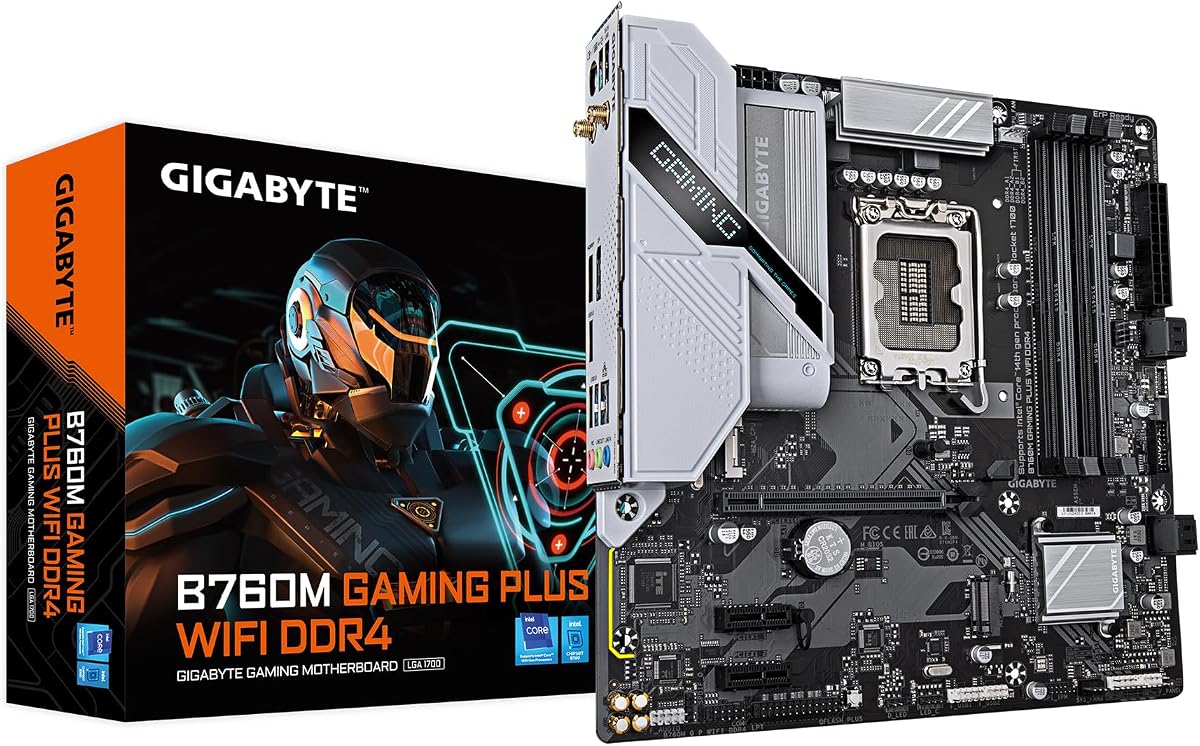
This Gigabyte Motherboard is a compact option for smaller PC cases. It supports Intel Core processors with DDR4 memory support.
We may earn a commission when you buy through this link, at no additional cost to you.
The Q-Flash Plus feature makes BIOS updates simple and convenient. Front USB-C allows for easy device connections.
While it has limited M.2 slots, it covers basic storage needs. The LAN ensures stable network connections.
For compact builds using Intel, this board is a practical choice. It fits well in small cases without sacrificing key features.
M-ATX size is perfect for smaller PC cases with limited space.
Q-Flash Plus allows BIOS updates without needing CPU installation.
We may earn a commission when you buy through this link, at no additional cost to you.
Choosing the right Gigabyte Motherboard involves considering several factors to ensure compatibility and performance.
The socket type must match your processor. AMD uses AM5 or AM4 while Intel uses LGA1700 or 1851.
Ensure you pick a board that matches your CPU generation.
Newer boards support DDR5 which is faster but older ones use DDR4. Check your budget and CPU requirements.
DDR5 is ideal for future proofing while DDR4 offers cost savings.
Stronger VRMs with more phases provide better stability for high-end processors. This affects performance during heavy loads.
Look for boards with high phase counts if you plan to overclock.
Modern features like USB4, USB-C, and WIFI7 are available on newer models. These improve data transfer and networking.
Choose based on how many devices you need to connect to your PC.
Effective heatsinks and thermal guards prevent overheating of critical components. This ensures long term stability.
Look for boards with covered MOSFETs and dedicated M.2 guards.
ATX boards are standard while M-ATX are smaller. Ensure your case supports the board size you select.
ATX offers more expansion slots while M-ATX is more compact.
Some Gigabyte models come with extended warranties which protect your investment. Check the length before buying.
A longer warranty can save money on potential repairs.
Prices vary based on features. Higher priced boards offer more connectivity and better VRMs for power.
Balance the features you need with your available budget.
Always handle the board by its edges to avoid static discharge damage to sensitive components.
Ensure you apply thermal paste correctly and use adequate case fans for good airflow.
Keep drivers updated via the Gigabyte website to maintain system stability.
Yes Gigabyte is a reputable brand known for reliable motherboards. They offer a wide range of models for different budgets and needs.
RGB Fusion allows you to control and sync lighting effects across compatible components. It is useful for building a cohesive look.
No AM5 boards only support DDR5 memory. DDR4 compatibility is found on older AM4 boards.
Use the Q-Flash Plus feature for updates without CPU installation. Otherwise use the BIOS tool from the boot menu.
WIFI7 is the latest wireless standard offering faster speeds and lower latency. It is available on newer motherboard models.
Yes M.2 NVMe drives are significantly faster than traditional SATA SSDs. This improves boot times and file access.
Our top picks cover a range of needs from budget friendly to premium models. Each board offers reliable performance for its platform.
Prioritize socket and memory support to ensure your system is ready for the future.
Always check current availability and stock before making your final decision.