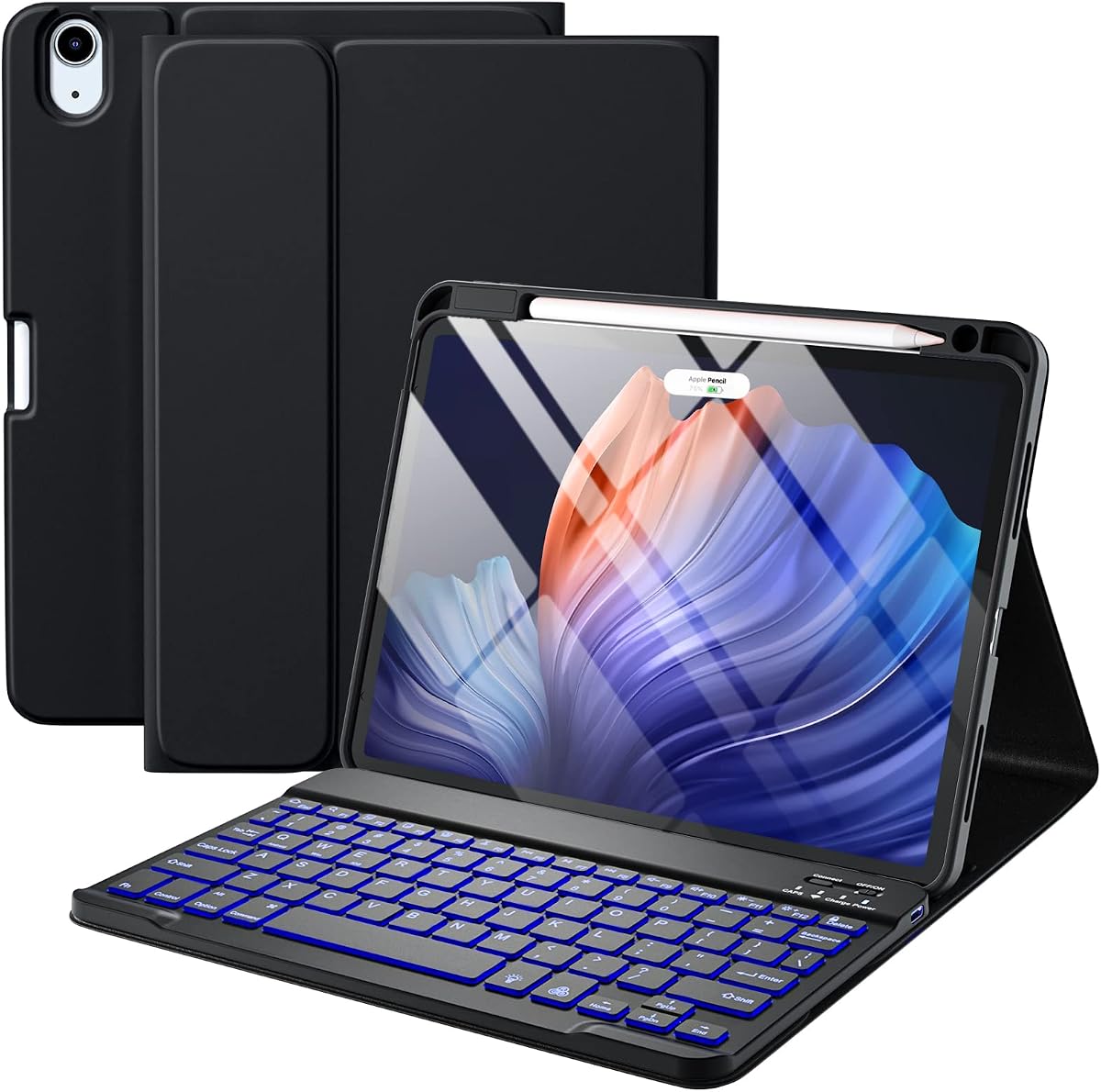
Harvopu for iPad Air 11 Inch & Air 5th 4th Generation Case with Keyboard
4.3Editor score
Detachable Backlit Keyboard
Long Life Battery
Adjustable Viewing Angle
This comprehensive guide compares the top 10 iPad Air Folio Case with Keyboard options available in October 2026 to help you find the perfect productivity
Finding the right iPad Air Folio Case with Keyboard can transform your tablet into a powerful workstation. These accessories combine protection with typing functionality to boost your productivity on the go.
We evaluated ten leading models based on build quality, typing experience, trackpad performance, and overall value. Our analysis covers options from premium brand manufacturers to affordable third-party alternatives.
Each pick below highlights key features, pros, cons, and ideal use cases to guide your decision. Please note that product availability and specifications may change over time.
4.3Editor score

4.5Editor score

4.5Editor score
Below is a detailed side-by-side comparison of all ten products reviewed in this guide to help you quickly identify the best fit for your needs.




This Logitech Flip Folio Keyboard Case stands out as a top contender for iPad Air users seeking a premium typing experience. With a 4.5 rating from verified buyers, it offers a combination of features that bridge the gap between tablet convenience and laptop functionality.
We may earn a commission when you buy through this link, at no additional cost to you.
The high-precision trackpad supports intuitive multi-touch gestures like swipe, pinch, and scroll, allowing you to navigate iPad Air efficiently. The backlit keys automatically adjust to your environment lighting, ensuring visibility in various lighting conditions without manual intervention.
While the price point is higher than some alternatives, the durable construction meeting military-grade standards justifies the investment for professional users. The adjustable kickstand and magnetic latch provide secure portability, making it ideal for frequent travelers.
For those who prioritize typing comfort and navigation precision, this case is an excellent choice. It transforms the iPad Air into a capable workstation suitable for productivity tasks on the go.
The trackpad supports multi-touch gestures for intuitive control without needing to touch the screen directly.
Backlit keys adjust automatically to your environment, reducing eye strain in low-light conditions.
We may earn a commission when you buy through this link, at no additional cost to you.
The Harvopu Keyboard Case offers an affordable solution for iPad Air users looking for a full typing experience without breaking the bank. With a 4.3 rating, it provides essential features like a detachable keyboard and backlit keys at a competitive price point.
We may earn a commission when you buy through this link, at no additional cost to you.
Its detachable design allows you to separate the keyboard from the case for pure tablet mode, offering flexibility for different use cases. The keyboard supports seven color breathing backlight modes, adding a customizable touch to your typing experience.
While it uses Bluetooth connectivity instead of a direct connection, the pairing process is quick and stable. The built-in battery ensures long-lasting usage, making it suitable for extended work sessions or travel without frequent recharging.
Ideal for students or casual users who need functionality on a budget, this case delivers value. It includes a pencil holder and support for charging, ensuring your accessories stay organized and powered.
The keyboard attaches via magnets but can be detached for standalone tablet use when needed.
Seven color breathing modes allow you to personalize the keyboard lighting to your preference.
We may earn a commission when you buy through this link, at no additional cost to you.
The Apple Magic Keyboard represents the pinnacle of iPad accessory design, offering a seamless integration that transforms the iPad Air into a laptop-like device. With a 4.5 rating, it is favored by professionals who demand premium quality and performance.
We may earn a commission when you buy through this link, at no additional cost to you.
Its floating cantilever design allows for smooth adjustment of viewing angles, providing ergonomic comfort during extended typing sessions. The built-in trackpad supports multi-touch gestures, enabling efficient navigation and control within iPadOS applications.
The USB-C pass-through charging ensures that your iPad can be powered while the case is attached, eliminating the need for separate charging solutions. The physical keycaps with scissor mechanism provide a satisfying and accurate typing experience.
While the price is steep, the build quality and functional design justify the investment for power users. It is the ideal choice for those who want a polished, integrated solution for productivity and media consumption.
The cantilever hinge provides adjustable viewing angles that adapt to your ergonomic preferences.
USB-C pass-through charging allows you to power your iPad without removing the keyboard case.
We may earn a commission when you buy through this link, at no additional cost to you.
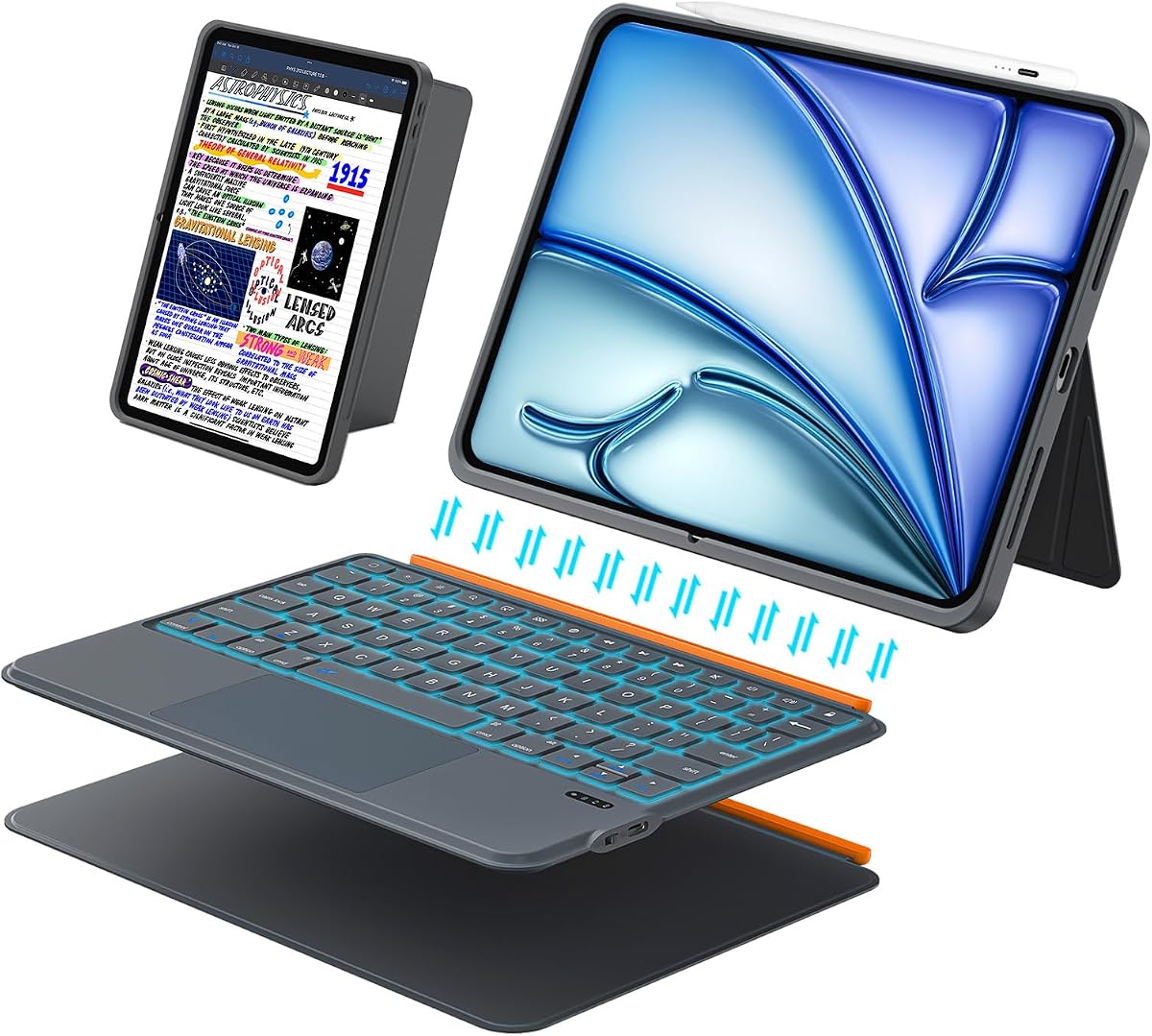
The ESR Ultra-Light Keyboard Case is designed for users who prioritize portability without sacrificing functionality. With a 4.4 rating, it offers a slim profile that fits easily into bags while still providing a full keyboard and trackpad experience.
We may earn a commission when you buy through this link, at no additional cost to you.
Its magnetic detachable design allows you to switch between keyboard mode and tablet mode effortlessly. The extra-large precision trackpad is 65% larger than standard keyboards, offering intuitive gestures for navigation and app switching.
The case features two viewing angles optimized for different tasks, ensuring stability whether you are working or sketching. Despite the lightweight design, it includes reinforced corners and cutouts for full access to ports and buttons.
Best for travelers who need a minimal setup, this case reduces bulk while maintaining essential productivity features. It provides protection against scratches and drops while keeping your iPad Air secure during transit.
The larger trackpad supports multi-finger gestures for smooth and responsive navigation.
Weighing significantly less than competitors, it is ideal for daily carry without added bulk.
We may earn a commission when you buy through this link, at no additional cost to you.
This Magic-Style Magnetic Keyboard Case brings premium features to a broader range of iPad models, including Air and Pro. With a 4.3 rating, it balances affordability with performance, offering a laptop-like experience for diverse users.
We may earn a commission when you buy through this link, at no additional cost to you.
The easy-set magnetic stand transforms the iPad into a portable workstation with smooth adjustment. The multi-touch trackpad supports gestures for editing and browsing, making it versatile for professional and personal use.
With backlight support and a long-life battery, you can work day and night without worrying about power. The synthetic vegan leather case offers protection against accidental knocks, ensuring durability over time.
Ideal for those who want a versatile solution across multiple iPad generations, this case provides value through compatibility and features. It is a solid choice for students and professionals who need reliable performance.
Backlight levels and long battery ensure you can type comfortably in any lighting environment.
Supports a wide range of iPad Air and Pro models for broad utility and value.
We may earn a commission when you buy through this link, at no additional cost to you.
This versatile keyboard case supports a broad array of iPad models, from Air to Pro and standard iPad. With a 4.5 rating, it delivers a balanced mix of features that cater to both work and leisure activities effectively.
We may earn a commission when you buy through this link, at no additional cost to you.
The magnetic detachable design allows seamless switching between work and leisure. The larger precision trackpad supports multi-finger gestures, enhancing navigation efficiency for productivity tasks and media consumption.
With Bluetooth 5.3 connectivity, the connection is stable and lag-free, ensuring quick access to work. The scissor structure keys offer a quiet typing experience suitable for shared environments like libraries or offices.
Best for users who own multiple iPad devices or need versatility, this case offers practical features. The skin-friendly leather provides full-edge protection against drops and scratches, keeping your tablet safe.
The 1mm travel scissor keys provide a comfortable and quiet typing experience.
Adjustable stand supports 160-degree landscape positioning for optimal viewing angles.
We may earn a commission when you buy through this link, at no additional cost to you.
The Apple Smart Keyboard Folio offers a classic approach to iPad productivity by combining a full-size keyboard with a protective cover. With a 4.6 rating, it appeals to users who prefer simplicity and direct connectivity over complex features.
We may earn a commission when you buy through this link, at no additional cost to you.
It requires no charging or pairing, connecting directly via the Smart Connector for instant use. The keyboard folds into a stand to provide a stable viewing angle for typing and reading.
While it lacks a trackpad, the full-size keys offer a comfortable typing experience similar to a laptop. The fabric material is durable but may show wear over time with heavy use.
Ideal for users who value simplicity and reliability, this case is a straightforward choice. It is particularly suitable for note-taking and writing tasks where keyboard functionality is the primary need.
No batteries or pairing required as it connects directly via Smart Connector interface.
Serves as both a protective front cover and a functional keyboard for typing.
We may earn a commission when you buy through this link, at no additional cost to you.
The Logitech Folio Touch offers a reliable option for iPad Air users seeking trackpad and backlit key features. With a 4.1 rating, this renewed version provides the same functionality as new units at a reduced cost.
We may earn a commission when you buy through this link, at no additional cost to you.
It features a high-precision trackpad for smooth navigation and backlit keys that adjust to your environment. The laptop-like typing experience ensures comfort during extended sessions of writing and editing.
As a renewed product, it may show minor signs of wear but is tested for functionality. The durable construction meets military-grade standards, keeping your iPad protected from bumps and scratches.
Best for budget-conscious buyers who want premium features, this case offers value without sacrificing utility. It is a solid choice for those who prioritize typing comfort and navigation precision.
Multi-touch gestures on the trackpad allow for intuitive navigation without touching the screen.
Renewed units offer the same features as new ones at a more accessible price point.
We may earn a commission when you buy through this link, at no additional cost to you.
This Harvopu Keyboard Case enhances productivity with an illuminated typing experience and trackpad navigation. With a 4.3 rating, it provides essential features for students and professionals who need functionality on a budget.
We may earn a commission when you buy through this link, at no additional cost to you.
The 7-color backlit keyboard allows you to customize your setup for different lighting conditions. The built-in high-sensitive touchpad enables precise navigation, reducing the need to touch the screen frequently.
Magnetic detachment allows you to switch between laptop mode and tablet mode easily. The case includes precise cutouts for ports and buttons, ensuring full access without removing the case.
Ideal for users who want customization and value, this case offers a balanced feature set. It is suitable for daily use in home, office, or school environments where portability is key.
Choose from seven colors and three brightness levels to suit your mood and environment.
The sensitive touchpad supports gestures for smooth and efficient control of your iPad.
We may earn a commission when you buy through this link, at no additional cost to you.
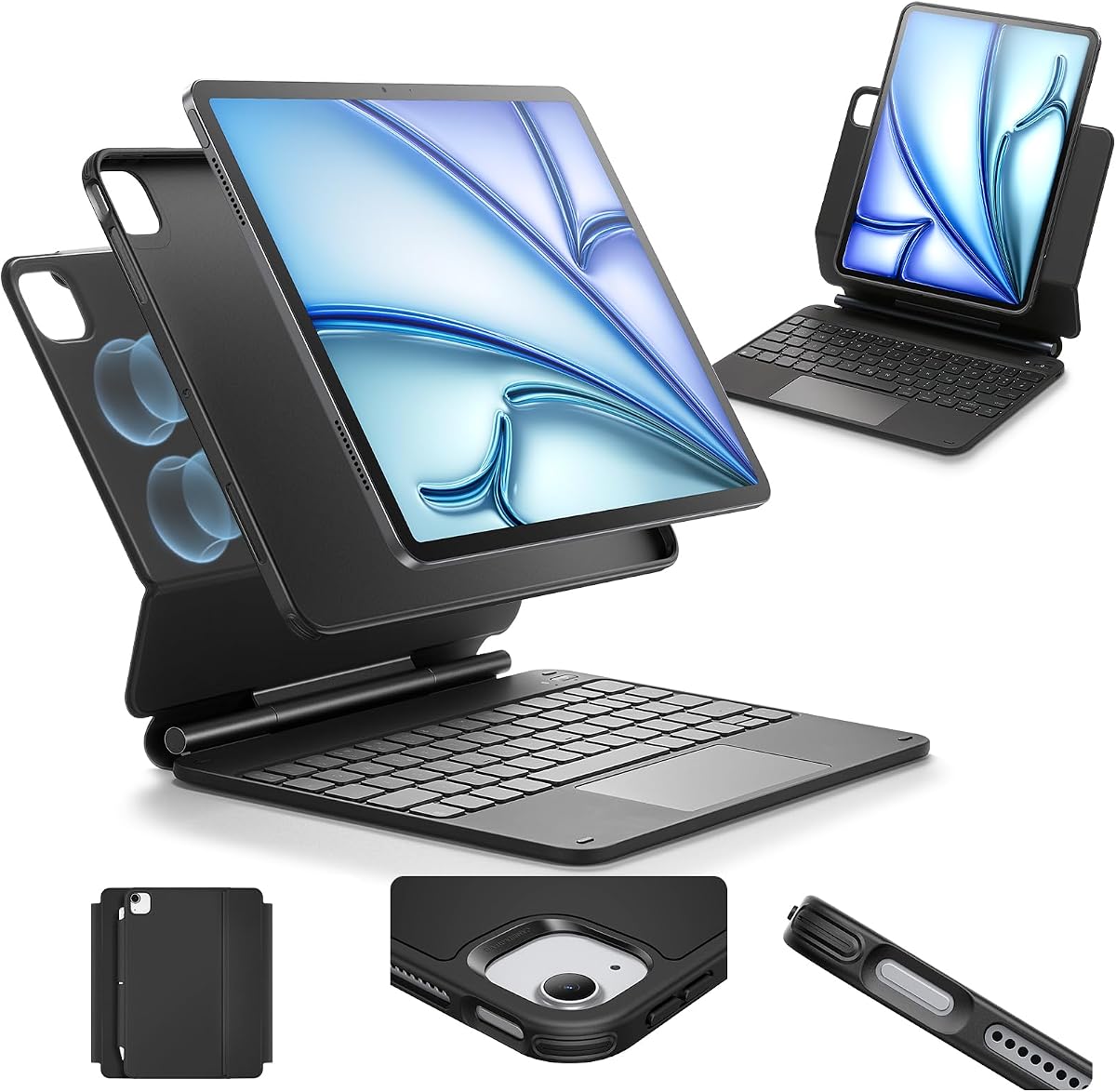
The ESR Multi-Mode Keyboard Case is designed to transform your iPad into a portable productivity machine. With a 4.2 rating, it focuses on versatility and ease of use for various tasks and environments.
We may earn a commission when you buy through this link, at no additional cost to you.
The quick-set magnetic stand allows you to open the floating cantilever stand to the perfect angle for typing. The extended ultra-sensitive multi-touch trackpad lets you navigate your iPad with precision.
Multiple view modes include raised screen view for better posture and portrait mode for FaceTime. The case detaches for instant hands-on access while maintaining full-body protection.
Best for users who need flexibility in how they work, this case offers practical features. It is suitable for those who need to switch between typing, browsing, and calling frequently.
The magnetic stand allows quick adjustments to find the best viewing angle for any task.
Uses every millimeter of the trackpad to enhance navigation and gesture control.
We may earn a commission when you buy through this link, at no additional cost to you.
Selecting the right iPad Air Folio Case with Keyboard involves considering several key factors to ensure it meets your specific needs.
Ensure the case matches your iPad Air model, especially if you have the latest M4 or M3 chips. Check the model number on your device to confirm compatibility before purchasing.
Verify the model number on your device to confirm compatibility before purchasing.
Decide between mechanical scissor keys or membrane keys for typing comfort. Scissor keys often provide a more laptop-like experience with better tactile feedback.
Scissor keys often provide a more laptop-like experience with better tactile feedback.
A built-in trackpad enhances navigation efficiency by supporting multi-touch gestures. Look for models with precision trackpads that respond well to swipe and pinch actions.
Look for models with precision trackpads that respond well to swipe and pinch actions.
Backlit keys are essential for low-light environments. Consider models with adjustable brightness to reduce eye strain during night work sessions.
Consider models with adjustable brightness to reduce eye strain during night work sessions.
Materials matter for long-term protection. Look for cases with reinforced corners and sturdy latches to protect against drops and scratches.
Look for cases with reinforced corners and sturdy latches to protect against drops and scratches.
Wireless keyboards require charging. Check the battery capacity and charging method to ensure it lasts through your typical usage day.
Check the battery capacity and charging method to ensure it lasts through your typical usage day.
If you travel frequently, choose ultra-light models to avoid added bulk. Balance the need for features with the weight of the case.
Balance the need for features with the weight of the case.
Prices vary significantly between premium and budget models. Determine your priorities and set a budget that aligns with the features you need most.
Determine your priorities and set a budget that aligns with the features you need most.
To set up your case, ensure the iPad is powered on. Attach the case or keyboard using the designated magnets or connectors as per manufacturer instructions. Verify that the keyboard connects to your iPad via Bluetooth if applicable.
Regular cleaning is essential for maintaining performance. Use a soft, dry cloth to wipe the keyboard keys and trackpad surface. Avoid liquids or harsh chemicals that may damage the materials.
Store your iPad in a cool, dry place when not in use. Keep the case closed using the magnetic latch to prevent accidental opening. Periodically check the battery status and charge as needed.
Not all cases support every generation. Always check the product compatibility list to confirm it fits your specific model number. Newer cases often support the latest M-series chips.
Many modern cases include a Pencil holder or allow charging while attached. Check the product details to see if your Pencil model is supported with the case on.
Smart Connector models do not need separate charging. Bluetooth models require periodic charging via USB-C. Check the specific product power requirements.
Use a microfiber cloth to wipe the trackpad. Avoid using liquids or abrasive cleaners that could scratch the surface or damage the electronics.
Many models feature magnetic detachable designs. This allows you to switch between typing and tablet modes easily without removing the main protective case.
Most cases are not waterproof. Avoid exposing your iPad or keyboard to liquids. If spilled, power off and dry thoroughly before reconnecting.
We have explored ten top-rated options ranging from premium to budget-friendly choices. Whether you prefer the precision of Logitech or the sleek design of Apple, there is a perfect match for your workflow.
Prioritize features like trackpad support, backlight, and compatibility to ensure the case meets your daily needs. A well-chosen case can significantly boost your productivity on the go.
Remember that product availability and pricing may vary. Always check current listings and reviews before making a final purchase decision to secure the best deal.