
Acer 21.5in FHD 1920×1080 100Hz Office Monitor KB220Q H2bi
4.6Editor score
100Hz refresh rate
Adaptive-Sync support
ZeroFrame design
1ms response time
Finding the right HDMI LED monitor can transform your workspace or gaming setup. You need a display that offers sharp visuals, reliable connectivity, and comfortable viewing for long sessions. Modern panels deliver impressive clarity and speed without breaking the bank.
We evaluated ten highly rated models based on refresh rates, color accuracy, and build quality. Our analysis focuses on real-world performance for office tasks and entertainment. Each pick balances technical specs with user-friendly features like eye care and ergonomics.
Every entry shows key specs, pros, and cons to help you decide quickly. We highlight unique strengths like adaptive sync or built-in speakers. Note that availability and offers may shift, so verify details before purchasing to ensure you get the best current deal.
4.6Editor score

4.6Editor score

4.7Editor score
As an Amazon Associate we earn from qualifying purchases.
This side-by-side comparison highlights the core specifications and unique attributes of each selected monitor. Use this table to quickly identify which model matches your specific needs for speed, size, or connectivity options.

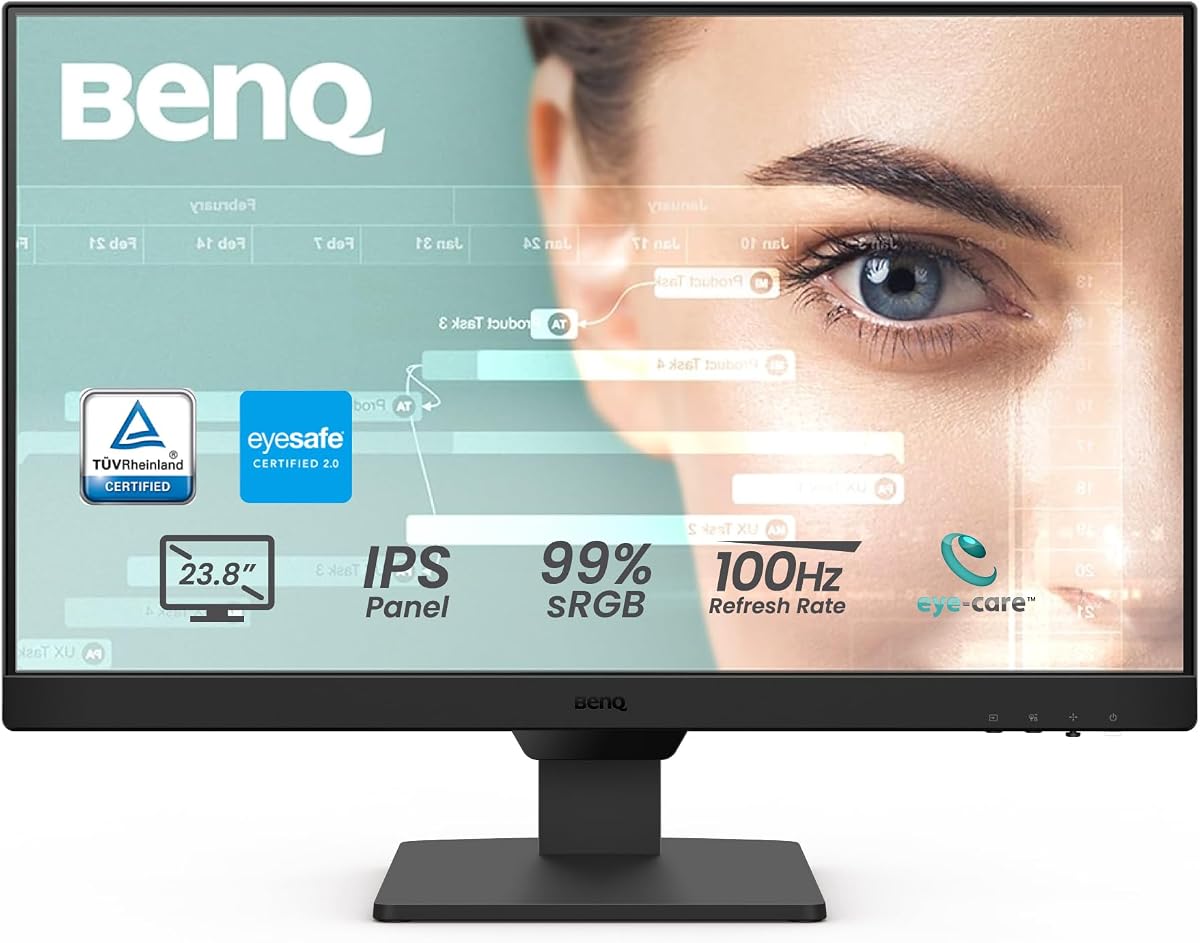




This 24-inch display stands out for its impressive refresh rate and color accuracy. With a 4.6 rating from users, it balances performance and value effectively for most needs.
We may earn a commission when you buy through this link, at no additional cost to you.
The 100Hz refresh rate ensures smooth motion during gaming and video playback. Its 99% sRGB coverage provides vivid colors that make design work look true to life without extra calibration.
While the stand lacks height adjustment, the slim bezels maximize screen real estate. The inclusion of built-in speakers saves desk space, though external audio may still be preferred for critical listening.
It is ideal for students and casual gamers who need a reliable screen. We recommend this model if you prioritize smooth visuals and vibrant colors on a tight budget.
The 100Hz refresh rate reduces motion blur significantly compared to standard 60Hz panels.
99% sRGB coverage ensures that images and videos display with rich and accurate tones.
We may earn a commission when you buy through this link, at no additional cost to you.
Expanding to 27 inches offers a more immersive experience for media consumption and casual work. Users appreciate the screen size while maintaining a manageable footprint on standard desks.
We may earn a commission when you buy through this link, at no additional cost to you.
The display supports VESA mounting which allows for flexible arm setups. Its tilt function helps find a comfortable viewing position, reducing neck strain during long hours of use.
While the refresh rate is lower than some competitors, it remains sufficient for non-competitive gaming. The built-in speakers provide adequate audio for video calls without needing extra peripherals.
This monitor suits those who prefer bigger visuals over raw speed. It is a solid choice for home offices or entertainment corners where screen real estate is the priority.
The 27-inch screen provides ample room for multitasking and enjoying detailed media content.
VESA compatibility ensures you can easily mount the display on walls or ergonomic arms.
We may earn a commission when you buy through this link, at no additional cost to you.
BenQ is known for prioritizing eye health, and this model continues that tradition with advanced filtering. It delivers a sharp IPS image while actively reducing harmful blue light exposure during long work sessions.
We may earn a commission when you buy through this link, at no additional cost to you.
The adaptive brightness feature adjusts the screen based on ambient light conditions. This reduces glare and prevents sudden brightness changes that can cause strain or headaches throughout the day.
Input Hotkey allows quick switching between devices like PCs and consoles. The VESA mount option adds versatility for custom setups, though the included stand is basic in design.
Professionals who stare at screens daily will appreciate the comfort features. It is a wise investment for health-conscious users who need reliable performance without sacrificing visual quality.
Low Blue Light Plus technology filters out higher-energy radiation to keep eyes comfortable.
Input Hotkey lets you switch between HDMI and DisplayPort sources with a single press.
We may earn a commission when you buy through this link, at no additional cost to you.
This Dell model delivers exceptional performance with its 144Hz refresh rate and 1ms response time. It is designed for users who demand smooth visuals for both gaming and high-speed productivity tasks.
We may earn a commission when you buy through this link, at no additional cost to you.
The IPS technology ensures consistent colors across wide viewing angles. TÜV certification validates its eye comfort features, making it safer for extended use compared to non-certified displays.
AMD FreeSync helps eliminate screen tearing during intense gameplay. The ultra-thin bezels create a modern look that maximizes screen space and fits well in multi-monitor configurations.
Gamers and power users seeking quality should choose this option. While the stand is basic, the display performance justifies the investment for those wanting top-tier fluidity.
The 144Hz refresh rate ensures fast-paced content renders smoothly without motion blur.
IPS panels provide excellent color consistency even when viewed from off-center angles.
We may earn a commission when you buy through this link, at no additional cost to you.
Philips delivers solid value with its VA panel technology. This setup produces deeper blacks and better contrast than many IPS options, enhancing movie watching and dark scene visibility.
We may earn a commission when you buy through this link, at no additional cost to you.
The bezel-free design on three sides creates a modern look. It supports seamless multi-monitor setups by minimizing visual clutter between screens, which boosts productivity for complex workflows.
EasyRead mode optimizes the display for text documents. This reduces strain when reading lengthy reports or papers, making it suitable for office environments where clarity is key.
It is an excellent choice for media enthusiasts on a budget. If you prioritize contrast and immersive visuals over extreme gaming speeds, this monitor offers great utility.
VA panels provide richer blacks and sharper image depth for a more immersive experience.
Minimal bezels make it ideal for dual setups where continuous visual flow matters.
We may earn a commission when you buy through this link, at no additional cost to you.
The P2425H is built with ergonomics as a top priority. Its stand allows for full height, tilt, and swivel adjustments, ensuring users can find a comfortable viewing angle effortlessly.
We may earn a commission when you buy through this link, at no additional cost to you.
Dell's reputation for reliability shines through in the build quality. The contrast ratio of 1500:1 provides a good balance for both office tasks and general media consumption.
This monitor is designed for professional workspaces where posture matters. The flexibility of the stand helps reduce neck and back strain over long working hours.
If you need a sturdy workstation display, this model is a strong candidate. The ergonomic benefits outweigh the lack of gaming-specific features for most office users.
Full adjustability helps maintain healthy posture during extended daily usage.
Dell ensures consistent performance and durability for demanding work environments.
We may earn a commission when you buy through this link, at no additional cost to you.
This monitor excels in bright environments thanks to its effective anti-glare coating. It maintains clarity even under harsh lighting, making it suitable for offices with overhead lights.
We may earn a commission when you buy through this link, at no additional cost to you.
The 100Hz refresh rate offers smooth visuals for general tasks and casual gaming. Its 250 cd/m² brightness ensures content remains visible in well-lit rooms without flickering.
Build quality is solid with a focus on practical usability. The 5ms response time is sufficient for most non-professional gaming needs without introducing noticeable lag.
Ideal for home offices or retail environments with strong ambient light. It provides a glare-free viewing experience that protects eyes from reflections and distractions.
Special coating minimizes reflections to keep the screen clear in bright rooms.
High brightness levels ensure content is always visible even with strong lighting.
We may earn a commission when you buy through this link, at no additional cost to you.
LG brings HDR10 support to a budget-friendly price point. This adds depth and vibrancy to compatible content, enhancing the viewing experience for movies and games that support the standard.
We may earn a commission when you buy through this link, at no additional cost to you.
The 120Hz refresh rate ensures fluid motion and reduces stutter. Dynamic Action Sync minimizes input lag, making it responsive enough for fast-paced gaming scenarios.
Reader Mode and Flicker Safe features protect eyes during reading tasks. The slim bezel design looks modern and fits well on any desk setup.
This display is perfect for multimedia lovers seeking a balanced screen. The combination of HDR support and high refresh rate makes it versatile for entertainment and work.
HDR10 support improves image range for richer and more vibrant visuals.
Dynamic Action Sync ensures quick reactions for better gaming performance.
We may earn a commission when you buy through this link, at no additional cost to you.
Acer delivers high performance at an entry-level price. The 100Hz refresh rate provides smooth visuals typically found on more expensive models, making it a standout for budget-conscious buyers.
We may earn a commission when you buy through this link, at no additional cost to you.
Its ZeroFrame design offers a near bezel-less look that saves space. The compact 21.5-inch size fits easily on smaller desks, ideal for tight workspaces or dorm rooms.
Adaptive-Sync technology prevents screen tearing during video playback. This ensures that gaming or movie watching remains fluid without needing a powerful graphics card.
This monitor is a smart choice for basic computing needs. If you need a fast screen without spending much, this model offers excellent value for money.
100Hz speed is rare at this price point, offering smoother daily use.
ZeroFrame design minimizes bezels to maximize screen space on small desks.
We may earn a commission when you buy through this link, at no additional cost to you.
The S2425HSM brings premium features to a versatile display. It combines a 144Hz refresh rate with full ergonomic adjustments including pivot, swivel, and height, ensuring comfort for all users.
We may earn a commission when you buy through this link, at no additional cost to you.
Dual 3W speakers provide decent audio quality for a standalone setup. The TÜV certification confirms eye comfort features that reduce harmful blue light during long sessions.
AMD FreeSync helps maintain smooth visuals during gaming. The ash white finish adds a stylish touch to modern workstations, setting it apart from standard black monitors.
This is a comprehensive choice for users who want everything in one package. If you need adjustable ergonomics and audio without external gear, this model is highly capable.
Pivot and height adjustments allow perfect positioning for any task.
Built-in speakers save space and provide clear sound for media and calls.
We may earn a commission when you buy through this link, at no additional cost to you.
Selecting the right monitor involves understanding several technical factors. This guide helps you prioritize features based on your specific needs for work or entertainment.
Panel type defines color accuracy and viewing angles. IPS panels offer wide angles and true colors, while VA panels provide deeper blacks. TN panels are fast but lack color quality.
Choose IPS for design work or VA for movies to balance performance with visual quality.
Refresh rate measures how many frames per second the screen displays. Higher rates like 144Hz ensure smooth motion in games and videos. Standard office use works well with 60Hz or 75Hz.
Invest in higher refresh rates if you play fast-paced games or need fluid scrolling.
Response time indicates how quickly pixels change color. Fast response times reduce motion blur and ghosting during action sequences. Lower values generally mean clearer visuals during movement.
Look for 1ms or 5ms response times to ensure sharp visuals in gaming or video.
HDMI ports allow easy connection to PCs and consoles. Ensure the monitor has enough inputs for your devices. DisplayPort offers higher bandwidth for advanced features like high refresh rates.
Verify the number of ports matches your setup to avoid needing extra cables or adapters.
Features like Blue Light Shift reduce strain during long usage. Flicker-Free technology prevents screen flickering that can cause headaches. Look for TÜV certifications for trusted protection.
Prioritize these features if you work long hours to maintain visual health and comfort.
Adjustable stands help you position the screen at eye level. Height, tilt, swivel, and pivot support reduce neck strain. VESA mounts allow you to use third-party monitor arms for flexibility.
Check stand adjustability to ensure you can set a comfortable viewing angle for your height.
Monitor size affects immersion and desk space usage. Most options are 24 inches with Full HD resolution for clear text and images. Larger screens may need higher resolution to avoid pixelation.
Select 24 inches for general use and ensure 1080p resolution for sharp and detailed visuals.
Integrated speakers save space but often lack audio depth. They are useful for basic video calls or simple media. External speakers provide better sound quality for music and immersive gaming.
Consider if you need audio for daily tasks or if you prefer a separate sound system.
Connect the HDMI cable to your device and plug in power. Adjust the stand to a comfortable height and enable settings like HDR or adaptive sync in your graphics panel.
Clean the screen with a microfiber cloth and mild cleaner. Avoid spraying liquids directly on the panel to prevent liquid damage. Store cables neatly to avoid tripping hazards or port wear.
Calibrate colors if you do graphic work using built-in tools. Reduce brightness in dark rooms to prevent eye strain. Turn off the monitor completely when not in use to save energy.
Full HD resolution of 1920 x 1080 is ideal for most general tasks. It offers sharp text and vibrant visuals without requiring a powerful graphics card. This resolution balances performance and cost effectively for home users.
Yes modern HDMI standards support refresh rates of 144Hz and higher. Check the HDMI version your monitor supports to ensure it handles high speeds. Using the correct cable ensures smooth and stable signal transmission.
Lower brightness levels to match room lighting and use Blue Light filters. Follow the 20-20-20 rule by looking away every twenty minutes. Adjust the monitor height so the top is at eye level.
Many models support VESA mounting with standard hole patterns. Check the manual for the specific dimensions like 100mm x 100mm. Use a compatible VESA mount bracket for secure and safe wall installation.
Built-in speakers provide decent sound for basic tasks like video calls. They are not ideal for immersive music or gaming experiences. External speakers offer richer audio if you prioritize sound quality.
Adaptive Sync syncs the refresh rate with the graphics card to stop tearing. It helps ensure smooth visuals during gaming without lag. While helpful for gamers it is not critical for office work.
We have reviewed ten diverse models that cater to different needs and budgets. From budget-friendly options to high refresh gaming displays, there is a suitable choice for everyone.
Prioritize refresh rate and color accuracy based on your main activities. Ergonomics and eye care features should also guide your final decision for comfort.
Always verify current stock and details before purchasing to ensure you get the right product. Prices and availability can change frequently, so act quickly when you find a fit.