
Lenovo Chromebook 14 inch WUXGA
5.0Editor score
MediaTek Kompanio 540 processor
4GB LPDDR5X memory
14 inch WUXGA touchscreen
Long battery life design
Chromebooks for AI represent the next evolution in portable computing, blending cloud efficiency with intelligent tools like Gemini for smarter workflows. These devices offer secure OS environments designed for students and professionals who need reliable performance without complex maintenance or heavy local storage requirements.
We compared ten top-rated models based on processor speed, AI feature access, display quality, and battery life to find the best options for your needs. Each selection includes verified specs and real-world performance data to help you understand how these machines handle daily tasks and advanced AI workloads.
Every pick highlights key strengths and potential trade-offs so you can choose confidently based on your specific budget and usage scenarios. Please note that pricing and availability change frequently, so check the latest offers on the linked product pages before making your final purchasing decision today.
5.0Editor score

4.9Editor score

4.5Editor score
As an Amazon Associate we earn from qualifying purchases.
This table provides a side-by-side overview of the ten leading Chromebooks for AI, highlighting their processors, memory, storage, and key AI capabilities. Compare these specs to find the device that matches your performance needs and budget requirements.


This Acer Chromebook Plus 514 stands out with a top-tier 4.9 rating and robust AI features designed to streamline daily tasks. Its Intel Core i3-1315U processor paired with 8GB of LPDDR5 RAM ensures smooth multitasking for students and professionals alike who need reliable performance in a portable form factor.
We may earn a commission when you buy through this link, at no additional cost to you.
The integrated Google AI Pro subscription offers 5TB of cloud storage and access to advanced Gemini tools for 12 months at no cost. Users can convert handwriting to text, simplify jargon, and enhance video calls with AI-driven noise cancellation and lighting adjustments that improve communication quality significantly.
While the 256GB SSD is standard for the class, some users might need external storage for large media libraries. Battery life is advertised up to 17 hours but varies based on settings and network conditions. However, the fast SSD and Wi-Fi 7 connectivity compensate for these minor trade-offs effectively.
Ideal for power users seeking the best balance of speed and AI integration, this model delivers premium value. It is the top recommendation for anyone wanting the fastest connectivity and most advanced AI features available on a Chromebook platform today.
Gemini features allow seamless text conversion and content simplification directly within Gmail and Docs for better productivity.
Wi-Fi 7 support ensures blazing fast internet speeds and better performance in crowded networks for uninterrupted browsing.
We may earn a commission when you buy through this link, at no additional cost to you.
The ASUS Chromebook Plus CX34 brings powerful AI capabilities to a mid-range price point with a strong focus on cloud integration. It features an Intel Core i3-1215U processor and 8GB RAM, providing sufficient power for everyday tasks like web browsing and document editing without lag.
We may earn a commission when you buy through this link, at no additional cost to you.
Buyers receive a 12-month Google One AI Premium plan including 2TB of storage and access to Gemini Advanced. This allows for creative tools like Magic Eraser and noise cancellation, which are essential for users who frequently participate in video calls or create content on the go.
One trade-off is the use of UFS storage instead of a faster PCIe SSD, which may impact load times for heavy applications. Additionally, the 3.8 rating suggests some users have had mixed experiences with build quality or software updates. Still, the value of the included AI tools remains high.
This laptop is best suited for budget-conscious buyers who prioritize cloud storage and AI features over raw storage speed. It offers a compelling package for students or casual users who need reliable performance without breaking the bank on hardware.
Built-in tools like Magic Eraser help enhance photos and simplify content creation directly on the device.
The included 2TB cloud storage ensures you never run out of space for files or media projects.
We may earn a commission when you buy through this link, at no additional cost to you.
Designed for users who prefer a larger workspace, the Acer Chromebook Plus 515 offers a 15.6-inch Full HD touch display that enhances visibility. Its Intel Core i3-1305U processor ensures fast performance for multitasking, while the 8GB LPDDR5X memory provides quick access to frequently used applications.
We may earn a commission when you buy through this link, at no additional cost to you.
This model includes a complimentary 12-month Google AI Pro subscription with access to NotebookLM, which helps summarize and organize complex documents. The AI features support tasks like handwriting conversion and photo optimization, making it versatile for both work and study environments.
While the larger screen offers better productivity, it adds weight compared to 14-inch alternatives. The webcam is a standard 720p, which might not match the quality of FHD cameras found on higher-end models. However, the battery life supports all-day use without frequent charging needs.
For professionals or students needing extra screen real estate, this Chromebook delivers a practical solution. It balances performance with portability well enough for daily commutes while providing the larger canvas needed for detailed work and split-screen tasks.
Summarize and organize complex documents effortlessly with the included NotebookLM tool for advanced research.
The 15.6-inch touch display offers ample space for multitasking and viewing content comfortably.
We may earn a commission when you buy through this link, at no additional cost to you.
The Acer Chromebook Plus Spin 714 stands as a premium option with an Intel Core Ultra 5 processor that includes a dedicated AI engine for enhanced performance. Its convertible design allows it to function as a tablet or laptop, making it highly versatile for users who switch between reading and writing modes.
We may earn a commission when you buy through this link, at no additional cost to you.
This model features a high refresh rate 120Hz display, ensuring smooth scrolling and responsive touch interactions. Thunderbolt 4 connectivity supports fast data transfer and external monitor setups, which is critical for power users needing expanded workspace without sacrificing portability or speed.
While it costs more than standard models, the backlit keyboard and premium build justify the investment for frequent travelers. The 256GB SSD is standard but might fill up quickly for media-heavy users. However, the included Google AI Pro subscription offsets some of these storage limitations with cloud benefits.
Ideal for creatives and professionals who need a premium experience, this device offers top-tier build quality and AI integration. It is the best choice for those who want the latest processor technology and the flexibility of a 2-in-1 form factor for work on the go.
Switch effortlessly between laptop and tablet modes for reading, drawing, or typing with ease.
Connect high-speed peripherals and external displays with Thunderbolt 4 ports for expanded productivity.
We may earn a commission when you buy through this link, at no additional cost to you.
This Acer Chromebook Plus 514 offers a robust solution with a generous 512GB SSD, providing ample space for files and apps. The Intel Core i3-N355 processor ensures efficient multitasking, while the 8GB LPDDR5X RAM supports smooth performance during complex tasks or extended usage sessions.
We may earn a commission when you buy through this link, at no additional cost to you.
It comes with Google AI Pro included for 12 months, offering 5TB of cloud storage and advanced Gemini tools. The device meets MIL-STD 810H military standards, making it durable for harsh conditions. Fast charge technology ensures you stay powered up even during short breaks or urgent meetings.
Although it is slightly heavier than some rivals, the durability makes it suitable for travelers who need reliability. The webcam is functional but not the highest resolution available. However, the storage capacity and durability standards provide excellent value for users prioritizing longevity and space.
Best for users who need reliable storage and durability, this Chromebook delivers consistent performance for daily workflows. It is an excellent choice for businesses or individuals who require a device that can withstand daily wear while offering advanced AI capabilities.
Built to withstand harsh conditions, this device is perfect for rugged environments or daily commuting.
With 512GB SSD storage, you have plenty of room for local files and applications without constant cleanup.
We may earn a commission when you buy through this link, at no additional cost to you.
The Lenovo Chromebook 14 inch WUXGA is a standout budget option with a perfect 5.0 rating, proving that affordable devices can still deliver high quality. It features an 8-core MediaTek Kompanio 540 processor that handles daily tasks efficiently, paired with a vivid 14-inch WUXGA touchscreen for clear visuals.
We may earn a commission when you buy through this link, at no additional cost to you.
Despite its budget price, it includes features like Waves MaxxAudio optimization and a 50Wh battery that supports all-day portability. The physical camera shutter adds essential privacy protection, making it ideal for students attending virtual classes or users who prioritize security in their daily work.
While the 4GB RAM and 64GB storage are limited compared to premium models, they are sufficient for basic browsing and cloud-based AI tools. Users needing heavy multitasking may find it slower than 8GB options. However, the rating suggests high satisfaction with its core performance and build quality.
Perfect for students or families needing a secondary device, this Chromebook offers exceptional value. It balances affordability with quality features that satisfy most daily needs without requiring expensive upgrades or complex maintenance for long-term use.
Designed with students in mind, it offers interactive tools and privacy features for safe online learning.
The lightweight design and long battery life ensure you can work anywhere without hunting for a charger.
We may earn a commission when you buy through this link, at no additional cost to you.
This Acer Chromebook Plus 514 variant emphasizes durability and storage with a thin chassis that meets MIL-STD 810H military standards. The Intel Core i3-N355 processor paired with 8GB LPDDR5X RAM ensures smooth multitasking, while the 512GB SSD provides ample space for large files or media libraries.
We may earn a commission when you buy through this link, at no additional cost to you.
It includes a white backlit keyboard for comfortable typing in low light, and Wi-Fi 6E support for fast wireless connectivity. The Google AI Pro subscription offers 12 months of advanced features, enhancing productivity with tools like Gemini for writing and organizing content seamlessly across apps.
While the webcam is standard, the build quality and storage capacity make this a reliable daily driver. Some users might find the price varies by configuration. However, the inclusion of essential features like backlit keys and durable construction justifies the cost for daily use.
Best for professionals who need a durable and spacious device, this model offers reliable performance and strong battery life. It is an excellent choice for those who require a laptop that can withstand daily wear while delivering consistent performance for work tasks.
Type comfortably in dim lighting with the included white backlit keyboard feature.
Built to survive harsh conditions, making it ideal for demanding environments or frequent travel.
We may earn a commission when you buy through this link, at no additional cost to you.
The acer Chromebook Plus 514 offers a reliable balance of performance and storage with an Intel Core 3 Processor N355. It features 8GB LPDDR5X memory and a 512GB SSD, ensuring fast access to files and smooth operation for daily tasks like browsing or video streaming.
We may earn a commission when you buy through this link, at no additional cost to you.
The 14-inch WUXGA touch display provides sharp visuals, and the device supports fast Wi-Fi 6E connectivity. While it may not have the premium build of higher-end models, it delivers solid performance for general use and includes essential features for efficient productivity without unnecessary bloat.
The 4.0 rating indicates it is a dependable option, though some users may find the feature set basic. It is a practical choice for those who need a straightforward Chromebook with enough power for basic AI tasks. It serves well as a secondary device or home office computer.
Ideal for users seeking a no-fuss, reliable machine, this Chromebook delivers consistent results. It is best suited for light-to-moderate tasks where reliability and storage capacity are more important than premium aesthetic details or advanced physical durability features.
With 512GB SSD storage, you get quick load times for apps and files.
The WUXGA touchscreen ensures crisp visuals and easy navigation for all users.
We may earn a commission when you buy through this link, at no additional cost to you.
This Acer Chromebook Plus 514 model distinguishes itself with an AMD Ryzen 3 7320C processor, offering efficient performance for daily tasks. The 8GB LPDDR5X RAM ensures smooth multitasking, while the AI-powered video call tools enhance your clarity and lighting during meetings without requiring extra software.
We may earn a commission when you buy through this link, at no additional cost to you.
It includes a 12-month Google AI Pro subscription, giving you access to 5TB of cloud storage and advanced tools like Gemini. The spill-resistant keyboard and military-grade durability make it practical for everyday use. With up to 12 hours of battery life, you can stay productive throughout your day.
While the 128GB storage is limited, the included cloud storage compensates for this. Users needing local file storage might find it restrictive. However, the strong rating and solid connectivity features like Wi-Fi 6E make it a compelling option for cloud-focused workflows.
Best for users preferring AMD processors, this Chromebook delivers reliable performance and essential AI features. It is ideal for professionals who need a durable device with good battery life and smart video call features for seamless communication in remote settings.
Work confidently with a keyboard designed to withstand accidental spills and daily wear.
Enhance clarity and lighting automatically during video calls for professional communication.
We may earn a commission when you buy through this link, at no additional cost to you.
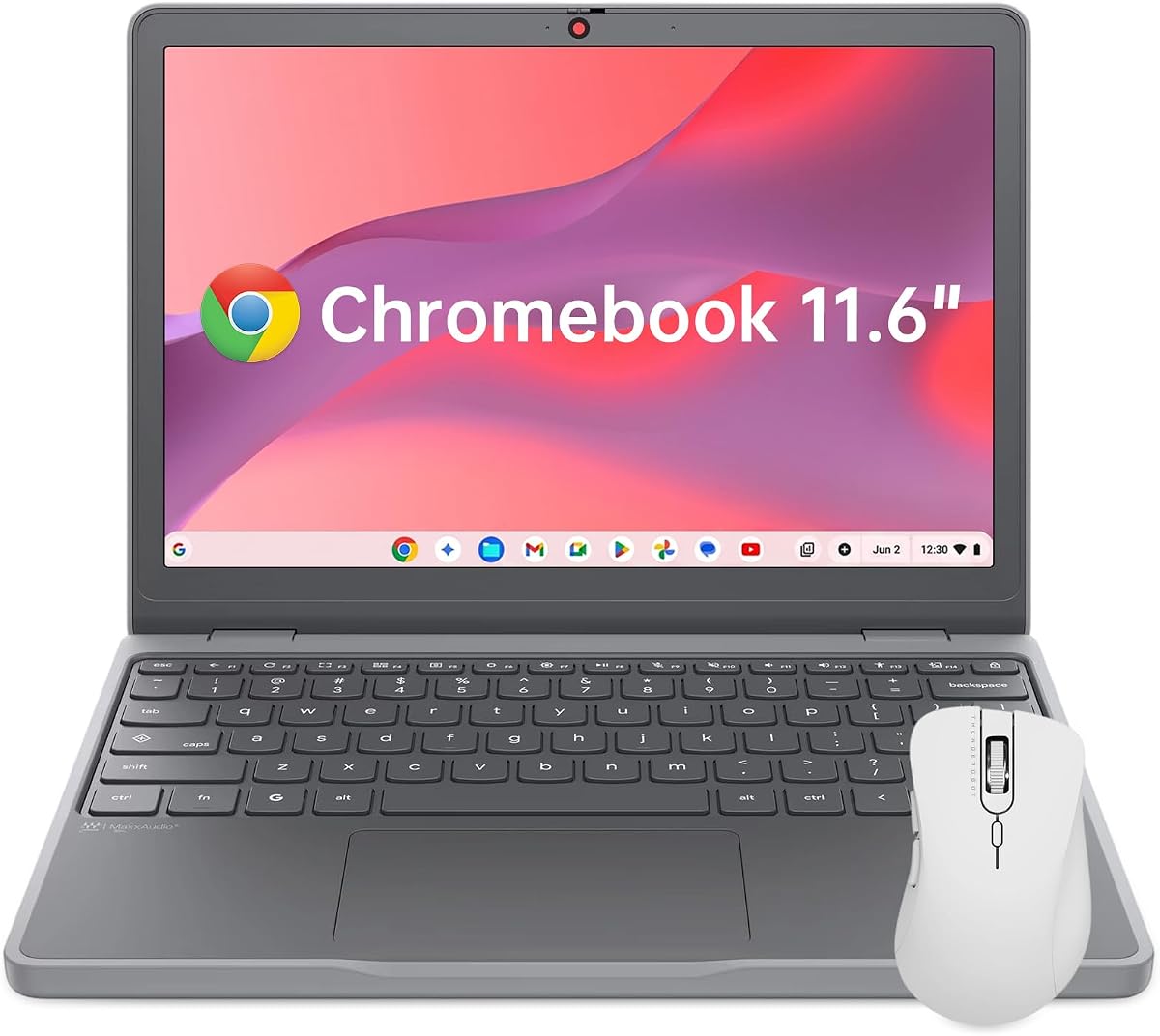
The Lenovo Chromebook 11.6 is designed for maximum portability, weighing only 2.69 lbs and featuring a slim profile. It fits easily into any backpack, making it perfect for travel or commuting. The Intel N150 processor and 4GB LPDDR5X memory handle basic browsing and cloud tasks efficiently.
We may earn a commission when you buy through this link, at no additional cost to you.
It includes a physical privacy shutter on the HD webcam, ensuring security when not in use. The Waves MaxxAudio technology delivers clear sound for video calls and media. MIL-STD 810H durability standards guarantee it can withstand daily drops or rough handling during transit.
While the 11.6-inch screen is small for multitasking, it is excellent for basic tasks and reading. The 4GB RAM limits heavy multitasking, but for focused work, it performs well. The compact design is the main selling point for users prioritizing mobility above all else.
Ideal for travelers or students needing a secondary device, this Chromebook is the ultimate portable solution. It balances essential features like privacy and durability with a lightweight design that fits any schedule or travel routine without weighing you down.
Protect your privacy with the included physical privacy shutter on the webcam.
Ultra-lightweight design makes it the perfect companion for daily commutes or travel.
We may earn a commission when you buy through this link, at no additional cost to you.
Selecting the right Chromebook for AI requires balancing processor speed, memory, and software access. This guide helps you understand what specs matter most for AI tasks and how to match them to your budget and usage needs effectively.
AI tools like Gemini and NotebookLM require a capable processor to run smoothly without lag. Look for models with Intel Core i3 Ultra i5 or AMD Ryzen 3 or higher to ensure fast response times. A powerful CPU handles cloud processing requests faster and supports smooth multitasking across multiple apps simultaneously.
Prioritize a processor that meets modern performance standards to avoid slowdowns during video calls or document editing.
Memory is critical for running multiple tabs and applications at once. 8GB of RAM is the recommended minimum for AI-enhanced Chromebooks to support seamless multitasking. Lower memory limits like 4GB may work for basic tasks but can struggle with heavier AI integrations or many browser tabs open.
Choose 8GB RAM or more if you plan on keeping multiple applications and tabs open regularly.
Since Chromebooks rely on cloud storage, local SSD size matters less than speed. PCIe SSDs provide faster boot and load times compared to eMMC storage. Aim for at least 128GB of local space for apps and OS updates, but check if the model includes cloud storage bonuses.
Look for models offering cloud storage subscriptions to expand your total space beyond physical limits.
The best Chromebooks include bundled Google AI Pro subscriptions offering 12 months of free access to advanced tools. Check if the model includes access to Gemini, NotebookLM, or Magic Eraser features. These features add significant value by enabling smart writing and photo editing without extra costs.
Ensure the device comes with a valid free trial subscription to maximize your AI productivity benefits.
A high-resolution screen reduces eye strain during long work sessions. 14-inch WUXGA or Full HD displays offer a good balance between portability and viewable content. Touchscreen support is optional but can improve interaction with AI tools that require direct input or drawing.
Select a display that provides clear text and supports your preferred input method.
Fast internet is essential for cloud-based AI tools. Wi-Fi 6E or Wi-Fi 7 support ensures quick data transfers and stable connections. USB-C ports should be fast and support video output for expanded workflows. Ensure your selected model has enough ports for your peripherals.
Opt for models with the latest Wi-Fi standards for the best performance.
Portability depends on battery life to support all-day use without charging. Aim for models offering 10 hours or more of battery runtime for continuous productivity. Some models advertise higher numbers, so check real-world user reviews for accurate expectations on performance.
Prioritize long battery life to avoid interruptions during critical work sessions.
If you travel or work outdoors, durability standards are key. Models with MIL-STD 810H certification can withstand drops and spills. Spill-resistant keyboards add extra protection for liquid accidents. A robust build ensures the device lasts longer and requires fewer repairs over time.
Choose durable builds if you need a device for rugged or frequent mobile use.
To get started with AI features, ensure you are signed in to your Google account and check the settings for AI integration. Accept the terms for Google AI Pro if included, then explore tools like Gemini in Gmail or Docs to begin using writing assistants immediately.
Keep your device updated regularly to ensure you have the latest security patches and AI feature improvements. ChromeOS updates automatically, but check for pending restarts. Regular updates also fix bugs that might affect performance or battery drain during use.
Maintain your device by avoiding extreme temperatures and keeping it clean with a soft cloth. Use the included protective sleeve when transporting it to prevent scratches. If your model has a spill-resistant keyboard, clean it regularly to prevent debris buildup from affecting key response.
Most modern Chromebooks support basic Google AI features, but premium models offer exclusive access to Google AI Pro. You need a compatible device and account settings enabled to access tools like NotebookLM and Gemini Advanced.
Intel Core Ultra processors and AMD Ryzen 7320C are top choices for AI performance. These chips offer dedicated AI engines or efficient cores that handle cloud processing requests faster and support smooth multitasking.
Wi-Fi 6E is highly recommended for fast and stable cloud connections required for AI tools. While older standards work, Wi-Fi 6E ensures lower latency and better performance in crowded networks during heavy usage.
You can rely on cloud storage with most Chromebooks, so 128GB to 256GB local storage is usually sufficient. Many models include cloud storage subscriptions to expand your capacity without needing a larger physical drive.
Yes, Chromebooks feature built-in security chips like Titan C2 and automatic OS updates to protect against threats. They also include privacy features like camera shutters and verified boot to secure your data and work files.
Most models include a 12-month free trial of Google AI Pro for new activations. After the trial, you may need to renew or opt for a standard subscription to keep access to premium features.
Yes, most models support external monitors via USB-C or HDMI. You can connect one or multiple displays depending on your specific model to expand your workspace for AI tools and multitasking.
Budget-friendly models with 8GB RAM and durable builds are best for students. Look for devices that include Google AI Pro access to help with writing assignments and research efficiently.
We highlighted ten top Chromebooks for AI featuring diverse processors, storage options, and premium features to suit every need. Whether you want the latest Intel Ultra chips or a budget-friendly AMD option, there is a model here that delivers reliable AI integration.
Prioritize processor speed and cloud storage when selecting a device for advanced tasks. The right combination ensures that AI tools run smoothly without disrupting your workflow or requiring expensive external accessories.
Check current pricing and offers before buying since deals change regularly. Ensure your chosen device comes with the necessary AI subscription activation codes for maximum value before completing your purchase.