
AOC 27G41ZE
4.6Editor score
240Hz refresh rate with 0.3ms MPRT
IPS panel for wide viewing angles
Adaptive-Sync support for smooth gaming
Finding the perfect monitor for competitive gaming requires balancing resolution and refresh rate effectively. A 1440p panel offers sharp visuals while 240Hz ensures smooth motion during fast-paced matches. This combination delivers clarity and speed for serious gamers who demand high performance.
We evaluated ten leading models based on panel technology refresh rates and adaptive sync features. Our analysis considers color accuracy response times and build quality to help you make an informed decision. Each product brings unique strengths to different gaming styles and budget ranges.
Every pick highlights specific features like OLED contrast or IPS color that define the viewing experience. You will see detailed specs and pros to understand what sets each monitor apart from the rest. Please note that availability and pricing can change quickly in this fast-moving market.
4.6Editor score

4.4Editor score

4.6Editor score
As an Amazon Associate we earn from qualifying purchases.
This side-by-side comparison outlines the core specifications of each top model to help you weigh performance against features and value for your specific needs.


The LG 27GR83Q-B stands out as a top choice for gamers needing both speed and color fidelity. With its 240Hz IPS panel and 1ms response time it delivers smooth visuals without sacrificing detail. Its VESA DisplayHDR 400 certification ensures dynamic contrast for better immersion in dark scenes.
We may earn a commission when you buy through this link, at no additional cost to you.
LG has optimized this panel to cover 95% of the DCI-P3 gamut which is exceptional for gaming and content creation alike. The built-in DTS Headphone:X audio enhances spatial awareness without needing external speakers. Adaptive sync works seamlessly with both NVIDIA and AMD cards to eliminate tearing.
While the HDR performance is good it does not reach the brightness levels of premium mini-LED displays. The lack of a USB-C port might be a drawback for laptop users. Still the balance of price performance and color makes it a strong daily driver for competitive play.
This monitor is ideal for FPS players and creators who want vibrant colors with high refresh rates. If you prioritize a well-rounded setup with minimal compromise the LG UltraGear fits perfectly into your battlestation. Its build quality and features justify the cost for most enthusiasts.
DTS Headphone:X provides accurate spatial audio for better in-game positioning and awareness during multiplayer matches.
HDMI 2.1 and DisplayPort 1.4 ensure compatibility with next-gen consoles and high-bandwidth PC graphics cards.
We may earn a commission when you buy through this link, at no additional cost to you.
AOC delivers incredible value with the Q27G41ZE offering a 240Hz refresh rate at a fraction of the cost of rivals. The IPS panel ensures vibrant colors and wide viewing angles making it a great pick for shared desks. Its 0.3ms MPRT response time keeps motion blur low during intense matches.
We may earn a commission when you buy through this link, at no additional cost to you.
Gamers can rely on Adaptive-Sync for fluid gameplay across both AMD and NVIDIA systems without screen tearing. The frameless design blends well into modern setups while the OSD menu simplifies tuning game modes. At this price point it outperforms many competitors in raw refresh capabilities.
Without HDR support the black levels are typical for IPS panels and may look gray in dark rooms. The stand only allows tilt adjustments so users might need a VESA mount for better ergonomics. These trade-offs are minor given the performance and price it offers.
This monitor is perfect for budget-conscious competitive gamers who prioritize speed and clarity over premium features. If you want a reliable 1440p 240Hz display without breaking the bank the AOC model is an excellent starting point. It sets a high bar for affordability in this category.
Support for both G-SYNC Compatible and AMD FreeSync ensures smooth visuals regardless of your GPU choice.
The 0.3ms MPRT response time reduces blur and ghosting for sharper tracking in fast-paced shooters.
We may earn a commission when you buy through this link, at no additional cost to you.
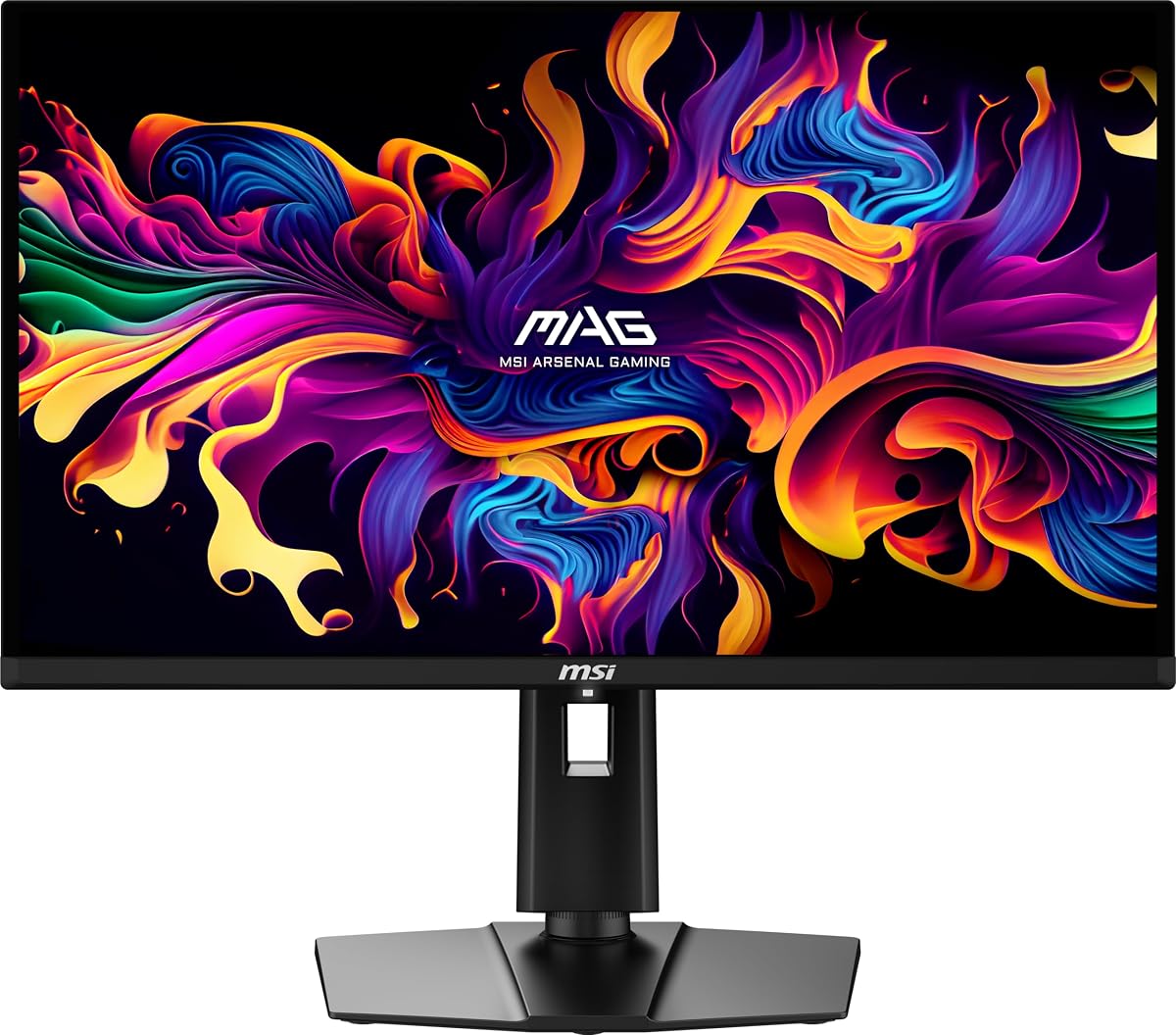
The MSI MAG 274QP X24 brings OLED magic to the 1440p 240Hz market with stunning contrast and speed. Quantum Dot technology enhances color volume while the self-emitting pixels deliver true blacks for immersive gameplay. Its 0.03ms response time is unmatched for eliminating ghosting in action scenes.
We may earn a commission when you buy through this link, at no additional cost to you.
MSI includes OLED Care 2.0 features like pixel shift and static screen detection to mitigate burn-in risks. The graphene heatsink ensures silent operation without active fans. HDMI 2.1 connectivity means you can drive high refresh rates on current-gen consoles without issues.
While OLED panels offer superior visuals they come at a higher cost than IPS alternatives. Users should be mindful of burn-in precautions though modern safeguards have improved longevity. If you seek the best image quality and motion clarity the premium price is justified.
This monitor is ideal for enthusiasts who want the ultimate visual experience without compromise. It excels in dark rooms and HDR content due to its perfect blacks and vibrant hues. For serious gamers seeking top-tier performance this MSI model stands out as a premium choice.
A custom graphene heatsink keeps the panel cool passively ensuring silent operation and extended lifespan.
Quantum Dot conversion provides deeper color saturation and wider gamut coverage for lifelike visuals.
We may earn a commission when you buy through this link, at no additional cost to you.
The Acer Predator X27U features a 26.5 inch OLED panel that sits perfectly in the field of view for competitive play. This size is a hallmark of eSports tournaments as it reduces eye movement while maintaining high detail. The QD-OLED technology ensures vibrant colors and deep blacks with minimal ghosting.
We may earn a commission when you buy through this link, at no additional cost to you.
With a 0.03ms response time and 240Hz refresh rate it delivers seamless motion for fast-paced shooters. The ZeroFrame design removes bezels to maximize screen real estate and immersion. HDR10 support adds dynamic contrast that enhances visibility in dark game environments.
OLED panels require some care to prevent image retention over long sessions. The stand is basic with limited adjustments compared to higher-end models. However the sheer performance and visual fidelity make it a top contender for those who want the best tech available.
If you are focused on competitive FPS titles this size and speed combination offers a tangible advantage. The color accuracy also suits creative work when gaming is not active. For enthusiasts seeking a premium OLED experience in a tournament-proven size the Predator X27U shines.
At 26.5 inches the screen fits comfortably in your peripheral vision for quicker reaction times.
Removing bezels creates a continuous canvas that helps you stay focused on in-game action.
We may earn a commission when you buy through this link, at no additional cost to you.
The KTC H27E6S stands out with a clean white finish that matches modern desk aesthetics perfectly. It offers a 240Hz native refresh rate that overclocks to 275Hz for those who want every edge in motion speed. The Fast IPS panel delivers 123% sRGB coverage for rich and accurate colors.
We may earn a commission when you buy through this link, at no additional cost to you.
Built-in dual speakers reduce cable clutter while a full ergonomic stand allows height tilt swivel and pivot. Low blue light and flicker-free tech help reduce eye strain during long sessions. Connectivity includes multiple HDMI and DisplayPort options for various devices.
Achieving the 275Hz rate requires enabling it via the OSD which some users might find extra work. The white bezels might show dust more than black alternatives. Despite these minor points it offers strong value with robust ergonomics and high refresh performance.
This monitor suits users who want style without compromising on speed and features. The flexible stand and speaker inclusion make it great for compact setups. If a white build appeals to you the KTC model delivers solid performance for the price.
The stand supports height tilt swivel and pivot for comfortable viewing in both landscape and portrait modes.
Built-in speakers reduce the need for external devices keeping your workspace organized and tidy.
We may earn a commission when you buy through this link, at no additional cost to you.
The ASUS ROG XG27ACMG combines high refresh rates with versatile connectivity for hybrid work and play setups. Its USB-C port with DP Alt mode allows single-cable docking for laptops adding productivity value. The 270Hz overclock ensures smooth gameplay while Fast IPS keeps visuals sharp.
We may earn a commission when you buy through this link, at no additional cost to you.
ELMB SYNC technology enables both motion blur reduction and variable refresh rates simultaneously for clarity. DisplayWidget Center lets you adjust settings via mouse which can be more convenient than physical buttons. The DCI-P3 coverage ensures colors remain vivid across all tasks.
Relying on software for adjustments may not suit everyone who prefers physical dials. The price is higher than many standard gaming monitors. However for users needing USB-C and high speed in one package it offers a compelling hybrid solution.
This monitor is perfect for professionals who game after work and need seamless laptop integration. The fast response and refresh rates satisfy competitive needs while the ergonomic software aids daily use. It bridges the gap between gaming and productivity effectively.
USB-C DP Alt mode supports video data and power over a single cable for clean workstation setups.
ELMB SYNC pairs variable refresh with blur reduction to eliminate tearing and ghosting together.
We may earn a commission when you buy through this link, at no additional cost to you.
Alienware brings iconic aesthetics with the AW2723DF featuring Lunar Light finish and full 360-degree AlienFX lighting. Its 240Hz native rate overclocks to 280Hz delivering high-speed performance for competitive titles. The Fast IPS panel ensures vibrant visuals with a 1ms response time.
We may earn a commission when you buy through this link, at no additional cost to you.
G-SYNC Compatible certification guarantees smooth gameplay without tearing. The stand offers full adjustability including height tilt swivel and pivot to suit any position. HDR600 certification enhances contrast for brighter highlights and deeper shadows during HDR gaming.
The design adds some bulk and weight which may not fit minimalist desks. Some users may prefer simpler looks. However for those who want a statement piece with solid performance the Alienware brand delivers reliability and style.
This monitor is ideal for streamers or enthusiasts who value brand identity and robust features. The lighting and build quality stand out while gaming performance remains strong. If you want a display that looks as good as it plays the AW2723DF is a great choice.
AlienFX lighting can be customized to match in-game events or personal style for a personalized setup.
The stand allows full range of motion to find the most ergonomic viewing angle for any user.
We may earn a commission when you buy through this link, at no additional cost to you.
The Acer Nitro KG271U offers an accessible entry into high refresh gaming with its 240Hz IPS panel. The zero-frame design maximizes screen space for a cleaner view during intense matches. With 0.5ms GTG response it delivers smooth motion with minimal ghosting for sharp visuals.
We may earn a commission when you buy through this link, at no additional cost to you.
Color accuracy is highlighted by 99% sRGB coverage making it suitable for design tasks too. FreeSync Premium ensures fluid gameplay across a wide range of frame rates. The build includes a sturdy stand that supports tilt for basic ergonomics.
The stand lacks height adjustment which might limit comfort for some users. HDR performance is limited to basic brightness. Despite this the balance of price and speed makes it a top pick for budget gamers seeking reliability.
This monitor is a strong choice for those who need speed without overspending on extras. It handles daily gaming and content work well with dependable performance. If you want great value the KG271U is a sensible and effective option.
With 99% sRGB coverage this monitor is suitable for both gaming and color-sensitive editing tasks.
The thin bezels create a continuous viewing area that reduces distractions during gameplay.
We may earn a commission when you buy through this link, at no additional cost to you.
The MSI MAG 271QPX E2 brings OLED performance to a competitive price point with 240Hz speed. Quantum Dot technology provides vibrant colors while the OLED panel ensures perfect blacks for deep contrast. Its 0.03ms response eliminates blur for sharp action clarity.
We may earn a commission when you buy through this link, at no additional cost to you.
A custom heatsink design allows silent operation without fans improving longevity. OLED Care 2.0 features protect against burn-in during extended gaming. True Black HDR 400 certification means better dynamic range for HDR content and dark scenes.
Adjustability is limited to tilt and height which may restrict ergonomics for some setups. The price remains higher than standard IPS but lower than top OLED rivals. For OLED fans on a budget this offers great value and quality.
This monitor is ideal for gamers who want OLED benefits without premium pricing. The speed and contrast make it excellent for immersive titles. If you prioritize image quality and motion performance the E2 is a compelling and affordable OLED choice.
The graphene heatsink ensures silent operation without needing active cooling fans for a quiet setup.
OLED Care 2.0 tools help prevent burn-in and prolong the panel lifespan for daily gaming.
We may earn a commission when you buy through this link, at no additional cost to you.
The Acer Nitro XV272U offers full ergonomic adjustability with pivot swivel and height control for any user. Its 240Hz refresh rate via DisplayPort delivers smooth visuals for competitive gaming. FreeSync Premium ensures a tear-free experience across a wide range of frame rates.
We may earn a commission when you buy through this link, at no additional cost to you.
Built-in speakers provide basic audio without cluttering the desk. The stand allows portrait mode which aids productivity tasks alongside gaming. IPS panel ensures consistent colors even when viewed from angles away from center.
HDMI ports only support up to 144Hz which limits console users. The OSD could be more intuitive but works well for basic tuning. Despite this the flexibility and features make it a solid multi-use display for shared setups.
This monitor suits users who need flexibility for both work and play. The stand and speakers offer convenience for mixed environments. If you value adjustability and solid performance the XV272U is a reliable all-rounder.
Pivot height tilt and swivel allow precise positioning for any seating or task preference.
Portrait mode supports coding or reading while 240Hz satisfies gaming demands efficiently.
We may earn a commission when you buy through this link, at no additional cost to you.
Selecting a high refresh monitor involves understanding panel types response times and connectivity needs.
IPS panels offer wide viewing angles and consistent colors making them a popular choice for gaming. OLED panels deliver perfect blacks and faster response times but cost more and carry burn-in risks.
Choose IPS for color consistency and OLED for contrast if your budget allows.
A 240Hz refresh rate means the screen updates 240 times per second for smooth motion. Some models offer overclocking to 270Hz or 275Hz for marginal gains in competitive play.
Always verify your GPU can output 240fps before upgrading to higher rates.
Response time measures how fast pixels change color which affects blur and ghosting. Look for 1ms or lower especially in GtG specs to ensure sharp visuals during fast action.
Lower response times reduce motion blur significantly in FPS games.
Adaptive Sync matches the monitor refresh rate to your GPU output to eliminate tearing. NVIDIA G-SYNC and AMD FreeSync are the main standards with compatibility across both ecosystems.
Ensure the monitor supports your GPU brand for optimal tear-free performance.
DisplayPort 1.4 and HDMI 2.1 support high refresh rates and resolutions. USB-C adds versatility for laptops with video and power delivery.
Check which ports support 240Hz to avoid performance bottlenecks.
Adjustable stands with height tilt swivel and pivot reduce neck strain. VESA mount compatibility allows wall mounting or arm setups for custom ergonomics.
Prioritize stands with full adjustability for long gaming sessions.
Gamut coverage like sRGB or DCI-P3 affects color vibrancy and accuracy. High-end panels offer 95% DCI-P3 or more for vivid and true-to-life images.
Select higher gamut coverage if you do creative work alongside gaming.
Gaming features like crosshairs FPS counters and built-in speakers add convenience. HDR support enhances contrast but requires sufficient brightness.
Weigh extras against core performance when deciding on a model.
Start by connecting via DisplayPort to ensure you get the full 240Hz refresh rate. Adjust settings in your graphics control panel to enable variable refresh rates for smooth visuals.
Calibrate brightness and color using built-in presets for accurate visuals. Use eye-care modes like low blue light to reduce strain during long sessions.
Clean the screen gently with a microfiber cloth to avoid scratches. Avoid leaving static images too long especially on OLED panels to prevent burn-in.
Yes for competitive FPS games 240Hz offers smoother motion and faster response which can improve reaction times. It is less critical for casual or story games but still enhances immersion.
Running 240Hz requires a strong GPU to push high frame rates. Without it you may not reach the refresh rate consistently but the monitor will still perform well.
OLED panels provide perfect blacks and faster response times but are pricier and risk burn-in. IPS panels offer consistent colors and durability at a lower price point.
Most support HDMI 2.1 which allows high refresh rates on next-gen consoles. Check specific model support for 240Hz on console platforms before buying.
Use auto-dimming and pixel shift features. Avoid leaving static HUDs visible for hours. Enable screen savers and take regular breaks.
Competitive players usually prefer 240Hz or higher for minimal latency. This rate offers smoother motion and clearer tracking in fast-paced shooters.
The top picks like the LG 27GR83Q-B and MSI MAG 274QP X24 deliver outstanding performance across different priorities. Whether you want speed color or a premium display each model serves a unique purpose.
Prioritize what matters most to you like response time ergonomics or price. A higher refresh rate helps competitive players while OLED panels excel in immersive experiences.
Always check current prices and availability as these factors change frequently. With the right choice you can elevate your gaming experience with sharper visuals and smoother motion.