
ASUS ROG Strix G16 (2025)
4.4Editor score
Intel Core i7 14650HX
RTX 5060 GPU
165Hz FHD+ Display
This guide compares ten top ASUS ROG Strix L models featuring RTX 50 series GPUs, high refresh displays, and advanced cooling for gaming and creativity in 2026.
The ASUS ROG Strix lineup continues to dominate the gaming laptop market with powerful hardware and innovative cooling solutions. Gamers and creators seek reliable machines that deliver high frame rates and stable performance during intense sessions.
We analyzed ten distinct models ranging from budget-friendly options to premium configurations. Each entry was evaluated based on processor power, GPU capabilities, display quality, and thermal management systems to ensure accurate recommendations for varied needs.
Each pick highlights key strengths and ideal use cases for different users. Prices and availability fluctuate frequently so verify current details before purchasing to ensure you secure the best value for your specific requirements and budget constraints today.
4.4Editor score

4.3Editor score

5.0Editor score
This side-by-side comparison highlights the core differences between each model in the current lineup to help you identify the perfect fit for your gaming and productivity needs.

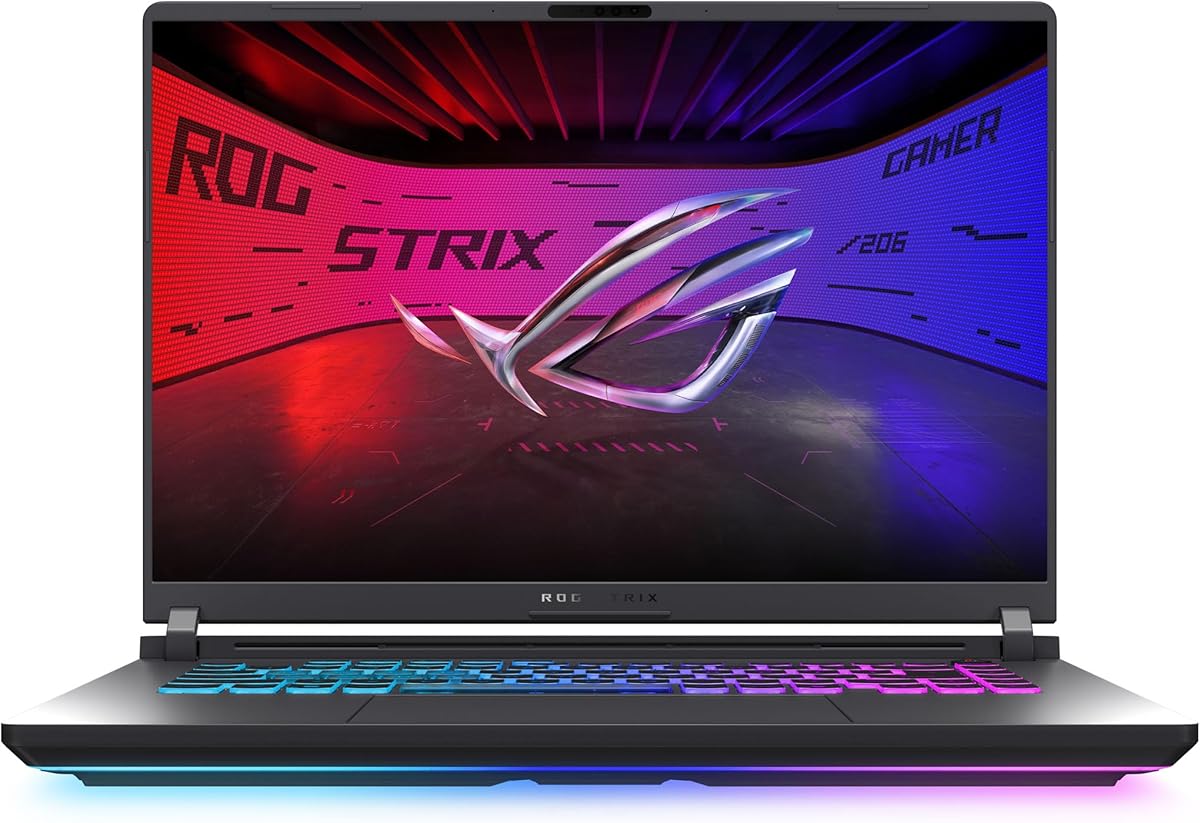


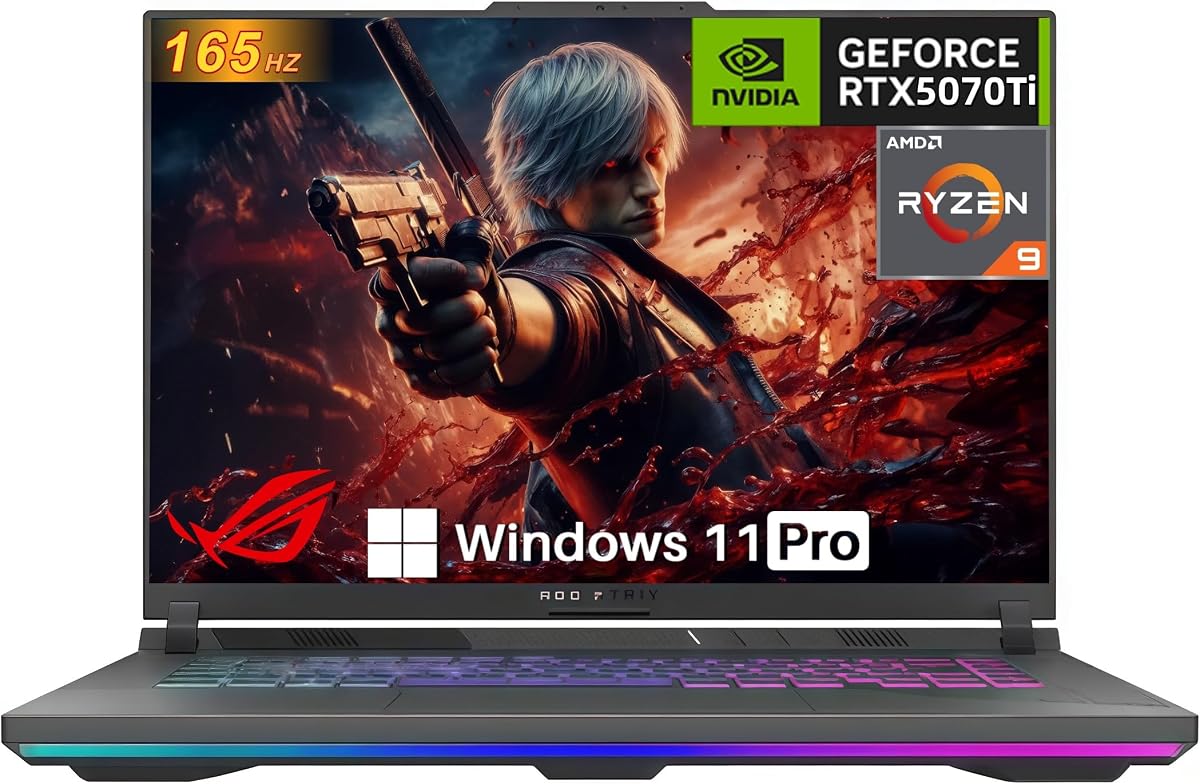
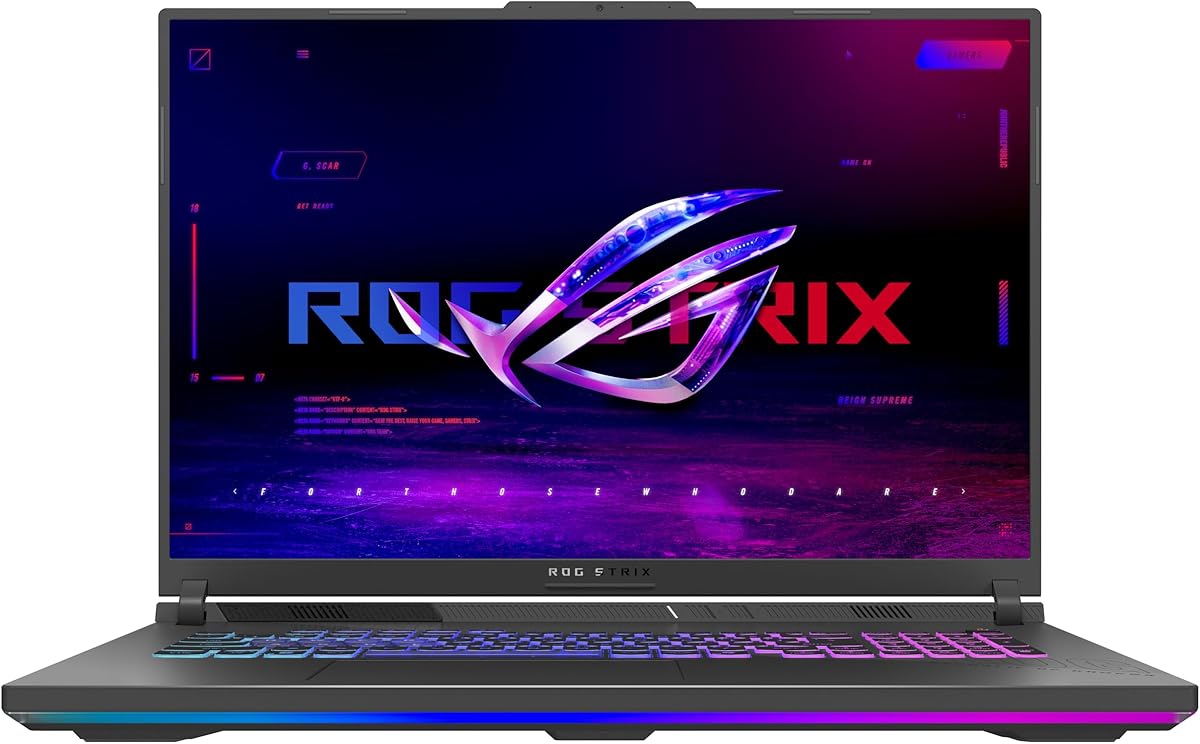
The ASUS ROG Strix G16 2025 model offers exceptional value for budget conscious gamers seeking reliable performance. It carries a strong 4.4 star rating indicating high user satisfaction with its overall build and gaming capabilities.
We may earn a commission when you buy through this link, at no additional cost to you.
Powered by the Intel Core i7 14650HX and RTX 5060 it handles modern titles smoothly. The 165Hz display ensures smooth visuals while ROG Intelligent Cooling with vapor chambers keeps thermals in check during long sessions.
The main trade-off is the standard FHD panel which lacks the vibrancy of the Nebula options. However for casual users and competitive players prioritizing frame rates over color accuracy this remains a solid choice.
Ideal for students and budget gamers this laptop balances cost and performance effectively. It delivers a premium ROG experience without the highest price tag making it a top contender in the value segment.
The Blackwell architecture supports DLSS 4 and Max-Q technologies for efficient rendering and longer battery life.
A new ACR film reduces glare and enhances contrast for better visibility in bright environments.
We may earn a commission when you buy through this link, at no additional cost to you.
This model combines a stunning Nebula display with top tier components for a premium gaming experience. Users appreciate the visual clarity and speed provided by the 240Hz 2.5K screen and powerful CPU setup.
We may earn a commission when you buy through this link, at no additional cost to you.
The RTX 5070 Ti delivers robust performance for AAA titles and creative workflows alike. With 32GB of DDR5 RAM multitasking is seamless even when running demanding applications alongside games.
Thermal management is handled well by the tri-fan system and liquid metal conduct. However sustained heavy workloads will impact battery life which is typical for high performance gaming machines.
Creators and enthusiasts seeking high fidelity visuals will love this device. It justifies the cost with superior screen tech and processing power that future proofs your investment for years.
The Nebula panel provides deep blacks and rich colors essential for HDR content and accurate photo editing.
Tool free access allows users to swap RAM and SSDs easily without needing a screwdriver.
We may earn a commission when you buy through this link, at no additional cost to you.
The Scar 18 stands out as a desktop replacement offering an immersive 18 inch HDR display. Its unique AniMe Vision lid allows for personal expression making it a statement piece for any setup.
We may earn a commission when you buy through this link, at no additional cost to you.
Performance is top notch with the Ultra 9 processor and RTX 5070 Ti ensuring smooth gameplay at high settings. The MUX Switch boosts frame rates by routing frames directly to the display without restarting.
Users can upgrade RAM and storage easily thanks to the tool free design. This flexibility combined with the included Game Pass makes it an attractive package for gamers looking to maximize value.
Ideal for home setups and streaming rigs this laptop excels in performance and customization. While it may be too bulky for daily commuting it delivers a unmatched visual and functional experience.
The AniMe Vision lid lets you showcase animations and text turning your laptop into a dynamic art piece.
The vapor chamber and liquid metal ensure the system stays cool even during extended gaming marathons.
We may earn a commission when you buy through this link, at no additional cost to you.
This configuration bridges the gap between entry level GPU and high end display. It is perfect for competitive gamers who prioritize refresh rates over ray tracing capabilities and visual fidelity.
We may earn a commission when you buy through this link, at no additional cost to you.
The Nebula display offers incredible speed and color vibrancy enhanced by Dolby Vision. The Ultra 9 processor ensures that the system is future proof for CPU bound tasks and productivity.
While the 5060 GPU is capable it may struggle to push full frame rates on some demanding titles at max settings. This balance is acceptable for esports titles where speed is critical over visual fidelity.
If you prioritize a fast screen for competitive play this model is a strong candidate. It delivers the visual smoothness needed for high level gaming while maintaining a robust build quality.
The ACR film enhances contrast reducing eye strain during long gaming or work sessions.
Wi-Fi 7 ensures low latency connections essential for online multiplayer and cloud gaming.
We may earn a commission when you buy through this link, at no additional cost to you.
This model pairs AMDs powerful Ryzen 9 processor with a strong RTX 5070 GPU for a balanced high performance package. It is suitable for those who prefer AMDs efficiency and multitasking capabilities.
We may earn a commission when you buy through this link, at no additional cost to you.
The 5070 GPU handles demanding titles efficiently while the Ryzen chip ensures smooth background processes. Cooling is robust with full width heatsinks and surround vents to prevent throttling.
The MUX Switch optimizes battery life by switching graphics modes automatically based on the task. This feature ensures you get the best performance when gaming and better battery life when working.
For users seeking AMD based performance this laptop offers a compelling alternative to Intel options. It delivers the power needed for modern gaming while keeping thermal management effective and efficient.
AMD processors often provide excellent battery life alongside high performance making this a versatile choice.
The RGB light bar syncs with peripherals to create a cohesive gaming aesthetic across your desk.
We may earn a commission when you buy through this link, at no additional cost to you.
This variant is a powerhouse offering the full 140W TGP for the RTX 5070 Ti. It provides maximum graphical performance and is ideal for users who prioritize raw frame rates and power.
We may earn a commission when you buy through this link, at no additional cost to you.
The Ryzen 9 processor handles heavy multitasking effortlessly. Combined with 32GB of RAM this machine is ready for streaming and editing tasks without lag or stuttering.
User reviews highlight its silence and efficiency even under load. The cooling system ensures that performance remains steady without noise levels becoming disruptive during use.
If you need a desktop replacement that can handle AAA games and heavy editing this model is excellent. Its perfect rating suggests high reliability and satisfaction among owners.
The 140W TGP allows the GPU to operate at peak efficiency for maximum frame output.
Studio quality Hi-Res Audio with Dolby Atmos delivers immersive sound for games and media.
We may earn a commission when you buy through this link, at no additional cost to you.
This model emphasizes efficiency and ease of use with its Q latch SSD system. It allows for quick swaps and upgrades without tools which appeals to tech savvy users who like to tinker.
We may earn a commission when you buy through this link, at no additional cost to you.
The Ryzen 9 processor provides excellent performance for both gaming and work. The 5070 Ti GPU ensures smooth gameplay while the 16GB RAM supports daily tasks effectively.
Thermal management is robust keeping the system cool during demanding sessions. The user rating suggests a reliable device that meets expectations for performance and build quality consistently.
Ideal for users who value modularity and speed this laptop is a solid choice. It balances cost with high performance components to deliver a reliable gaming experience.
Tool free access to components allows for easy upgrades without technical expertise or tools.
PCIe Gen 5 ready slots ensure that future storage upgrades will be lightning fast.
We may earn a commission when you buy through this link, at no additional cost to you.
The RTX 5080 makes this a beast for high fidelity gaming and rendering. Users praise its perfect rating for its ability to handle the most demanding tasks without compromise.
We may earn a commission when you buy through this link, at no additional cost to you.
The 300Hz HDR display offers an unmatched viewing experience with high brightness and color accuracy. This is essential for HDR gaming and professional video editing work.
Despite the high cost the included Game Pass and upgradeable hardware add value. The build quality and design ensure this machine remains relevant for years to come.
For professionals and hardcore gamers this is a top tier choice. It offers the best combination of display technology and GPU power available in the lineup today.
Dolby Vision HDR adjusts colors to make images richer and more vivid on the Nebula screen.
Advanced Optimus switches between GPUs automatically to balance performance and battery usage.
We may earn a commission when you buy through this link, at no additional cost to you.
This model stands out with its generous 2TB storage and Windows 11 Pro. It is designed for power users who need to store large game libraries and run professional software tools.
We may earn a commission when you buy through this link, at no additional cost to you.
The RTX 5070 and Ultra 9 processor deliver a balanced performance for multitasking and gaming. The 240Hz display ensures smooth visuals for both content creation and play.
Users appreciate the ability to store hundreds of games without external drives. The Pro OS version also adds security features and remote desktop tools for enterprise use.
If you need storage and professional features this laptop is ideal. It combines high specs with practical storage solutions for a complete high end work and play experience.
2TB SSD allows you to keep your entire game library local for fast access times.
Windows 11 Pro includes BitLocker and Remote Desktop for added security and connectivity.
We may earn a commission when you buy through this link, at no additional cost to you.
The G18 offers a large screen at an entry level price point for those who prefer big displays. The Ryzen 9 processor ensures that CPU tasks run smoothly even if the GPU is less powerful.
We may earn a commission when you buy through this link, at no additional cost to you.
With a 144Hz panel this device is good for general gaming and media consumption. It is not designed for competitive esports but excels in casual play and content viewing.
The build quality matches the premium ROG feel with effective cooling and a sleek look. Users report satisfaction with the screen size and overall stability for daily tasks.
If you prioritize screen size over graphical fidelity this is a great option. It provides a comfortable viewing experience and solid processing power for a budget friendly price.
The 18 inch panel provides a cinematic experience for movies and casual gaming.
The Ryzen 9 ensures multitasking remains fast and responsive during work.
We may earn a commission when you buy through this link, at no additional cost to you.
Choosing the right model depends on your specific needs and budget. Here are the key factors to consider before making your purchase.
The GPU is the heart of any gaming laptop. The 5060 is great for 1080p gaming while the 5070 and 5080 handle 1440p and 4K titles effortlessly. Consider your target resolution and frame rate goals.
Look for higher TGP ratings for better performance and ensure the GPU supports the latest DLSS features for optimized rendering.
Nebula displays offer superior color accuracy and brightness compared to standard panels. If you create content or want vivid colors prioritize HDR support and higher color gamut coverage.
Competitive gamers should look for higher refresh rates like 240Hz or 300Hz to reduce motion blur and improve reaction times.
Intel Ultra 9 processors excel in single core performance and multitasking while AMD Ryzen chips offer excellent efficiency and battery life. Choose based on your primary workloads.
Ensure the CPU is strong enough to support your GPU to avoid bottlenecks in CPU intensive games and applications.
16GB is standard but 32GB is preferred for future proofing and heavy multitasking. Ensure you have enough space for your game library and tools.
Look for PCIe Gen 4 SSDs for fast load times. Some models offer 2TB storage out of the box which saves money on external drives.
ROG Intelligent Cooling with vapor chambers and liquid metal prevents throttling. Efficient cooling ensures sustained high performance during long sessions.
Tri fan technology and full width vents are essential for moving air out of the chassis quickly to keep temperatures low.
Larger 18 inch laptops are heavier and less portable than 16 inch models. Consider how often you travel before choosing the chassis size.
Build quality should be robust to withstand daily use. Metal finishes and sturdy hinges are key indicators of durability in these devices.
Gaming laptops often have short battery life but Advanced Optimus helps extend it when gaming is not active. Look for models with larger capacities for better endurance.
Ensure the power adapter is reliable and provides enough wattage to sustain high performance charging when plugged in.
Wi-Fi 7 offers lower latency for online gaming and faster file transfers. Ensure your router supports this standard to take advantage of the speed.
Check port availability for external monitors and peripherals. USB-C and HDMI 2.1 support are crucial for modern setups.
Keep the vents clear of dust to maintain optimal airflow. Use compressed air every few months to clean the fans and heatsinks for effective cooling.
Use the Armoury Crate software to switch between performance modes. Silent mode is great for productivity while turbo mode delivers maximum performance for gaming.
Update your drivers regularly through the MyASUS app to ensure compatibility with the latest games and features.
The ASUS ROG Strix G16 (2026) or Scar 18 with high refresh Nebula displays are ideal. Their 240Hz and 300Hz screens provide the smoothest motion for competitive titles like CS:GO and Valorant.
Yes most models feature tool free access to RAM and SSD slots. You can easily swap components without a screwdriver to customize your storage and memory capacity.
Intel Ultra 9 processors offer higher single core speeds for gaming while AMD Ryzen 9 provides better efficiency. Both support the latest GPU options and deliver strong performance.
Wi-Fi 7 offers significantly lower latency and higher throughput. It is worth it if you have a compatible router and play online games where connection stability matters.
Battery life varies but expect 4 to 6 hours for general use. Gaming will drain the battery quickly so keep the power adapter handy for long sessions.
They stay cool due to advanced cooling systems. However expect higher temperatures during heavy gaming which is normal. Ensure good ventilation to prevent overheating.
The Scar 18 and 2026 G16 with HDR Nebula displays have the best visuals. They offer 2,000+ dimming zones and high brightness for HDR content and vibrant colors.
Windows 11 Home or Pro comes installed along with Armoury Crate for customization. Some models include a 3-month Game Pass for access to new titles.
We reviewed ten models ranging from budget options to high end beasts. The G16 2025 offers great value while the Scar 18 and G16 2026 deliver premium performance and visuals.
Prioritize the GPU and display quality based on your needs. If you need raw power choose the 5080 models but for balanced performance the 5070 Ti is excellent.
Prices and stock change often so check current listings before buying. Verify specs and deals to ensure you get the best value for your specific gaming and work needs today.