
CENMATE Aluminum 8 Bay Hard Drive RAID Enclosure
3.8Editor score
Supports up to 160TB capacity
USB 3.0 interface speed
Eight distinct RAID modes available
Finding reliable external storage is crucial for modern workflows requiring high capacity and speed. Eight bay enclosures offer massive scalability for data centers and creative studios needing robust backup solutions today.
We evaluated ten top models based on interface speed cooling efficiency and RAID flexibility. Our analysis focuses on real-world performance reliability and ease of use across various operating systems and environments.
Each pick highlights unique strengths from budget-friendly DAS units to premium Thunderbolt arrays. Prices fluctuate frequently so always verify current listings before purchasing to ensure you get the best value available now.
3.8Editor score

5.0Editor score

3.7Editor score
As an Amazon Associate we earn from qualifying purchases.
This side by side comparison highlights key specifications across all ten selected models to help you identify the right storage solution for your specific performance and connectivity needs.

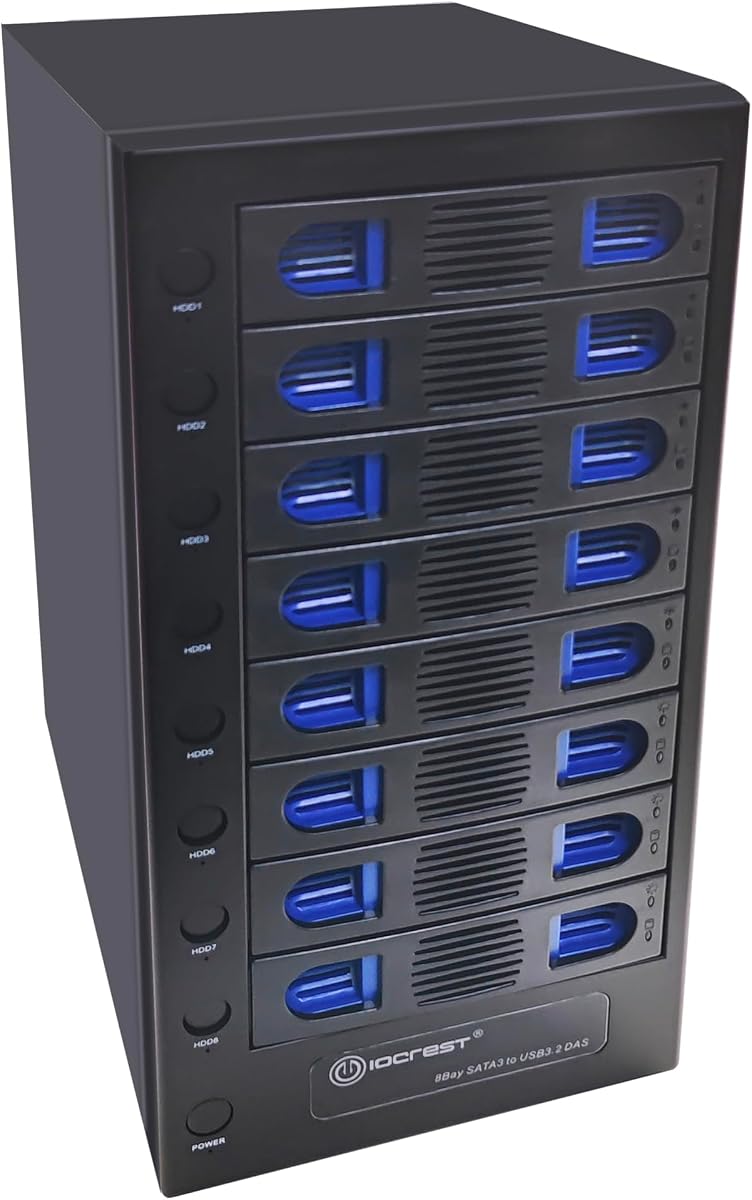


This enclosure offers an affordable entry into hardware RAID for users needing substantial storage without breaking the bank. It supports a wide range of drive sizes and offers eight distinct RAID modes for flexibility in data protection and performance.
We may earn a commission when you buy through this link, at no additional cost to you.
The aluminum build helps dissipate heat effectively while the included fans maintain safe operating temperatures during high load scenarios. Its USB 3.0 connectivity ensures decent transfer speeds suitable for most standard workflows and backup tasks.
Setup requires careful adherence to instructions regarding drive insertion order to avoid detection issues. The fan noise might be a consideration for quiet office environments but is generally acceptable for home or server use.
Ideal for budget conscious users needing RAID functionality this model provides solid value and reliable performance for personal or small business storage expansion projects requiring significant capacity.
The eight available RAID modes allow users to balance performance and redundancy without needing expensive enterprise hardware.
Supporting up to 160TB total capacity ensures this unit can grow with your data needs over time.
We may earn a commission when you buy through this link, at no additional cost to you.
This professional grade array delivers exceptional speed through Thunderbolt 3 connectivity making it perfect for demanding video editing and large data workflows. It comes pre loaded with enterprise class drives ensuring reliability right out of the box.
We may earn a commission when you buy through this link, at no additional cost to you.
The removable drive design allows for easy swaps and maintenance without needing to power down the entire system. Built in hardware RAID ensures data protection while maintaining high performance for multi stream 4K and 8K projects.
While the cost is significant the performance and reliability justify the investment for professional studios and power users. The daisy chaining feature expands connectivity options further allowing integration into complex storage setups.
Best suited for professionals needing top tier speed and reliability this shuttle provides a robust solution for critical data management and high throughput creative workflows today.
Thunderbolt 3 interface supports transfer speeds essential for real time 8K video editing and large file handling.
Easy drive removal allows for quick maintenance and hot swaps to minimize downtime during critical operations.
We may earn a commission when you buy through this link, at no additional cost to you.
This DAS enclosure provides a straightforward way to expand storage capacity with eight bays supporting large drives. The hot swappable design allows for easy drive replacement and maintenance without shutting down the connected system.
We may earn a commission when you buy through this link, at no additional cost to you.
Daisy chaining capability enables users to connect multiple units together significantly increasing total available storage for large archives. The aluminum construction helps manage heat while USB 3.0 offers reliable connectivity for standard tasks.
Without hardware RAID this unit relies on software management for data protection which may not suit all enterprise needs. However it remains a solid choice for users needing high capacity external storage without complex setup.
Ideal for home labs and small businesses needing flexible storage expansion this enclosure balances capacity and ease of use effectively for daily backup and media storage applications.
Daisy chain support allows connecting up to three devices for massive storage capacity scaling up to 480TB total.
Hot swap functionality lets you replace failed drives quickly without powering off the enclosure or host system.
We may earn a commission when you buy through this link, at no additional cost to you.
This enclosure delivers high performance through Thunderbolt 3 supporting massive storage capacity for demanding professional workloads. The universal drive bays accept both SSDs and HDDs providing flexibility in building your storage array.
We may earn a commission when you buy through this link, at no additional cost to you.
Quick release trays simplify drive swaps making maintenance easy without tools. The robust build ensures stability during intensive data operations while daisy chaining options allow for even larger storage configurations.
Compatibility across Mac and Windows platforms makes it versatile for mixed environments. While it lacks built in RAID it serves well as a DAS unit for users managing data via software solutions.
Best for professionals needing scalable high speed storage this enclosure offers a reliable foundation for expanding external drive capacity efficiently and effectively.
Eight universal bays accept both 2.5 and 3.5 inch drives for flexible storage configuration and upgrades.
Robust construction ensures durability during transport and operation in professional studio environments.
We may earn a commission when you buy through this link, at no additional cost to you.
This enclosure improves transfer speeds with USB 3.2 Gen 2 connectivity supporting faster data access and backups. The hot swappable design ensures minimal downtime when replacing or adding drives to your storage setup.
We may earn a commission when you buy through this link, at no additional cost to you.
Aluminum housing effectively dissipates heat generated by eight drives ensuring stable operation. The 10Gbps theoretical bandwidth significantly outperforms older USB standards for large file transfers.
While it lacks hardware RAID it offers a reliable way to expand storage quickly. Daisy chain support allows for further expansion if needed for growing data requirements.
Ideal for users needing faster USB speeds and hot swap flexibility this enclosure provides a solid upgrade from older DAS units for modern workflows.
USB 3.2 Gen 2 interface delivers twice the bandwidth of standard USB 3.0 for faster file transfers.
Hot swap support lets you replace drives while the system is running reducing downtime.
We may earn a commission when you buy through this link, at no additional cost to you.
This enclosure supports the largest per drive capacity on the market allowing up to 22TB per bay for massive storage. The USB 3.2 interface ensures fast data transfer speeds compatible with modern computers.
We may earn a commission when you buy through this link, at no additional cost to you.
Smart fan control adjusts cooling based on thermal sensor readings reducing noise when loads are light. Independent drive switches give users precise control over power consumption and drive management.
Tool less trays simplify installation though compatibility should be verified with specific drive models. The wide OS support ensures it works seamlessly across Windows Mac and Linux systems.
Best for users needing high capacity per drive this enclosure offers flexible and fast external storage options for large media libraries and backups.
Supporting up to 22TB per drive allows massive total capacity within a compact footprint.
Thermal sensors adjust fan speed to balance cooling needs with noise levels automatically.
We may earn a commission when you buy through this link, at no additional cost to you.
This dock combines storage with expansion capabilities allowing users to add GPUs capture cards or network adapters alongside massive drive arrays. U.2 NVMe support provides blazing fast SSD performance beyond standard SATA limits.
We may earn a commission when you buy through this link, at no additional cost to you.
Front mounted USB and card readers streamline workflow for photographers and videographers needing quick media access. The flexible design adapts to changing needs making it a future proof investment.
Complexity may be higher than standard enclosures requiring careful setup for optimal results. However the versatility offered justifies the premium for power users needing everything in one chassis.
Ideal for professionals wanting a comprehensive solution this dock offers unmatched flexibility combining storage connectivity and expansion in a single robust enclosure.
A built in PCIe slot allows adding hardware accelerators or network cards directly to the enclosure.
Front USB ports and card readers provide quick access without reaching behind the computer or dock.
We may earn a commission when you buy through this link, at no additional cost to you.
This expansion enclosure offers a simple way to scale storage capacity for existing NAS systems or workstations. The desktop tower design fits easily on a desk or shelf while USB 3.2 ensures fast access.
We may earn a commission when you buy through this link, at no additional cost to you.
QNAP JBOD Manager provides drive health monitoring and easy configuration management for peace of mind. Its compatibility with various OS platforms makes it versatile for mixed IT environments.
While it functions as JBOD rather than RAID it remains a reliable choice for those who prefer software based redundancy. The solid construction ensures long term durability for daily use.
Best for QNAP users needing extra storage this enclosure provides a straightforward and effective solution for expanding storage capacity seamlessly.
Included software tools let you monitor drive status and system health easily for proactive maintenance.
The tower form factor is designed to fit neatly in office or home environments without clutter.
We may earn a commission when you buy through this link, at no additional cost to you.
This case provides a sturdy foundation for building your own NAS with support for eight drives and standard motherboards. The independent air channels ensure optimal cooling by separating drive and motherboard airflow.
We may earn a commission when you buy through this link, at no additional cost to you.
Hot swap bays make drive management simple even while the system is running. The full steel chassis offers robust protection for your internal components against shock and dust.
Requires manual assembly and component selection which suits enthusiasts wanting custom configurations. This flexibility allows tuning the system to exact performance and budget needs.
Ideal for DIY enthusiasts building home servers this case offers the components needed to create a reliable and customizable storage solution.
Dual independent air channels prevent heat from drives affecting the motherboard ensuring stable performance.
Supports standard motherboard sizes allowing you to choose hardware that fits your specific requirements.
We may earn a commission when you buy through this link, at no additional cost to you.
This backplane cage offers a compact way to mount multiple 2.5 inch drives into a desktop chassis. The full metal build ensures durability while the locking trays add security to your drives.
We may earn a commission when you buy through this link, at no additional cost to you.
Support for both SATA and SAS drives provides flexibility for different performance tiers. The backplane design simplifies cabling making installation cleaner and easier within a PC case.
Best suited for 2.5 inch drives it is ideal for high density SSD storage in smaller systems. It transforms a standard 5.25 inch bay into a reliable multi drive solution.
Perfect for users needing a secure internal expansion solution this cage offers a neat and professional way to host multiple SSDs or small form factor drives.
Locking mechanisms prevent accidental removal of drives protecting data and hardware.
Support for both drive types allows mixing different storage tiers in a single cage.
We may earn a commission when you buy through this link, at no additional cost to you.
Selecting the right 8 bay enclosure requires balancing speed capacity and connectivity. Here are key factors to consider for making an informed decision.
Thunderbolt interfaces offer the highest speeds suitable for video professionals and large file transfers. USB 3.0 or 3.2 Gen 2 are excellent for general use and offer broader compatibility across devices.
Choose Thunderbolt for maximum throughput and USB for cost efficiency and wider device support depending on your workflow needs.
Hardware RAID provides robust data protection and performance without taxing your CPU. Ensure the enclosure supports RAID levels you need such as RAID 5 or RAID 10 for redundancy.
For simpler setups DAS or JBOD options may suffice if you manage redundancy through software or cloud backups.
Check the maximum supported drive size per bay to avoid future limitations. Some enclosures support up to 20TB or 22TB per drive which is critical for long term scalability.
Verify compatibility with your drive types whether HDD or SSD and ensure firmware supports your preferred brands.
Eight drives generate significant heat so active cooling is essential for stability. Look for units with adjustable fans or thermal sensors to balance cooling with noise levels.
Consider your environment as noisy fans may be disruptive in office settings but acceptable in server rooms.
Hot swap features allow replacing drives without shutting down the system minimizing downtime. This is vital for mission critical setups requiring continuous availability.
Ensure the enclosure supports hot swapping and that your OS recognizes drives dynamically.
Metal enclosures dissipate heat better and protect drives from physical shock compared to plastic cases. Look for sturdy trays and locking mechanisms to secure drives during transport.
High build quality ensures longevity and reliability which is crucial when storing important data.
The ability to chain multiple enclosures expands your total capacity beyond a single unit. This is useful for growing data needs without replacing existing hardware.
Check if the enclosure supports daisy chaining and how many devices can be connected in series.
Balance your budget with the features you truly need. High end models offer better speeds and build but mid range options often provide sufficient performance for most users.
Invest in reliability for critical data and consider total cost including cables and drives when evaluating price.
Always install drives one by one to ensure proper detection and avoid confusion when identifying faulty units. Follow manufacturer instructions carefully to prevent data loss during setup.
Keep the enclosure in a well ventilated area to maintain optimal cooling and prevent overheating. Regularly clean dust from fans and vents to ensure consistent performance over time.
Update firmware periodically to fix bugs and improve compatibility with new drives or operating systems. Schedule regular backups to protect your data from hardware failures or accidental loss.
Most modern enclosures are compatible with Mac operating systems via USB or Thunderbolt connections. However check manufacturer documentation to confirm full compatibility and RAID support on macOS before purchasing.
Some models specifically support drives up to 22TB per bay but many may cap at 20TB. Always verify the maximum supported capacity per drive in the product specifications to avoid compatibility issues.
DAS enclosures provide direct storage access without hardware RAID while RAID enclosures combine drives into arrays for performance or redundancy. Choose DAS for simplicity and RAID for data protection.
Typically you must disconnect power use a physical switch or reset button then power on holding the reset button for a few seconds. Always back up data before changing RAID modes as it will erase all drives.
Many modern models support hot swapping allowing drive replacement without shutting down the system. Confirm this feature is explicitly supported before buying if minimizing downtime is important for your workflow.
Thunderbolt enclosures require certified Thunderbolt 3 or 4 cables for full speed and functionality. Standard USB C cables may not provide sufficient bandwidth so always use the included or certified cables.
We reviewed ten top models ranging from affordable DAS units to high end Thunderbolt arrays for various needs. Each option offers unique strengths for capacity speed and reliability depending on your specific use case.
Prioritize interface speed and RAID support based on your workflow demands to ensure you get the performance needed. Consider cooling and build quality to protect your valuable data over the long term.
Verify current listings and compatibility before purchasing as specifications may change. These enclosures provide essential scalability for modern storage needs ensuring you can manage growing data efficiently.