
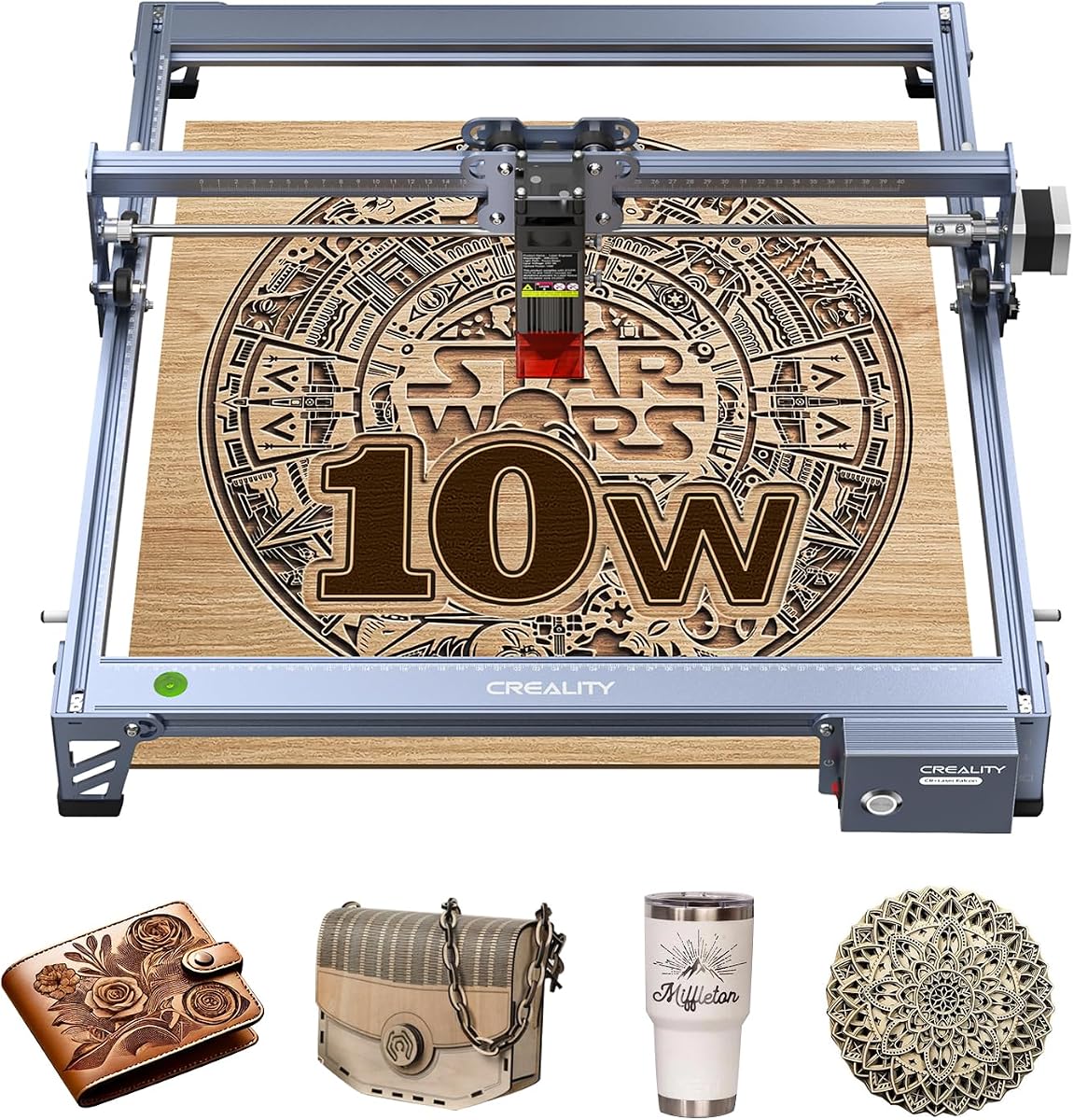
Creality Falcon 10W Laser Engraver Machine
4.2Editor score
72W effective laser power output
0.06mm high precision spot size
LightBurn and LaserGRBL compatible
Finding the right laser engraver can transform your creative projects into professional-grade products. Creality has become a leading name in affordable desktop engraving, offering a range of machines from hobbyist friendly units to powerful industrial tools. Understanding the differences between these models ensures you invest in a system that matches your specific needs and workspace constraints.
We have carefully evaluated the latest Creality laser engraver offerings to bring you a comprehensive comparison. Our analysis focuses on key performance metrics such as cutting speed, precision accuracy, safety certifications, and software compatibility. Each product was reviewed based on its technical specifications and user feedback to highlight the strengths and potential limitations of every model on this list.
Every pick in this guide showcases a unique balance of features designed to help you make an informed decision. Whether you prioritize raw power for cutting thick materials or ease of use for intricate designs, there is a suitable option here. Please note that pricing and availability can fluctuate, so checking current listings is recommended before finalizing your purchase.
4.2Editor score

4.1Editor score

4.2Editor score
As an Amazon Associate we earn from qualifying purchases.
The following comparison table provides a side-by-side overview of all ten Creality laser engraver models. It highlights key specifications such as laser power, cutting speed, safety class, and unique features to help you quickly identify which machine aligns best with your project requirements and budget constraints.



The Creality Falcon A1 stands out as the top choice for users seeking a blend of speed and safety. With a rating of 4.1 stars, it is highly regarded for its ability to deliver professional results without the typical risks associated with open laser systems. The fully enclosed design makes it a safe option for home studios and educational environments.
We may earn a commission when you buy through this link, at no additional cost to you.
Its standout feature is the advanced CoreXY motion system which allows speeds up to 600mm/s. This performance level is three times faster than many traditional models, significantly reducing project time. The built-in HD camera automatically recognizes materials and positions the design, eliminating the need for manual alignment and reducing material waste.
While the machine is highly capable, users should be aware of its limitations regarding reflective materials. It is strictly prohibited from engraving mirror-finished metals or mirrored acrylic which can damage the laser or cause safety issues. Additionally, the honeycomb panel compatibility is specific to its dimensions which might require purchasing accessories separately for certain projects.
Overall this engraver is ideal for hobbyists and small business owners who need reliable high-speed cutting and engraving. The pre-assembled nature means you can start creating immediately after unboxing. If you value safety features and automation over raw power, this model offers the best balance in the current Creality lineup.
The fully enclosed structure blocks 99% of laser light and reduces smoke and noise allowing safe use without safety goggles. This makes it suitable for shared spaces where safety compliance is critical.
The built-in camera automatically identifies your material and applies the best settings for engraving or cutting. This smart feature removes the guesswork and trial and error from the setup process.
We may earn a commission when you buy through this link, at no additional cost to you.
This model represents the best budget option for those entering the world of laser engraving. With a solid 4.2 rating it offers impressive performance for its price point. The 72W effective power allows it to cut through substantial materials like 12mm wood boards without needing multiple passes.
We may earn a commission when you buy through this link, at no additional cost to you.
The large workspace of 15.7 by 16.3 inches provides ample room for medium-sized projects. Its 32-bit chip ensures precise control with a spot size of 0.06mm which is excellent for detailed work. Compatibility with both LightBurn and LaserGRBL gives users flexibility in software choice regardless of their operating system.
While it lacks the enclosed safety features of more expensive models it does include an anti-UV filter to reduce harmful radiation. However users must be vigilant about safety goggles and workspace ventilation. It also requires some assembly which might be a barrier for absolute beginners but provides a good learning experience.
For hobbyists on a tight budget who need a versatile machine this is a strong candidate. It handles a wide range of materials from leather to acrylic. If you are willing to manage safety manually and spend time on setup this model delivers significant value for the money.
This machine works well with over 200 types of materials including wood leather fabric and acrylic. This broad compatibility makes it a versatile tool for diverse creative projects.
Support for both LightBurn and LaserGRBL ensures users can choose the software that best fits their workflow. Offline creation with SD card also allows for standalone operation without a computer.
We may earn a commission when you buy through this link, at no additional cost to you.
The Creality Falcon A1 Pro is a premium machine designed for serious makers and small businesses. Boasting a 180W output it offers three times the speed of standard models which is perfect for batch production. The 4.2 rating reflects its reliability and advanced feature set that simplifies complex engraving tasks.
We may earn a commission when you buy through this link, at no additional cost to you.
Key strengths include the smart touchscreen interface which allows cable-free operation and real-time monitoring via an app. The HD camera and AI vision system deliver precise positioning and auto focus within seconds. This level of automation reduces setup time and improves consistency across multiple projects.
The machine is fully enclosed ensuring Class 1 safety which protects users from laser radiation and smoke. While it is a powerful tool the optional 2W infrared module for high-precision work is not included in the base price. This means extra cost for specific applications like jewelry engraving or detailed metal work.
This model is best suited for professionals who need high throughput and ease of use. The pre-assembled nature means you can start working immediately. If you are ready to invest in a high-performance system that minimizes manual intervention this premium option delivers exceptional value and capability.
The intelligent app control elevates your workflow with real-time monitoring from anywhere. You can multitask with confidence knowing the machine status is always accessible to you.
The 0.03mm ultra-fine laser spot when using the IR module allows for extraordinary clarity. This is perfect for engraving photographs and business cards with professional detail.
We may earn a commission when you buy through this link, at no additional cost to you.
This variant of the Falcon A1 focuses on ease of use and creative tools. With a 4.2 rating it is highly appreciated for its user-friendly approach. The machine comes with pre-set optimal parameter settings allowing you to skip trials and start successful projects immediately which saves time and material.
We may earn a commission when you buy through this link, at no additional cost to you.
The graphic outline extraction feature is a unique tool that converts design patterns into engraving paths. This unlocks creative potential for those who want to transform artistic ideas into personalized engravings without complex vector editing. The smart camera offers a full-frame view making setup smooth and intuitive.
Safety is maintained with the dual-door enclosed design which filters out 99% of laser radiation. However there are specific compatibility notes such as not supporting certain honeycomb panels or uncoated acrylic cutting. These constraints require attention to ensure safe and successful operation of the machine.
Ideal for creators who want powerful software tools and a hassle-free experience this machine delivers. The Falcon Design Space software is free and smart for all design levels. If you prioritize design flexibility and safety in a ready-to-use package this model is a strong contender.
The graphic outline extraction feature effortlessly captures design patterns and converts them into detailed engraving paths. This functionality makes it easy to transform artistic ideas into unique creations.
The free Falcon Design Space software offers various editing functions and is versatile for all design levels. It is smart and easy for anyone to start their creative journey effortlessly.
We may earn a commission when you buy through this link, at no additional cost to you.
This DIY engraver is built with a sturdy all aluminum alloy structure that ensures durability. It has a 4.2 rating reflecting its reliability for standard engraving tasks. The 72W machine power allows for efficient cutting of materials like 5mm basswood boards or 3mm black acrylic in one pass.
We may earn a commission when you buy through this link, at no additional cost to you.
Precision is a key strength here with a 0.06*0.06mm super fine spot focus. This ensures engraving and cutting accuracy is precisely controlled within 0.004 inches. The steel shaft wheel guide rail design adds stability which is crucial for detailed work on paper wood and leather.
While it is an open design machine it includes an anti-UV filter acrylic on the laser module to reduce UV rays by 97%. Safety goggles are still recommended during operation. The quick focus adjustment allows you to change settings without tools which adds to its convenience.
For makers who prefer a traditional open frame setup this machine offers robust performance. The support for 1-year free parts replacement provides peace of mind. If you want a reliable DIY option with strong structural integrity this model is a solid choice for your workshop.
The all aluminum alloy made structure and steel shaft wheel guide rail design provide a sturdy foundation. This ensures the machine remains stable during high-speed operations.
Customers receive 1-year free parts replacement and permanent professional technical customer service. This support network helps ensure long-term reliability and user confidence.
We may earn a commission when you buy through this link, at no additional cost to you.
The Falcon2 Pro S is a professional-grade machine designed for high efficiency. It features an integrated enclosure and Z-Axis Auto Focus which enhances precision. The 120000mW machine power is capable of cutting 15mm basswood in one pass making it suitable for batch production needs.
We may earn a commission when you buy through this link, at no additional cost to you.
Safety is a priority with five features including a flame detector and emergency stop button. The debris drawer collects cutting residue which simplifies cleaning and reduces downtime. This design is particularly helpful for compact workshops where maintenance time should be minimized.
While the rating is slightly lower than other models it offers unique features like auto cut through path compensation. This ensures clean edges even on difficult materials. However users should note the limitations on metal sheet thickness. It remains a powerful tool for wood and acrylic work.
For small studios or sole traders seeking reliable batch production this model is well suited. The 10-minute setup is quick and easy. If you need a machine that balances power with advanced safety and cleaning features this one delivers professional results.
With an upgraded cutting speed of up to 500mm/s this machine enables true high-speed batch processing. This efficiency is vital for meeting deadlines in small business environments.
The built-in debris drawer collects cutting residue during operation which simplifies cleaning. Users can simply pull it out and empty it after use to keep the workspace tidy.
We may earn a commission when you buy through this link, at no additional cost to you.
The Falcon A1C stands out for its AI-powered workflow which simplifies design and engraving. With a high 4.7 rating it is praised for creating stunning engravings in just a few clicks. The AI One-Tap Engraving converts photos into artwork instantly which is great for beginners.
We may earn a commission when you buy through this link, at no additional cost to you.
Interchangeable laser platform allows you to switch heads for different tasks. For example you can change from a 10W module to a 1.2W IR module for fine detail. The 0.1mm positioning accuracy ensures precise placement on various materials including leather and acrylic.
Its compact desktop design makes it easy to move and store which is ideal for classrooms or maker events. However the working area is smaller than larger models so it is best for specific projects. The expandable ecosystem means you can add accessories like rotary attachments later.
For users who value intelligence and convenience this machine is a top pick. The software features like background removal and layout optimization save significant time. If you want a portable machine that grows with your skills the A1C offers excellent versatility.
AI Background Removal and Smart Fill simplify design and optimize layouts for professional results. The AI Assistant also recommends best settings to make engraving easier.
The interchangeable laser platform is compatible with 5W, 10W, and 1.2W modules. This allows you to match the laser head to your specific engraving tasks efficiently.
We may earn a commission when you buy through this link, at no additional cost to you.
This version of the A1 Pro emphasizes a streamlined user experience with a smart touchscreen. It allows quick access to history files and real-time previews of your work. The 4.0 rating indicates strong performance for those who prefer a modern interface over traditional controls.
We may earn a commission when you buy through this link, at no additional cost to you.
The autofocus feature completes in about 3 seconds with full bed preview. This precise placement ensures clean engraving on common maker materials. The CoreXY speed boosts batch productivity without sacrificing detail which is essential for small shop efficiency.
Safety is ensured with the enclosed laser cutter design which filters 99% of laser radiation. Lid open stop and air assist functions add to the convenience. However the optional 2W infrared laser module is not included and must be purchased separately for advanced metal work.
For home or small shop use this machine provides a quiet and clean solution. The real-time preview capability reduces setup errors. If you value a modern interface and high safety standards this A1 Pro model is a reliable investment.
The smart touchscreen simplifies everyday tasks with no messy cables or complicated steps. You can access history files and reopen recent projects with a single tap.
The transparent cover filters out laser radiation and effectively blocks noise and smoke. Lid open stop and emergency stop functions add layers of safety for daily use.
We may earn a commission when you buy through this link, at no additional cost to you.
The Falcon A1C mini is designed for convenient everyday use with a focus on portability. With a 4.6 rating it is popular for its ease of use and AI features. The 15-Second Quick-Swap laser module allows you to change heads in seconds which is great for evolving projects.
We may earn a commission when you buy through this link, at no additional cost to you.
It supports over 300 materials including dark opaque acrylic and wood. The software offers image generation and material recognition to simplify every step. Auto Focus automatically adjusts the laser height eliminating manual calibration and helping you get started faster.
The Class 1 enclosed design provides eye safety without requiring goggles during normal use. Intelligent flame detection stops operation instantly to prevent accidents. This makes it safe for homes classrooms and maker spaces where supervision might vary.
For beginners and experienced makers alike this portable machine offers high performance. The PC and App control are intuitive and easy to navigate. If you need a compact unit that is easy to move and upgrade this model is highly recommended.
The innovative quick-swap modular design lets you change compatible laser modules in as little as 15 seconds. This flexibility allows one machine to tackle a wide range of materials.
Intelligent flame detection automatically stops operation and sends alerts to your PC. Tilt protection and a USB safety lock help prevent accidental operation in busy environments.
We may earn a commission when you buy through this link, at no additional cost to you.
This Falcon A1 model is rated 4.5 for its impressive speed and beginner-friendly design. It achieves instant acceleration from 0 to 600mm/s in just 0.03 seconds which ensures quick turnaround times. The zero assembly requirement means users can start engraving immediately after unboxing.
We may earn a commission when you buy through this link, at no additional cost to you.
The 0.06 x 0.08mm laser spot ensures intricate details and sharp contrasts. This is perfect for delicate designs on various materials. The smart camera allows drag and drop positioning of designs which simplifies setup for new users significantly.
It features six safety protections including Class 1 compliance and eye-protection cover. The space-saving design makes it more efficient in terms of footprint than similar models. Built with aerospace-grade aluminum it boasts durability and strength for long-term use.
Ideal for those seeking high speed and precision without a learning curve this machine excels. The three-step operation makes engraving as simple as selecting a model and pressing start. If you value ease of use and compact design this is a reliable choice.
The advanced dual-motor setup enables speeds of up to 600mm/s allowing for rapid engraving without sacrificing detail. Automatic belt tensioning prevents slippage for consistent results.
The intuitive three-step operation makes engraving as simple as selecting a model and pressing start. Free Line Drawing Pen tools empower users to unleash creativity with minimal learning curves.
We may earn a commission when you buy through this link, at no additional cost to you.
Selecting the right laser engraver requires understanding your specific needs and technical requirements. This guide breaks down the essential factors to consider to ensure you choose a machine that performs well for your intended projects.
Laser power directly impacts the ability to cut thicker materials. Higher wattage units like the 180W models can cut through wood and acrylic faster than 10W or 20W models. Speed is also critical for production; models with CoreXY systems offer significantly faster travel rates which reduce project time.
Safety should be a priority especially if you work in a shared space. Class 1 fully enclosed designs filter out most laser radiation and smoke allowing use without goggles. Additional features like flame detectors and emergency stop buttons provide extra layers of protection for users.
Compatibility with software like LightBurn and LaserGRBL gives you flexibility in design and control. Some machines come with proprietary software which can be user-friendly but limits options. Check if the machine supports offline creation via SD card for standalone operation.
The working area determines the maximum size of your projects. Larger desktop units offer more room for signs and larger items while compact models save space on small desks. Measure your available workspace before purchasing to ensure a proper fit.
Some models arrive fully pre-assembled saving you time and hassle. Others require assembly which can range from 10 to 20 minutes. Consider your skill level and patience when choosing between ready-to-use and DIY options.
Built-in cameras with auto positioning features simplify the setup process. They allow you to preview the workspace and place designs precisely without manual measurements. This is particularly useful for beginners and batch production.
Different lasers work better with certain materials. Blue lasers are great for wood and acrylic but may struggle with clear acrylic or metal. Infrared modules are often needed for engraving reflective materials. Check compatibility before purchasing if you plan to work with metals.
Some models support interchangeable laser heads and accessories like rotary attachments. This allows you to expand your capabilities as your skills grow. Look for machines that offer an ecosystem of compatible tools to future-proof your investment.
Before first use read the user manual carefully and ensure your workspace is well ventilated. Place the machine on a stable surface and connect it to the computer or app. Check that the safety interlocks are functioning correctly and wear appropriate eye protection if the machine is not fully enclosed.
Prepare your design in compatible software such as LightBurn or Falcon Design Space. Upload the file to the machine and use the camera preview to position it accurately. Adjust the laser power and speed settings based on the material you are using to avoid burns or incomplete cuts.
After each session clean the machine by removing debris and wiping down the surface. Regularly check the laser lens for dust and clean it gently with a soft cloth. Keep the firmware updated to ensure optimal performance and take advantage of new features as they are released.
Standard blue laser engravers are generally not suitable for engraving reflective metals unless a specific infrared module is used. Some models like the A1 Pro offer optional IR modules designed for metal and plastic. Always check the material compatibility list before attempting to engrave metal.
If the machine is fully enclosed and Class 1 certified like the Falcon A1, safety goggles are not strictly required for normal operation. However for open designs it is essential to wear appropriate laser safety goggles to protect your eyes from harmful radiation.
Most Creality engravers are compatible with popular software like LightBurn and LaserGRBL. LightBurn is often preferred for its advanced features and cross-platform support. Some models also come with proprietary software like Falcon Design Space for easier beginner use.
Assembly times vary by model. Fully pre-assembled units like the Falcon A1 require zero setup. Others may take between 10 to 20 minutes to assemble. Check the product details to see if assembly is required before purchasing.
Yes with the use of a rotary attachment you can engrave on curved surfaces like tumblers and bottles. Some models include a roller kit or support rotary accessories. Ensure you have the correct attachment for your specific model before attempting round engraving.
Avoid engraving materials that release toxic fumes when heated such as PVC or vinyl. Also avoid highly reflective materials like mirror-finished metals unless using an IR module. Always check material safety guidelines to ensure safe operation.
Clean the lens gently with a soft dry cloth or lens paper. Avoid using harsh chemicals that could damage the coating. Regular cleaning ensures consistent engraving quality and prevents build-up that might affect performance.
Yes many Creality engravers are designed with beginners in mind. Features like auto focus and intuitive software make them easy to use. Some models come pre-assembled with zero setup which is ideal for those new to laser engraving.
The Creality Falcon A1 remains the top overall choice for those seeking speed and safety in a fully enclosed package. For budget-conscious buyers the Falcon 10W offers excellent value without sacrificing essential performance features.
Prioritize safety features and compatibility with your preferred software when making your decision. If you need high throughput for professional work the A1 Pro 20W provides the power and automation necessary for efficiency.
Remember to verify current availability and pricing before purchasing as these can fluctuate. Choosing the right model ensures you can enjoy creative projects with confidence and ease.