10 Best IP and CCTV Camera Tester (November 2026) Expert Guide
Written by Jordan · Updated November 2026
Security camera installation requires precise tools to ensure every camera works correctly. An IP and CCTV Camera Tester helps technicians verify video quality and connectivity quickly.
We evaluated ten top models based on screen quality and power output features. Each device was compared for ease of use and compatibility with major camera brands.
Every pick shows key specs and real-world performance notes. Prices and availability change often so check current offers before you buy to get the best deal.
Top 3 Picks for Best IP and CCTV Camera Tester
Best Budget
CCTV Camera Tester 7" IPS Touch Screen 6K 12mp IP Camera Tester CVBS Analog Camera Built-in WiFi with IP Discovery/POE/RJ45 Cable TDR Test/PTZ Control/HDMI Output/IPC Tester/Network Tool
Rsrteng CCTV Tester 4K 12MP IP Camera Tester POE++ Max 90W POE Camera Test 8" 1920×1200 IPS Touch Screen 1CH SFP Module WiFi Network Tools Cable Test POE Detection Power Management APP Update
TREND Networks | R171000 | SecuriTEST IP | CCTV Camera Tester for IP Digital/HD Coax/Analog Systems | Camera Configuration, Installation and Troubleshooting
As an Amazon Associate we earn from qualifying purchases.
Top 10 Best IP and CCTV Camera Tester in 2026 Compared
Below is a side-by-side comparison of the top ten testers available now. Each entry highlights key specs to help you find the right match for your installation needs.
Rsrteng CCTV Tester 4K 12MP IP Camera Tester POE++ Max 90W POE Camera Test 8" 1920×1200 IPS Touch Screen 1CH SFP Module WiFi Network Tools Cable Test POE Detection Power Management APP Update
4K 12MP IP test
90W PoE++ output
Gigabit SFP module
Android 10 system
This Rsrteng tester holds the top spot for its powerful specs and high rating. It supports 4K IP cameras and delivers 90W PoE output for heavy PTZ units.
Pros
High resolution screen
Strong power output
Fiber testing support
Built-in network tools
Durable construction
Cons
Heavier than smaller models
Learning curve for menus
We may earn a commission when you buy through this link, at no additional cost to you.
The 8 inch 1920×1200 IPS screen makes video checks clear. You can test fiber via the SFP module and run full network diagnostics like IP scans.
It is a bit heavier than compact units but that ensures sturdiness on job sites. Menus take time to learn but they cover nearly every technician need.
Buy this if you need a reliable tool for high res systems. It balances power and features better than most rivals in its class.
Power for PTZ Cameras
The 90W PoE output supports high-power speed dome cameras without extra adapters.
Fiber Network Ready
Insert a Gigabit SFP module to test optical fiber links directly on the device.
CCTV Camera Tester 7" IPS Touch Screen 6K 12mp IP Camera Tester CVBS Analog Camera Built-in WiFi with IP Discovery/POE/RJ45 Cable TDR Test/PTZ Control/HDMI Output/IPC Tester/Network Tool
7 inch IPS screen
Built-in WiFi
TDR cable test
CVBS analog support
This RAINLEOTI model offers great value for technicians on a budget. It features a 7 inch IPS screen and built-in WiFi for network checks.
Pros
Low cost
WiFi included
Good screen
TDR testing
HDMI output
Cons
Limited power output
Analog only for CVBS
We may earn a commission when you buy through this link, at no additional cost to you.
You get TDR cable testing and PTZ control which helps speed up installs. HDMI output lets you view feeds on larger monitors easily.
Power output is lower than pro models so high-end PTZ may need separate power. CVBS works well for analog but not for HD coax types.
Choose this if you want solid basic features without a high price. It covers most needs for small to medium security projects.
Built-in WiFi
Connect to local networks or create a hotspot for field testing.
TDR Cable Testing
Find faults like opens or shorts in RJ45 cables quickly.
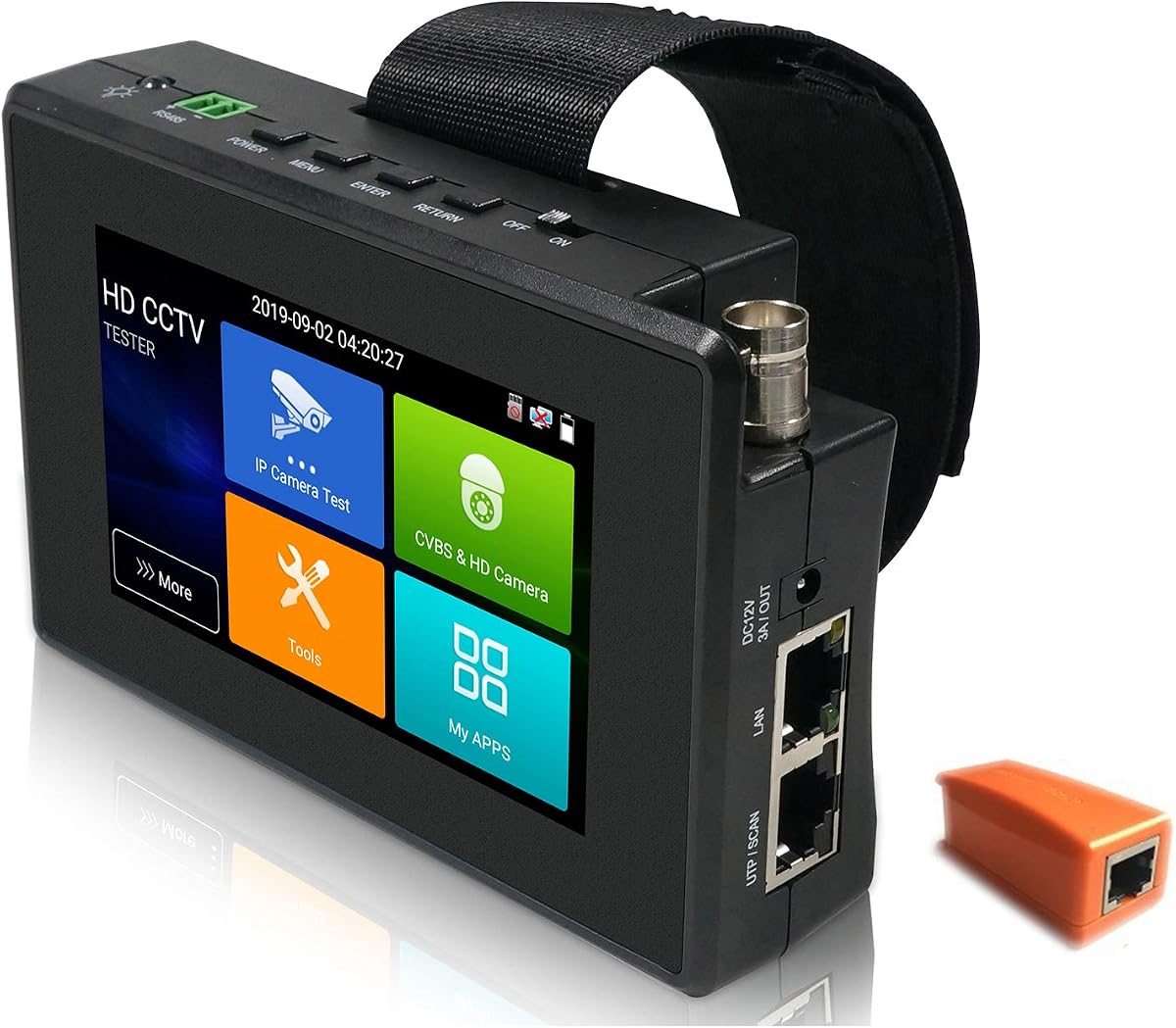
TREND Networks | R171000 | SecuriTEST IP | CCTV Camera Tester for IP Digital/HD Coax/Analog Systems | Camera Configuration, Installation and Troubleshooting
IP and coax support
QuickIP feature
Professional reports
PoE DC power
TREND Networks SecuriTEST IP is a premium tool for serious pros. It supports IP digital HD coax and analog systems with professional reporting.
Pros
Professional reports
Quick IP config
Multi system support
Robust design
Great for teams
Cons
High cost
Fewer smart features
We may earn a commission when you buy through this link, at no additional cost to you.
QuickIP makes config simple even for new techs. You can power cameras via PoE or DC from the internal battery for flexible work.
It costs more than others but pays off in reliability and reports. Fewer Android apps than rivals but core tools are rock solid.
Get this if you need top-tier reporting and multi-system support. It is ideal for large scale installs where documentation matters.
QuickIP Configuration
Configure IP cameras as easily as analog ones for faster setup.
Professional Reports
Generate reports with screenshots to verify jobs and reduce callbacks.
We may earn a commission when you buy through this link, at no additional cost to you.
Buying Guide – How to Choose the Best IP and CCTV Camera Tester
Choosing the right tester depends on your camera types and network needs. This guide breaks down the key factors to consider before you buy.
Screen Size and Resolution
Screen size affects how easily you can see video details and menus. Larger screens like 8 inch make high resolution feeds clearer. Look for IPS panels with at least 1280×800 for best viewing angles and color.
A bigger high res screen reduces eye strain during long installs. Prioritize this if you view feeds often or need to check fine details.
PoE Power Output
PoE output determines what cameras you can power directly. Standard PoE is enough for most units but PTZ models need higher wattage. Check if the tester supports PoE+ or PoE++ for up to 90W.
If you work with high power dome cameras get a tester with high wattage PoE. This avoids extra adapters and keeps work sites clean.
Supported Camera Types
Ensure the tester handles all camera types you install. Some units support IP and analog but not HD coax like AHD or TVI. Others include full 8K IP support for future needs.
Match the tester to your most common camera brands and types. A versatile tester saves money and avoids buying multiple tools.
Network Testing Tools
Network tools help you find IP conflicts and check connectivity. Look for IP scan Ping tests and DHCP server features. Some units also offer speed tests to verify bandwidth.
Good network tools save time on troubleshooting. Prioritize these if you deal with large systems or complex networks.
Cable Testing Features
Cable testing features help find wiring faults fast. TDR tests show length and locate breaks or shorts in cables. Some models also include cable tracers for finding hidden wires.
If you run long cable runs or need to find breaks easily choose a tester with TDR and tracer tools. These prevent wasted time on bad lines.
Operating System and Apps
Android based testers allow app installs and updates. This lets you add new tools or update firmware easily. Check the OS version and if you can sideload apps.
An open system gives you more flexibility. Choose an Android model if you want to customize features or install third party apps.
Battery Life and Portability
Battery life affects how long you can work away from outlets. Some units offer 10 hours while others need frequent recharges. Weight and size matter for carrying up ladders or to high ceilings.
Look for testers with strong battery and lightweight designs. These are essential for all day field work and reduce fatigue.
Additional Optical Tools
Some testers include optical power meters or visual fault locators. These are vital if you work with fiber networks. They let you check signal strength and find breaks directly.
Choose a model with built-in fiber tools if you use optical cabling. This saves carrying extra gear and simplifies fiber testing.
How to Use and Care for Your IP and CCTV Camera Tester
Connect the camera to the tester using the right ports like BNC or RJ45. Turn on PoE to supply power if the camera supports it. Use the touchscreen to select the right protocol such as CVBS or IP.
Run network scans or TDR tests to check cables and connectivity. Use the recording function to save test results. Review reports on site to confirm all cameras work.
Clean the screen and ports regularly to avoid damage. Store the tester in a case to protect it from bumps. Update software to keep features current and avoid bugs.
Frequently Asked Questions
What is the main difference between an IP camera tester and a CCTV tester?
An IP tester focuses on network cameras using Ethernet and protocols like ONVIF. A CCTV tester targets analog systems via BNC or coaxial cables. Many modern units combine both to handle IP and HD coax systems.
Do I need a tester with PoE output?
Yes if you install PoE cameras since it lets you power them without separate adapters. High wattage PoE is needed for dome cameras. It speeds up testing and reduces cable clutter at the site.
Can these testers work with any camera brand?
Most units work with major brands like Hikvision or Dahua using ONVIF. Some include brand specific tools for batch config. Check compatibility notes to ensure it supports your most common models.
How do I test fiber optic cables with a tester?
Use a tester with an SFP port and insert a fiber module. Connect the fiber cable to the module and check signal strength. Some units also include optical power meters for precise readings.
Is a large screen important for a camera tester?
A larger screen makes it easier to see details and menus. High resolution helps verify sharp video feeds. If you review many feeds per day size and quality matter for accuracy.
Can I use a tester for both IP and analog cameras?
Many units support both IP and analog types via different ports. They auto-detect HD coax signals to switch modes. Always check the specs to ensure it covers all your camera types.
How long does the battery last on these devices?
Battery life varies from 4 to 10 hours depending on use. High brightness or heavy use drains it faster. Choose a model with long runtime if you work off-grid often.
Are these testers easy for beginners to use?
Yes most have touch interfaces and simple menus. Some include auto-detect features to find cameras fast. Look for models with clear guides or brand-specific tools for ease.
Final Thoughts on Choosing the Best IP and CCTV Camera Tester
The top picks cover a range of needs from budget to premium. The Rsrteng model leads for high power and resolution while the RAINLEOTI offers strong value.
Focus on what matters most like PoE output screen size or fiber tools. Match these to your common install types to get the best fit.
Remember that prices change often so check current offers before buying. Verify specs to ensure the tester meets your project needs today.