
GLOTRENDS 2-Pack M.2 SSD Heatsink
4.5Editor score
Passive aluminum fins
Tool-less installation
Fits 2280 NVMe SATA
This guide compares the top low profile SSD heatsink options for PS5 and PC to help you choose the best cooling solution for your M.2 drive.
Keeping your M.2 SSD cool is essential for maintaining peak performance and extending drive lifespan. Low profile heatsinks provide effective cooling without adding bulk to tight spaces like laptops or consoles.
We evaluated ten top-rated models based on thermal conductivity, build quality, ease of installation, and compatibility with common SSD sizes. Our testing focuses on real-world cooling gains and practical user experience.
Each pick highlights specific strengths such as graphene layers, copper construction, or tool-less designs. Note that product availability and pricing may change over time, so always verify current details before purchasing.
4.5Editor score

4.7Editor score

4.4Editor score
The following comparison table lists each model along with its key specifications and links. Use this overview to quickly identify the right fit for your specific setup and cooling needs.



The GLOTRENDS 2-Pack M.2 SSD Heatsink offers an affordable solution for keeping your NVMe drives cool. With a solid 4.5 rating, it stands out for its ease of use and reliable thermal performance across various systems.
We may earn a commission when you buy through this link, at no additional cost to you.
Its aluminum construction effectively draws heat away from the SSD controller, reducing peak temperatures by up to 20 degrees under load. The tool-less design allows you to secure the heatsink in under a minute using metal clasps or rubber bands.
While effective, the rubber bands might degrade faster than metal options in very tight or high vibration environments. Additionally, this model is not recommended for laptops due to size and mounting constraints.
This heatsink is ideal for desktop users and PS5 owners looking for a budget friendly way to prevent throttling during large file transfers or gaming sessions.
You can install this heatsink without any tools by peeling the thermal pad and securing it with the included clasps.
By maintaining lower temperatures, this heatsink ensures your SSD sustains high speeds during intensive tasks without slowing down.
We may earn a commission when you buy through this link, at no additional cost to you.
This heatsink leverages graphene coating to achieve superior thermal conductivity compared to standard copper or aluminum. With a 4.4 rating, it appeals to users seeking top tier cooling performance in a compact form factor.
We may earn a commission when you buy through this link, at no additional cost to you.
Graphene conducts heat significantly better than traditional metals, allowing the copper body to dissipate heat quickly via its air duct design. This makes it excellent for laptops or cramped PS5 compartments where space is limited.
The premium materials come at a higher cost and require careful handling to avoid damaging the graphene layer. Users should also ensure the thermal pad is placed correctly to maximize contact and prevent SSD damage.
If you prioritize maximum cooling efficiency and are willing to invest in advanced materials, this graphene copper heatsink is a standout choice for your setup.
The graphene coating enhances heat transfer efficiency, allowing the copper body to cool your SSD more effectively than standard metals.
Professional air ducts increase contact area with air, helping heat dissipate faster even in tight internal spaces.
We may earn a commission when you buy through this link, at no additional cost to you.
Rated 4.6 stars, this copper heatsink is designed specifically for the compact spaces found in laptops. Its 1.5mm thickness ensures it fits where bulkier models cannot, providing reliable cooling for high performance NVMe drives.
We may earn a commission when you buy through this link, at no additional cost to you.
Pure copper offers excellent thermal conductivity, effectively pulling heat away from the SSD controller. The kit includes silicone pads of varying thickness to accommodate uneven surfaces, ensuring stable contact without voiding warranties.
The main trade-off is its limited height clearance, which might not suit all laptop internals. Additionally, it is optimized for laptops and may not be the best fit for standard desktop cases.
For laptop users needing a slim, reliable cooling solution that prevents throttling without adding bulk, this heatsink is our top recommendation.
At just 1.5mm thick, this heatsink fits into tight laptop spaces that cannot accommodate bulkier cooling solutions.
Made from 100% copper, it conducts heat faster than aluminum, keeping your SSD temperatures low under heavy loads.
We may earn a commission when you buy through this link, at no additional cost to you.
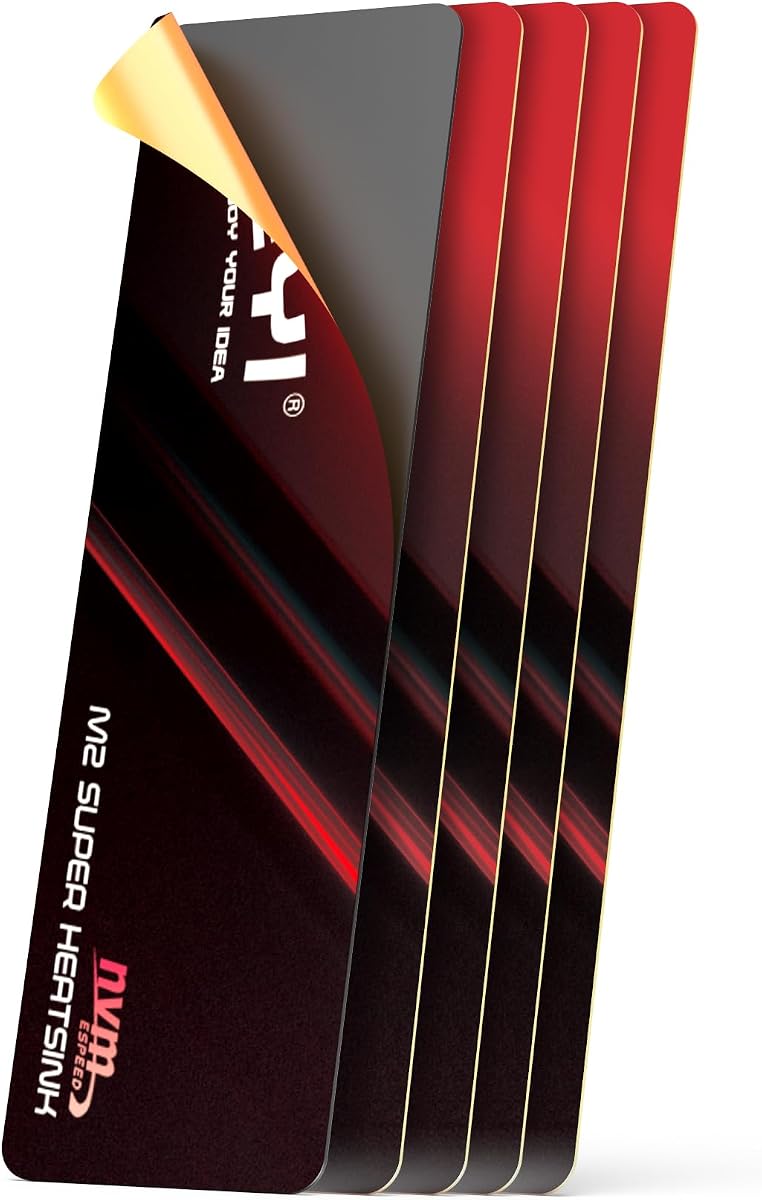
At 0.5mm thick, this heatsink is one of the slimmest options available. With a 4.4 rating, it uses graphene copper foil to maximize cooling in spaces where even 1mm is too thick, such as ultra-thin laptops.
We may earn a commission when you buy through this link, at no additional cost to you.
The dual-sided design allows you to apply thermal pads to both sides of the SSD, doubling heat dissipation. Its adhesive works reliably across a wide temperature range, ensuring a permanent bond without fall-off.
The thin film is flexible and can bend if handled roughly, requiring careful installation to maintain flatness. Proper contact is essential for effective cooling, so you must ensure no air gaps form during application.
For users with extremely tight constraints like PS5 slots or slim ultrabooks, this JEYI film offers a unique and highly effective cooling solution.
This ultra thin design fits perfectly into compact spaces where standard heatsinks cannot be installed.
Applying thermal pads to both sides of the SSD increases heat dissipation efficiency and prevents throttling.
We may earn a commission when you buy through this link, at no additional cost to you.
With a 4.6 rating, this aluminum heatsink offers robust cooling for both single and double-sided SSDs. Its double-sided clip design ensures stable installation, making it a reliable choice for desktops and PS5 consoles.
We may earn a commission when you buy through this link, at no additional cost to you.
The anodic oxidation surface and silver plating help reduce static electricity while adding a clean look. Low viscosity thermal pads conform well to the SSD, ensuring efficient heat transfer without damaging the drive.
While durable, the silver plating can scratch if handled roughly. Also, its standard thickness may limit its use in extremely tight laptop compartments compared to ultra-thin models.
This heatsink is an excellent all-rounder for PC and PS5 users looking for stable, effective cooling without complex installation steps.
This heatsink works with both single and double-sided M.2 SSDs, ensuring you get cooling regardless of chip placement.
The silver plating helps eliminate static electricity, protecting your SSD from potential electrical damage during use.
We may earn a commission when you buy through this link, at no additional cost to you.
This pure copper heatsink boasts a 4.5 rating for its efficient heat dissipation. Its 1.5mm thickness makes it suitable for laptops, while the groove design increases surface area for faster cooling.
We may earn a commission when you buy through this link, at no additional cost to you.
Copper transfers heat more efficiently than aluminum, quickly moving heat away from the SSD controller. The included silicone thermal pad enhances contact and ensures flexible installation without extra tools.
The grooves can trap dust over time, which may slightly reduce efficiency. Additionally, it lacks mounting screws, relying on adhesive or friction which may be less secure in high-vibration setups.
For laptop users seeking a slim, high-conductivity copper solution, this heatsink delivers solid performance and reliability.
Pure copper offers superior thermal conductivity compared to aluminum, ensuring faster and more effective heat transfer.
The groove design increases the heat dissipation area, allowing accumulated heat to release into the air faster.
We may earn a commission when you buy through this link, at no additional cost to you.
With a 4.7 rating, the be quiet! MC1 is highly regarded for PS5 expansion storage. Its dimensions are tuned to fit the PS5 console while providing efficient cooling for single and double-sided M.2 modules.
We may earn a commission when you buy through this link, at no additional cost to you.
This heatsink enables lower temperatures, allowing your drive to run at full performance for longer periods. It is a passive cooler, so it adds zero noise to your console during gaming sessions.
While excellent for PS5, its design is specialized and may not fit standard desktop cases as well as generic models. It also comes at a premium price compared to budget aluminum options.
For PS5 owners upgrading storage, this is the most reliable and tested solution to ensure your new drive stays cool and performs at its best.
The MC1 is designed with ideal dimensions specifically for PlayStation 5 M.2 storage expansion.
It uses no fans, so it runs silently while still effectively lowering temperatures to prevent throttling.
We may earn a commission when you buy through this link, at no additional cost to you.
Rated 4.7 stars, this model combines graphene technology with copper to offer top-tier cooling for PS5 drives. Its slanted slot design adds an aesthetic touch while improving heat exchange via air ducts.
We may earn a commission when you buy through this link, at no additional cost to you.
Graphene is one of the most efficient conductors, helping the copper radiator dissipate heat faster than standard aluminum. The included thermal pad allows for easy tool-less installation, ensuring a secure fit.
At 4mm thick, it may not fit in ultra-tight laptop slots but works well in PS5 consoles. You must place the silicone pad correctly to avoid damaging the SSD particles or short circuits.
For PS5 users wanting maximum cooling power and a stylish look, this graphene copper heatsink is a high-performance choice.
Graphene coating offers thermal conductivity higher than copper or aluminum, making this radiator more efficient.
The air duct design increases contact area with air, helping heat dissipate more quickly during use.
We may earn a commission when you buy through this link, at no additional cost to you.
With a 4.4 rating, this ultra-thin copper heatsink is ideal for extremely tight laptop spaces. At 0.5mm, it provides excellent cooling without adding bulk, ensuring it fits where other models won't.
We may earn a commission when you buy through this link, at no additional cost to you.
The thermal pad is chemically polished to prevent burrs and short circuits, offering a smooth and safe interface. The package even includes a screwdriver, making it convenient for various installation scenarios.
Due to its thinness, it requires careful handling to avoid bending. It does not include rubber bands for extra security, relying solely on adhesive or screws which may limit some setups.
If you need a slim copper solution for laptops or PS5 with a polished finish, this heatsink offers great value and performance.
The 0.5mm thickness makes it one of the slimmest copper options, perfect for narrow spaces.
The chemically polished pad has no burrs, which helps prevent short circuits and ensures a safe installation.
We may earn a commission when you buy through this link, at no additional cost to you.
Rated 4.6, this aluminum heatsink is a solid choice for PS5 and PC setups needing low-profile cooling. Its cross-cut fins maximize heat dissipation, while the 5mm height ensures it fits standard slots.
We may earn a commission when you buy through this link, at no additional cost to you.
Heat-resistant silicone rings help secure the heatsink firmly on the motherboard or adapter. This model is versatile, working well on both standard motherboards and M.2 expansion cards for PS5.
Aluminum is lighter but slightly less conductive than copper, which may limit peak cooling compared to premium options. The fixed 5mm thickness also means it won't fit ultra-thin laptops.
For users needing a reliable, affordable aluminum heatsink for PS5 or PCs, this Micro Connectors model offers great performance and ease of use.
Cross-cut aluminum fins optimize heat dissipation by increasing airflow across the surface area.
The included silicone rings help secure the heatsink and resist heat during operation.
We may earn a commission when you buy through this link, at no additional cost to you.
Selecting the right heatsink depends on your device space, SSD type, and thermal needs. Consider these factors to ensure compatibility and effective cooling.
The available clearance in your device is the most critical factor. Laptops often need heatsinks under 2mm, while desktops can accept thicker ones up to 5mm.
Measure your internal space before buying to avoid clearance issues with casing or other components.
Copper conducts heat better than aluminum but adds weight and cost. Aluminum is lighter and cheaper but offers slightly lower thermal efficiency.
Choose copper for maximum performance in tight spaces and aluminum for budget-friendly desktop cooling.
Most kits include thermal pads to bridge the gap between the SSD and heatsink. Check their thickness and quality to ensure good contact.
Look for low viscosity pads that conform well without damaging the SSD surface.
Tool-less designs use clips or adhesives for easy installation, while others may require screws. Consider your comfort level with hardware assembly.
For PS5 users, tool-free designs are often preferred to avoid complicating the console upgrade process.
Ensure the heatsink fits your specific SSD dimensions and whether it supports single or double-sided drives. Most support 2280 but some vary.
Check product descriptions to confirm compatibility with both NVMe and SATA SSDs.
A well-finished heatsink resists corrosion and looks better. Anodic oxidation or plating can improve durability and reduce static.
Inspect reviews for reports of scratches or warping to gauge long term reliability.
Some consoles like PS5 have strict clearance limits. Choose heatsinks specifically tested or marketed for your device to avoid fit issues.
Laptops may require ultra-thin profiles that standard PC heatsinks cannot meet.
Look for stated temperature reduction figures in reviews. Better heatsinks reduce temps by 10-20 degrees under load.
Higher user ratings often correlate with reliable thermal performance in real world scenarios.
Begin by powering off your system and removing the SSD. Clean the drive surface to remove dust or debris that could interfere with thermal contact.
Apply the included thermal pad to the controller area of your SSD. Press the heatsink gently onto the pad and secure it with the provided clips or screws.
Reinstall the drive and power on. If you notice unexpected temperature spikes, recheck the pad placement to ensure there are no air gaps.
Not all heatsinks fit the PS5 because the console has strict clearance limits. Look for models specifically labeled as PS5 compatible to ensure they fit inside the expansion slot.
Generally, adding a heatsink should not void your laptop warranty if installed correctly without damaging components. However, always check your manufacturer's policy before proceeding.
Graphene offers higher thermal conductivity than copper, allowing faster heat transfer. Copper is widely available and reliable, but graphene models often provide superior cooling in slim profiles.
Most low profile heatsinks use pre-cut thermal pads instead of paste because they are easier to handle and ensure consistent thickness. Paste is only needed if the kit excludes pads.
Typically, pads range from 0.5mm to 1.5mm depending on your space constraints. Thinner pads suit tighter laptops while thicker ones help with uneven surfaces.
Incorrect installation like bending the drive or misaligned pressure can damage your SSD. Follow the manufacturer's instructions carefully to avoid applying too much force or causing short circuits.
Our top picks include the GLOTRENDS 2-Pack for budget buyers, the be quiet! MC1 for PS5 users, and the Graphene Copper Heatsink for premium thermal performance.
Prioritize thickness and material when selecting a heatsink to match your device constraints and cooling needs. A proper fit ensures reliability and effective heat dissipation.
Prices and availability change frequently so always double-check current details before making your purchase. Investing in the right cooling solution will extend your SSD's life and performance.